



Mastering ArtCAM for 3D Woodworking: CNC Router Projects Made Easy
ArtCAM provides a series of three-dimensional machining options, which can not only generate the entire relief machining tool path, but also generate a tool path in a specific area. Provides a range of tool types to choose from and full control of tool size. With ArtCAM, multiple tool paths can be generated. In this way, a variety of different machining strategies can be used in combination. Rough machining can be performed multiple times before finishing to cut off excess material before finishing. ArtCAM can generate a separate tool path file for each tool or combine the tool path files of a series of tools into one large file, depending on whether your CNC router machine has a tool change function.
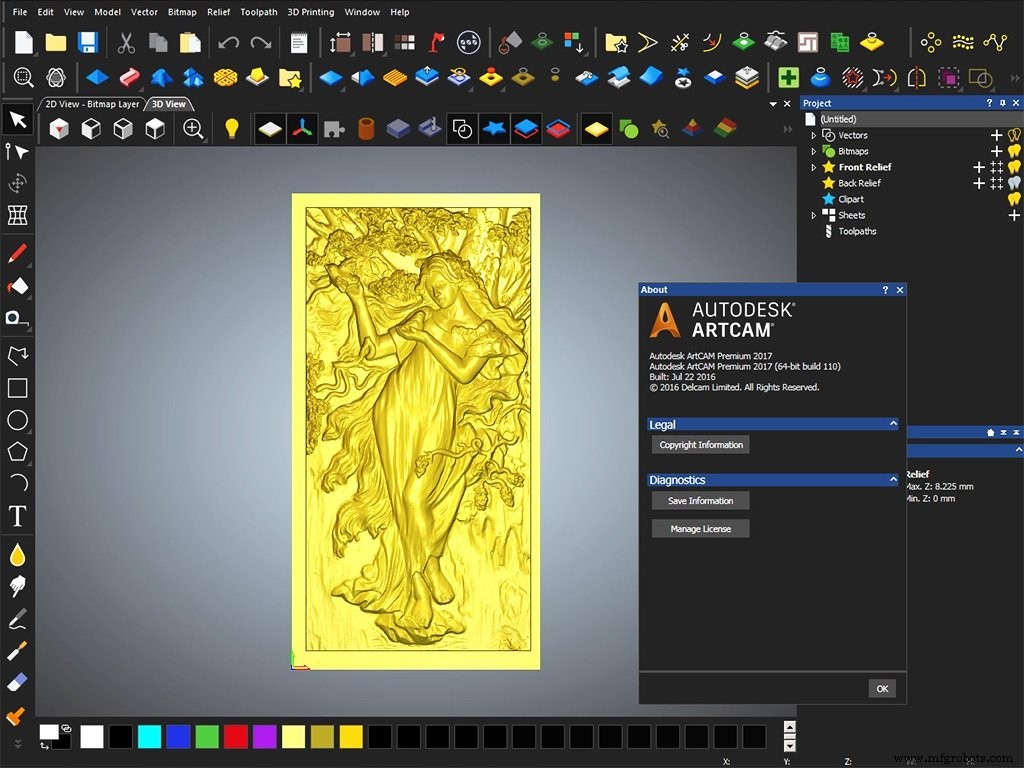
ArtCAM software can generate tool path files for relief carving. This file contains a series of instructions that specify the tool path to be followed during the processing of relief for a specific CNC machine tool.
Six steps to make relief carving path with ArtCAM for CNC router machine:
Step 1. First click on the new file icon from the file toolbar to create a new file.
Step 2. Enter a height of 100mm, a width of 100mm, and a resolution of 1002x1002 points in the new model size dialog window 100.
Step 3. Choose File - Input - 3D Model Options from the menu options.
Step 4. Select the 3D model file from the directory. After opening, the model file will appear in the 3D view, and the dialog window for pasting the 3D model will also appear on the screen.
Step 5. Edit the three-dimensional model: specify the model reference X, Y, Z position or center. Rotate around any spindle. Mirror around X, Y or Z axis. Scaling model-can be scaled proportionally or stretched along an axis.
Step 6. After editing, click "Paste" and the model will appear. In this way, we can select the tool for programming, and finally save the path file as the format file specified by the relief engraving machine. Then it can be imported into CNC router for machining.
With the popularity of CNC router machines in various industries and fields, there are more and more users, and more and more application software related to them.
At present, ARTCAM software is a relief design software with high usage rate. It can input some commonly used relief model formats, the function is very powerful, you can import CAD format, Pro/E format, 3ds Max format and other relief models into the software for editing.
In addition to relief carving, the CNC router software (ArtCAM) can also make profile carving and hollow carving, with very powerful functions.
CNC Machine
- Carving a Guitar Body with an OMNI CNC Router: A Step‑by‑Step Guide
- Why OMNI CNC Routers Transform Woodworking
- What Products Can You Create With a CNC Router? – From Furniture to Aerospace Components
- Mastering CNC Milling: A Complete Guide to Operation and Setup
- Selecting the Right CNC Router Bits for Woodworking: A Practical Guide
- Master CNC Router Operation with NC Studio: A Step‑by‑Step Guide
- Generate CNC G‑Code with ArtCAM: A Step‑by‑Step Guide
- How to Use a Tool Sensor on Your Wood CNC Router
- Mastering Compression Router Bits on CNC Routers: A Complete Guide
- Achieving Tight Tolerances in CNC Machining: A 10-Year Proven Process