



G-Code vs M-Code: Key Differences Every CNC Buyer Should Know
G-code and M-code are important for CNC routers for industrial use. Learning the difference between them can help you reduce downtime and improve machining accuracy.
1. G-code vs M-code Overview
1.1 G-code: Defines Tool Paths
G-code controls tool movement in industrial CNC routers. It controls where the machine moves, how fast it moves, and how to cut. With G-code, CNC machines can perform cutting, drilling, and milling operations.
1.2 M-code: Controls Machine Functions
M-code controls machine functions in CNC machining. It handles actions such as spindle start and stop, tool changes, and coolant control. M-code helps the machine run safely and efficiently.
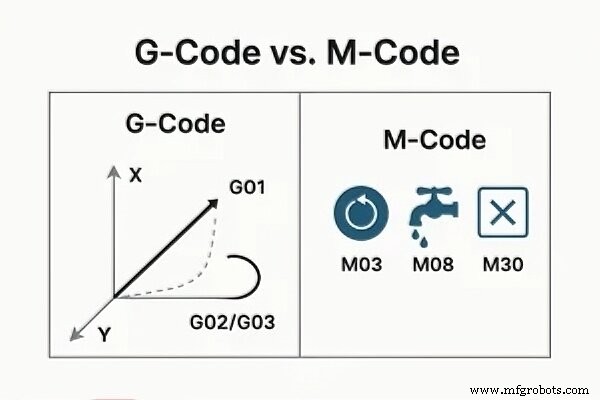
CNC router G-Code vs M-Code
2. G-Code vs. M-Code: What’s the Difference?
The main difference lies in what they control and how they control. Understanding this will help you optimize your production processes.
2.1 Functions
The following are commonly used commands for industrial CNC machining. They will help you quickly understand the core functions.
Common G-Codes
G-CodeFunctionG00Rapid PositioningG01Linear Cutting MotionG02Clockwise Circular InterpolationG03Counterclockwise Circular InterpolationG17Select XY PlaneG21Use Metric UnitsG90Absolute PositioningCommon M-Codes
M-CodeFunctionM03Spindle Clockwise RotationM05Spindle StopM06Tool ChangeM08Coolant OnM09Coolant OffM30Program End and ResetG-code controls tool movement and cutting paths, while M-code controls machine functions. This is the basic difference between them. In industrial CNC routers, the functions are more complex.
2.2 Control Logic
2.2.1 How G-code Works
G-code controls the tool’s position, speed, cutting path and depth. It tells the machine how to move during cutting, drilling, and milling.
Using a high-quality CNC router can process G-code more smoothly at high speeds. This helps reduce vibration and rough edges. As a result, you can get better accuracy and surface finish.
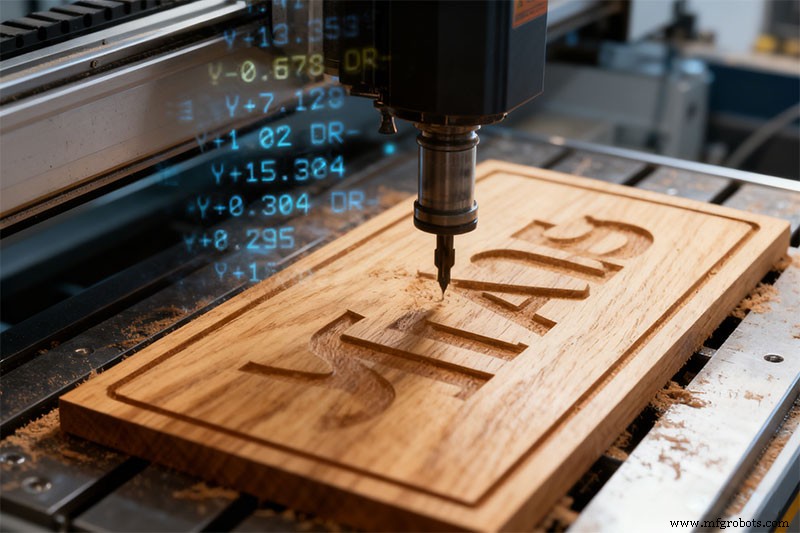
CNC router G-Code execution
2.2.2 How M-code Works
M-code controls machine functions, such as spindle operation, tool changes, coolant systems, and vacuum systems.
M-code may seem simpler than G-code. In fact, many M-code functions are related to machine automation. They affect whether your machine runs properly.
2.2.3 M06 Tool Change Automation
Take the M06 tool change command as an example.
M06 controls automatic tool changes. The spindle stops, the Z-axis moves to a safe position, and the tool changes automatically. Multiple systems work together, including sensors, cylinders, safety devices, and PLC control logic.
Smooth tool changes reduce downtime and keep production stable. Using better CNC routers, you can handle M-code tool change automation efficiently.
2.3 Compatibility
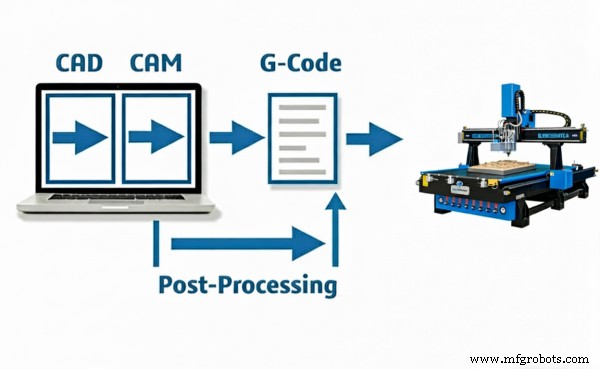
post processor
G-code is highly standardized. Commands such as G00, G01, and G02 usually have the same meaning across different CNC systems. Standardized CNC systems improve compatibility. M-code varies between control systems and manufacturers.
Our CNC routers offer excellent compatibility with common software and post-processors. This helps you to avoid compatibility issues.
StandardG-CodeM-CodeMain FunctionControls tool movement and cutting pathsControls machine functions and automationControl LogicMotion control, geometry, and path planningPLC-based automation and machine controlCompatibilityHighly standardized and widely compatibleVaries by machine and control system3. How G-code and M-code Work Together
By working together, G-code and M-code ensure fast, precise, and stable CNC operation. Here is an example of a complete CNC machining process.
LineG-code CommandDescription1%Start of program2O2001Program number3G21 G90 G17Set units to millimeters, absolute positioning, and XY plane4M06 T2Change to tool #25M03 S2500Start the spindle clockwise at 2500 RPM6M08Turn on the coolant7G00 X0 Y0 Z10Rapid move to a safe position8G01 Z-3 F120Lower the tool to the cutting depth9G01 X80 Y0 F300Linear cutting along the X-axis10G02 X100 Y20 I0 J20Clockwise arc interpolation11G01 Y80Continue linear cutting12G03 X80 Y100 I-20 J0Counterclockwise arc interpolation13G00 Z15Retract the tool to a safe height14M09Turn off the coolant15M05Stop spindle16M30End program and reset17%End of program4. FAQ
Q1. What software generates G-code for CNC routers?
Most CNC routers use CAD or CAM software that can generate G-code, such as Fusion 360, VCarve, Aspire, and Mastercam.
Q2. Which CNC controllers support standard G-code?
Syntec, Fanuc, Siemens, Mach4, and NC Studio can support standard G-code.
Q3. Can industrial CNC routers work with Fusion 360?
Yes. Most industrial CNC routers can work with Fusion 360.
Q4. Why do importers prefer standardized CNC systems?
Standardized CNC systems give you better software compatibility, and cheaper training.
Q5. Why do CNC routers fail during tool changing?
Probably because of misaligned tools, worn holders, and incorrect M-code commands. Using high-quality machines can help you to avoid these issues.
5. Final Thoughts
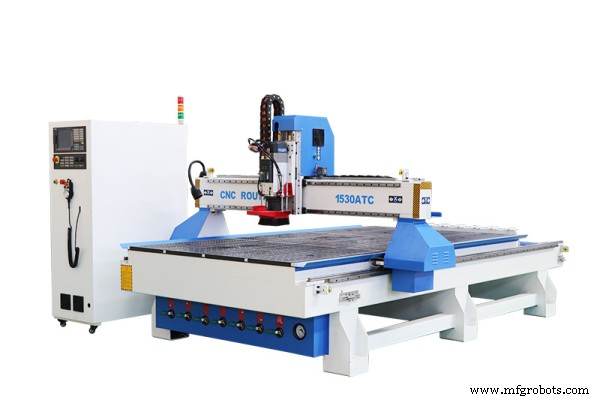
1530 5×10 ATC CNC router
You don’t need to master G-code or M-code very well to get started with CNC machining. Our CNC routers are easy to use. It also has professional technical support. Contact us today to find the right CNC solution for your needs.
Read more in our related blogs:
- How to Program a CNC Router
- Tips for Selecting ATC CNC Router Machine
- Simple Connection and Operation of SYNTEC Control System
CNC Machine
- Integrating Fixtures & Jigs into Intelligent Manufacturing for Rapid Production
- Osai DIS: Displaying Variable Values to Operators
- CNC vs Manual Machining: Choosing the Right Process for Your Workshop
- Ceramic CNC Machining: Precision Custom Manufacturing for High-Performance Parts
- Haas CNC G10: Precise Programmable Tool & Work Offset Setting via G-Code
- Choosing the Right Mechanical Fits: A Guide for Engineers
- Silicone Injection Molding vs 3D Printing: Choosing the Best Elastomeric Part Production Method
- Top 2021 Laser Engraver for YETI Ramblers, Tumblers, Cups, and Mugs – Durable Customization
- Master G71 Rough Turning Cycle: Fanuc CNC Lathe Code Example
- From Prototypes to Production: Precision CNC Machining for Small Parts