



Master Robot Programming: Step‑by‑Step Guide for Your Next Project
You want to code your robot yourself…
How do you get started?
If you are an experienced programmer, you’re already comfortable with coding. You have likely created programs for other projects and it makes sense to carry your programming skills into the world of robotics.
But, robot coding provides some extra challenges over other coding projects. The interface between software, hardware, and the robot’s physical environment is vital with robotics.
Plus, there are some common restrictions caused by the way that robots are traditionally programmed, especially industrial robots.
Thankfully, coding a robot can be as easy as any other coding project… in fact, it can be even easier than most projects!
You’re Not Stuck With Just One Language!
A common belief with robotics is that you are restricted in terms of which programming languages that you can use.
This used to be true, but it isn’t true anymore.
In the recent past, you could only program most robots with the default language provided by the manufacturer. Industrial robots usually mean using a version of Pascal.
If you’re not too familiar with the Pascal programming language, this is understandable! As one commentator put it when asked if Pascal is worth learning in the 21st Century: “No. Pascal is pretty much dead.”
But, while Pascal is pretty much dead in most areas of the modern world, this “ancient” language still survives as the underlying basis for most industrial robotic programming languages (e.g. KUKA’s KRL, ABB’s RAPID, and FANUC’s Karel).
While I’m sure you are capable of learning these languages, it can feel like a waste of time to learn a whole new language that has such limited use.
Thankfully, these days you can code a robot program using almost any programming language you like!

What Are Your Language Options for Robot Coding?
With the right coding environment, you are pretty much able to use any programming language that you are most comfortable with.
Modern programming software, such as RoboDK and its associated SDK, allows you to code the robot in your favorite language.
With an easy set of instructions, you can access the most important capabilities of your robots and even use the same code on multiple robot brands with very little modification.
Programming Languages You Can Easily Use With Robots
If you are using the RoboDK API, you can use a variety of different programming languages right “out the box”.
The core languages supported by RoboDK are:
- Python
- C++
- C#
- MATLAB
These cover the most common programming languages used in the world of robotics. You can also use other languages with little fuss.
You can learn more about these languages in our article Python vs C++ vs C# vs MATLAB: Which Robot Language is Best?
How Does Robot Programming Software Work?
When thinking about robot coding, it’s helpful to understand how RoboDK converts your code into instructions that the robot controller will understand.
- First, you write your code in your preferred language. These use specific API calls to the RoboDK API, which correspond to the movements of the robot. For example, ROBOT.MoveL(pose) would cause the robot to make a linear move from its current position to the target pose.
- RoboDK then uses an inverse kinematics solver to convert the desired pose into the joint positions of the robot.
- Finally, RoboDK uses a post-processor to convert these into instructions that your specific robot controller will understand. You can read more about post-processors in our article Robot Post-Processors: Everything You Need to Know.
The Extra Coding Skills You Need for Robotics
Compared to other coding projects, there are a couple of extra skills that you will need to develop to become a proficient robot programmer. These are taught as core topics in robotics degree courses.
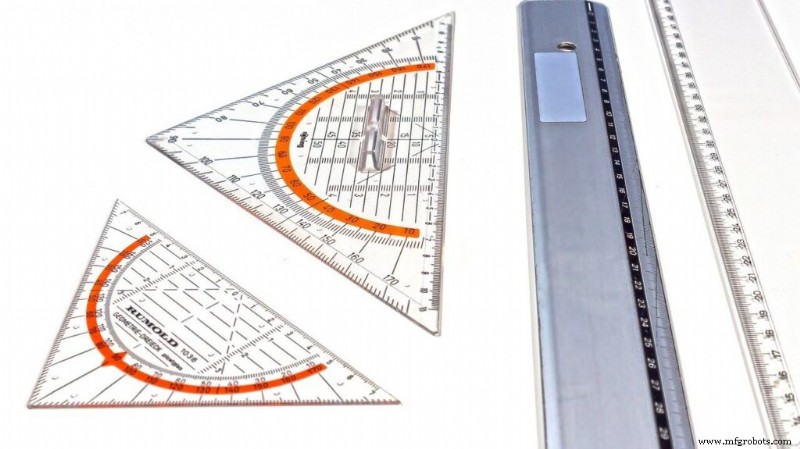
Both of these skills require a good grasp of geometry.
1. Euler Angle Geometry
One of the most important topics to get your head around is Euler Angles. These are a mathematical way of representing the position and orientation of the robot in physical space.
You will need Euler Angles to program any desired robot pose and any robot movement. So, it’s worth spending a bit of time learning about them if you have never used them before.
We have an introductory article about Euler Angles called Robot Euler Angles: The Essential Primer
2. Kinematic Theory
Geometrically, robot arms are made of a series of linkages, called a “kinematic chain.” It helps to be familiar with kinematic theory so you can fully understand how to get the robot to move in space in the way that you want it to move.
There are various resources online that teach kinematic theory for robotics. Some are easier to understand than others. However, you don’t need to become an expert in robot kinematics to code a robot. It just helps to have a grasp of the basics.
How to Get Started Coding Your Robot
What’s the easiest way to start coding your robot with your favorite programming language?

RoboDK provides an intuitive programming environment that is suitable both for beginners and experts.
You can download a free trial copy of RoboDK on our download page and started coding your robot in a matter of minutes.
Questions? Tell us in the comments below or join the discussion on LinkedIn, Twitter, Facebook, Instagram, or in the RoboDK Forum.
Industrial robot
- Choosing the Right Material for Your Project: A Practical Guide
- Achieving Success with Your First Robot Integration: A Practical Guide
- Uncover Winning Growth Opportunities for Your Manufacturing Business
- Master Front-End Engineering Design: A Step-by-Step Guide to Project Planning
- Elevate Your Fabrication Projects with Precision Laser Cutting
- Master Metal Enclosure Fabrication: Expert Tips for Your Next Project
- Choosing the Right Number of Axes for Your Robotic Positioner
- Start Programming Industrial Robots: A Beginner's Guide
- Essential Guide to Greasing Your Industrial Robot
- Accurate Steel Estimation: A Step-by-Step Guide for Your Project