



Why Modern Electrical Projects Need CAE Software—Moving Beyond Legacy CAD
The differences between the CAD and CAE software platforms, as we have already discussed, become even more evident when there is an increase in complexity and the need for greater technical detail in electrical projects. When representing a wire, for example, the difference in the use of a tool that is focused on the electrical engineering design process is notable, in common CAD software, a wire is just any graphical representation, with a line as a symbol. There is no technical information attached, other than its length.
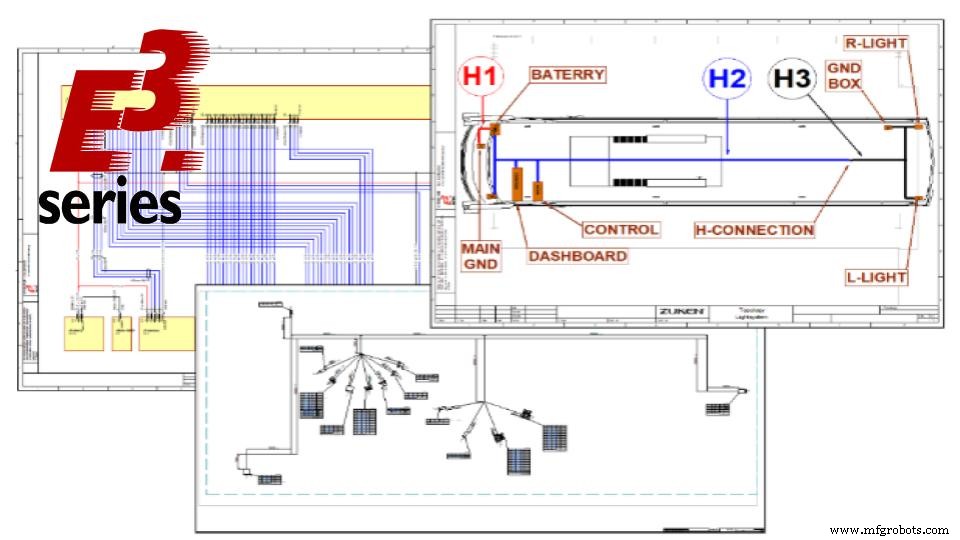
In software such as E3.series, a wire is really a wire. Complex information such as color, gauge and attributes with general details can be assigned.
The wiring properties of a wire are not only defined as text on the design sheet, but are embedded within the software's intelligence. In this way, they allow the generation of lists and automatic integrations between other E3.series modules and mechanical software.
Try the world-leading E-CAE E3.series tool with technical training courses NOW!
Click on the banner below:
The Wire in a CAD Software
When using common CAD (Computer Aided Design) software to represent an electrical wire, the designer is just using a line to symbolize it. That is, a graphical representation, without specific properties linked to it.
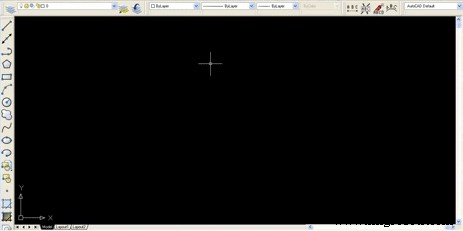
Representing a line in CAD software
Because they have, for the most part, symbol-oriented architecture, CAD platforms do not have adequate functionalities for the efficient development of electrical projects. Any addition of technical information is done in a non-automated way, through texts. Properties such as color, external and internal diameters, supplier and from / to, are not automatically integrated into the project, but must be added individually, manually.
The Wire in E3.series
In E3.series - CAE (Computer Aided Engineering) software - when representing a wire, the user is not creating just a graphic symbol. As it is an intelligent platform, with object-oriented architecture, the wiring properties of wires and cables are included in an integrated way as components of the project, with all the details of a specific manufacturer.
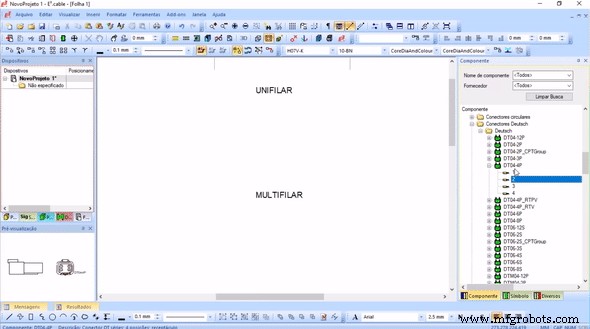
Single-line and multi-line representation in E3.series software
When inserting the connectors, the connections can be generated automatically, as well as detailing the wiring properties of each connection. Thus, there is no need for manual documentation, gaining intelligence in the integration and automated project documentation.
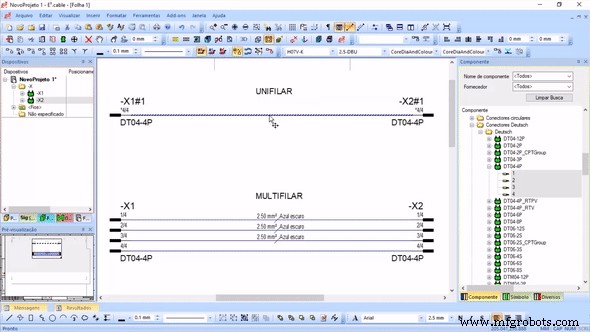
Wiring details in E3.series software
Try the world-leading E-CAE E3.series tool with technical training courses NOW!
Click on the banner below:
With the segment diameter functionality, you can view the distribution of the wires and the total outside diameter occupied by them in a part of the harness. When adding a wire with different properties, such as the section or outside diameter, it automatically calculates how the wires will be arranged within the segment, looking for the smallest possible diameter.
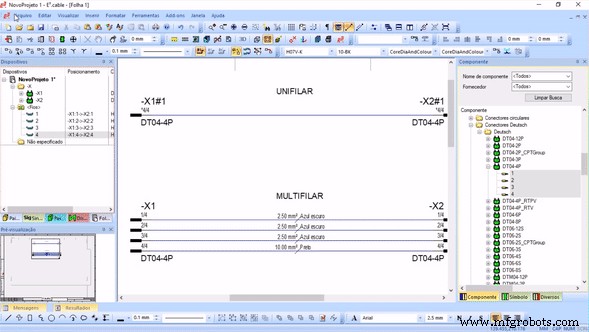
Properties to / from wires in E3.series software
As each of the connections between the pins of the components in the project is developed, the information of each from / to (the wire family, the name assigned in the project, pin to pin of the connection, type of terminal used and seal) are included automatically in the connection and cable lists.
In addition, as this information is intelligently incorporated into the project, it is possible to better document other parts of the project, such as the development of panels and harnesses.
There is also online communication with the additional module E3.panel, where the routing respects the schematic of the connections and graphically presents each one of them according to the color and gauge of the wire used.
Integrations with software platforms for mechanical projects allow the export of wiring information, connectors and pins through the E3.3DRoutingBridge module.
To learn more about how E3.series software can speed up and qualify your company's electrical design process, contact the E3.series Engineering Team or request a Trial version of the tool through the link below.

Industrial Technology
- CAD vs CAE: Key Differences & E3.series Advantages
- E3.formboard: Complete, Automated Electrical Harness Documentation
- Three Key Benefits of Using the Ideal CAE Tool for Electrical Panel Projects
- Understanding CAD, CAE, and CAM: Key Differences Explained
- CAD, CAE, CAM Explained: Key Differences and How They Work Together
- A Comprehensive Overview of the Evolution of Electrical Design
- How CAD Models Drive Success in Metal Fabrication Projects
- How Simulation Software Drives Design Success
- Mastering the Discovery Phase: Why It Drives Success in Development Projects
- Accelerate Moldmaking: Optimizing Design & Production with Advanced CAD/CAM & CAE