



Your Comprehensive CMMS Buying Guide: Maximize Asset Performance
Computerized Maintenance Management Systems (CMMS) are a popular choice in many industries for managing maintenance activities of all types. Data from 2017 showed that 78% of companies who adopted a CMMS system saw a positive improvement in equipment life. These results are tangible, and there is certainly a benefit to utilizing an organized and complete system to manage these activities.
On the other hand, additional data from Maintenance World indicates that between 40% and 80% of CMMS implementations fail. One of the best ways to prevent your project from failing is to properly plan for the evaluation, testing, and implementation of a CMMS system. This guide will help give you an overview of the important components, definitions, benefits, and costs associated with the many popular offerings on the market. This information is relevant to any business size from small, local operations to international enterprises.
In this guide, we’ll discuss:
- What Are CMMS Programs?
- Who Uses CMMS?
- How Does CMMS Work?
- Benefits of Using a CMMS
- Common Features of CMMS Software
- How to Select the Right CMMS
- How Much Does CMMS Software Cost?
What Are CMMS Programs?

A CMMS is designed to streamline all maintenance management activities for a single site or an entire enterprise. As the name implies, these are software programs that integrate with additional hardware, such as scanners and sensors, to provide a comprehensive view of a facility or warehouse. There are a number of related software systems that are similar to a CMMS, and the features between them can overlap at times. Here’s a look at a few similar types of software solutions used by companies today:
- Enterprise Asset Management (EAM). As companies grow in size, tracking each individual asset can become more difficult. An EAM provides a complete solution for managing assets across all sites that a company controls. Very similar to a CMMS, an EAM often contains similar features in addition to integration with a larger Enterprise Resource Planning (ERP) platform. This connection gives EAM users the ability to track and monitor assets in addition to connecting costs to their corporate financial activities.
- Facilities Maintenance (FM). An FM software allows users to track and complete preventive maintenance work orders and monitor basic information for each asset. These features are always included as a core component of CMMS platforms.
- Preventive Maintenance (PM). This is another type of software that focuses on the process of completing working orders for maintenance activities. They usually include core features for scheduling, performing, and tracking all of this preventive maintenance work. These are often grouped with a very similar line of software programs known as work order management systems.
- Fleet Maintenance. Any business that operates a fleet of trucks or vehicles will have unique considerations, including mileage tracking and route planning. There are software programs that include the ability to track these details, and you can also find them in some CMMS platforms that are customized for the needs of fleet operators.
Who Uses CMMS?
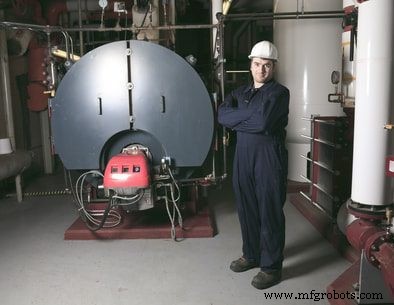
Maintenance management software is now used in companies of all sizes across industries throughout the world. Looking at the three major business size tiers can help you understand where your company fits in and the levels of services that may be available:
- Large Enterprises. Most of these companies have complete ERP systems already in place and utilize some form of EAM or CMMS to manage their assets. A company of this size has to be very deliberate about change and usually requires customization and numerous third-party integrations when evaluating any new system. The CMMS platforms that can meet the needs of large enterprises are usually more complex and customizable with thousands of potential features.
- Mid-Size Businesses. A company that is considered a mid-sized business is usually in transition and undergoing a prolonged process of establishing robust baseline processes and scaling operations. They may not require all of the features of fully-functional EAM and ERP systems, but they may have some unique needs that go beyond the core functionality of a basic CMMS. It is important for these customers to consider the flexibility of any new CMMS system and how the platform can grow along with their company.
- Small Businesses. This segment of companies is currently served by over a thousand CMMS vendors. A large number of options can make software evaluation difficult for these customers. The best way for a small business to evaluate a CMMS is to review the core features of the system, ease of implementation, and the ability to fulfill the highest priority needs.
When evaluating a CMMS and creating a resource and training plan, it is also important to think about the various departments within your company that will use the system. There are a number of roles that can benefit greatly from utilizing a CMMS. These include:
- Maintenance Managers
- Facility or Operations Manager
- Inventory Manager
- Total Productive Maintenance (TPM) Manager
- EH&S personnel
- Technicians
- Production staff
- Contractors
- IT department
Companies can choose nearly any combination of access permissions for their CMMS. In some cases, a lean deployment can be used, with maintenance management being some of the only resources with access to the system. In others, the effort is much more collaborative and inclusive, with a number of departments being involved. Within your organization, it is important to consider who should be involved, what responsibilities they have, and how they can add value to a CMMS deployment.
How Does a CMMS Work?

A CMMS provides a centralized platform for the management of all maintenance activities. This platform connects operators, planners, executives, and other resources in a way that helps them perform their jobs more effectively. It also provides visibility and transparency into important data to everyone involved. When thinking about how a CMMS is used, there are four key functions to keep in mind:
- Problem Identification. When there is an issue in a factory or warehouse, a CMMS helps to quickly identify what is wrong and what needs to happen next to fix it. Since the entire system is connected, it is easy to identify any problem, such as inventory loss, cost overrun, or equipment failure.
- Work Management. The central function of a CMMS is to help organize and complete work requests for preventive, predictive, and corrective maintenance. The software will have tools not only for logging work but also for managing approvals and streamlining workflows.
- Root Cause. An effective maintenance program should have a defined process for determining the root cause of any equipment failure or other issues. By utilizing a CMMS to track this activity and making it digital, it becomes much easier to find information about repeat failures and use the knowledge of the entire team to find robust solutions.
- Historical Records. When it comes to records, a CMMS is one of the best ways to ensure that your archive is accurate and well prepared for any audits or historical reviews. A digital record archive is also the best way to make information-sharing among your team and any third-party contractors or stakeholders quick and effective.
Benefits of Using a CMMS
Using a CMMS keeps your entire company organized and has a number of benefits over traditional methods and manual tracking. A few of the primary benefits of a CMMS include:
- Effective maintenance planning and scheduling
- Work order management
- Reduced overtime
- Improved safety
- Business-wide transparency
- Reduced equipment downtime
- Less paperwork
- Enhanced productivity
- Accurate spare parts inventory counts
- Clear metrics, KPIs, and reporting
Part of the challenge in choosing a CMMS is finding a system that has a balance of features and value that are well-matched with the needs of your organization. In order to maximize the benefits of a CMMS, even if you already have one, you should routinely review whether you are taking advantage of the major benefits and any new features that have been released.
Common Features of CMMS Software

A CMMS is a multi-faceted platform that revolves around a number of important functions that are all connected to a central database. When evaluating software, always start with these core features to make sure that they are designed in a way that is well-matched for your needs. While most CMMS software programs will contain these features, they may offer very different tools and configuration options.
Work Order Management. As mentioned previously, work order management represents the core feature of all CMMS systems. An effective work order management workflow will allow users to easily view work order status, assign personnel and parts, and process work order completion. In addition to these, many of the leading CMMS platforms also include the ability to:
- Assign root cause information
- Automate the creation of new work orders
- Attach additional documentation to individual orders
- Automatically generate work orders for preventive maintenance triggers
Inventory Management. The typical facility could contain potentially thousands of individual parts and accessories needed to maintain equipment onsite. A CMMS will usually include support for management of this inventory, including tools for organizing suppliers, reviewing costs, and setting inventory levels.
Labor Management. Personnel, both internal staff and contractors, represent an important resource for completing maintenance and facility-related activities. Data such as pay, shifts, and certifications can usually be tracked within a CMMS and provide a clear picture of who is available and for what type of work.
Asset Management. We already mentioned above that EAM and CMMS systems are often compared to each other, with both offering asset management as a core feature. While the asset tracking features may not be as extensive in a CMMS as compared to an EAM, most systems will include an asset registry, defined equipment locations, and performance data. One major variable among CMMS platforms is support for third-party peripherals such as meters, sensors, and other equipment that can be used for monitoring equipment in real-time.
How to Select the Right CMMS

It’s a good idea to form a project team to evaluate and select a CMMS for your company. Doing so will help your team remain focused on an appropriate deadline and budget to keep your overall project on track. In addition, you could consider a few of these important steps in planning your evaluation:
- Start by considering the size of your business and the major strategic priorities that a CMMS can support. This will help you select an appropriate initial scope of features for an ideal CMMS that can narrow down a list of potential vendors right away.
- Compare your desired features to each system and eliminate any that do not fit well with your business scope or have usability limitations that might negatively impact your implementation.
- Review the supported hardware, third-party integrations, and any API features that are available for each option. This is a great time to really compare how a CMMS will be able to integrate with your existing systems and processes.
- Discuss training and support options with each vendor, including any additional costs associated with a software rollout and upkeep. Many companies will have different ways of calculating these fees, and it is vital not to underestimate the importance and cost of ongoing training needs.
- After completing an initial review, you can put together a comprehensive ROI for your CMMS implementation and compare the benefits among your final list of providers.
How Much Does CMMS Software Cost?
CMMS software vendors will usually offer one or more of the following basic pricing plans to their customers. These options are shown in order of general preference from smaller companies to larger. Most smaller operations would find the best value by selecting plans that charge per user, while large organizations must consider the potential benefits of unlimited plans or those that cater to more extensive needs.
- Per User, Per Month. This is probably the most common CMMS cost structure seen today, in which the price is based on a monthly fee for each user of the system. Sometimes this is calculated based on the number of concurrent users who are active on the system at any given time. In other cases, it is based on the number of active users registered in the system. You may also see tiered pricing based on the level of access needed for each person, such as a facility manager versus a maintenance technician.
- Per Month. In the case of a simple per month plan, you will typically find prices that vary based on the number of users, locations, or features that are provided. There can also be major differences based on the level of customization and support provided by the vendor.
- One-time Licensing Fee. Typically reserved for larger enterprises that want complete control over the deployment, some vendors offer software for a one-time fee. This option includes a larger upfront licensing cost that then usually gives the customer unlimited access to many features and the possibility of long-term cost savings.
In addition to the direct software costs, also include any secondary sources such as training, support, maintenance, and implementation costs. This is especially important when reviewing your ROI and making sure that you can quantify the tangible value and benefit of your new CMMS system.
Further Reading on CMMS Software
For more information about CMMS software, visit the following resources:
- Guide to CMMS Acquisition & Implementation (FT Maintenance)
- The Role of CMMS Whitepaper (Plant Maintenance Resource Center)
- Principles of CMMS Implementation (ResearchGate)
- Guide to Selecting a CMMS (Dude Solutions)
- CMMS: Your Guide to Success (FMX)
- CMMS, CAFM, and EAM: Your Guide to Facility Management Software (Accruent)
- A Guide to Stress-Free CMMS Implementation (Real Asset Management)
- A CMMS Requirements Case Study (Science Direct)
- CMMS Guide (Maintenance Care)
- CMMS Systems (WBDG)
Industrial Technology
- AIaaS Demystified: The Definitive Guide to AI as a Service
- Master Maintenance Management: Boost Efficiency & Cut Costs
- Mastering Barcode Label Selection: A Comprehensive Buying Guide
- Mastering Preventive Maintenance: A Comprehensive Expert Guide
- Master CMMS: Comprehensive Guide Part 2 – Essential Features for Efficient Maintenance
- CMMS Fundamentals: The Ultimate Guide – Part 1
- The Ultimate CMMS Guide: Part 4 – Choosing the Right System for Your Organization
- Back to Basics: The Ultimate CMMS Guide – Part 3: Selecting Features for Successful Implementation
- Mastering LED Drivers: A Comprehensive Guide to Efficient Lighting
- Comprehensive Guide to CNC Machining: Techniques, Applications & Best Practices