



Step-by-Step Respirator Care: Clean & Maintain for Safety
How do I clean my respirator?
So you want advice on how to clean and maintain your respirator? Well, the good news is you’re in the right place. We know safety and we care about your health. Regular care and maintenance of your respirator is critical if you want to get the most life out of your respirator and work safely. Before we jump straight into respirator cleaning tips, let’s take a step back and make sure that respirator you’re wearing is in tip-top shape. Here’s how to best care for your full and half face respirators:
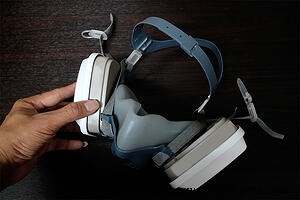
1. Inspect your Respirator Regularly
There’s no point in cleaning your respirator if it’s cracked or otherwise defective. Take the time to inspect your respirator before each use to make sure it’s in good operating condition.
Carefully look over the facepiece for cracks, tears or dirt and pay special attention to the face seal. Check out inhalation and exhalation valves, straps, gaskets and seals for any signs of wear, tear or damage.
Finally, inspect any lenses of your respirator for anything that could impair your vision or performance. If there are any sign of defect or damage, it will need to be replaced.
3M™ has a helpful guide you can refer to for inspection tips right here.
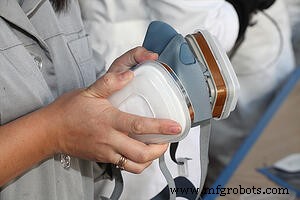
2. Cleaning Your Respirator
OSHA has some pretty strict requirements for the proper cleaning of respirators. They should. Often times, your respirator is the only thing between you and dangerous dusts, gases, vapors or fumes.
Unfortunately, it’s far too easy to overlook respirator safety when the hazards may be invisible to the naked eye. The truth is, if you don’t take care of your respirators, they can’t take care of you.
That’s why many safety and production managers find it’s helpful to place signage throughout their facility as reminders to clean, maintain and store respirators the right way.
Just remember to ALWAYS check manufacturer instructions for inspecting, cleaning and maintaining your respirators. Below are some tips for effectively cleaning your respirators and related components. For an in-depth look at OSHA’s mandatory cleaning procedures, click here.
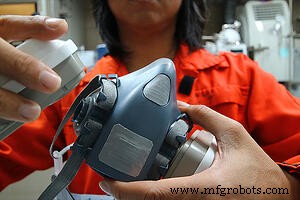
Follow These Steps:
- Remove filters, cartridges or canisters. Disassemble diaphragms, valve assemblies, hoses or other components.
- Wash components in warm water, using a mild detergent or cleaner recommended by the manufacturer. A stiff bristled (non-wire) brush can be used.
- Rinse components in clean, warm running water.
- If cleaner doesn’t have a disinfecting agent, you may then immerse respirator components in OSHA approved solutions. Do NOT use solvents or alcohol wipes.
- Thoroughly rinse components again in clean, warm running water.
- Hand dry components with clean, lint-free cloth or allow to air dry.
- Reassemble facepiece, replacing filters, cartridges and canisters.
- Test respirator for proper function.
We recommend these cleaning wipes and accessories in-between cleaning:
| Respirator Wipes and Lens Cleaning Towelettes | Pop-Up Wipes Canister Holder | Respirator Cleaning Swabs |
 |
 |
 |
3. Maintaining Your Respirator
Don’t go tossing your respirator in a tool box, locker or in the cab of your truck. There’s rules about that and for good reason.
Storing your respirator properly after each use is an important step in maintaining your gear. Make sure to store your respirator in a cool, dry place because exposure to sunlight, heat, cold, smoke or chemicals can damage your respirator and render it useless. Using a storage bag like this can offer additional protection.
Also, remove that cartridge from your respirator and store in a zipper locked plastic bag to avoid contamination.
Cartridges and filter cannot be cleaned. Depending on their condition, they can be reused or disposed of completely. Have a change out schedule handy so you know when each cartridge should be replaced.
It’s important to note the contaminants you’re working with as well as the frequency, concentration and length of use, and any other factors like temperature and humidity of your work area. Document these changeouts so there’s no doubt in your mind when it’s time for a new filter.
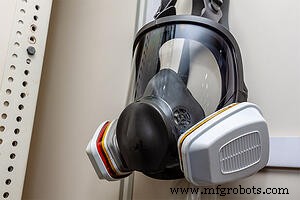
➤ Pro Tip: We spoke with a longtime automotive refinisher about his experience using respirators over the past twenty years and this is what he had to say:
We're Here to Help
No matter what line of work you’re in, we can help you work safer and more productively with products designed specifically for the work you do. If you have questions on purchasing, cleaning or maintaining your respirators we’d love to help.
Just stop in to Rocky Mountain Industrial Supply, visit our website or give us a call at 307-472-5519. We’re here to help keep the American workforce safe everyday.
Industrial Technology
- Proven Tips for Maintaining Your Plasma Cutter: Extend Life & Performance
- Effective Advertising & Growth Tactics for Industrial Cleaning Companies
- Professional Guide: Cleaning Aluminum After Welding for a Sleek Finish
- Professional PCB Cleaning Guide: Safe Techniques & Essential Tools
- How to Properly Maintain Your Hoist Motor for Safety and Longevity
- Effective Factory Accident Management: Strategies to Mitigate Risks and Ensure Continuity
- Mastering Solder Mask Design: 6 Essential Steps for Long-Lasting PCBs
- Fish Stunner Circuit Explained: Simple Build Steps and How It Works
- STM32 Nucleo: Features, Connectivity, and PC Integration
- How to Protect Your PCB Designs: A Step‑by‑Step Guide