



Safeguard Your Makino Pro 3 Programs: Advanced Locking & Customizable Protection
Makino Pro 3 Program Protection
All programs stored in the directory are protected (from editing or accidental deletion) by a Memory Lock key switch.
The Makino Pro 3 provides additional program protection through the use of parameter settings.
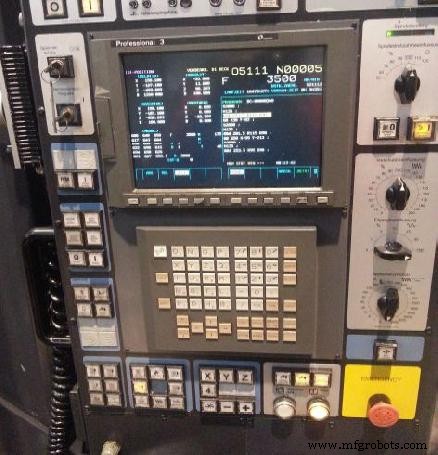
Makino Pro 3
Makino Pro 3 Parameters for Program Protection
Two ranges of part program numbers can be inhibited from editing by setting Pro 3 control parameter 3202.
Parameter 3202 is an eight bit parameter with bits 0 and 4 used to inhibit program editing.
Parameter 3202
When parameter 3202, Bit 0 is set to 1:
– Program numbers in the range of O8000 through O8999 cannot be edited or deleted.
When parameter 3202, Bit 4 is set to 1:
– Program numbers in the range of O9000 through O9999 cannot be edited or deleted.
Mitsubishi CNC Corner Chamfering and Rounding: Precision Corner Processing
Fanuc CNC: Direct Programming of Profiles with Angles and Rounded Edges – Step‑by‑Step Example
CNC Machine
- Understanding C Program Structure: A Beginner’s Guide
- Makino: Pioneering Japan’s First NC Milling Machine and Machining Center
- Comprehensive CNC Milling Sample Program – G-Code Tutorial & Explanation
- Understanding CNC Program Blocks: A Comprehensive Guide
- Master CNC Programming: A Beginner’s Guide to Fanuc Controls
- Spindle Warm-Up Procedure for Optimal Performance
- Comprehensive Guide to Mach3 M Codes for CNC Machining
- Haas CNC Machine Parameter List – Essential Settings for Lathes & Mills
- Comprehensive Makino Pro 3 M Codes Guide for Fanuc 16i/18i CNC Controls
- Complete Makino Pro 3 G‑Code Reference for Fanuc 16i/18i CNC Controls