



CNC Plasma Cutting 101: Master the Technology for Precision & Efficiency
CNC (Computer Numeric Control) plasma cutting is rapidly becoming the industry‑preferred method for metal cutting in everything from large factories to hobbyist workbenches. Its low initial cost, exceptional cut quality, and user‑friendly operation give it a clear edge over alternatives such as waterjet and fiber‑laser systems.
What Is CNC?
CNC replaces manual, operator‑controlled machines with a computer‑driven system that interprets a digital part file and executes precise movements. The language that drives the machine is G‑code, a series of Cartesian coordinates (X, Y, Z) and control commands that the CNC controller translates into physical motion.
Typical CNC setups have a defined origin where the part’s zero point is set. From there, the program tells the machine to move to specific coordinates, adjust feed rates, pause, or perform other actions. While 3‑axis machines (X, Y, Z) are common, many modern routers and plasma cutters add 4, 5, or even 6 axes—adding rotations (roll, yaw, pitch) that dramatically increase design flexibility but also program complexity.
Why CNC Is the Future of Metal Cutting
Human operators introduce variability—tired eyes, inconsistent pressure, and small mistakes—whereas a CNC machine performs each operation with repeatable precision. In manufacturing, consistency and time‑to‑market are critical; a CNC system can deliver both without breaks, fatigue, or error.
Beyond just cutting, CNC technology streamlines the entire production chain: from automated material loading to precise tool path planning. This automation reduces labor costs, increases throughput, and virtually eliminates the risk of operator‑induced defects.
From CAD to the Cutting Bed: A Step‑by‑Step Workflow
1. Design your part in a CAD program (AutoCAD, SolidWorks, or free alternatives). Export the drawing as a DXF file, the industry standard for CNC instructions.
2. Import the DXF into a CAM (Computer Aided Manufacturing) program. CAM software translates the geometry into a toolpath, generating the G‑code that the CNC controller will understand.
3. Program machine settings—cut speed, depth, feed rate, and plasma torch specifications—within the CAM interface. Most CAM packages include tutorials and sample scripts to ease the learning curve.
4. Transfer the G‑code to the CNC machine via USB, Ethernet, or direct connection, then run the job. The machine will cut the part exactly as specified.
Key Resources for Beginners
All of the DXF files needed to start a CNC plasma cutting project are available in our bundled package for just $1,599.99. The bundle includes templates for common shapes, complex curves, and full‑scale designs—ideal for both newcomers and experienced operators.
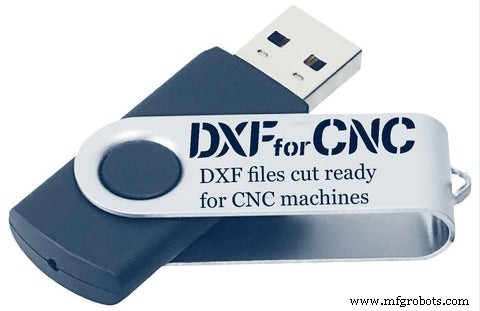
All Entire DXF Files Packages (Bundle) only $1599.99
Conclusion
CNC technology may seem intimidating at first glance, but understanding its fundamentals makes integration into any production workflow straightforward. From the precise control of G‑code to the full automation of material handling, CNC plasma cutting delivers unmatched quality, speed, and repeatability—qualities that set modern manufacturers apart.
Author: Nicholas Kinney
Mechanical Engineer at Diamond Manufacturing Company, specializing in CNC turret and fiber‑laser programming. When not at work, Nicholas enjoys machining, plasma cutting, and developing an electromechanical anti‑jackknifing system for tractor trailers.
CNC Machine
- CNC Plasma Cutting Machines: Technology, Applications, and Safety
- CNC Plasma Cutting: Key Features, Table Types & Software – Buying Guide Part 3
- Mastering CNC Plasma Cutting: Fundamentals, Mechanics, and Performance – Part 2
- The Definitive Guide to CNC Plasma Cutting Software: Features, Workflow, and Best Picks
- Advanced CNC Programming for Plasma & Laser Cutting: Mastering Slats, Tabs, Piercing & Lead‑Ins
- Mastering CNC Plasma Cutting: Essential Tips for High-Quality Cuts (Part 5)
- Preparing Your Workshop for a CNC Plasma Cutting Table: Electrical & Gas Requirements
- The CNC Machine Tool Production Journey – From Fabrication to Installation (Part 2)
- How to Pick the Ideal CNC Plasma Table for Your Workshop
- How to Convert Your Tormach CNC into a 2D Scanner: A Beginner's Guide