



SW GmbH Introduces 24″ Multi‑Touch CNC HMI with Haptic Feedback for Enhanced User Experience
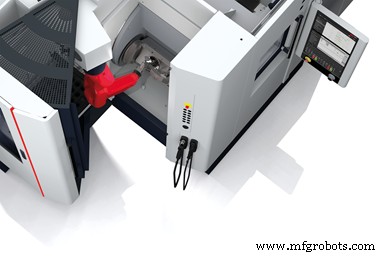
Schwäbische Werkzeugmaschinen GmbH (SW) has introduced user-experience enhancements like multi-touch capabilities and simplified troubleshooting and program management with its recently released CNC HMI, the C|one Control Panel.
The main display of the C|one measures 24” and features haptic feedback on its multi-touch surface to imitate the feel of real hardware buttons and prevent incorrect operation. This also enables blind operation of functions. An intelligent touch-sensor prevents accidental input from water and dirt. A multi-functional rotary dial allows for precise control of feed and spindle override while also serving as a handwheel.
In situations like a blown-fuse, which can trigger a domino effect of subsequent alarms that bury the simple instigating problem on a traditional numerical control, the C|one saves time by indicating the initial alarms.
The C|one also provides users more control in managing programs. Users can view program history and save five “favorite” programs per table, while easily switching between workpiece folders or the subprogram files and main program files on the display. They can also select and deselect table-dependent programs, with the machine tracking actions for straightforward review and noting timestamps for file changes.
SW plans to replace the secondary control panels with 10.1” tablets. They will feature the secure Windows 10 IoT Enterprise operating system, and have a battery life of up to eight hours. The company is actively exploring additional features for the C|one like advanced tool management. Currently, this feature includes an on-board database of tool data, the ability to conduct condition monitoring of tool status through straightforward icons in order to preemptively address problems, a dynamic UI that presents relevant information as jobs are underway and the ability to customize tool visibility to user preference. SW is also testing import and export functionalities on the secondary screen for tool data portability.
Industrial equipment
- Master GRBL: Step‑by‑Step Guide to Setting Up and Controlling Your Arduino‑Powered CNC Machine
- Millport SmartLathez 1740 CNC Lathe – Precision & Power
- Mitsubishi Electric Launches CNC Offset Manager: Remote CNC Offset Control for Enhanced Efficiency
- Hurco Unveils 3D Import Feature Powered by DXF Technology
- Elevating CNC Multis: Insights from EMO 2017
- Revolutionizing CNC Turning: High Dynamic Turning & FreeTurn Tooling
- Boost Your Solid Edge Workflow with the New RoboDK Plugin for Synchronous Design
- Boost CNC Performance & Safety with Collaborative Universal Robots
- Precision Tool Offset Techniques for CNC Lathes on Fanuc Controllers
- Swanton Welding Boosts Production Automation with New Ficep CNC Drill Line