



Mill a Hemisphere in Fusion 360: A Complete, Professional Guide
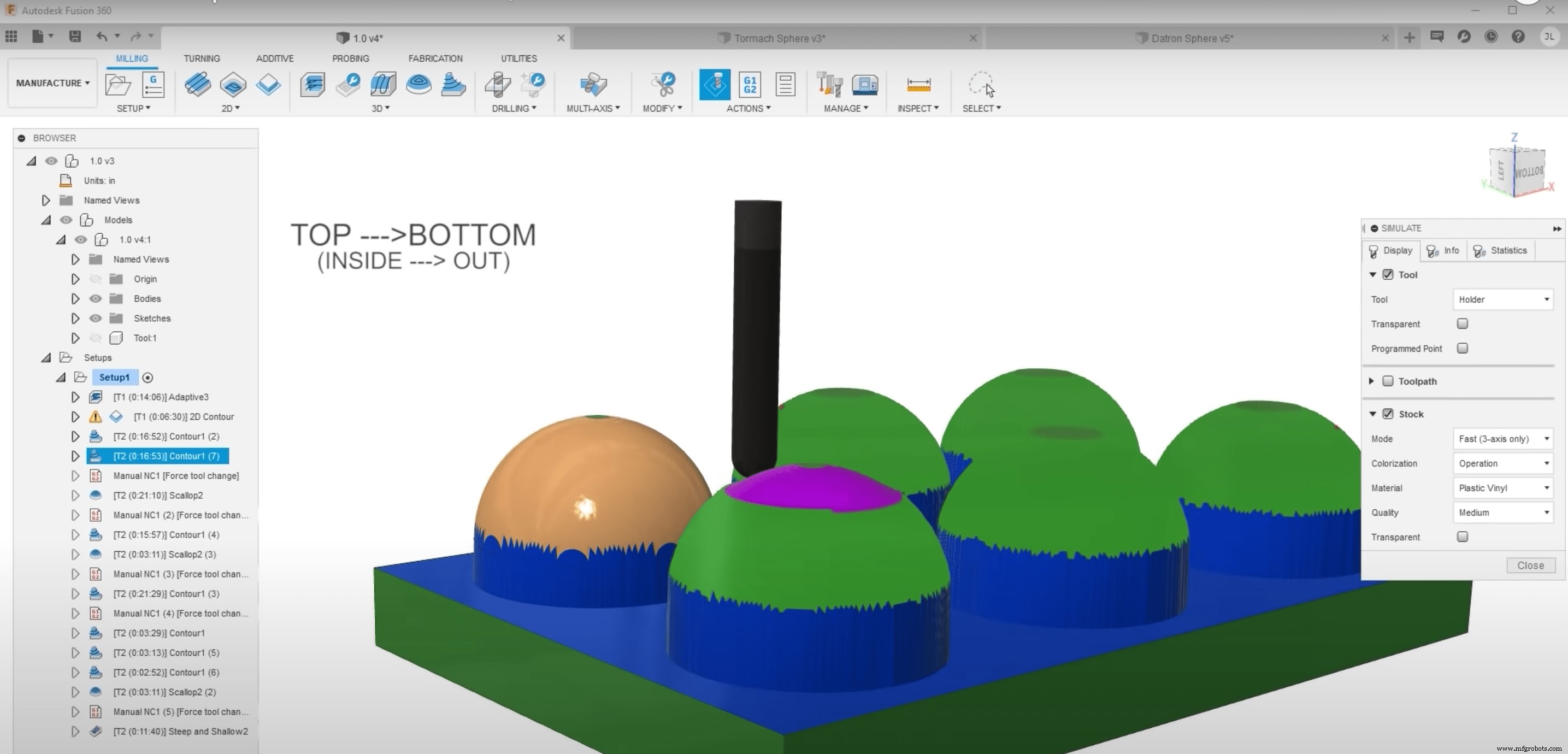
Saunders Machine Works (aka NYC CNC on YouTube) recently shared a comprehensive guide on how to mill a hemisphere using Fusion 360. There are so many ways to go about milling hemispheres in Fusion 360, including single operation or multiple operation workflows, and each method yields a slightly different surface finish. Milling hemispheres isn’t a super difficult thing to do, but it’s important to know your options and the pros and cons of each method before starting your next project.
In this video, Saunders Machine Works does a deep dive into a few different processes and tests them each on the Tormach 1100MX and the DATRON Neo. The side-by-side comparison between the two is pretty epic and is worth a watch in and of itself if you’re curious to see what each machine is capable of. At the end, they bring together the knowledge they’ve gained throughout the video to mill one final hemisphere with the goal of achieving the best possible surface finish.
Fusion 360’s Manufacturing Extension includes Steep and Shallow functionality, which makes it easy to machine parts with complex surface geometry (such as a hemisphere) in a single toolpath. You can subscribe to the Manufacturing Extension directly through Fusion 360, so what are you waiting for? Try out Fusion 360 and the Manufacturing Extension today.

Industrial Technology
- Master 5‑Axis Machining with Autodesk Fusion 360
- Machine Parts with Fusion 360 Using a Generatively Designed 3D-Printed Fixture
- Step‑by‑Step Guide to Machining a Steering Wheel with Fusion 360
- Mastering Spider Plate Machining with Fusion 360: A Detailed Tutorial
- Mastering Wheel Hub Machining in Fusion 360: A Practical Guide
- Fusion 360 CNC Guide: How to Machine a Chess Piece
- Master Fusion 360’s Machine Builder: Build Custom Machines for Simulation
- Master Fusion 360 on a Haas Machine: Expert Tips – Part 1
- Effortlessly Integrate Haas Tooling into Fusion 360: A Step‑by‑Step Guide
- Streamline Fusion 360 & Haas Machine Workflow: Expert Tips – Part 2