



Raspberry Pi 4 vs 3 – Which Is the Best Choice for Your Projects?
Raspberry Pi is a cost-effective Broadcom-based, credit card-sized, and single-port computer. They’re often applicable when powering home automation hubs, media servers, electronic projects, robotics, video game consoles, or Christmas lights. Over time, Raspberry Pi has evolved through four generations. The earlier models included Raspberry Pi 1, 2, and 3 Model B and B+. Later on, an improved version, Raspberry Pi 4, came to be. It has a faster system compared to the previous models. And so, today, we’ll be comparing the Raspberry Pi 4 VS 3 through the specifications, RAM, power, and connectivity, among others.
Model Overview
Raspberry Pi 4 and 3 have features like;
- A 40-pin GPIO header,
- Bluetooth and Wi-Fi capabilities,
- USB ports,
- Display ports,
- Ethernet ports,
- RAM, and
- ARM processors.
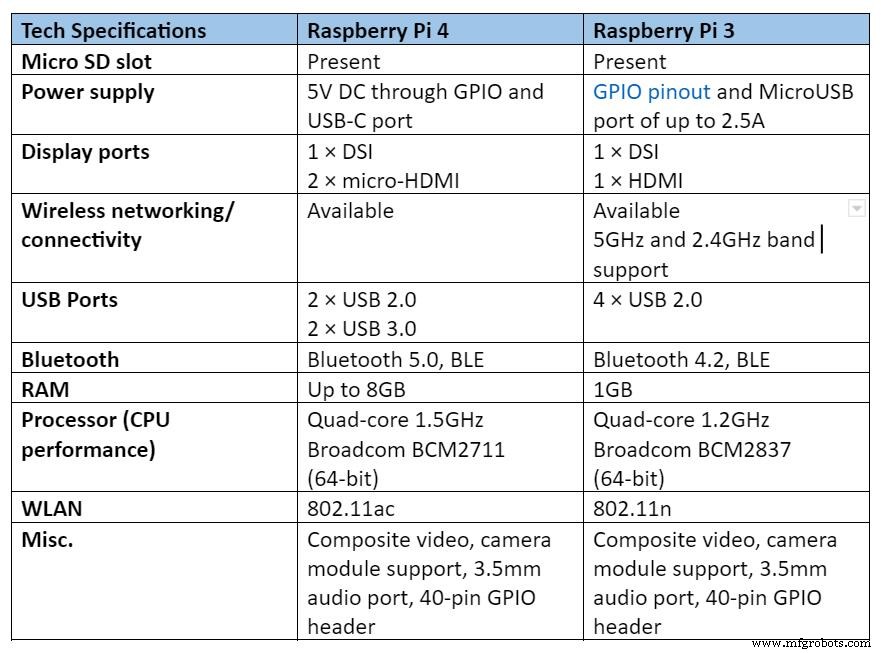
Despite having almost similar features, the two single-board computers differ in display capabilities, connectivity, and performance, as we’ll see. For example, Pi 4 has a faster working WLAN 802.11ac when compared to Pi 3.
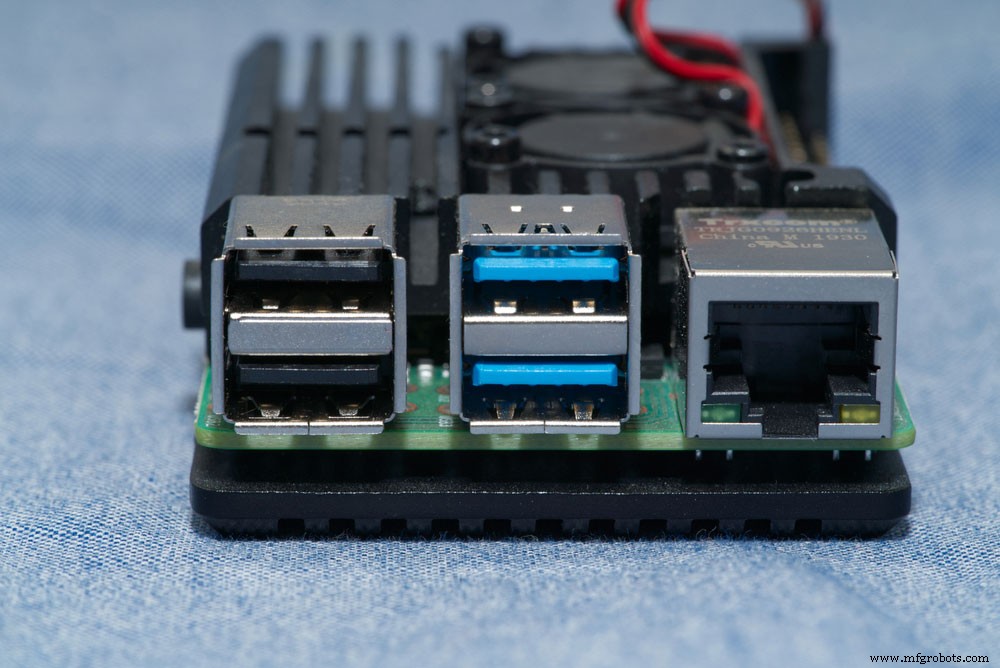
(RJ45 and USB ports of Raspberry Pi 4 board)
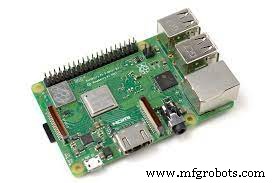
Raspberry Pi 3 B+
Raspberry pi 4 vs 3:Specifications
The specifications of Raspberry Pi 3 and 4 are in the table below;
Raspberry pi 4 vs 3:CPU, RAM, and Graphics
Raspberry Pi 4 is, by far, a favorable choice compared to Raspberry Pi 3 in terms of RAM and CPU.
The Raspberry Pi 3: RAM and CPU
- It supports 1GB LPDDR2 SDRAM.
- It also supports Broadcom BCM2837B0, Quad-core Cortex-A53 (ARMV8) 64-bit SoC at 1.4GHz.
Raspberry Pi 4: RAM and CPU
- Depending on the model, it can support 4GB, 2GB, or 1GB LPDDR4-3200 SDRAM.
- It reinforces Broadcom BCM2711, Quad-core Cortex-A72 (ARMV8) 64-bit SoC at 1.5GHz.
Raspberry pi 4 vs 3:Connectivity and Ports
Connectivity and port features for Raspberry Pi 3
- Have a 4-pole composite video and stereo audio port.
- Then, it has a 2-incorporated lane MIPI CSI camera port section and a 2-lane MIPI DSI display port.
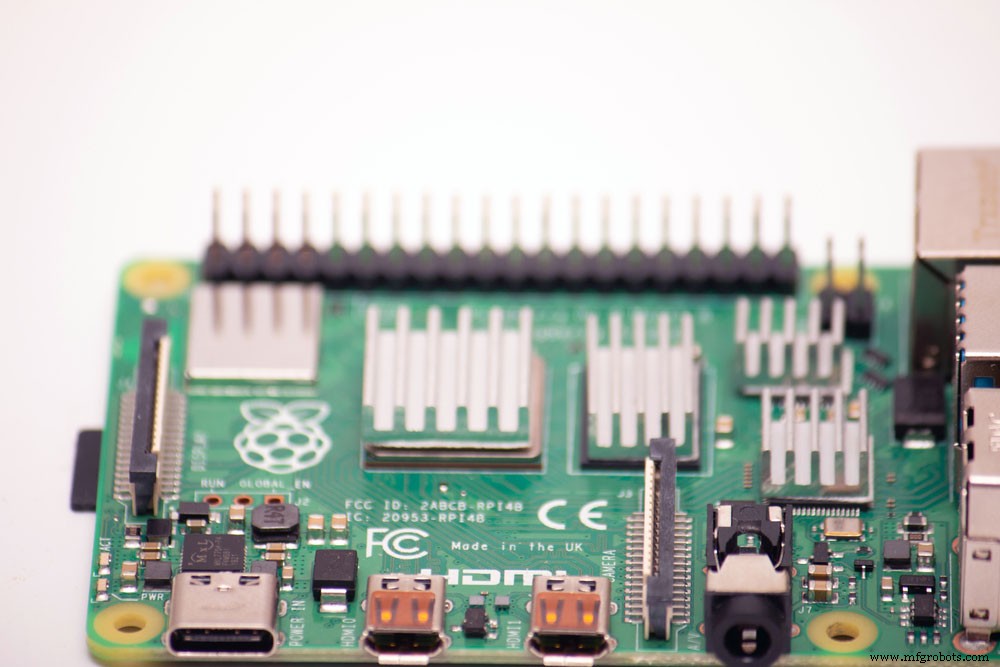
(15-pin MIPI camera interface CSI)
- Also, it has 4× USB ports and gigabit ethernet over USB 2.0, with the maximum output being 300Mbps.
- It has a 40-pin GPIO header which is the Raspberry Pi standard.
- Lastly, there’s a Bluetooth 4.0, BLE, and 5GHz and 2.4GHz IEEE 802.11.b/g/n/ac wireless LAN.
Connectivity and port features for Raspberry Pi 4
- First, it has a 2-lane MIPI CSI camera port and a 2-lane MIPI DSI display port.
- It also has a Bluetooth 5.0, BLE, and a 5GHz and 2.4GHz IEEE 802.11a wireless LAN.
- Thirdly, it comprises 2 × USB 2.0 ports and 2 × USB-3.0 ports, and a Gigabit Ethernet port.
- It has 4-pole stereo audio and composite video port and a standard 40-pin GPIO header.
Raspberry pi 4 vs 3:Display connectivity
Display for Raspberry Pi 3
- 1 × Full-size HDMI port (ranges to around 1080p).
Display for Raspberry Pi 4
- H.264 (1080p30 encode, 1080p60 decode), H.265 (4kp60 decode).
- 2 × micro-HDMI ports (about 4kp60 supported).
Raspberry pi 4 vs 3:Power
The points below outline the power specifications of Raspberry Pi-3 and -4, a common one that has a separate PoE.
Power specifications for Raspberry Pi 4
- Support Power over Ethernet (PoE) even though it’ll need a discrete PoE HAT.
- Then, it has a new 5V DC via USB-C connector (minimum 3A*) despite having more power consumption rates.
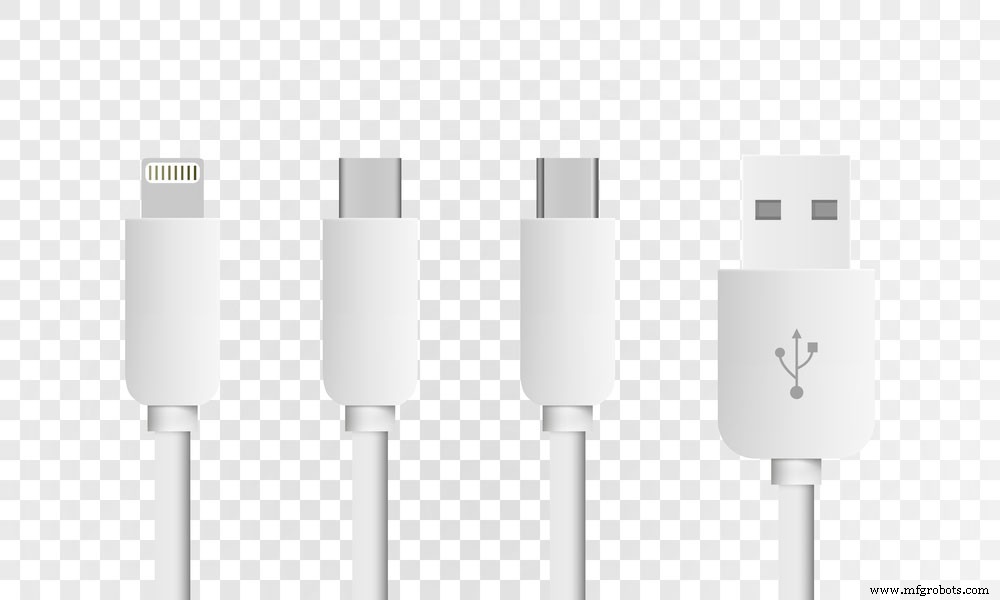
(standard USB type-C plugs)
- It also has 5V DC through GPIO header (minimum 3*).
Note;
Use a good-quality 2.5A power supply if the power consumption of less than 500mA by the downstream USB peripherals.
Power specification for Raspberry Pi 3
- First, it supports PoE (Power over Ethernet).
- Secondly, it has a 5V/2.5A micro-USB connector.
Which Raspberry Pi should I buy?
Ideally, both Raspberry Pi 3 and Raspberry 4 models are excellent choices. It is because you can teach yourself programming and electronics on both gadgets.
However, when you want to construct a low-cost-media player or experiment with codes and electronics, Raspberry Pi-3 is the best. What’s more, it is cheap.
Contrarily, you can use Raspberry Pi 4 for better internet support, higher levels of RAM, and a faster processor. Additionally, it can support complex software like Scratch 3 and has an improved retro game emulation. The mentioned features also render it a versatile desktop computer.
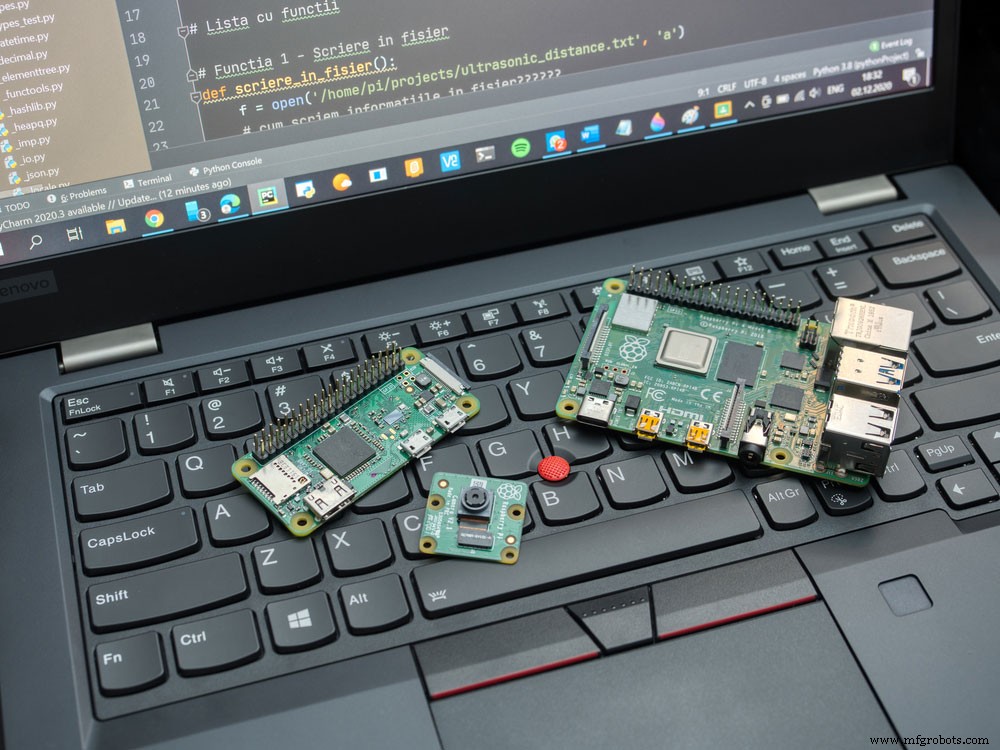
(Raspberry Pi 4 model-B)
The only downside of Raspberry Pi 4 is the heat issue due to faster processing speed. Consequently, that’ll force you to purchase a separate integrated heatsink that requires an additional cost.
Conclusion
In conclusion, choosing between a Raspberry Pi 4 and 3 can be challenging if you aren’t familiar with the differences. Technically, both serve distinct projects as per your requirements. For more information, contact Wellpcb for detailed guidance.
Industrial Technology
- Top Cloud Storage Services for 2020: Security, Pricing, and Features
- Top 10 Single‑Board Computers of 2021: Performance, Power, and Applications
- Top Accessories to Unlock Your Raspberry Pi's Full Potential
- Choosing the Right Food‑Grade Metal: Stainless Steel, Aluminum, and More
- CNC Machining vs. 3D Printing: Choosing the Right Manufacturing Method for Your Project
- Choosing the Right Void Fill: A Guide to the Best Packaging Solutions
- Choosing the Right Computer for 3D Printing: Specs & Recommendations
- Choosing the Right Computer for Your Family: A Comprehensive Guide
- Master PCB Vias: 9 Expert Tips for Optimal Layer Connectivity
- Choosing the Right Hydraulic Pump: A Comprehensive Guide to Types and Performance