



Discover Fast Radius Studio: Cloud-Based Design & Production Insights
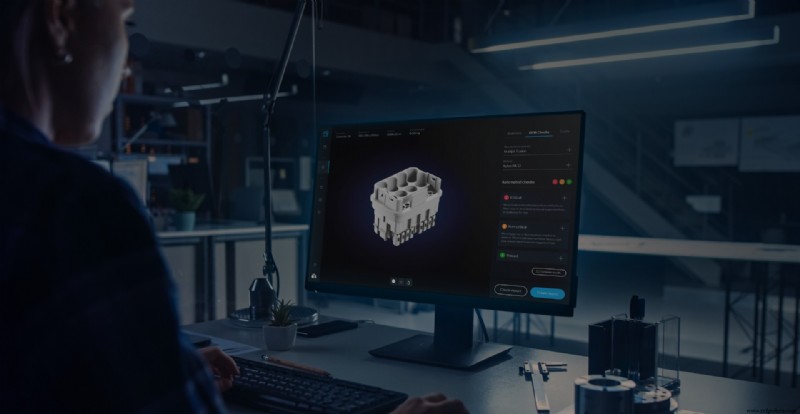
We’re thrilled to announce Fast Radius Studio, a cloud-based experience where you can access tools to evaluate design, material, and production options — all without initiating a quote.
We’ve improved some features from our quoting tool for a better user experience, and we’re introducing some brand new features, too. Check out the highlights below then log in to your Fast Radius dashboard to get started.
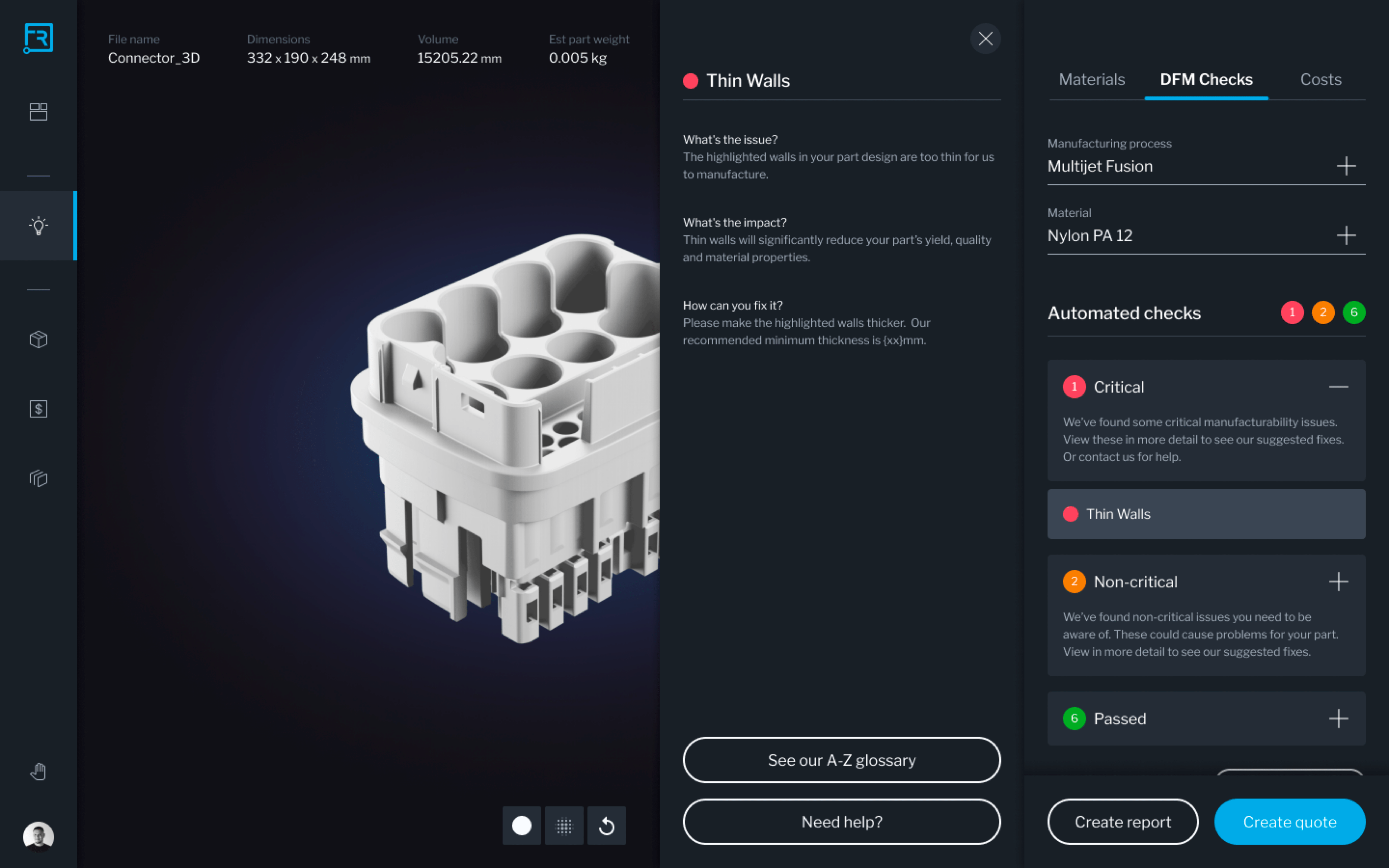
Design for manufacturability (DFM) checks
Our best-in-class DFM checks have a new design that makes them even easier to use.
Our DFM checks give you instant feedback on on your designs for traditional and additive manufacturing processes, including CNC machining, injection molding, Carbon Digital Light Synthesis (DLS™), HP Multi Jet Fusion (MJF), Stratasys Fused Deposition Modeling (FDM), and Formlabs Stereolithography (SLA).
These checks analyze your part for a variety of problems to help catch critical issues before deciding to proceed to manufacturing.
- For CNC machining, we check for problems including sharp corners, deep pockets, thin walls, and standard hole sizes.
- Injection molding checks include issues like thin or thick walls, undercuts, sharp edges, and surface draft.
- Additive manufacturing checks look at your STL file quality as well as wall thickness, minimum process resolution, enclosed volumes, nestability (DLS, MJF, SLA), rough surface or optical distortions (DLS, MJF, SLA), fragile features (DLS, MJF, SLA), and support materials (DLS, SLA).
Plus, we’re continually adding and refining checks to make our DFM tools even more useful.
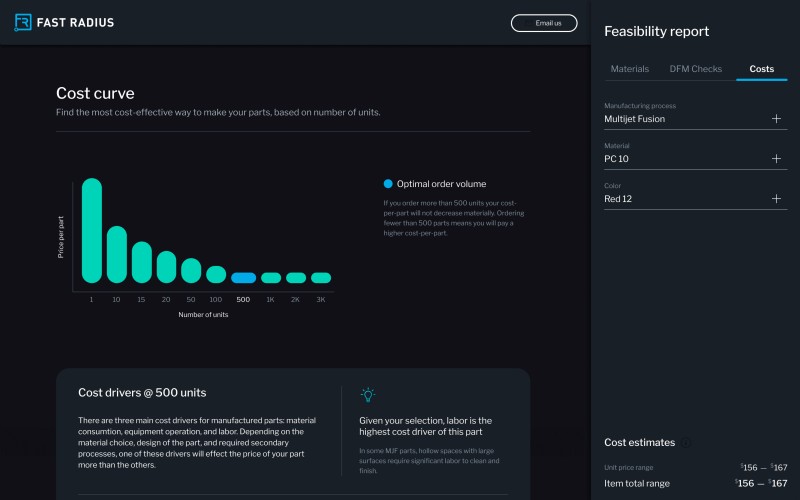
Cost insights
Before you move into quoting, you can use our cost tools to understand cost drivers and your price-per-part at different order volumes, based on our proprietary model. The costs provided here are only estimates and might be slightly different based on factors like finishing options, inspection requirements, and material price fluctuations — you will be able to see an actual price once you move into quoting.
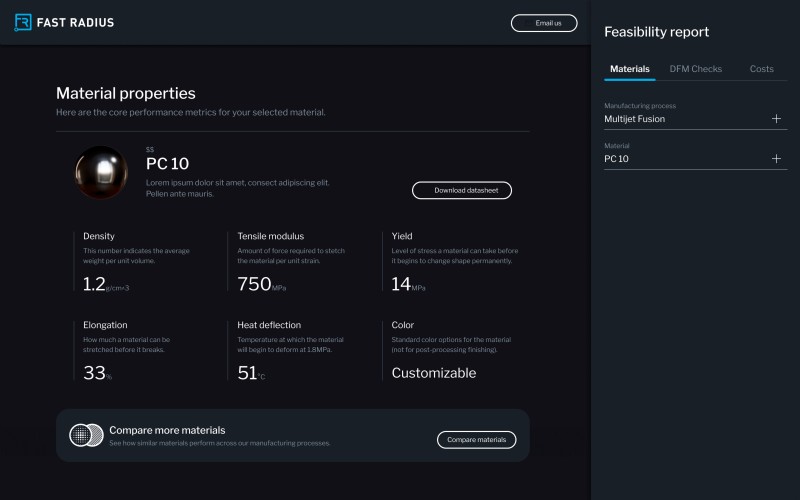
Material insights
You also have access to our new material insights. These insights make it easier for you to choose the right material for your project by providing essential material properties like density, tensile modulus, yield stress, elongation, and heat deflection — all from an integrated interface. You’ll also see swatches based on photographs of real materials so you can get an idea of what your part will look like once it’s manufactured.
Compare manufacturing processes and materials
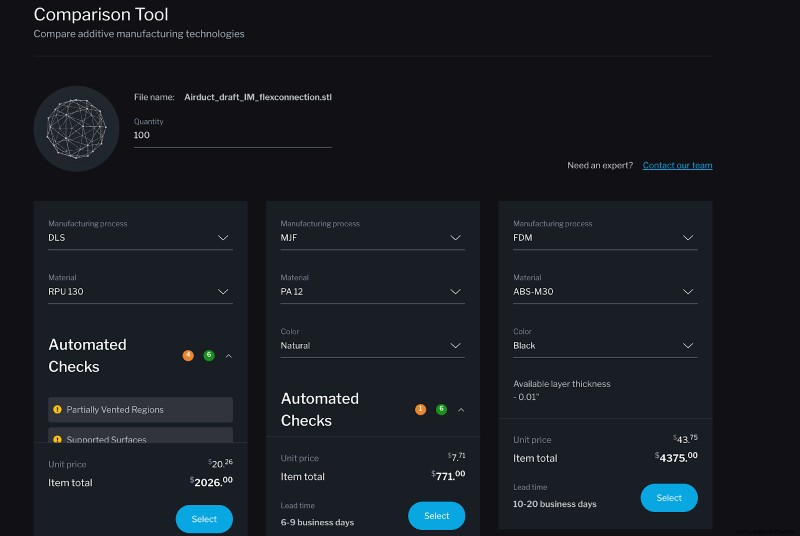
Using the compare feature allows you to see side-by-side analyses of manufacturability, lead times, and costs between multiple additive manufacturing processes and materials.
Share insights with your team
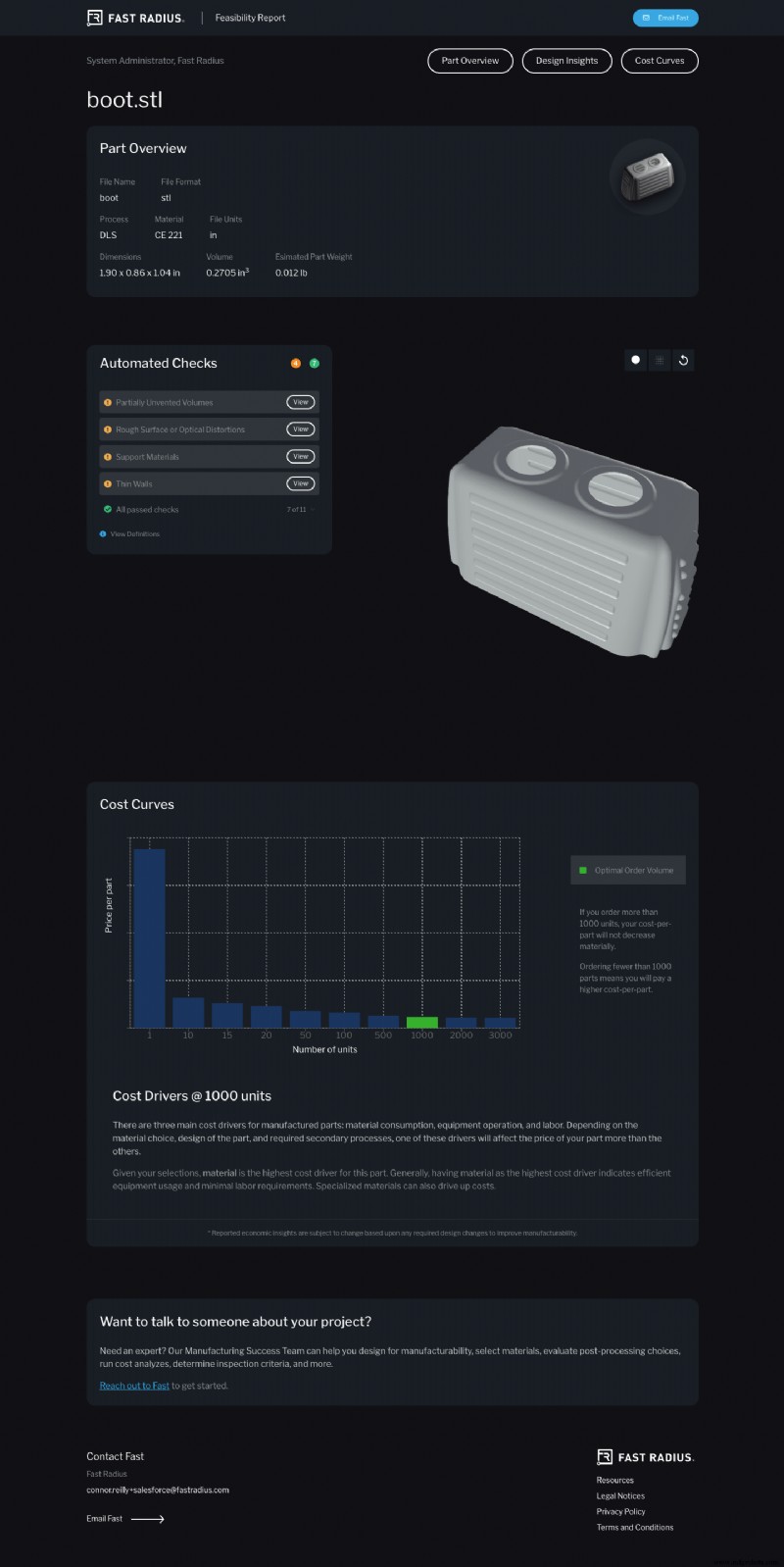
The insights you gain from Fast Radius Studio aren’t tied to your dashboard. You can easily create a shareable report that contains a live part viewer, DFM check results, and cost analysis.
Try it out
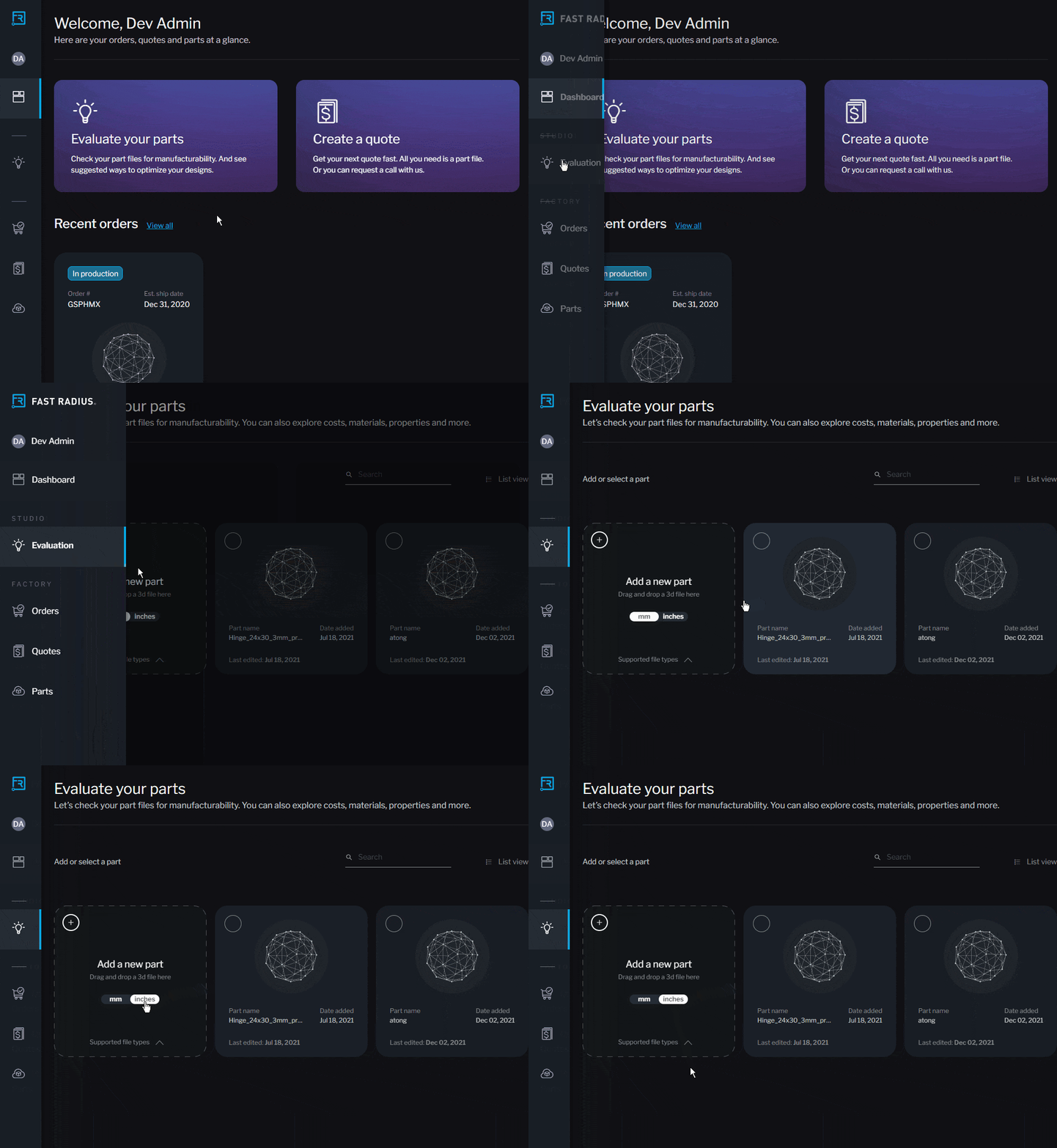
To get started, navigate to the light bulb icon in the left column of your dashboard and upload your part file.
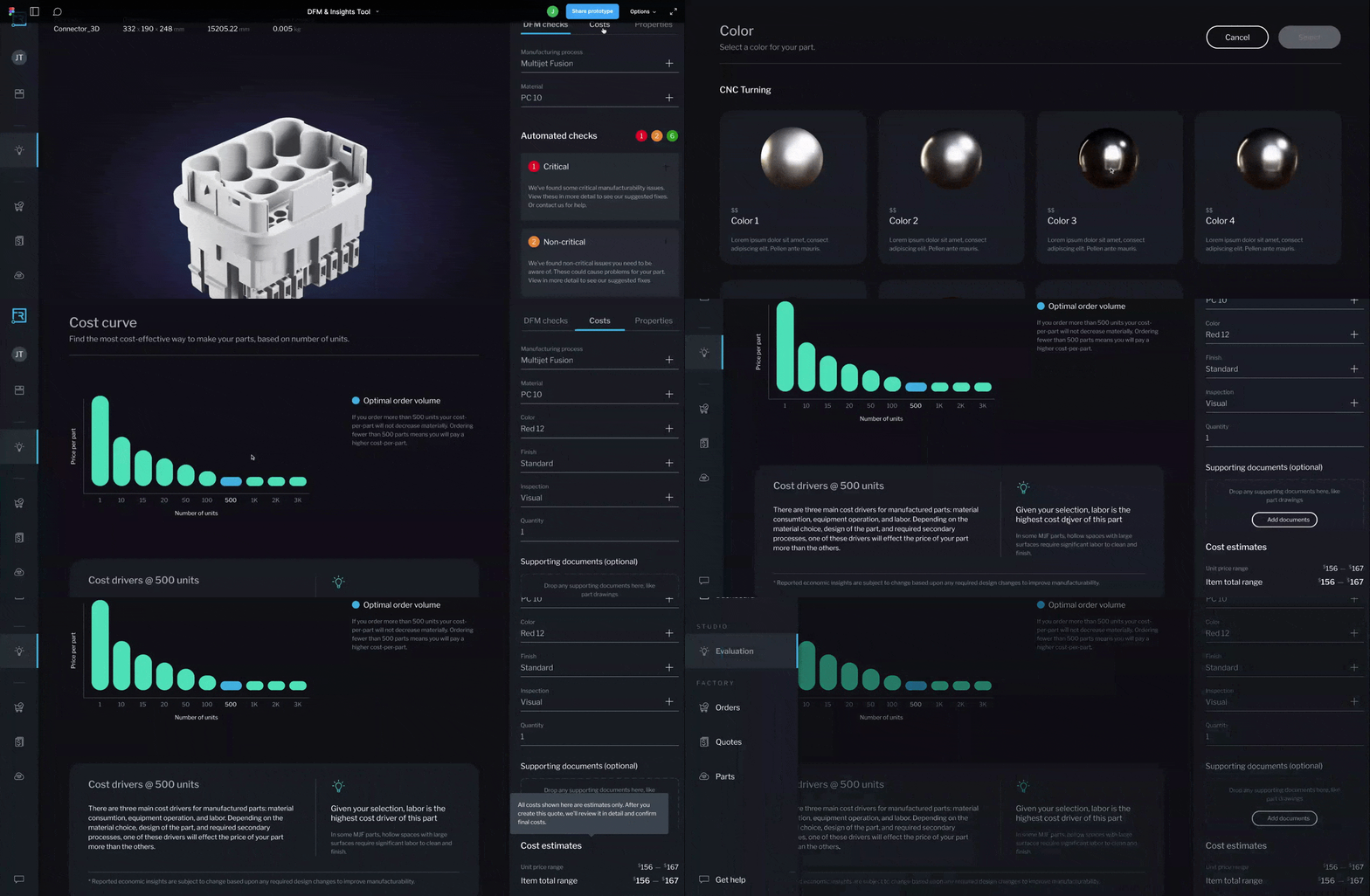
When you upload a part, you will see a 3D view of your part. From here, select your manufacturing process and material. Automated checks will appear on the right side of your dashboard. When you click on a design issue for more information, that issue will highlight on the part.
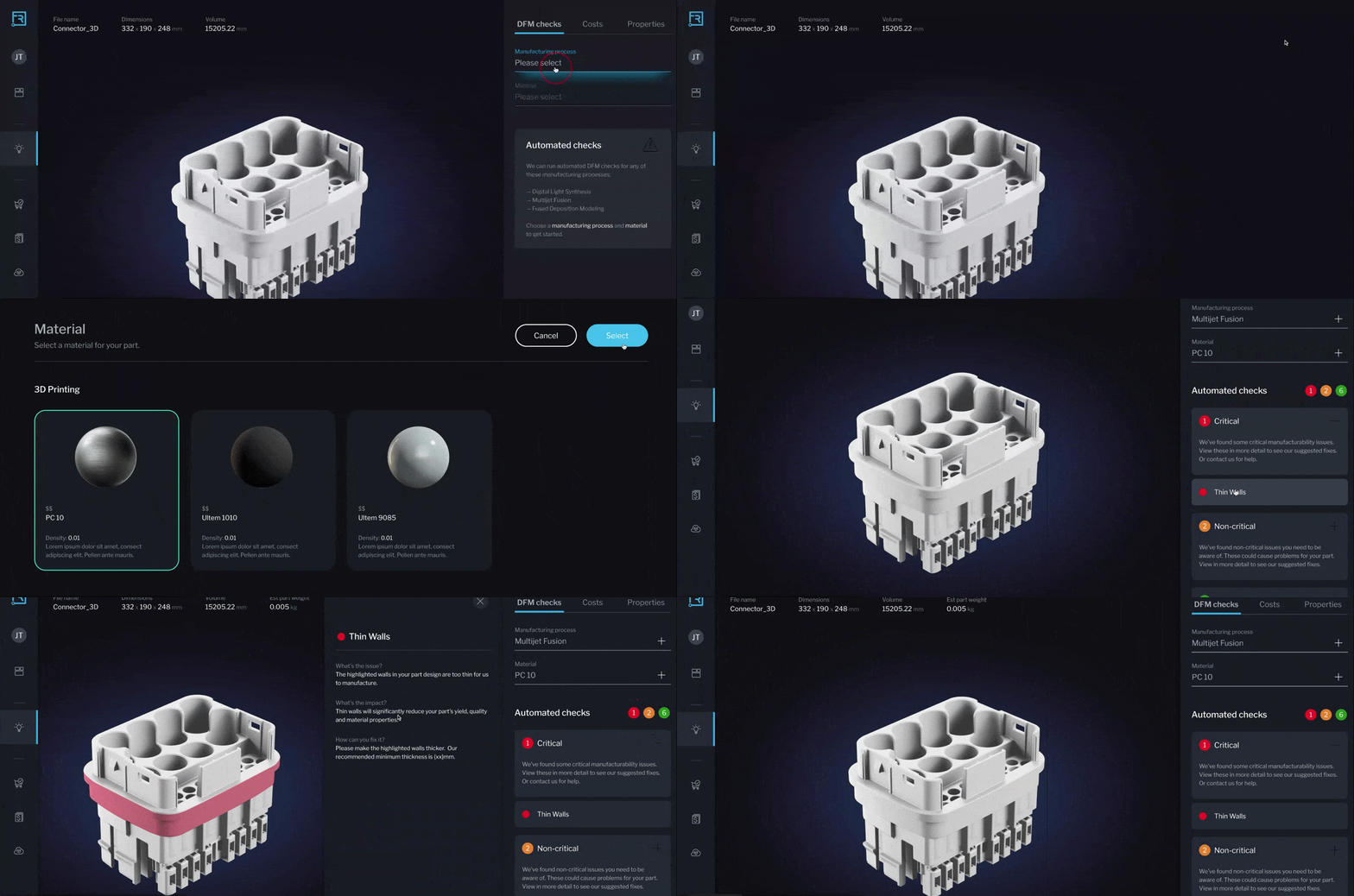
Our system groups design checks by the level of risk associated with each issue. A critical issue will prevent your part from being made as designed using the process or materials you chose, and a non-critical issue means you may face complications making your part.
To access cost insights, navigate to the upper right corner of your dashboard and select “Costs.” If you’re ready for a quote, you can easily create one by selecting the “Create quote” button in the lower right corner. This will bring you into the quoting experience while maintaining all the options you selected for your part.
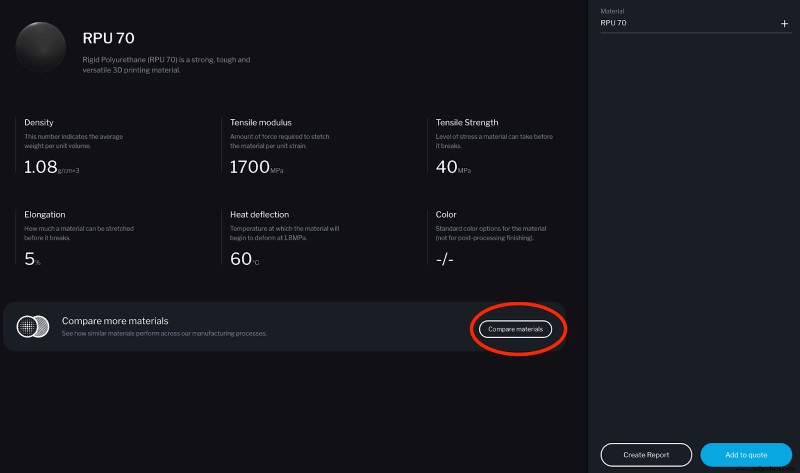
Material insights can also be accessed in the upper right corner of your dashboard. From material insights, you can launch the comparison tool by selecting the “Compare materials” button under the material property data.
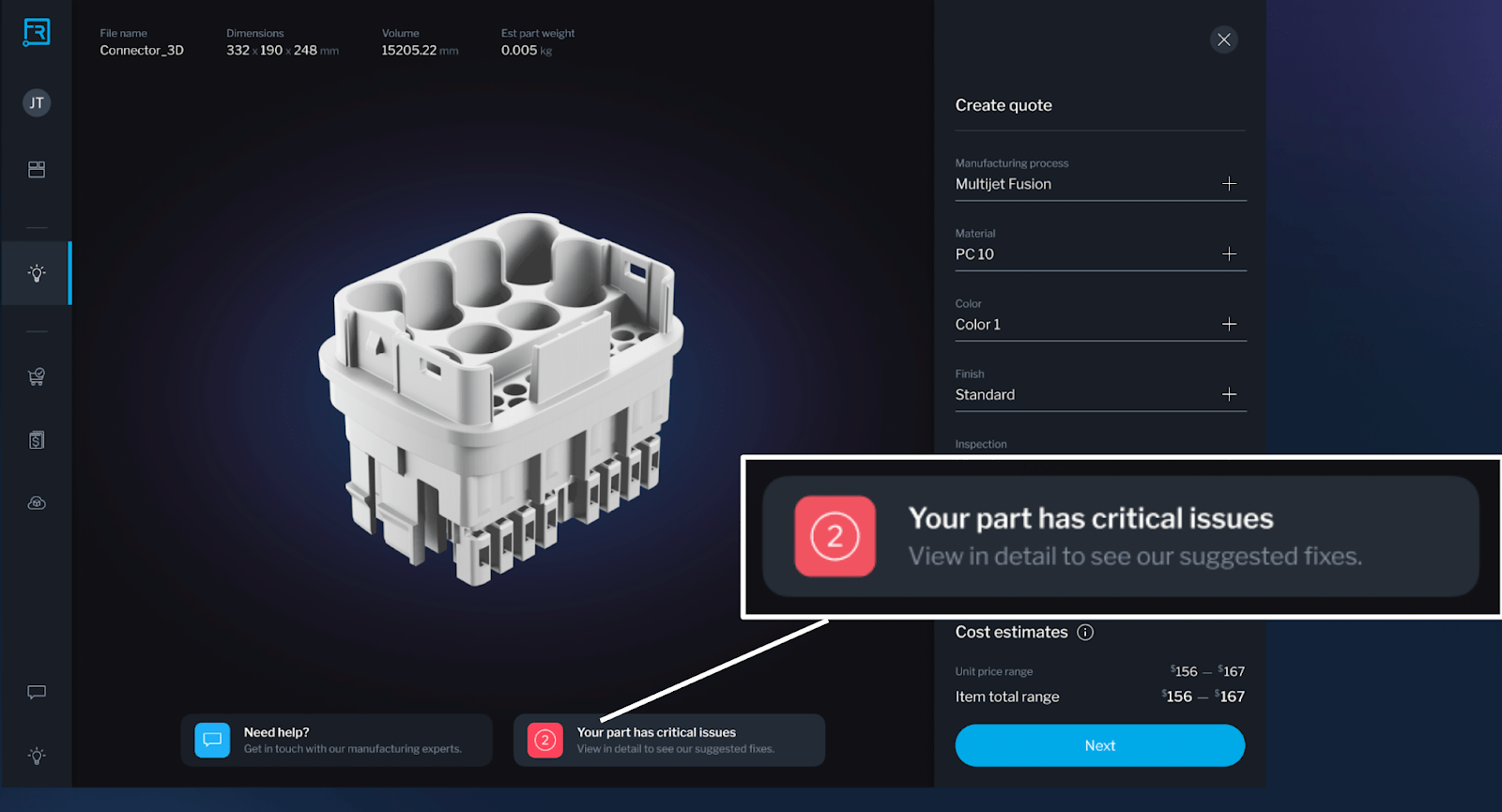
While you can use Fast Radius Studio without ever requesting a quote, you have many options to start a quote if you choose to — there’s a quote button in the bottom right of every screen.
You will now also see DFM insights in the quoting portal, whether you initiate your quote through our software or your Fast Radius Account Executive. This means that once you’re ready to get a quote, you will still be able to access the insights you gained in Fast Radius Studio.
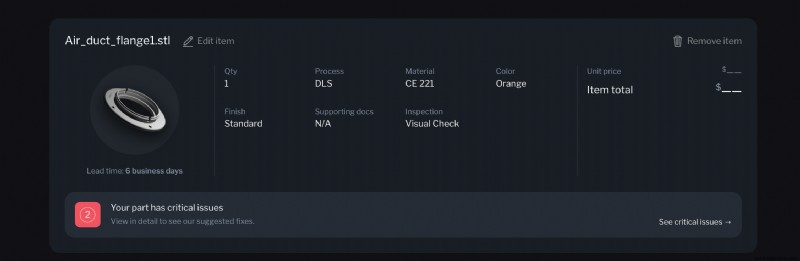
From both the part view when building a quote and at the line item level when viewing your quote details, you can navigate directly to detailed DFM insights with the click of a button.
This is only the beginning of the experience we are building within our Cloud Manufacturing Platform™. We encourage you to try out these new features and let us know what you think. Visit your Fast Radius dashboard to get started.
Would you like to be the first to see what we have planned next? Reach out to inquire about our Early Access Program.
Ready to make your parts with Fast Radius?
Start your quoteIndustrial Technology
- Understanding Electrical Harmonics: Part 1 – Fundamentals & Impact
- Paper Tab: The Paper‑Thickness Tablet That Could Replace Conventional Screens
- Hybrid Manufacturing: Merging Additive & Subtractive Processes for Advanced Production
- Instant Design Validation for Additive & Traditional Manufacturing
- Fast Radius Reusable 3D‑Printed Face Mask – DIY Design
- Engineering the Fast Radius Face Mask: Design, Prototyping, and Innovation
- Fast Radius: 7-Step Injection Molding Process Guide
- Step-by-Step Guide to 3D Print the Fast Radius Reusable Face Mask
- 3D Printing Explained: Part 1 – From Raw Materials to Modern Innovations
- Cylindricity in GD&T: Achieving Precise Roundness and Straightness