



Easily Modify Multiple Properties of eHMI Objects: A Step‑by‑Step Guide
Hello, my name is Alexander, I work in the agricultural sector in Ukraine. Recently, on one of my projects, I needed to change the dynamics properties on about 500 eHMI objects, and I ran into the problem of not copying properties in the editor. I found a solution to this problem, I will be glad if it is useful to someone.
1) First, save your project in “.pcwef” format.
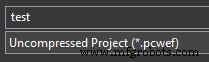
2) Then follow the path “C: \ Users \ Public \ Documents \ PLCnext Engineer \ Projects”. There you will find a folder with the same name as your project “*Flat”.
3) In the “content” subdirectory, find a file with the name of the eHMI page in which you need to make changes.
4) You need the file “*~Definition~0000.hmipagedef”.

5) This is an xml file containing all the properties of objects on your page, what to do with it further, I think it is not necessary to say.
6) After the changes, close and reopen the page in the editor and the changes will appear.
Industrial Technology
- How 3D Printers Fabricate Metal Parts: From Powder to Precision
- How 5G Will Transform Industrial IoT: Unlocking Faster, Safer, and Smarter Factories
- Transforming Maintenance Culture: Strategies for Reliability & Accountability
- How Many Satellites Are Needed to Launch a Global Quantum Internet?
- Building an Effective Change Management Process: A Proven Blueprint
- Mastering TIG Welding on Magnesium: A Safe, Step‑by‑Step Guide
- Master the Buzzer Circuit: Build, Optimize, and Enhance Your Design
- Build a Simple Arduino Speaker – Step‑by‑Step Guide
- The Future of Prototyping: What Engineers and Designers Will See
- HP GPM Explained: Boost Throughput & Cut Cycle Time