



Easily Monitor, Operate, and Analyze Your PLCnext Remotely with AnyViz Cloud Adapter
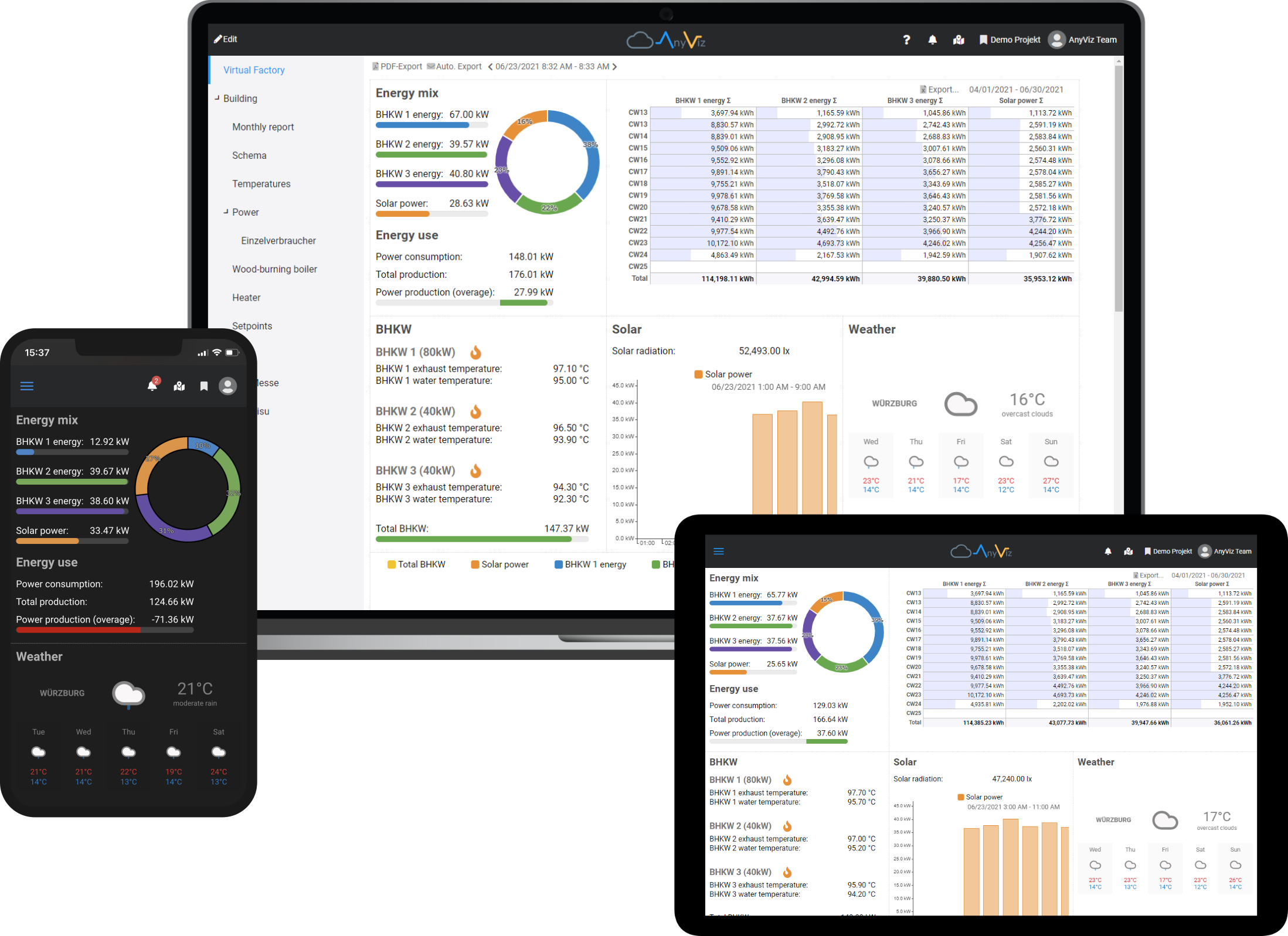
With the new AnyViz Cloud Adapter Function Extension, you can connect your PLCnext in just a few minutes. Let’s take a look at the steps required and the capabilities.
AnyViz in a nutshell
AnyViz is a no-code cloud platform for automation engineers, plant operators and machine builders. It allows you to visualize and record data from your PLCnext. Alarms can also be created to notify via email, SMS, voice call or push notification. Where you allow it, remote operation is also possible.
At the same time, AnyViz allows remote access via VPN to provide remote support. But enough of that, you can find all other features here.
Step 1 – Register for free
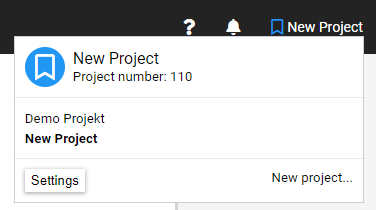
Since AnyViz is available as a cloud service, all you have to do is register. After that, you can evaluate AnyViz for free right away. Note your project ID, it will be displayed when you click on the project name.
Step 2 – Installing and configure Cloud Adapter
Download the AnyViz function extension for local installation or use the PLCnext store to install it remotely. Thanks to the PLCnext store, this can be done with just a few clicks.
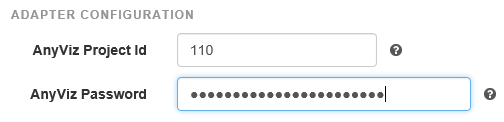
Now a new web frontend is accessible on port 8888. Open your browser and navigate to http://[yourPLC]:8888. Enter the project ID from step 1, assign a random onboarding password and click Submit.
Step 3 – Finish onboarding
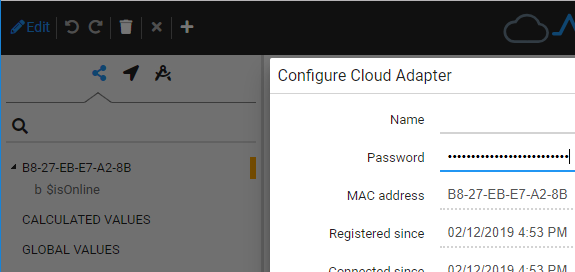
If you now switch back to the AnyViz portal, you will notice that a new Cloud Adapter is displayed. Click on the gear icon to confirm the onboarding password. Once your cloud adapter is displayed in green, onboarding is complete.
Step 4 – Configure one or more connections
After the PLC is successfully connected, we now want to make the variables from the PLC program available to the AnyViz portal. The easiest way to do this is using OPC-UA. First, make sure that OPC-UA is activated in your PLC project and that the corresponding variables are marked for OPC-UA (here you will find a how to). Now click on Connections in the configuration interface of the cloud adapter, then on New connection and select OPC-UA. Configure the OPC-UA connection as follows:
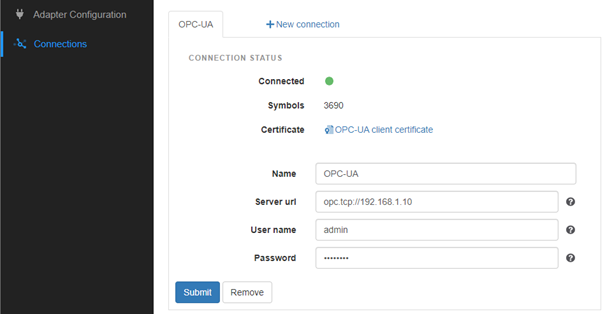
If all entries are correct, the connection is displayed as Connected and all nodes of the OPC UA server are browsed once.
What’s next
After initial browse is finished, you can use the variables of your PLC program to create visualizations and reports, configure condition monitoring, perform calculations and much more. The best way to do this is to visit our YouTube channel.
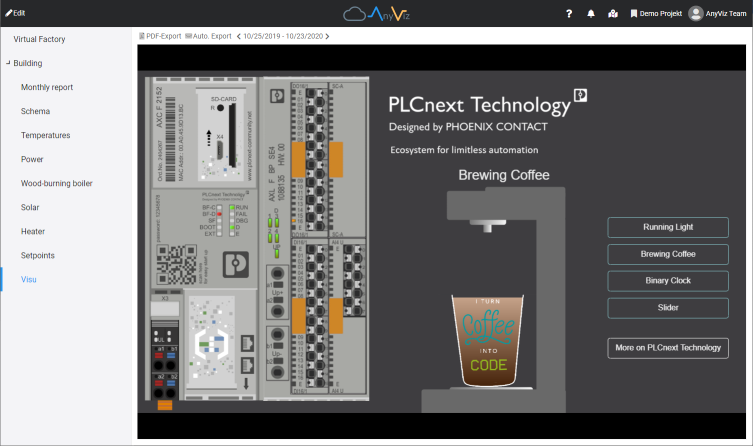
What you may have noticed: One or more HTTP pass through URLs can be entered in the configuration of the cloud adapter. For example, you can enter the URL of your web HMI. It will then appear as a symbol in the AnyViz portal and can be integrated into the cloud HMI. The WEB requests are routed through the encrypted channel and the AnyViz user management provides the necessary security.
Right after the HTTP pass through option you will find the VPN configuration. If this is activated, you can establish a 1-to-1 VPN connection to your PLC to access it remotely with the PLCnext Engineer or for other purposes. If AnyViz VPN is enabled, you can also select a local network that will be accessible via VPN thereafter.
If you go back to Connections, you will see that there are a total of 7 protocols available: OPC-UA, Modbus, Siemens, Beckhoff, EtherNet/IP, BACnet and M-Bus. You can create as many additional connections as you want to connect the surrounding devices with AnyViz. This way your PLCnext becomes an IoT gateway.
Want to learn more about the Cloud Adapter or AnyViz? Here you can find more information:
- YouTube Channel
- AnyViz Cloud Adapter documentation
- AnyViz features
Industrial Technology
- Enhance SaaS and Cloud Security with Automated Testing and Performance Monitoring
- Top 5 Azure Careers: Highest Salaries & Demand
- Building Hybrid Blockchain-Cloud Applications with Ethereum & Google Cloud
- Assessing Precision of a Current‑Pump Circuit Across Resistor Tolerances and Automotive Temperature Ranges
- Harnessing Collaborative Robots: Boost Efficiency & Growth for Small & Medium Manufacturers
- E3.cable Shielding: Easy Addition & Adjustment in 2021 Series
- Master Cable & Harness Documentation Using E3.cable
- Arduino Temperature Monitor & Real-Time Clock Using a 3.2” TFT Display
- Comprehensive Guide to CNC G‑Codes & M‑Codes – Downloadable PDF Included
- Deploying Node-RED on PLCnext with Docker: A Step‑by‑Step Guide