



E3.cable Shielding: Easy Addition & Adjustment in 2021 Series
In this article you can check how the addition and adjustment of cable shields in E3.cable is done. The process is simple and the new features of the E3.series 2021 allow adjustments for adding shields at the corners of the connection. See the full video article and optimize your processes!
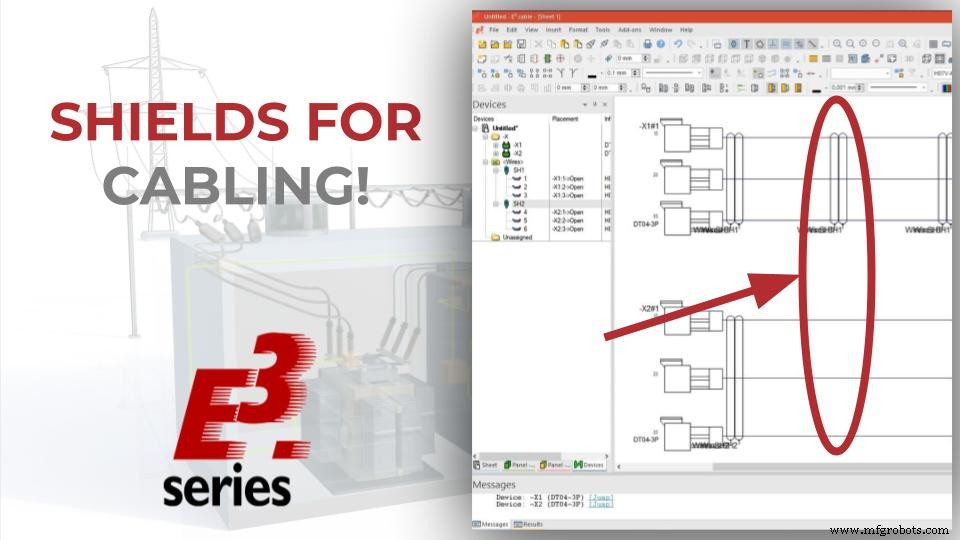
Multiple and Instant Insertion
Initially, connectors are added to the project simultaneously, using the "Insert Multiple" command after right-clicking on the chosen component in the database.
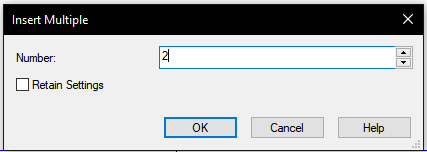
A window opens and the desired quantity must be entered in the box. When components are added, they are available in the "Devices" tab of the project.
How to Add Shields
Shields can be added by accessing the "Wires" list and, with the right mouse button on some wire, select "Add Shield". Wires can be dragged into the shield specification and then automatically added to the design sheet.
Try NOW the industry-leading E-CAE E3.series tool in the world with technical training courses!
Click on the banner below
Different Connector Views
Then a new view of the connectors is inserted by right-clicking on X1 and X2 and selecting "Place New Device View". Among the available options, "DT04-P003SV" was chosen.
In addition to this, some available options are:
- Unifilar View
- Front view
- Side view
- Table Options
Watch the Full Video
Subscribe to our Youtube channel here for more technical videos.
Adjustments for New Functionality
The option "Show bundle symbols only at connection end" is checked in Electric Settings - Placement - Symbols - Bundle Symbols.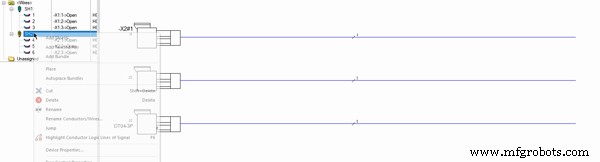 It is possible to see that, after checking this option, when automatically adding the shields, they are inserted only at the ends of the connection.
Make the E3.series Trial according to your demand using the button below!

Are You a Student?

Industrial Technology
- Assessing Precision of a Current‑Pump Circuit Across Resistor Tolerances and Automotive Temperature Ranges
- Harnessing Collaborative Robots: Boost Efficiency & Growth for Small & Medium Manufacturers
- Mastering E3.Cable: How to Position Connector Inserts for Optimal Performance
- Master Cable & Harness Documentation Using E3.cable
- Automating Twisted Pair and Shield Cable Configuration in E3.series
- Effortless Assembly Design & Editing in E3.series
- Streamline Electrical Harness Design with E3.cable, E3.topology, and E3.formboard
- Arduino GPS and TFT Touchscreen Shield Project: Real-Time Location Display
- Comprehensive Guide to CNC G‑Codes & M‑Codes – Downloadable PDF Included
- Deploying Node-RED on PLCnext with Docker: A Step‑by‑Step Guide