



Autodesk Fusion Pricing 2026: Subscription Plans, Features, and Free Trial
Before committing to Autodesk Fusion, most teams ask: how much does it cost, and what value does the subscription deliver?
Fusion is sold as a subscription, giving individuals and teams a fully integrated platform for design, engineering, manufacturing, and data management. By consolidating CAD, CAM, CAE, and PCB tools into one environment, Fusion eliminates software sprawl and keeps data consistent throughout the product lifecycle.
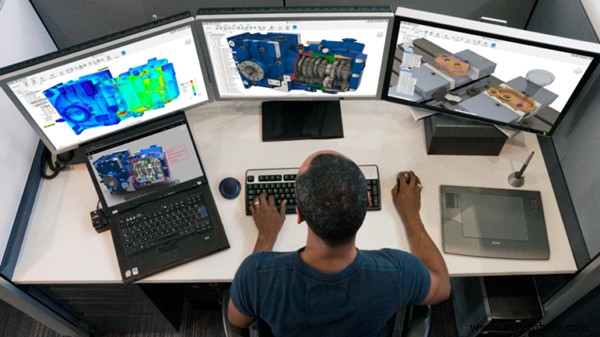
What’s included in a commercial Fusion subscription?
A commercial subscription unlocks an end‑to‑end platform that supports the entire product development cycle. Whether your workflow focuses on design, manufacturing, or both, Fusion keeps every team member on the same data.
Key benefits:
- Unified CAD, CAM, CAE, and PCB tools in a single interface
- Embedded cloud data management and collaboration
- Continuous updates with the latest features and security patches
- Access to Fusion extensions and cloud‑based services as needed
- Priority Autodesk technical support
Fusion pricing structure
Autodesk offers a tiered subscription model that lets teams pick the plan that fits their size and needs. Prices vary by region, term length, and chosen modules. For the most accurate, up‑to‑date information, consult Autodesk’s official pricing page.
Fusion for Manufacturing
Fusion for Manufacturing extends the core platform with advanced CAM and production workflows, while preserving the same CAD, CAE, and data‑management foundation. Design and manufacturing teams work from the latest data, cutting handoffs, errors, and rework.
Core capabilities include:
- 2D, 2.5‑axis, and 3‑axis machining with a variety of roughing and finishing strategies
- Automated hole recognition and drilling via configurable templates
- Whole‑part machining with deburr and corner toolpaths
- Positional 5‑axis (3+2) and simultaneous 4‑ and 5‑axis machining for complex parts
- Post‑calculation toolpath edits without full recalculation
- Process simulation to detect collisions, over‑travel, and other errors
- In‑cycle probing and part alignment for accurate setup and inspection
- Sheet‑based fabrication with automatic nesting for material optimization
- Additive manufacturing for plastics and metals, including automated orientation and supports
Because everything runs on Fusion, manufacturing teams always use the most current design data.
View Fusion plans and pricing | Learn more about Fusion for Manufacturing
Fusion for Design
Fusion for Design accelerates product development with advanced modeling, simulation, and lifecycle tools, all built on the same Fusion platform. Design teams can iterate faster, validate performance early, and manage change with confidence, relying on a single source of truth.
Core capabilities include:
- Advanced mesh and surfacing tools for prismatic, organic, parametric, and surface‑based designs
- Real‑world simulation for structural, thermal, electronics cooling, injection molding, and event‑based analysis
- Generative design for weight reduction and performance optimization
- Plastic design rules with built‑in guidance on draft, wall thickness, ribs, and material flow
- Product lifecycle management tools for BOMs, release management, automated part numbering, and change orders
Because Fusion for Design is fully connected to manufacturing and data management, designs flow downstream without translation or rework.
View Fusion plans and pricing | Learn more about Fusion for Design
Fusion Manage
Fusion Manage is Autodesk’s cloud PLM solution, designed for teams that need structure as products, processes, and people scale. It replaces spreadsheets and disconnected systems with governed workflows and a shared source of truth.
Key capabilities include:
- Change management with controlled workflows, approvals, and full revision traceability
- BOM management to align engineering, manufacturing, and supply chain
- Quality management for non‑conformance, CAPA, inspections, and supplier quality
- Project and process workflows for NPI, stage‑gate, and cross‑team coordination
- Supplier collaboration with secure data access—no CAD licenses required
- Integration and extensibility via APIs and connections to PDM, ERP, and other systems
Fusion Manage keeps teams in control and visible, without slowing innovation.
View Fusion Manage plans and pricing | Learn more about Fusion Manage
Free trial availability
Yes. Autodesk offers a free trial of Fusion, letting you test core design and manufacturing workflows before committing to a subscription. The trial supports real projects and data, but Fusion Manage is not included. Contact an Autodesk specialist to explore PLM capabilities.
Start a free trial of Autodesk Fusion
Special licensing options
Beyond commercial subscriptions, Autodesk provides tailored licensing for:
- Personal, non‑commercial use
- Education
- Qualifying startups
These options support learning, experimentation, and early‑stage product development, while commercial subscriptions cover professional and production scenarios.
What are you waiting for? Get started with Fusion today.
Industrial Technology
- Build Complex Components with Protolabs' Insert Molding Technology
- Leading Structural Steel Fabrication: How Advanced Technology Delivers Superior Results
- Essential Insights into PCB Silkscreen Printing
- Understanding Junction Diodes: From Crystal Detectors to Modern Silicon Devices
- Discrete Semiconductor Circuits: Foundations and Practical Applications
- Step‑by‑Step Guide: Wiring an AFCI Combo Switch with Diagrams
- Affordable Automated Vacuum Packaging Solutions Now Available in the U.S.
- Are Fleet Operators Switching to Electric Trucks?
- 5 Proven Maximo Implementation Strategies for Seamless Asset Management Deployment
- Armstrong Marine Launches Training Program to Build Skilled Aluminum Welders