



Efficient G72 Programming: Drilling Evenly Spaced Bolt Holes Along an Angle
G72 Bolt Holes Along an Angle command makes it easy for a cnc machinists to Drill/Bore/Tap evenly spaced holes along an angle.
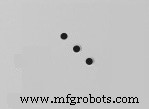
G72 Bolt Holes Along an Angle
G72 is non-modal G-code.
G72 Bolt Holes Along an Angle Format
G72 I J L
I – Distance between bolt holes along an angle
J – Angle of holes from three o’clock, 0 to 360.0 degrees CCW.
L – Number of evenly spaced holes along an angle
A minus sign with J will reverse angle CW.
G72 code drills L holes in a straight line at the specified angle (J).
For a G72 to work correctly, a canned cycle must be active to perform the desired drill, tap or bore cycle.
Canned cycles G73, G74, G76, G77, or G81-G89 can be used with G72 bolt hole along an angle command.
CNC G72 Bolt Hole Angles – Sample Code for Accurate Drilling
Haas CNC G71 Bolt Hole Arc Command – Practical Example for Efficient Hole Drilling
CNC Machine
- Mastering CNC Milling: Precision Metal Fabrication Explained
- Mastering Hard Milling on CNC Machines: Expert Tips & Best Practices
- CNC Milling Machine Programming: Beginner-Friendly Example Guide
- Precise CNC G01 Angle Programming: Mastering Angles, Radii, and Chamfers
- CNC G72 Bolt Hole Angles – Sample Code for Accurate Drilling
- G71 Bolt Hole Arc: Easy CNC Mill Programming for Precise Arc Hole Drilling
- CNC Milling: G70 Bolt Hole Circle Program – Simple & Accurate Example
- G70 Bolt Hole Circle: Automate CNC Milling for Precise Circular Bolt Holes
- Siemens Sinumerik 4‑Axis Milling Program: A Practical CNC Example
- Master CNC Milling: Interactive Fill‑In‑The‑Blank Programming Challenge