



Step‑by‑Step Guide: Extracting PLC Data with IIoT for Real‑Time Insights
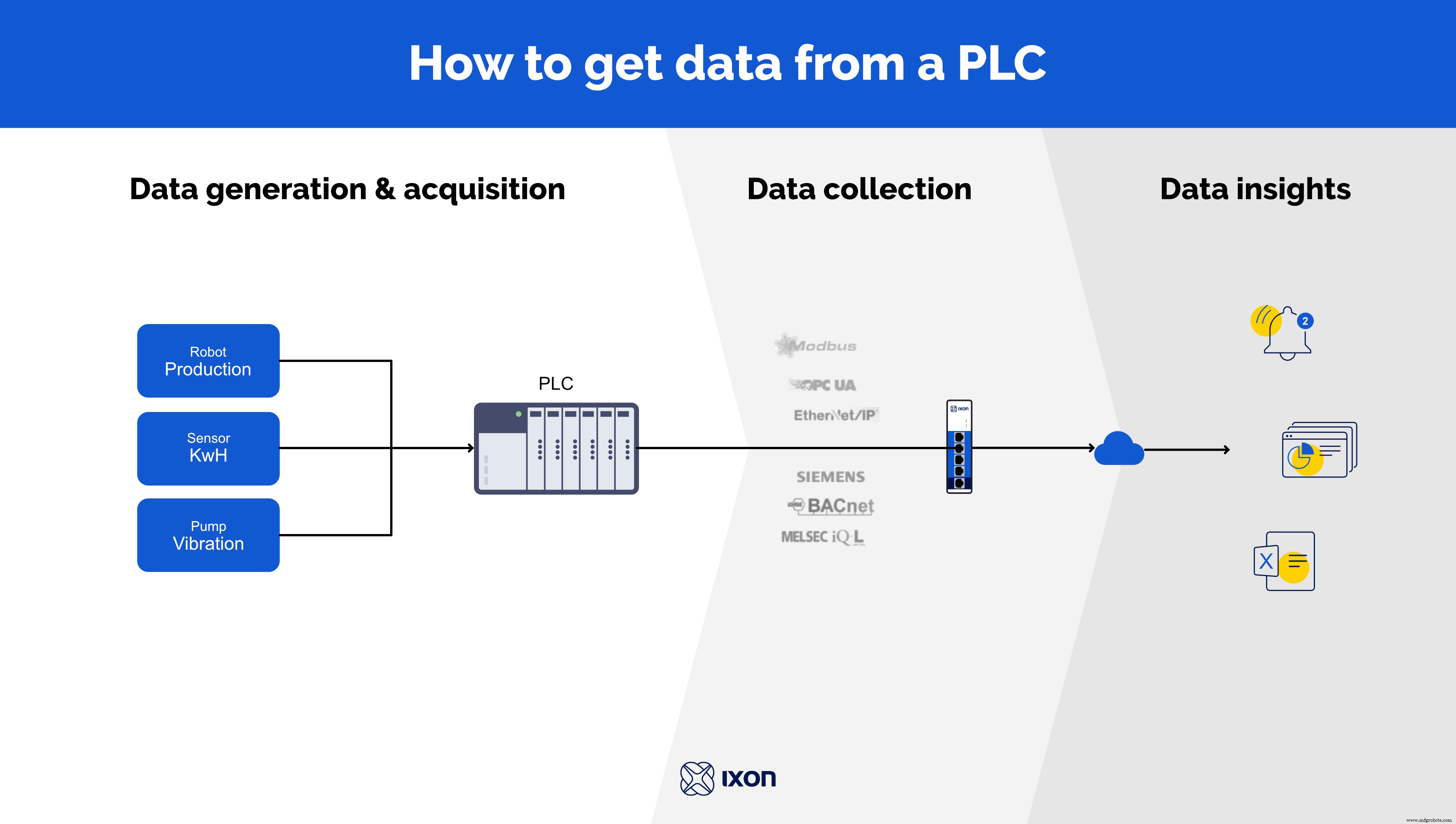
Engineers increasingly need centralized access to PLC data to diagnose faults and monitor machinery efficiently. By pulling data via protocols such as OPC‑UA, ModBus, BACnet, or Siemens S7, you unlock valuable metrics—machine rotations, energy consumption, production rates, and more.
Below is a seven‑step, no‑code walkthrough using the IXON Cloud IIoT solution to extract, store, and visualize PLC data.
Collecting PLC Data for Machine‑Controlled Equipment
A PLC can generate vast amounts of operational data, yet its on‑board storage is limited and often only accessible to engineers. Transferring this data to the cloud removes these constraints, enabling unlimited historical analysis and real‑time streaming. The result is deeper insight into production processes and sustained machine performance improvements.
Universal Support for Modern Industrial Protocols
Extracting PLC data can be daunting due to the variety of supported protocols and the need for custom programming. IXON Cloud eliminates this complexity by providing a single, code‑free platform that supports a broad spectrum of industrial protocols—OPC‑UA, ModBus, BACnet, Siemens S7, and more. Whether you’re working with PLCs, robot controllers, or sensors, IXON Cloud scales seamlessly.
After defining data sources and variables, you can create dashboards, set alarms, and deliver actionable insights to service teams or customers—all without writing a single line of code.
Step‑by‑Step Guide: How to Extract Data from Your PLC
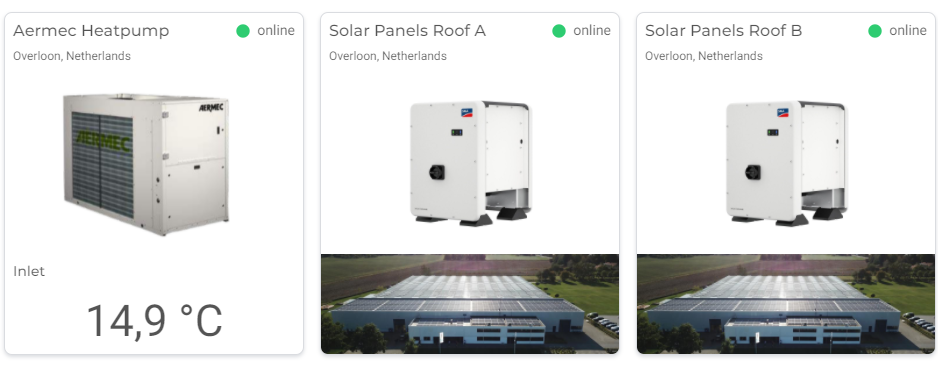
The IXON headquarters recently upgraded to an Aermec ANL292 heat‑pump system and installed 600 SMA STP50‑40 solar panels. Data from both systems is gathered via ModBus and streamed to IXON Cloud for monitoring, troubleshooting, and analysis. We’ll use this scenario to illustrate each step.
- Step 1. Define PLC data collection tags
- Step 2. Meet requirements
- Step 3. Set up PLC IoT gateway
- Step 4. Configure PLC data protocol
- Step 5. Transmit PLC data to the cloud
- Step 6. Design PLC data dashboards
- Step 7. Live monitoring and proactive alarming
Step 1: Define PLC Data Collection Tags
Begin by determining which PLC variables and sensor readings you need to monitor. Consider adding derived variables—such as calculated power consumption or cycle counters—to enrich your data set. In our example, we tracked delivery pressure, outside temperature, heating setpoint, and kWh yield per solar‑panel group.
Step 2: Prepare All Requirements
Before starting, verify that the following prerequisites are satisfied:
- Account: An IXON Cloud account with a data licence (or a 30‑day trial).
- Internet Access: Reliable connectivity (cable, Wi‑Fi, or 4G) for the IXrouter, and any firewall rules that permit outbound traffic.
- Ethernet Connection: An Ethernet interface on your PLC or a converter to bridge RS‑485/RS‑232 to TCP.
- Protocol & Variables: Identify the data protocol (e.g., ModBus) and the memory addresses of the variables you’ll collect, usually documented in the PLC manual.
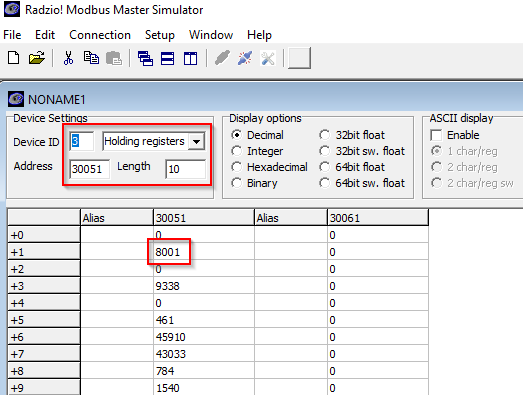
For the heat‑pump, the Aermec PLC lacked a native Ethernet port. We installed an ADFWeb HD67507‑A1 RS‑485‑to‑Ethernet converter, turning the serial ModBus stream into a TCP connection. ModBus tools confirmed successful communication from a PC.

Step 3: Set Up PLC IoT Gateway
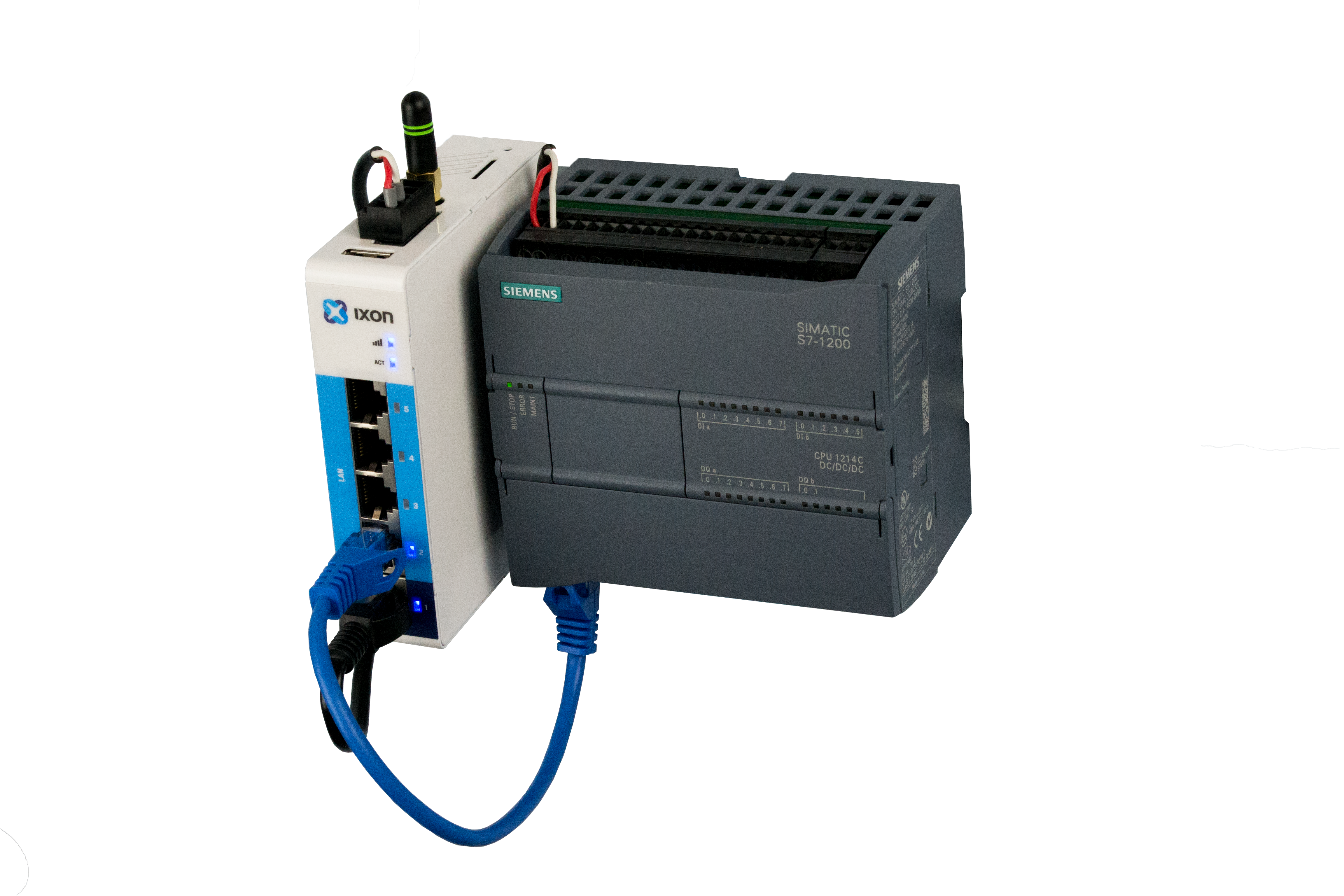
Configure the IXrouter—IXON’s edge gateway—through the IXON Cloud console. Once the gateway establishes a secure VPN to the cloud, you can verify connectivity via ping or your PLC’s native software (e.g., TIA Portal). Successful tests confirm that the PLC is ready for data configuration.
In our setup, the SMA solar panels connected directly to an IXrouter3 Ethernet model. The heat‑pump’s converter was linked to a Wi‑Fi IXrouter3 with a 3‑meter Wi‑Fi extension, ensuring stable connectivity from outside the building.

Step 4: Configure PLC Data Protocol
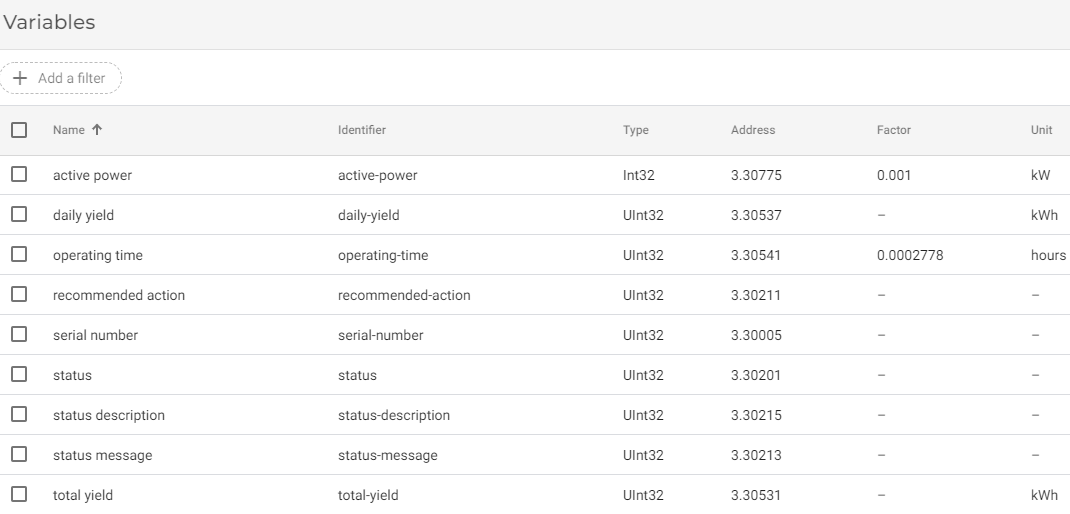
Using the IXON Cloud Fleet Manager, add a new data source for each device and specify the protocol. Define variables by selecting their type (integer, float, boolean) and memory address. After pushing the configuration, the IXrouter begins listening on the designated ports.
Test each variable in the cloud console; once verified, add additional data sources or protocols as needed. This modular approach keeps the learning curve shallow.
Step 5: Transmit PLC Data to the Cloud
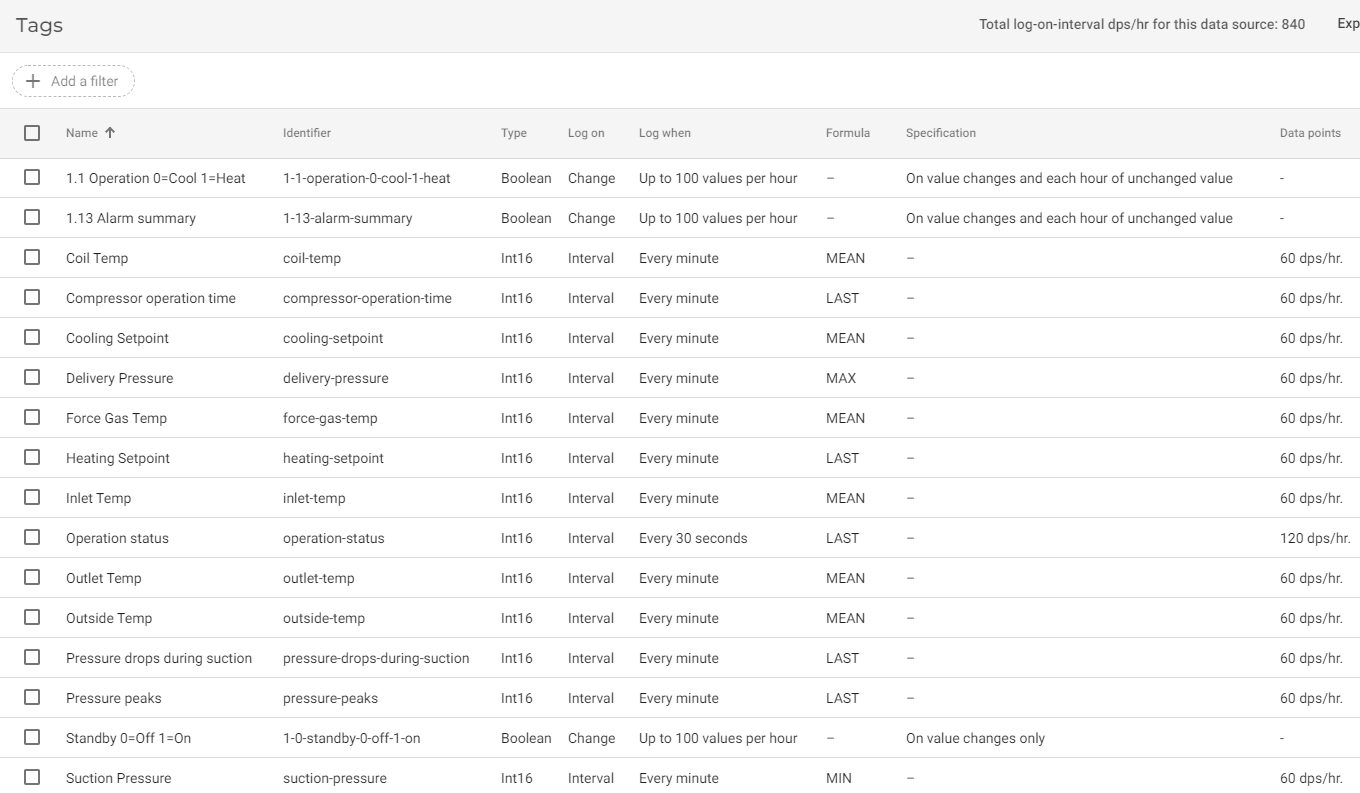
With variables defined, assign logging tags to control when and how often data is captured. Choose intervals (e.g., every minute), on‑change triggers, or custom events. In our case, we logged solar‑panel yield and heat‑pump consumption at one‑minute intervals, while error states were captured on change.
Step 6: Design PLC Data Dashboards
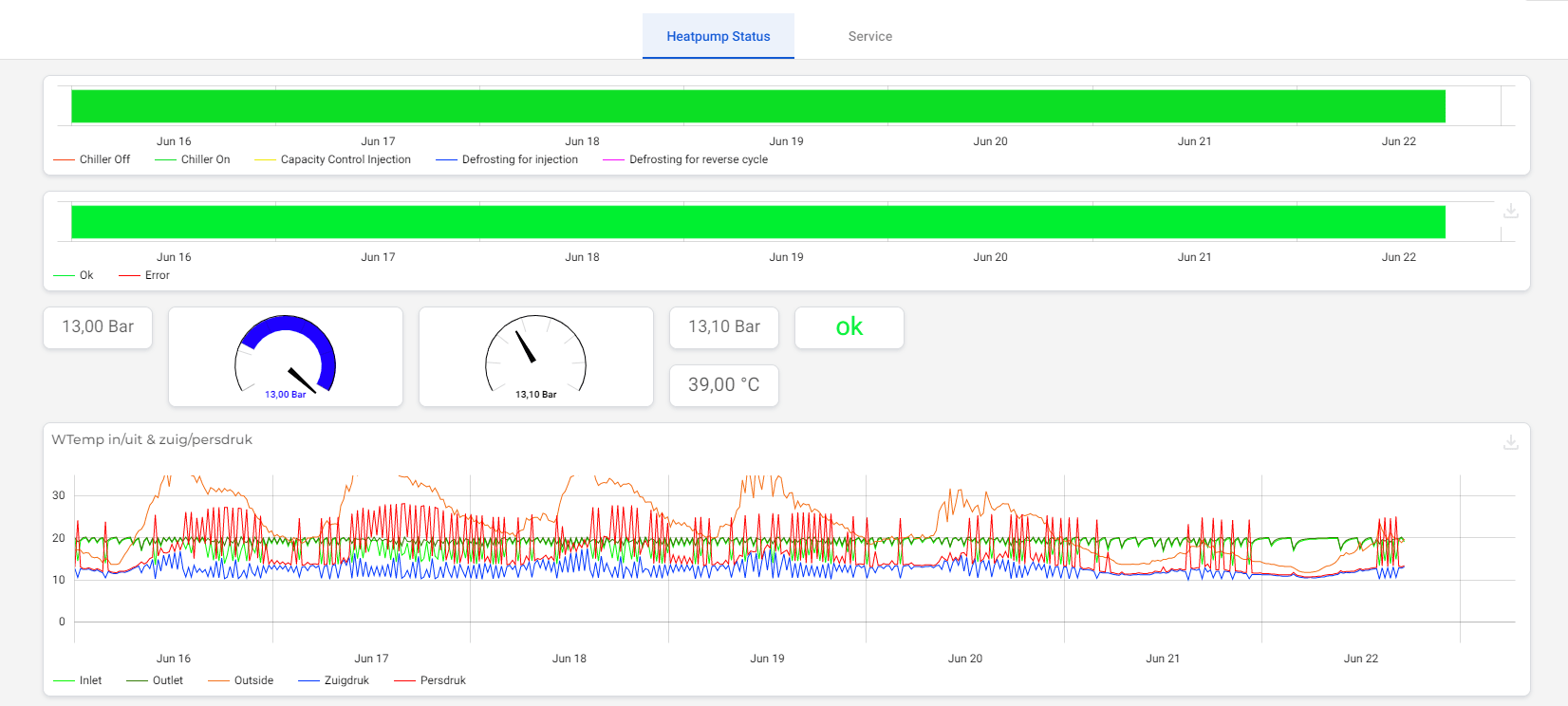
Once data lands in IXON Cloud, use IXON Studio to craft dashboards tailored to your audience. Drag‑and‑drop widgets—gauges, status bars, bar charts, single values— or create custom Vue.js widgets for specialized visualisations.
Our heat‑pump status page blends live and historical data, allowing operators to see real‑time power usage, status, and error alerts at a glance.
Step 7: Live Monitoring and Proactive Alarming
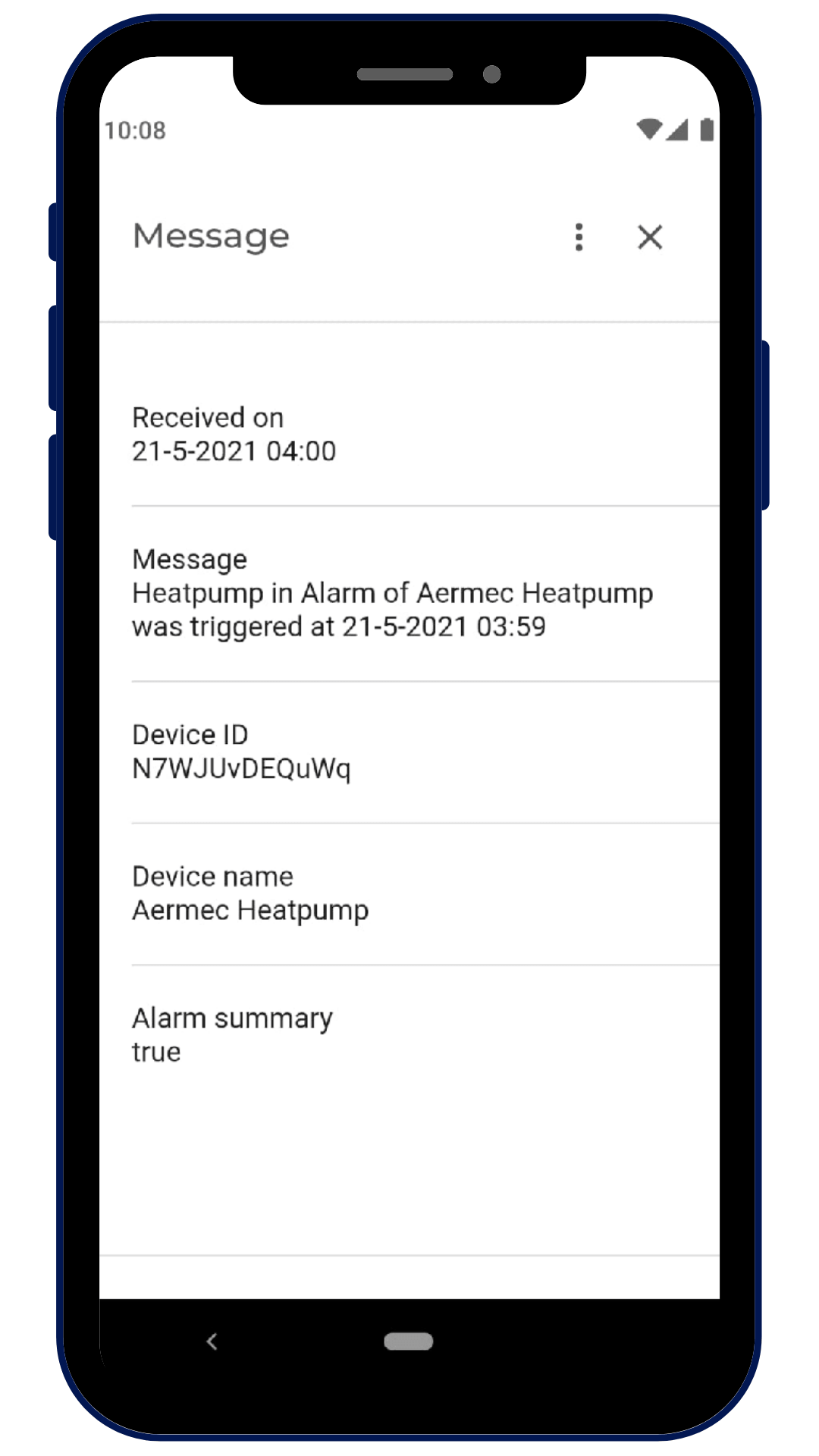
With data in the cloud, set threshold‑based alarms to notify engineers via SMS, email, or app push when values exceed critical limits. We configured a medium‑priority alarm for heat‑pump shutdown, ensuring instant alerts on smartphones and email.

Universal PLC‑to‑Cloud Solution: IXON Cloud
Now that you understand how to pull PLC data, it’s time to try IXON Cloud. Our all‑in‑one IIoT platform reduces maintenance overhead and delivers secure, code‑free data extraction, real‑time dashboards, and proactive alerts.
Experience the simplicity of our platform with a free virtual product tour. If you need guidance on PLC data logging, our specialists are ready to assist. Contact them here.
[[Start your product tour]]
Internet of Things Technology
- DocBox CEO on Building Data‑Centric, Interoperable Healthcare IoT Solutions
- Enhancing IIoT Edge Development with WebSockets: Secure, Real‑Time Connectivity
- IIoT Edge Development with Modbus: Building a Secure Sensor Data Flow on Raspberry Pi
- Preparing Your Manufacturing Operations for AI with IoT
- Enhancing Insight into the Internet of Things: Leveraging Data Visualization and Graph Databases
- Leveraging IIoT Data to Drive Profitability in Lean Manufacturing
- Revitalize Legacy Equipment: Data Collection Strategies for Industrial IoT Success
- Leveraging IoT to Transform Automotive Manufacturing: Boost Efficiency & Innovation
- Seamless PLC‑to‑Cloud Integration: Harnessing IoT for Real‑Time Data Retrieval
- Begin Your Industry 4.0 Journey: A Practical Guide