



Meet IXON Cloud 2: A Fresh, Intuitive Interface for Industrial IoT
On February 2 2020, IXON unveiled IXON Cloud 2—our next‑generation IIoT platform. The redesign delivers enhanced collaboration, scalability, and rapid development, while giving users the flexibility to tailor the platform to their unique requirements—all without sacrificing the intuitive usability that IXON is known for.
New intuitive user interface
IXON Cloud 2 is a secure, cloud‑native environment that brings IIoT directly into the hands of machine builders worldwide. Its clean, intuitive interface lets teams concentrate on core operations, eliminating clutter and distraction.
We designed the new layout to be future‑proof, minimizing constraints so the platform can evolve alongside your business.
Division into 4 apps
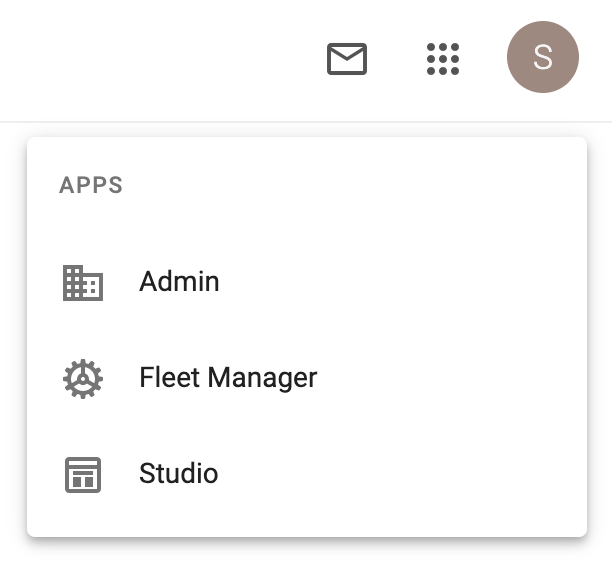
IXON Cloud 2 is now organized into four dedicated applications—Admin, Fleet Manager, Portal, and IXON Studio—to serve the distinct needs of machine builders, service engineers, and customers. By focusing each app on its core responsibilities, users can work more efficiently without irrelevant noise. Below we detail each app’s purpose and key features.
Admin app
The Admin app handles initial configuration. It lets you brand the platform with your corporate identity and assign users to roles and groups.
App functionalities:
- Set your company identity
Fill in your company information, choose your company colors and upload your logo; - Manage licenses and view audit trail
Have an overview of your active licenses, such as Cloud Logging and Cloud Notify, and see all actions taken in your company account; - Manage roles and groups for advanced user management
With role‑based access control, you can define roles and groups, assigning rights that match each user’s responsibilities to ensure focused tasks and safeguard security.
Watch our video about the Admin app.
Fleet Manager app
The Fleet Manager app centralises device management and configuration—handle your IXrouters and IXagents with ease.
App functionalities:
- Add and configure devices
A new device appears in the IXON Cloud. Once added you can manage its info, firewall and network settings; - Assign devices to groups
Assign devices to a group and add pages using access categories, so users with certain permissions can access those pages; - Add services to devices
Besides VPN, you can enable VNC, HTTP and Websockets; - Data sources for alarms and data logging
With a Cloud Logging license you can set up a data source, variables and tags for logging. With Cloud Notify you can configure alarms to receive notifications when, for example, the platform loses connection with your machine.
Watch our video about the Fleet Manager app to learn more about device management and configuration in IXON Cloud 2.
IXON Studio app
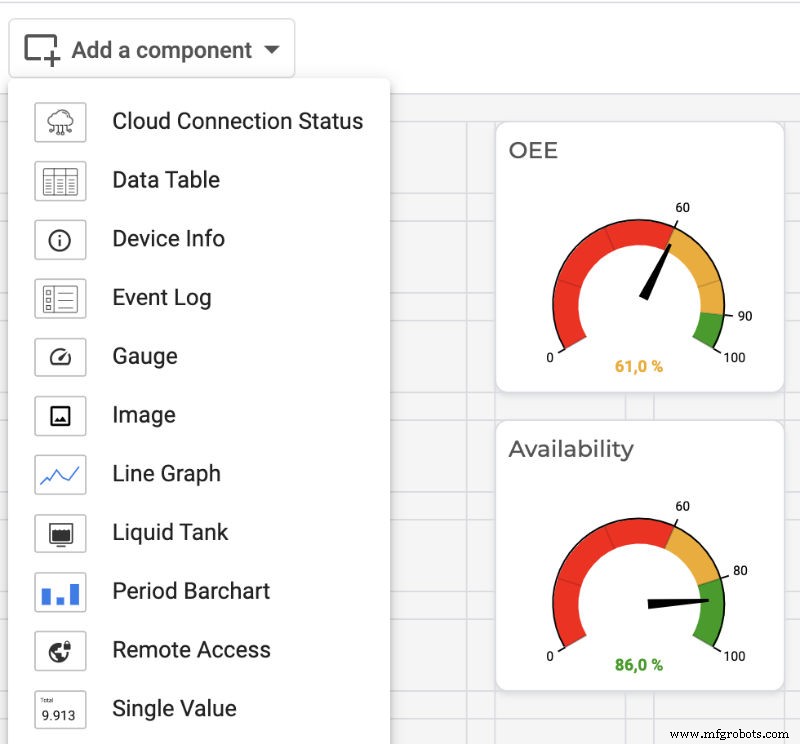
IXON Studio unlocks deep customisation, offering a wide range of options to tailor your IoT Portal to your exact requirements.
App functionalities:
- Customise machine cards
Add components that are relevant for the device to the machine card; - Create dashboards
Create and customise dashboards for each device; - Add widgets
Choose from many standard widgets or create your own with VueJS.
Watch our video about the IXON Studio app or read this blog.
Portal app
The Portal app consolidates all your configurations from Admin, Fleet Manager, and IXON Studio. It is the primary gateway for customers and service engineers—and the sole application available in the mobile app.
App functionalities:
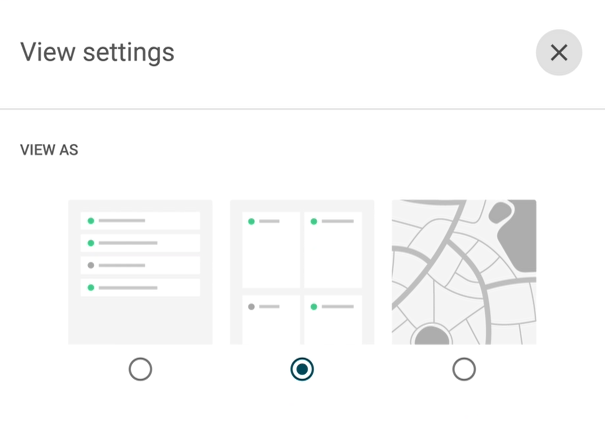
- Overview of your devices
View your devices that have been customised in IXON Studio and added in the Fleet Manager app in card, list or map view; - Connect to your machine
Set up a connection via VPN or use a VNC, HTTP or WebSocket service and manage, control and monitor your machines remotely; - Access data reports and receive notifications
With Cloud Logging you’ll see data reports in the Portal. With Cloud Notify you can receive notifications via the mobile app or email about important machine events; - Send invitations
Invite users to the IXON Cloud and collaborate all together in one portal.
Watch our video about the Portal app.
Get started with IXON Cloud
Create your free IXON Cloud 2 account to find out more and try the platform for yourself!
[[Create account]]
Are you an existing IXON Cloud user and would you like to know more about migration to IXON Cloud 2? Please read the introduction to the Migration Wizard.
Related articles
- IXON launches new IXON Cloud 2 platform with major upgrade
- Advanced user based access control
- Customise your IIoT Portal with IXON Studio
- Frequently asked questions about IXON Cloud 2
Internet of Things Technology
- How Voice Interfaces Are Democratizing Interaction: Trends, Tech, and Market Growth
- IXON Empowers Binghamton Students to Win Award with Advanced Pharmacy Automation Project
- IXON Launches Next‑Generation IXON Cloud 2 Platform with Advanced Collaboration Features
- IXON Cloud Beta UI Launch: Pioneering a New Digital Era for Machine Manufacturers
- Discover IXON Cloud Instantly: Free Virtual Demo Device for Remote Access & IoT Testing
- Unlock New Revenue Streams with IXON Cloud: 5 Proven IoT Business Models
- IXON Cloud: Comprehensive IIoT Solution for Industrial Connectivity
- Secure and Real‑Time Machine Data Logging with IXON Cloud
- Introducing the New Fiix CMMS Mobile App – Offline, Personalized, and Admin‑Friendly
- Meet the Onyx Series: Markforged’s New High‑Performance 3D Printers