



Discover IXON Cloud Instantly: Free Virtual Demo Device for Remote Access & IoT Testing
Curious about what IXON Cloud can do for your business? Want to test its industrial‑grade remote access and IoT capabilities without any upfront investment? The new Demo Device feature gives you exactly that – a free, virtual machine that mimics a real IXrouter or IXagent.
What Is the IXON Cloud?
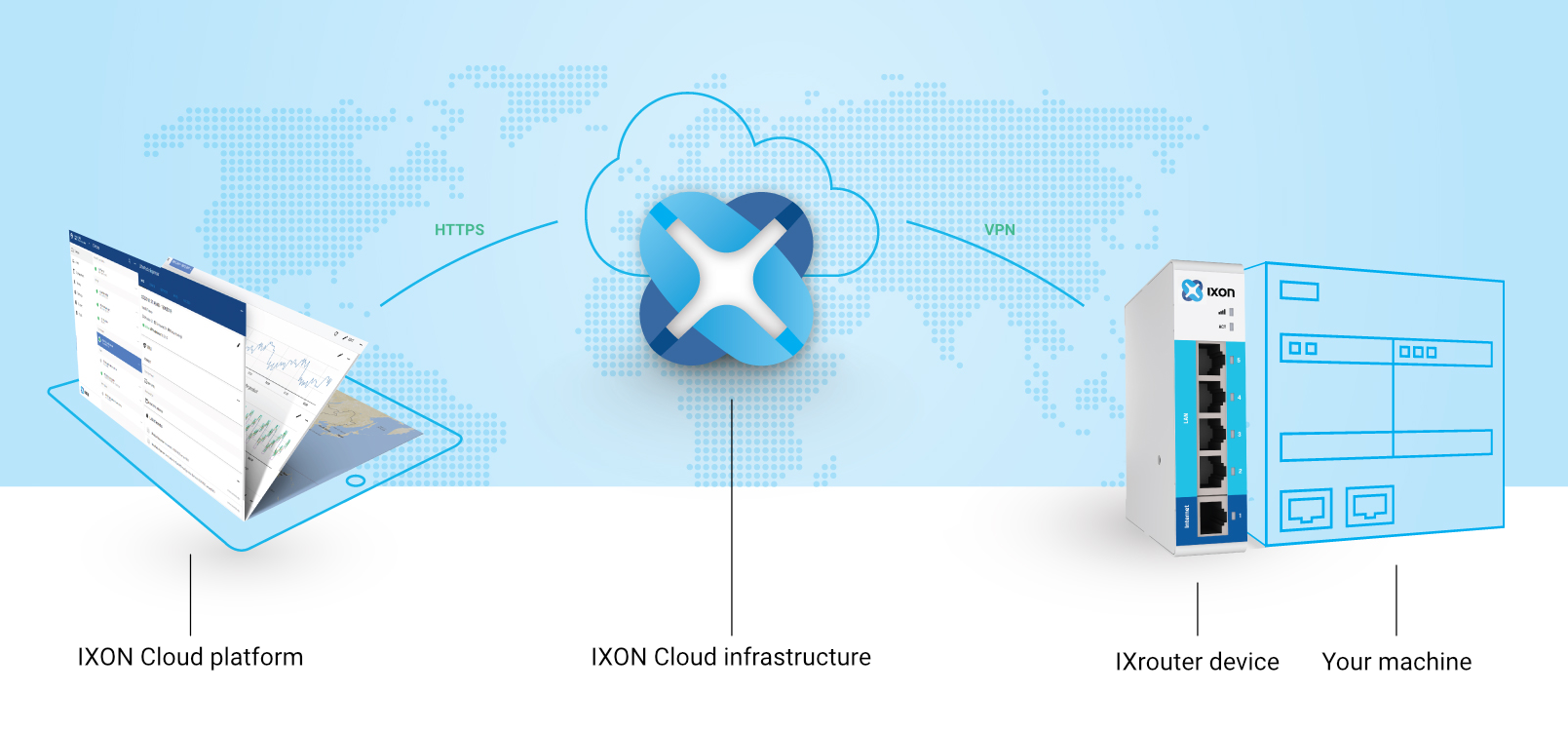
IXON Cloud is a secure SaaS platform built for industrial and building automation. It enables machine builders to connect to, monitor, and manage any industrial equipment from anywhere, leveraging VPN, MQTT, and web services for robust, scalable operations.
Introducing the Virtual Demo Device
With the demo device, you can simulate a full production setup—connect a virtual PLC, sensors, or IP cameras, and bring them online via Wi‑Fi, 4G/LTE, or Ethernet. In just minutes, you’ll see how easily you can:
- Establish secure VPN connections
- Access HTTP, VNC, and WebSocket services
- Push configuration changes over MQTT
- Collect and analyze machine data
- Create dashboards, alarms, and notifications
No hardware or software license is required; the demo device expires after 14 days, but you can always register a new one via the Tools > Register demo device wizard.
Getting Started: Add a Demo Device
1. Create a free IXON Cloud account—no credit card, no commitment.
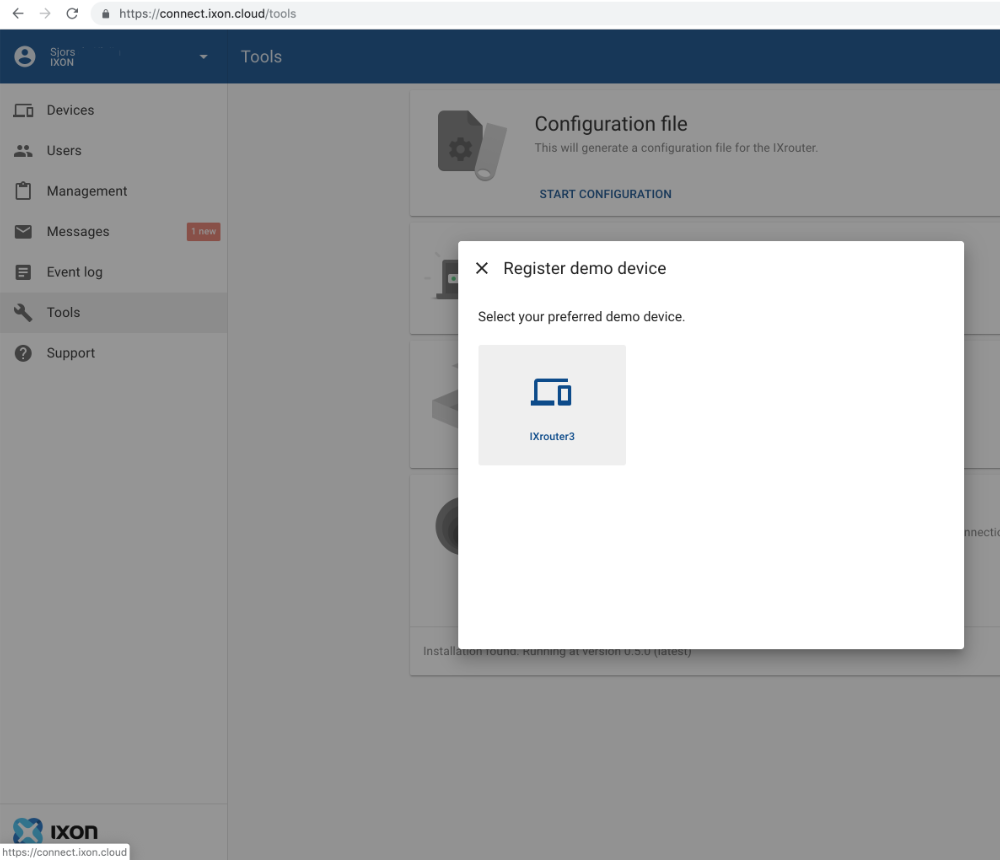
2. Navigate to the Tools section and select Register demo device. Follow the wizard to add the virtual machine.
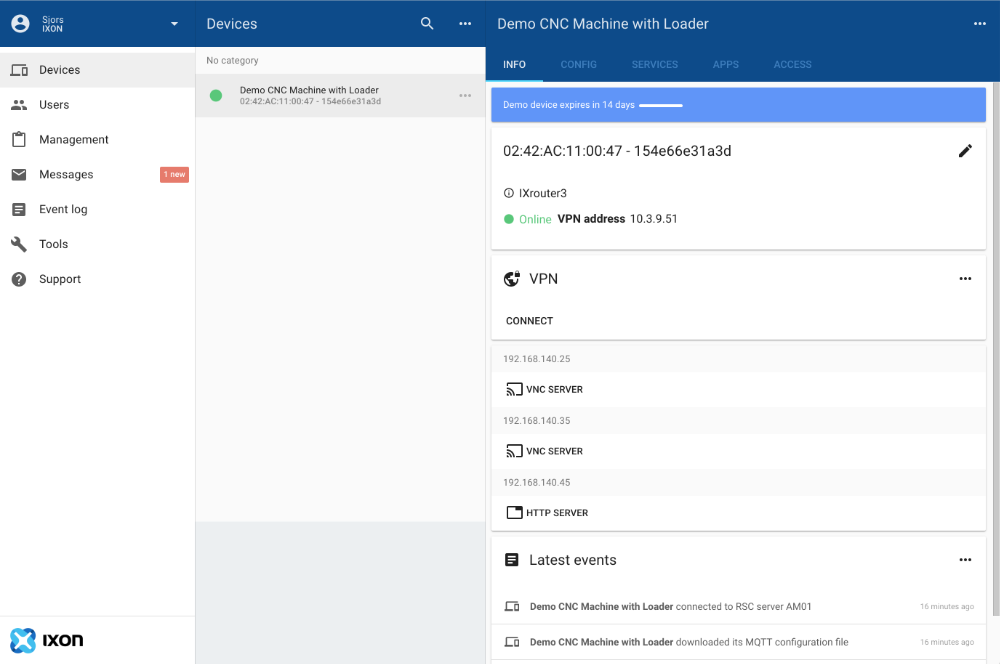
3. Your demo device will appear under Devices and can be managed like any real device.
Hands‑On Features You Can Test
1. Secure VPN Connection
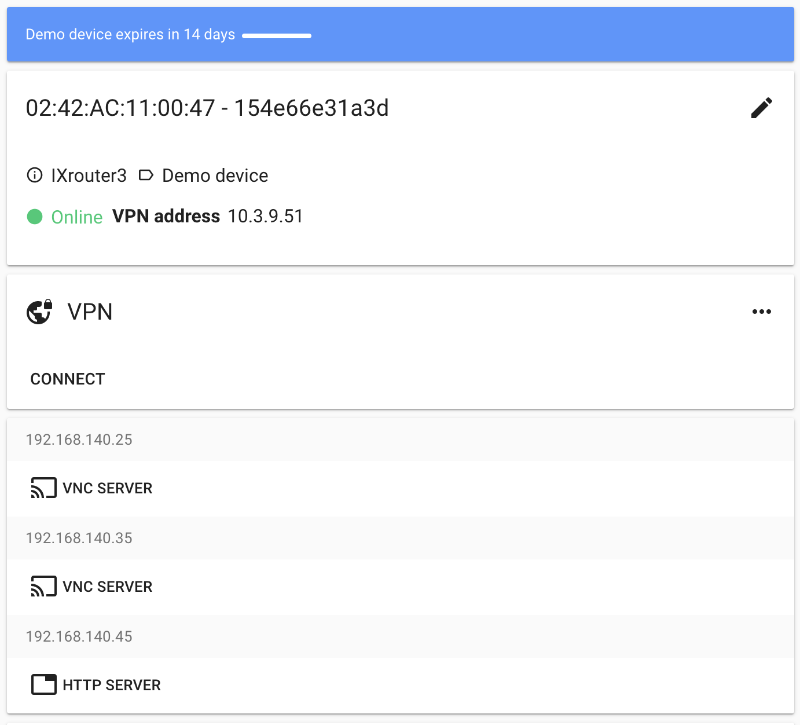
Click the VPN connect button on the device page. IXON Cloud establishes a tunnel, giving you full network access to update PLC firmware or inspect machine events.
2. Access the HTTP Server
The demo device includes a pre‑configured Siemens 1200 PLC HTTP server. Click HTTP Server to view the web interface over a secure HTTPS connection.
3. Remote HMI Control via VNC
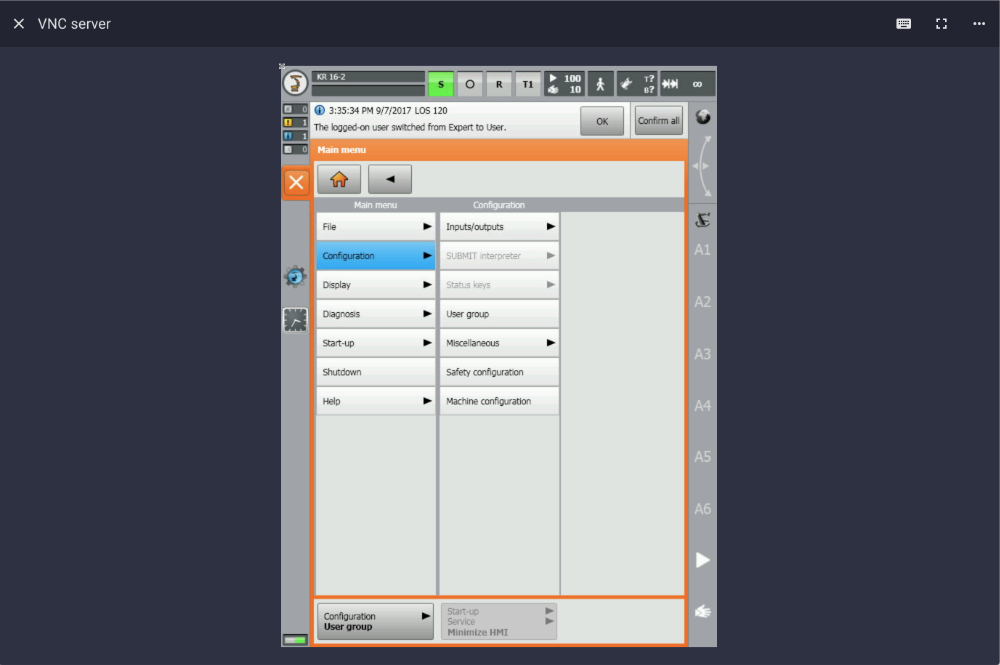
Open the VNC Server to view and interact with the machine’s HMI directly from your browser. The IXON Cloud mobile app (iOS/Android) also supports touch gestures for a natural experience.
4. Push Configuration Changes
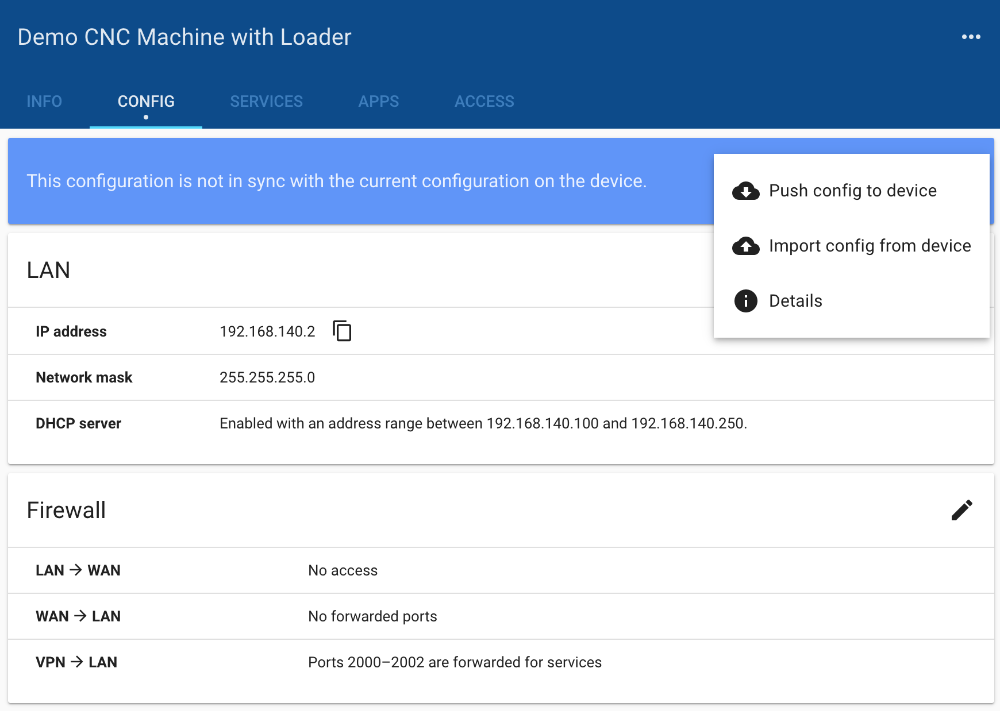
Modify LAN or firewall settings in the device’s config editor, then click Push config to device. Changes are transmitted via MQTT and applied instantly.
5. Explore the Full IXON Cloud Platform
- User Management – invite colleagues and assign granular permissions.
- Device Management – rename, relocate, group, and update devices.
- Branding – upload logos and custom color schemes for a cohesive portal.
- Events & Messages – audit logs for device changes and user activity.
- Data Collection – configure protocols and variables to log.
- Dashboards – create live and historical visualizations.
- Alarms – set triggers and receive notifications.
New: Test IoT Logging and Notifications
Our Cloud Logging and Cloud Notify services are now fully compatible with the demo device. Collect machine data securely, visualize it in real time, and trigger alerts or webhooks to third‑party tools like PagerDuty or Zapier.
Interested in a deeper dive? Request a free online demo.
Start for Free Today
Experience the power of IXON Cloud without any obligations. Sign up now and explore every feature with our virtual demo devices.
Create your free IXON Cloud account
Internet of Things Technology
- Top Cloud Computing Courses for 2026: From AWS Fundamentals to Maryland’s MicroMasters
- 11 Proven Cloud‑Based Functional Testing Best Practices for Web Apps
- Top Free Google Cloud Courses of 2021 – Boost Your Cloud Skills
- Meet IXON Cloud 2: A Fresh, Intuitive Interface for Industrial IoT
- IXON Cloud: Comprehensive IIoT Solution for Industrial Connectivity
- Secure and Real‑Time Machine Data Logging with IXON Cloud
- Optimal Methods for Bonding Metal to Plastic: A Technical Guide
- Zero Trust: The Ultimate Defense for IoT Device Security
- Top 13 Free Circuit Simulators: Trusted Tools for Accurate Design
- Maximize Fleet Efficiency: Expert Strategies for Using Telematics Data