



Essential In-Process 3D Printing Tips to Prevent Failures
Following with the previous article, below is the most important tips during 3D printing to avoid mistakes and failures, such as jams in the extruder or warping and cracking, produced by drafts outside the 3D printer.
1. Isolate from drafts
Currents 3D printer external to the air are to blame for many failures in 3D impressions. This is due to the fact that the air current causes a sudden temperature reduction in the part, which can cause cracking or warping, especially when the user uses delicate materials such as ABS. To avoid these problems, the 3D printer must be located in a room with no drafts, doors and windows closed, especially if the 3D printer does not have a protective casing.
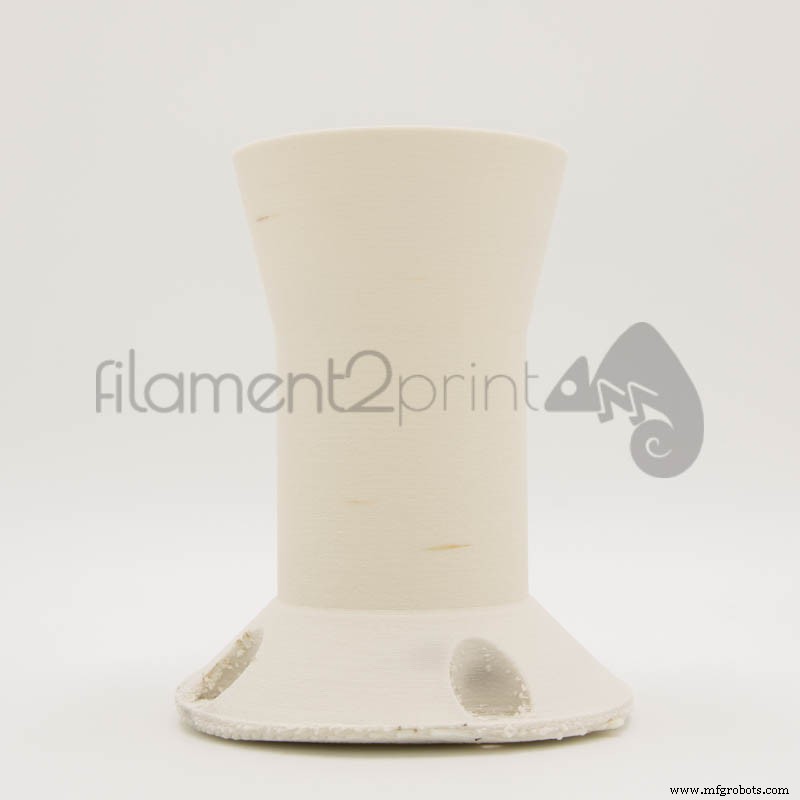
Image 1: Warping
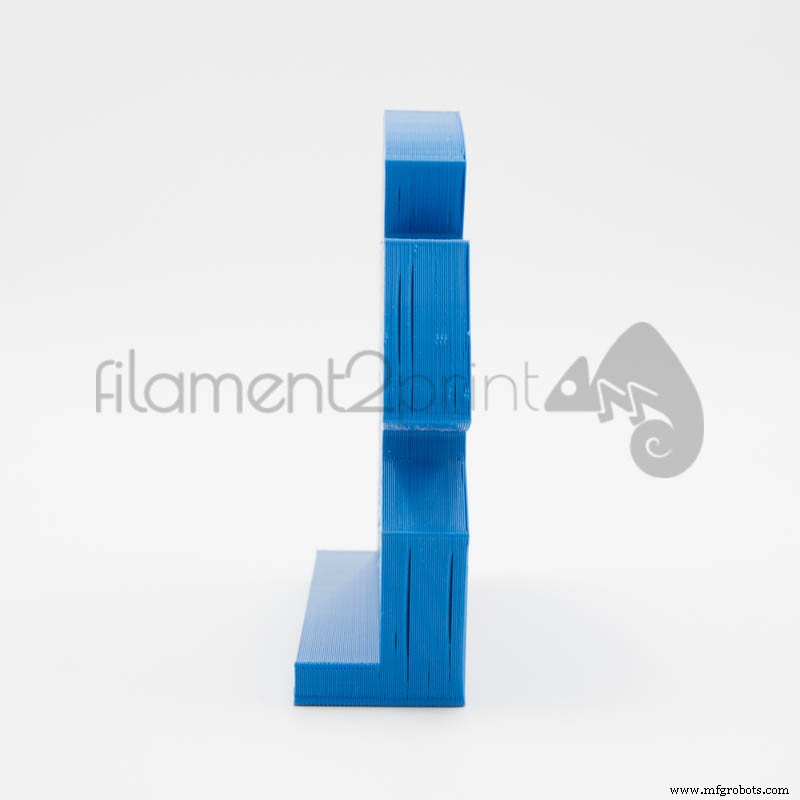
Image 2: Cracking
2. Adequate outdoor temperature
All machines have an ambient temperature range in which they must work. In the case of 3D printers is affected in operation at high temperatures and if they directly affect the sunlight, can cause from failure in 3D printing, to slow down the operation of the electronics due to overheating of the drivers. For this reason, the 3D printer must be located in a moderate environment (maximum 30 °C), dry, free of dust and sunlight that directly affects the 3D printer.
3. Avoid electrical shock
Very rarely does this problem occur to users of 3D printers, but when it happens, the printer stops working seemingly without reason, as if the option to stop printing was selected. This occurs because the electronics of the 3D printer, more specifically the microprocessor, is blocked by the current-interrupting printing. To prevent this problem, use an electrical outlet exclusively for the 3D printer and avoid multiple outlets bases, which when connecting and disconnecting electrical appliances can create these electric shocks.
4. Avoid jams in the extruder
Most of the filaments used for 3D printing are made of plastics, which are usually statically charged. This load attracts many particles of dust and dirt, which can cause jams and faster wear of the extruder, especially the nozzle. The ideal solution is use a professional filament cleaner (Voltivo foam), which eliminates the static load and dirt that the filament can have.
5. Constant temperature
During 3D printing, the user must check that the temperature of the extruder and the base that marks the screen of the 3D printer is correct and that no variations of more than +/- 4 °C are produced. If this happens, it is usually due to bad wiring or poor connection to the 3D printer controller board. In order to locate the problem, it must first be verified that the wiring doesn't present scratches or breaks, especially in parts where the cables are in contact with some moving part of the 3D printer. If the problem is not in the wiring, check the condition of the connectors on the board that give electricity to the extruder and to the base. To solve these problems you must replace the bad components with new ones. In case of having to replace the controller board, it is recommended that it always be by an original or one recommended by the manufacturer of the 3D printer.
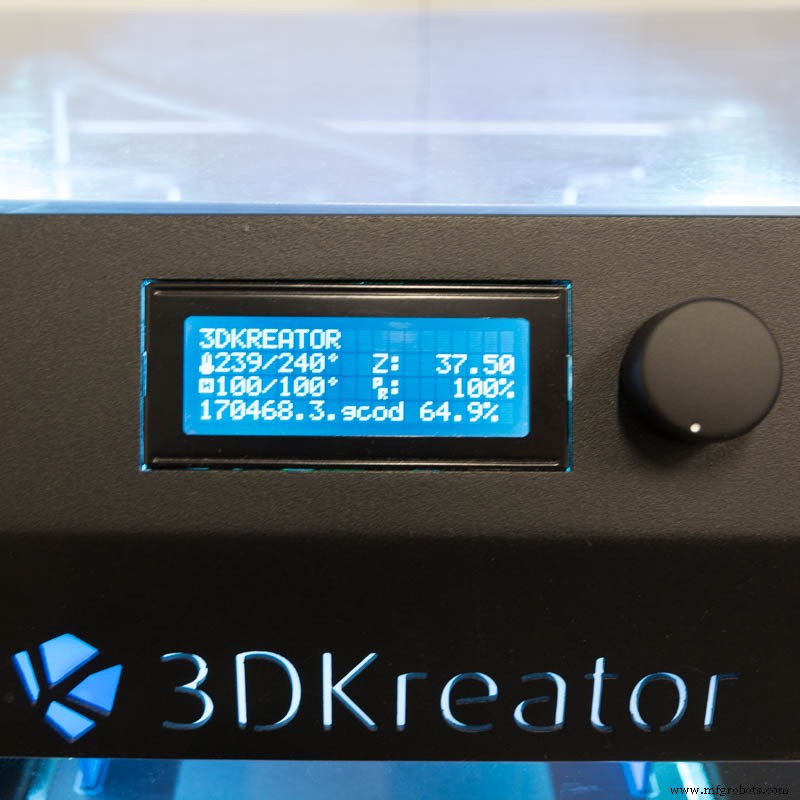
Image 4: 3D Kreator
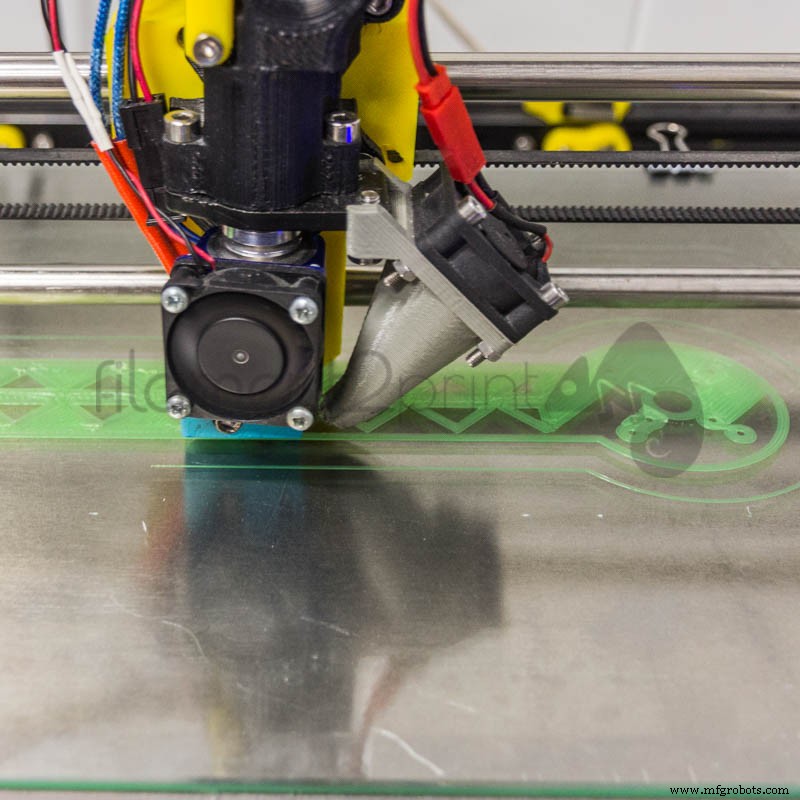
Image 5: First layer
6. Observe the adhesion of the first layer
This last tip is the simplest and at the same time the most important one during 3D printing. The user should observe the first layer of each 3D impression and ensure that it sticks perfectly to the base. If that does not happen, it is usually because the temperature parameters of the hot base are not correct or a bad level of the base. To know how to level and calibrate a base of a 3D printer you can read the following article: Leveling and calibration of the 3D printer base.
These are the main points to control during 3D printing to eliminate much of the errors that are commonly encountered in the 3D printing process (FDM/FFF).
3D printing
- Harnessing 3D Printing in Higher Education: Benefits, Case Studies, and Resources
- Mastering SLA 3D Printing: Expert Design Tips & Best Practices
- Professional Guide to 3D Printing Durable Molds
- Tinkercad for 3D Printing: A Comprehensive Review for Beginners
- Is SketchUp Ideal for 3D Printing? A Comprehensive Review
- SolidWorks for 3D Printing: What You Need to Know
- Blender for 3D Printing: Pros, Cons, and Alternatives
- Expert Design Tips for Carbon DLS™ 3D Printing Success
- Essential After-Print Care Tips for 3D Printing
- Essential Pre-Print Checklist for Reliable 3D Printing