



Understanding PLC Counters in Studio 5000 Logix Designer
Counters are fundamental PLC instructions that track how many times a specific event occurs.
In this guide you’ll discover how counters function in general and explore the ladder‑diagram counter instructions available in Studio 5000 Logix Designer.
Counter concepts
A counter increments its accumulated value (ACC) whenever the rung‑in condition becomes TRUE. When ACC reaches or exceeds the preset value (PRE) defined by the programmer, the counter is considered DONE and its DN bit turns ON.
Separate reset instructions can bring ACC back to zero. Counters are ideal for applications such as tracking motor starts to trigger predictive maintenance, a scenario we cover in Learn Logix 7.
Counters in Studio 5000 Logix Designer
Count Up (CTU)
The CTU instruction counts upward from zero. Each time its rung‑in condition is TRUE, ACC increments by one.
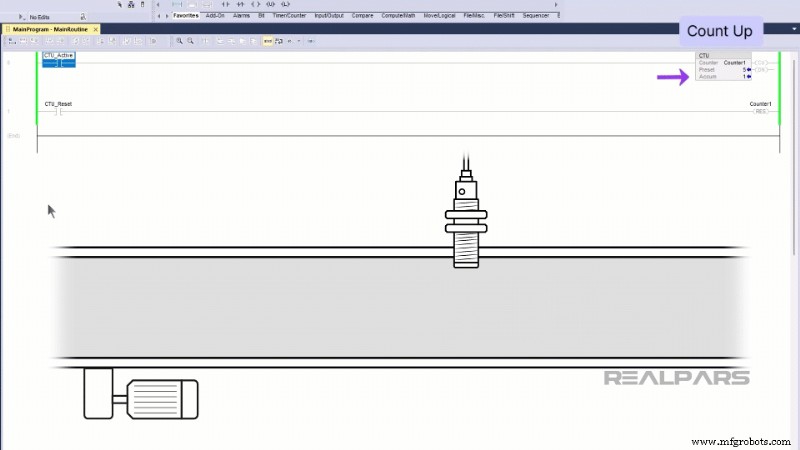
When ACC >= PRE, the DN bit becomes TRUE, signaling that the counter has reached its target.
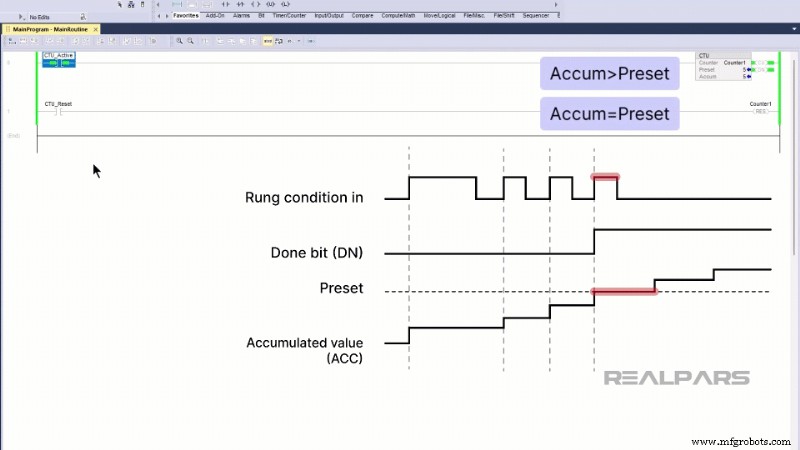
DN remains asserted until a reset (RES) instruction clears it or ACC drops below PRE.
Count Down (CTD)
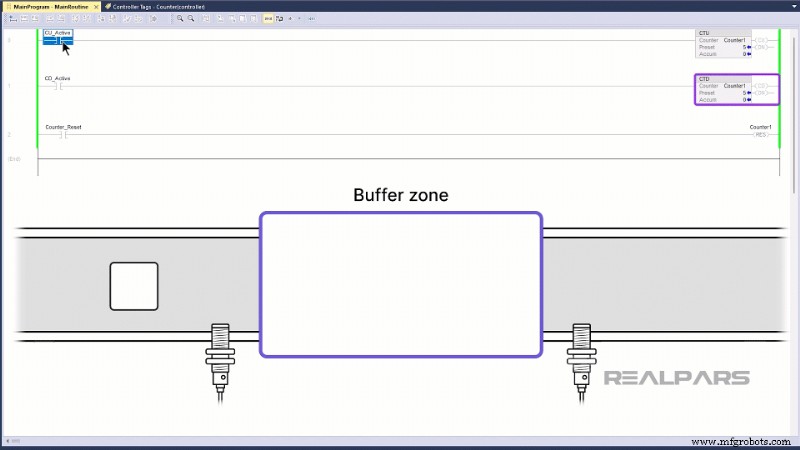
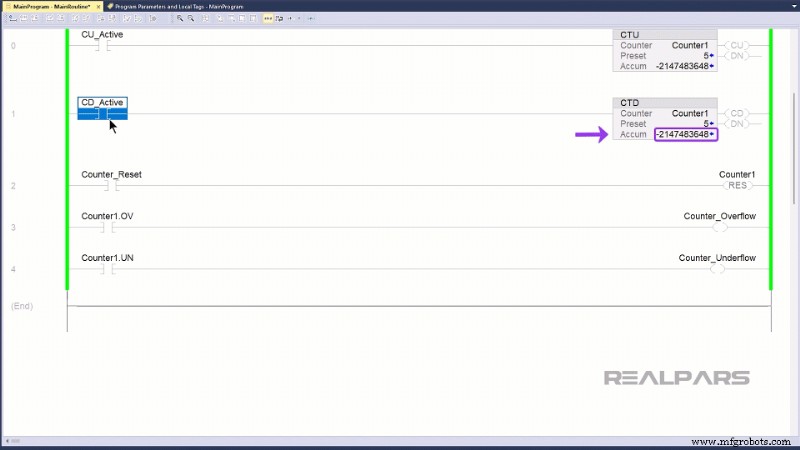
The CTD instruction decrements ACC by one whenever its rung‑in condition is TRUE. It is typically paired with a CTU on the same tag.
The DN bit stays TRUE while ACC >= PRE. CTD is useful for tracking items leaving a zone, such as pallets exiting a buffer area.
Overflow and Underflow Handling
Because ACC can continue to change even after the counter is DONE, it may overflow (exceed the tag’s maximum) or underflow (go below its minimum). Overflow flips ACC from a positive to a negative number, which can cause DN to reset unintentionally. Underflow does the opposite.
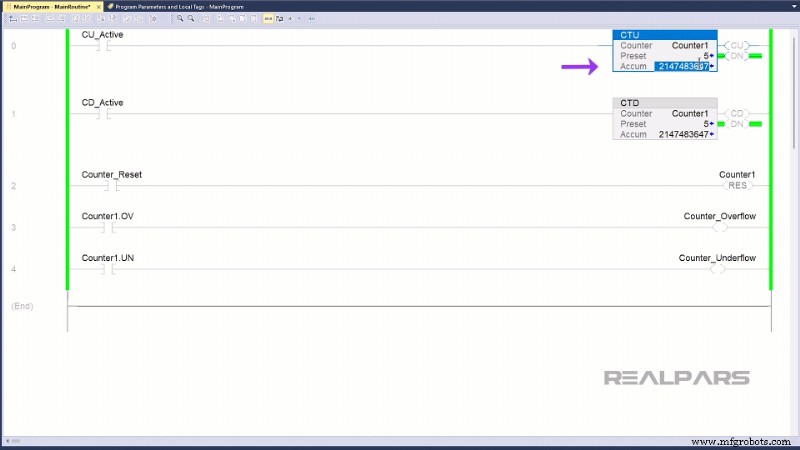
To detect these conditions, each counter tag includes an overflow bit (OV) and an underflow bit (UN). Checking these bits allows you to respond appropriately.
Wrap‑Up
This article covered the fundamentals of PLC counters and the specific CTU/CTD instructions in Studio 5000 Logix Designer. While other programming languages—such as Function Block Diagram and Structured Text—offer additional counter types, the concepts remain consistent.
Automation Control System
- Panel Meters Explained: How They Monitor and Control Industrial Equipment
- Integrating AI into Legacy Manufacturing Plants: A Practical, Low‑Risk Roadmap
- Choosing the Right Automation Tools: A Leader’s Guide to Shaping the Future of Work
- Capita's Five-Point Guide to Overcome Automation Anxiety
- Automation: Elevating Customer Experience to Human‑Centric Levels
- Mitsubishi and Absolute Introduce the LoadMate Plus: A High‑Performance, Plug‑and‑Play Robotic Cell
- How a Collaborative Robot Helped Wisconsin Plastics Boost Efficiency and Empower Workers
- Robotic Automation Systems Opens 13,000‑sq‑ft Facility to Drive Integrated Manufacturing Excellence
- PMTS 2021 Preview: Advanced Automation & Measurement Solutions
- Extruded Aluminum: A Manufacturer’s Best Friend – Why It Outperforms Steel