



E3.series 2021: New Panel Design Tools & 3D Export Features
The E3.series 2021 is now available and with it we have prepared a list of new specific features for the creation and development of electrical panel projects.
.jpg)
Try NOW the industry-leading E-CAE E3.series tool in the world with technical training courses!
Click on the banner below:
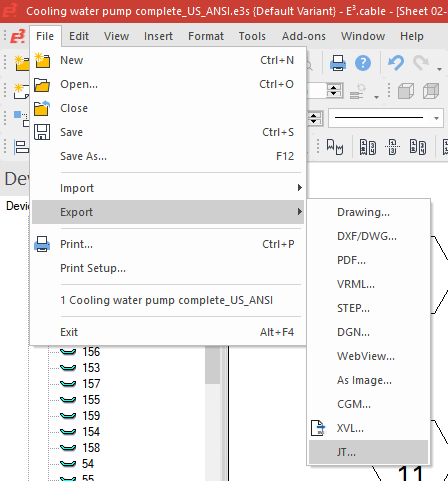
Export 3D Data from Panel
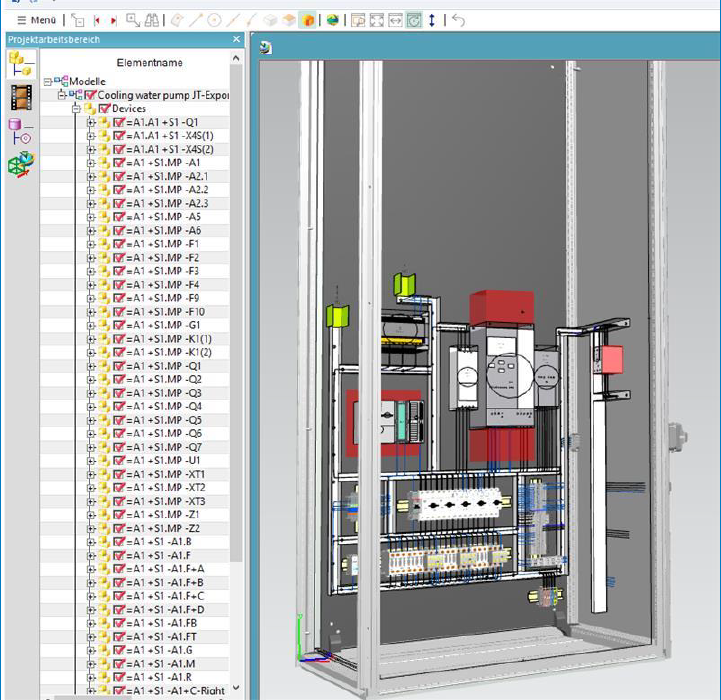
1. Using JT format
- Standard format, which most MCAD systems allow importing (some with additional licenses);
- Devices and wires are exported as graphics and as structure elements.
2. STEP format cannot be used because it is converted to
an E3 internal format when importing to a DBE model and it is not possible to create a STEP again from the stored data
- Saving the STEP information additionally to the library would corrupt the library.
- This would not solve the component issue and the user would have to reload the STEP files into the database.
3. The export takes into account the following dashboard settings
- View wire parameters;
- 2D to 3D graphics;
- View 3D step models.
4. Geometry is exported as shown in the 3D representation.
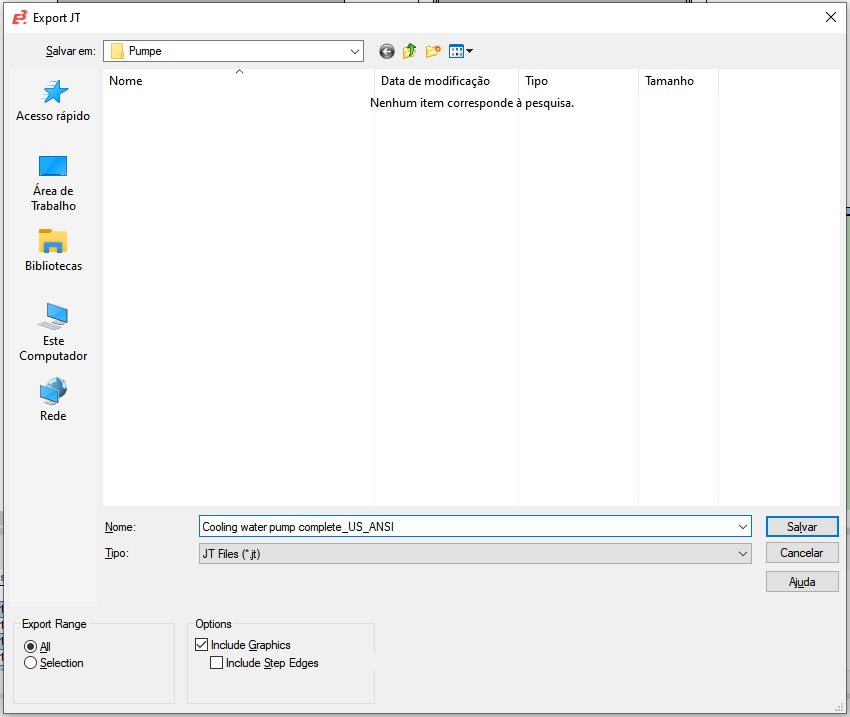
5. The following settings can be made in the dialog:
- Export range:
All: Everything from the dashboard is exported;
Selection: Only currently selected items are exported.
- Options:
Include graphics: 2D graphics (lines) are also exported. (Default enabled);
Include STEP edges: The edges of STEP models are also exported as lines.
Highlight Command on Panel
1. Use global 'Highlight' settings when jumping to 3D panel
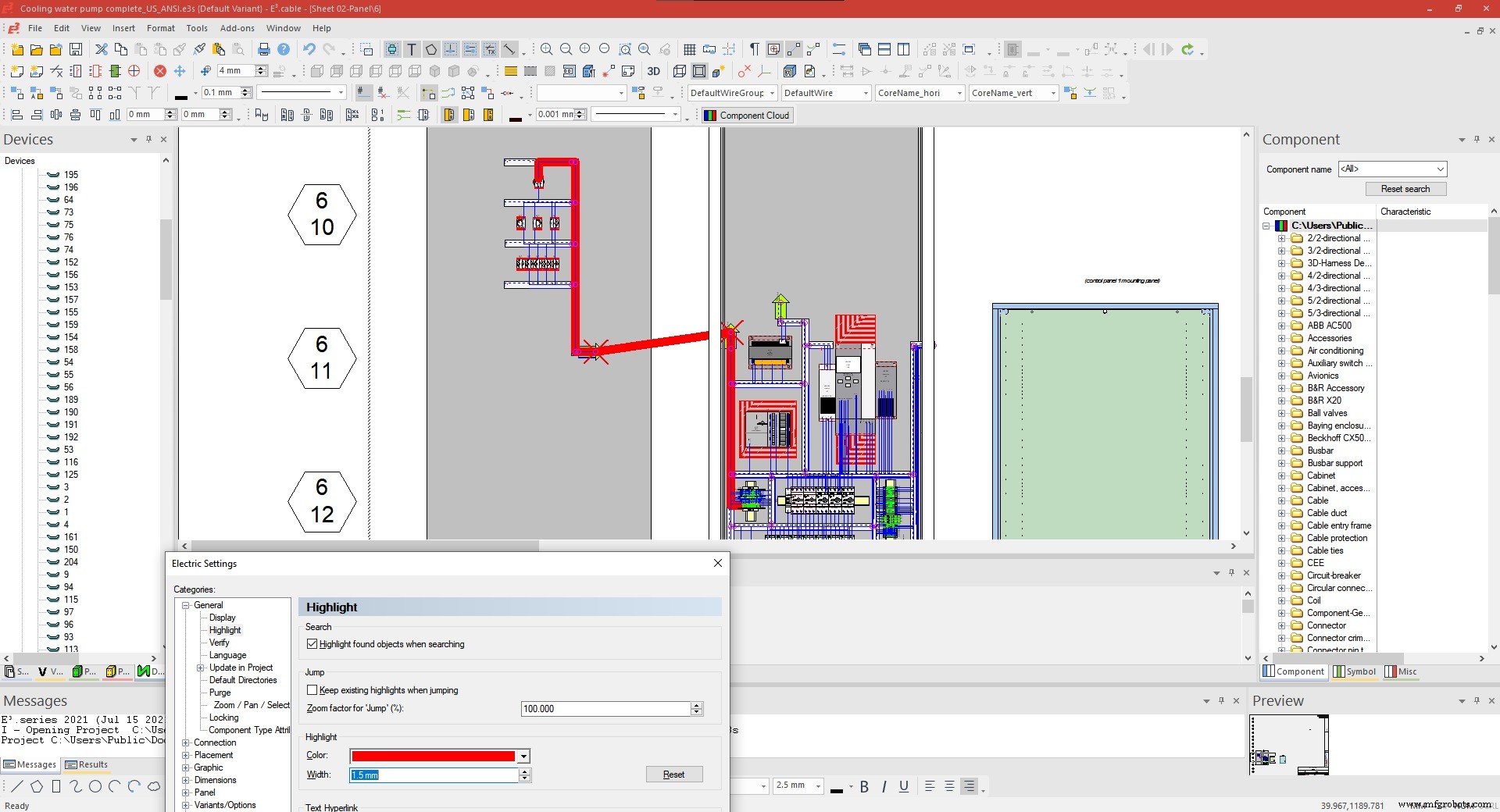
2. Use better markup for selected elements in 3D Panel
Highlight Panel Path
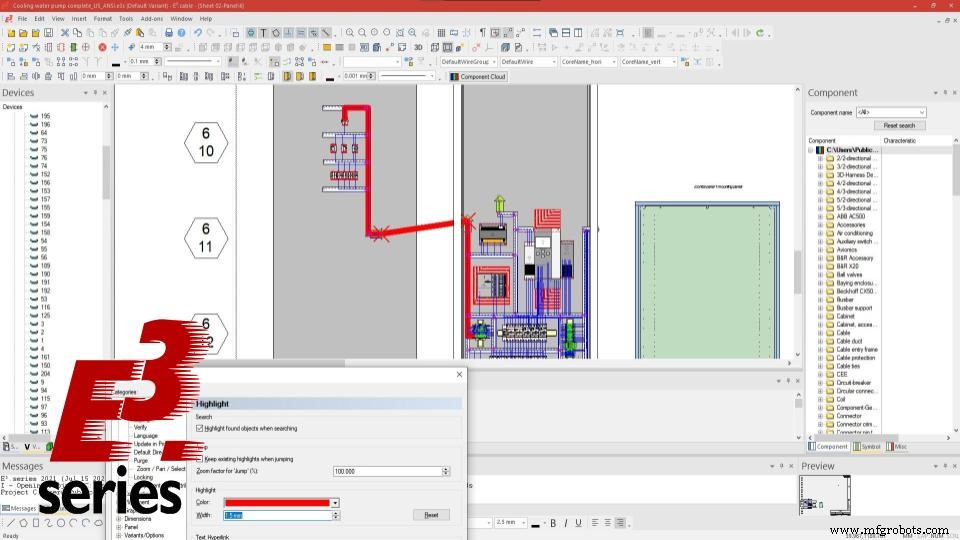
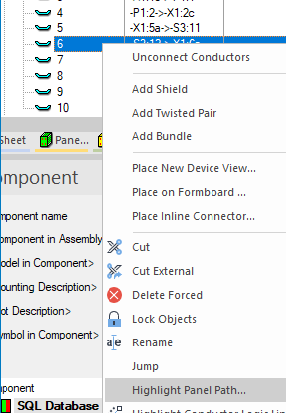
1. New command: Highlight Panel Path/Reset Highlight Panel Path
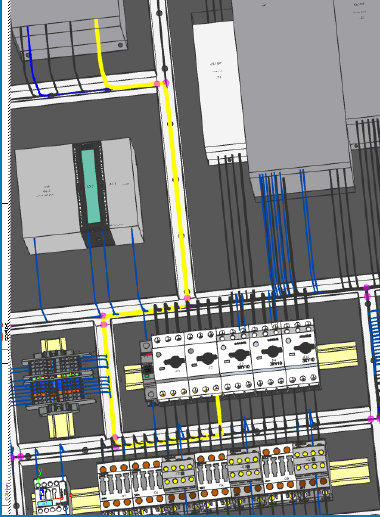
- Shows the path of a wire routed in the panel with a defined color and width
- The highlight is shown on all sheets where this wire is displayed (2D, 3D view)
- If the sheet is not opened, it will open automatically (except shared sheets)
- COM calls
ret = pin.HighlightPanelPath (color, width, sheetOpenFlag)
ret = pin.ResetHighlightPanelPath
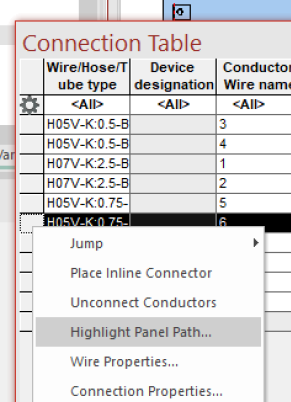
2. Highlight Panel Path
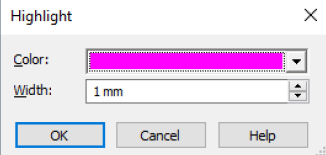
- Select highlight color and width
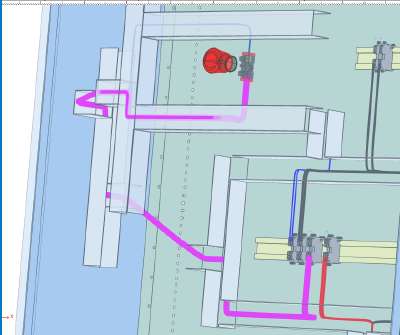
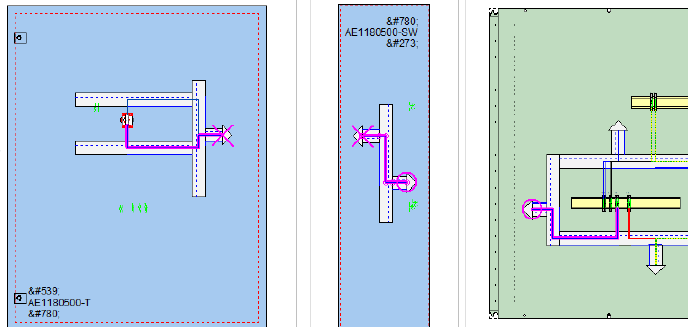
3. Highlight Panel Path
After the command, the wire highlight color is shown in the device tree
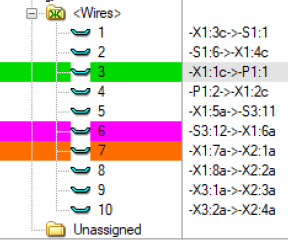
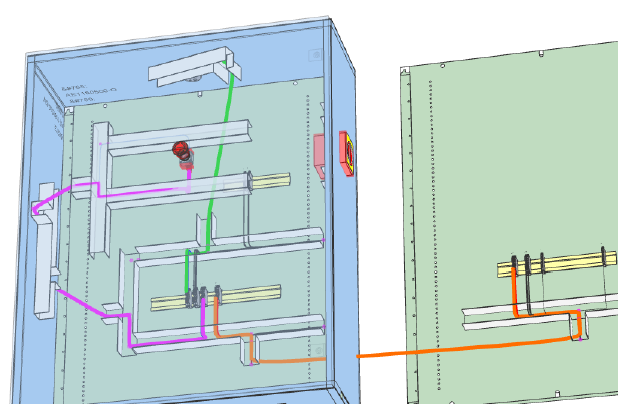
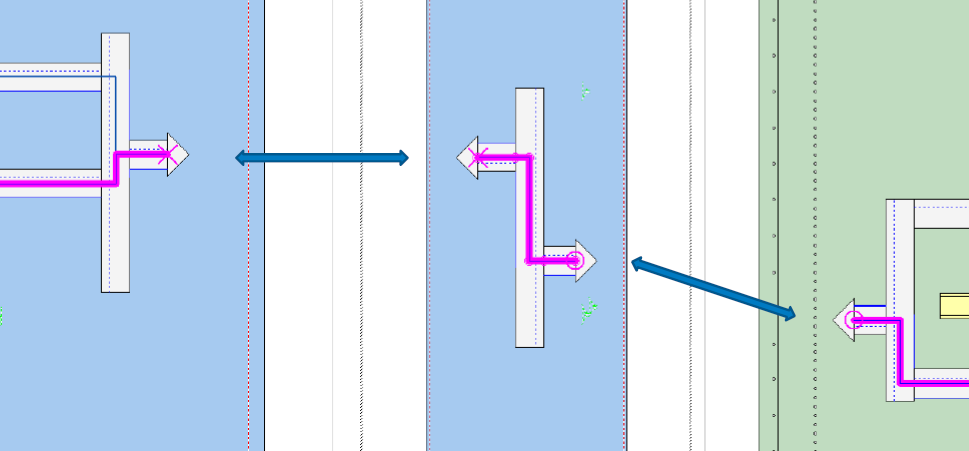
- If the wires are routed through the cable input/output duct, the corresponding input/output will be shown with a different sign (Cross, circle, ...).
Placement on the Panel
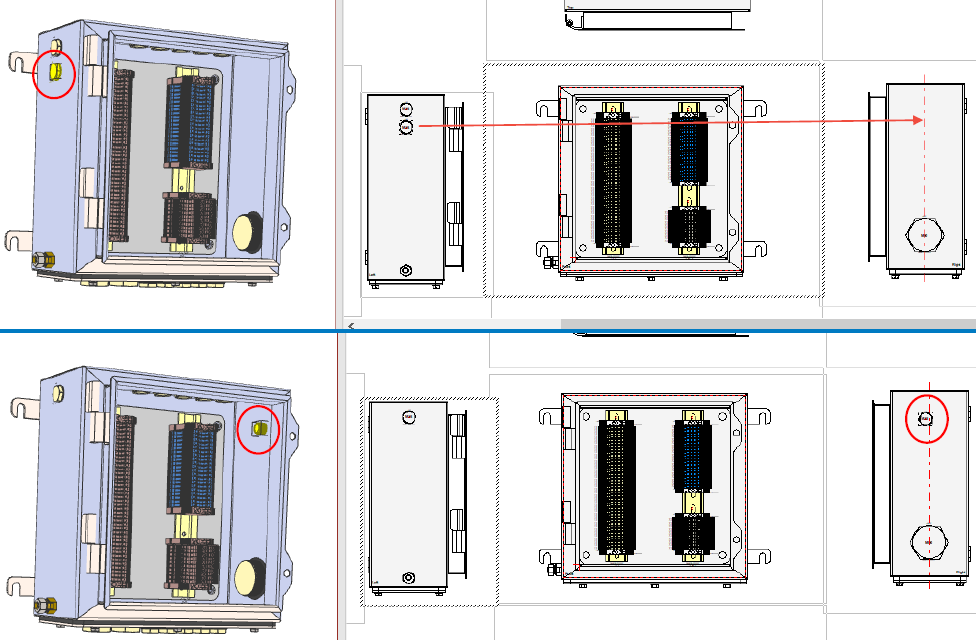
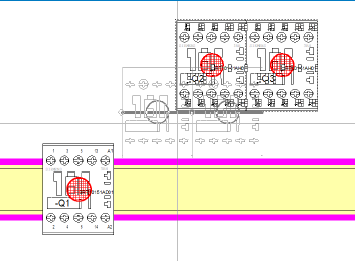
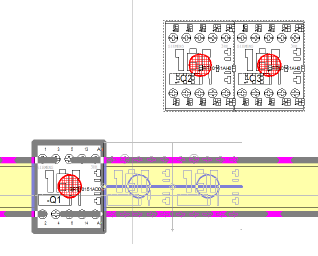
1. When moving a device from one 2D view to another pivoted 2D View, the device is automatically rotated
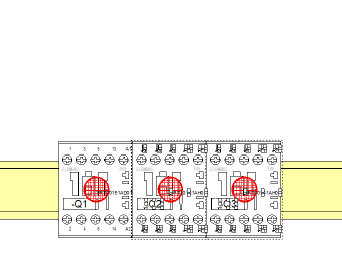
2. No collision when placing multiple contiguous models directly into an existing model
- So far it is only possible for single models or if the selected models were not placed contiguous.
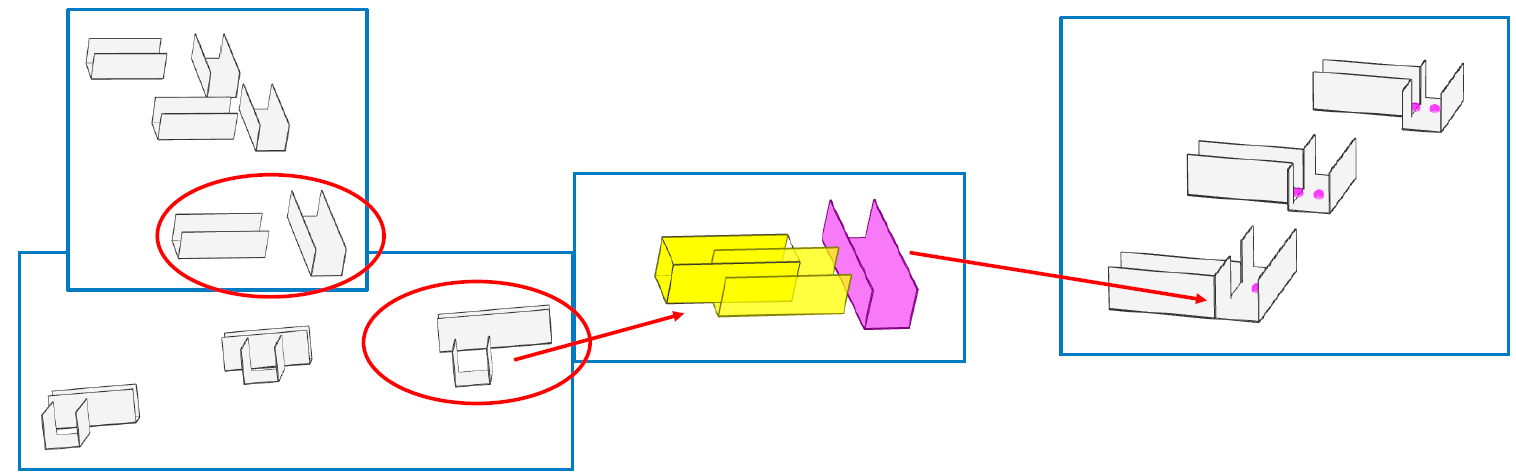
3. Automatic fitting of cable ducts is independent of Z coordinate
- Even though the baseline of the cable ducts is different, they are automatically adjusted so they don't overlap.
Panel Routing
1. Defining the filling limit for each cable duct separately in the project
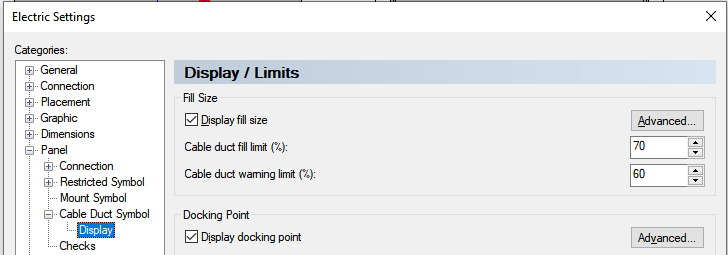
2. Default setting for all ducts in project settings
3. New COM calls
- Dev.GetCableDuctFillLimit
- Dev.SetCableDuctFillLimit
- Dev.GetCableDuctWarningLimit
- Dev.SetCableDuctWarningLimit
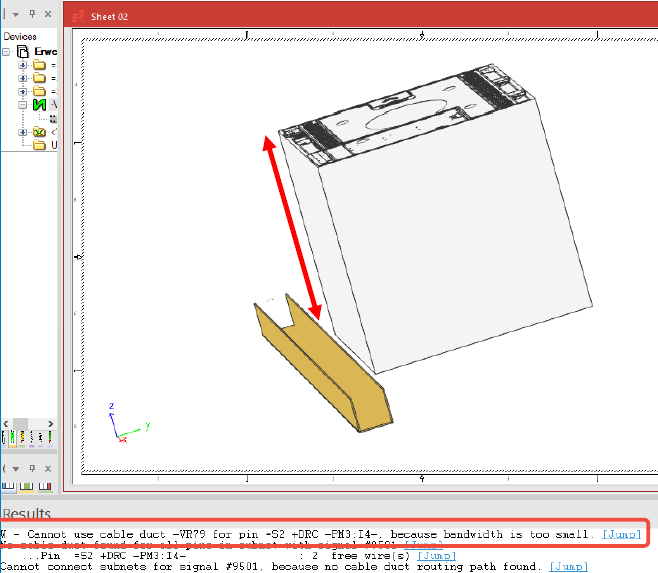
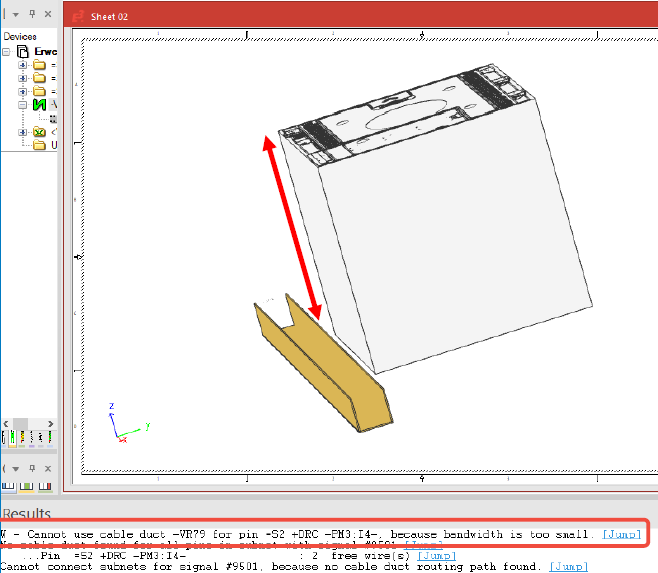
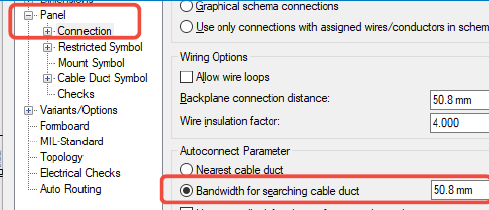
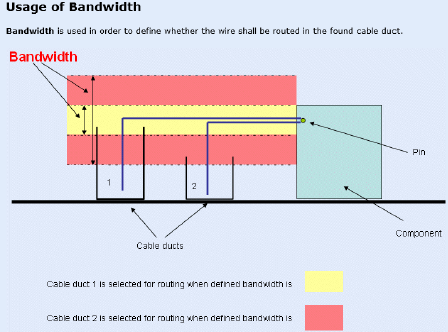
4 . Additional message in panel routing - If the bandwidth to seal the cable duct is too small, the duct will not be found.
Use the button below and test the E3.series software according to your demand:

Industrial Technology
- Markforged 2021 Software Enhancements: 10 Features That Tackled Customer Challenges
- Build Electrical Panels Quickly with CAE E3.series: A Step‑by‑Step Guide
- Create Electrical Panel Variants Quickly with E3.series – Efficient Design Layouts & Custom Documentation
- E3.series 2021 Update: Advanced Connectors & Table Features – Part 3
- E3.series 2021: Advanced Cable & Harness Features & Free Trial
- E3.series 2021: Highlight Panel Connections for Faster Electrical Design
- E3.panel Plus L1 – Master Efficient Electrical Panel Design
- Professional Spring Cleaning for Electrical Control Panels: Tips & Checklist
- Step-by-Step Guide: Wiring Solar Panels & Batteries in Series for a Reliable 24V System
- Master JavaScript: 10 Must-Know Tricks for New Developers in 2021