



Master Change Management in Fusion 360 with the New Manage Extension
We’re excited to announce the new Fusion 360 Manage Extension, which introduces advanced data management capabilities to Fusion 360. With this new extension, users now have additional tools to release design and drawing revisions, automate numbering and explore a change control process.
Change is inevitable with product development, and it can introduce a lot of confusion if it is not handled properly. A simple mistake like transposing two numbers within a part or drawing number can lead to scheduling delays, scrap, or rework. Similarly, when there are dozens of versions of a design or drawing, understanding which version is the final one that should be made or bought by customers can be confusing. There simply isn’t enough information to give consumers confidence that they’re grabbing the right version. Now, with the Fusion 360 Manage Extension, you can overcome these challenges.
Introducing Revisions
We’ve added a new revision concept with the Fusion 360 Manage Extension. Revisions are created using one of two features, Quick Release and Release with Change Order. Once a design or drawing is released, they will receive a new revision value. Unlike milestones, revisions can be found within the new properties dialog, the history dialog, and can be consumed within a drawing’s parts list and title block.
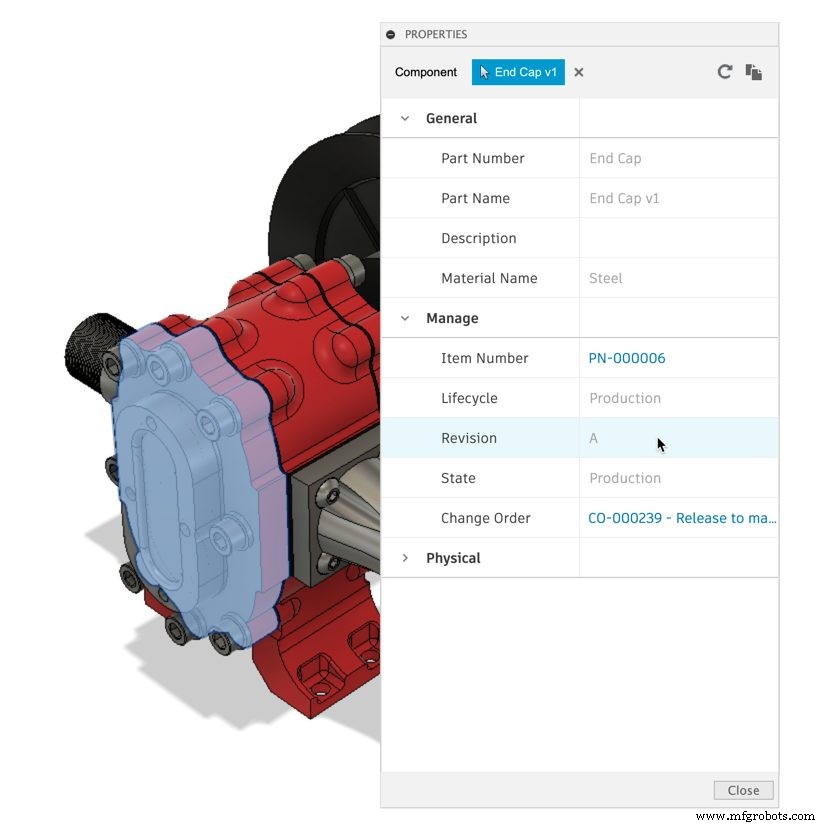
The act of releasing a new revision will also mark any parent design or drawing out of date. Updating them will consume the revision, as expected. However, newer versions created after the revision will not cause the parent designs and drawing to be out-of-date—at least not until a new revision is released. This helps ensure assemblies and drawings continue to consume the latest revision while pending changes are being made to a component.
Unique Number Creation and Assignment
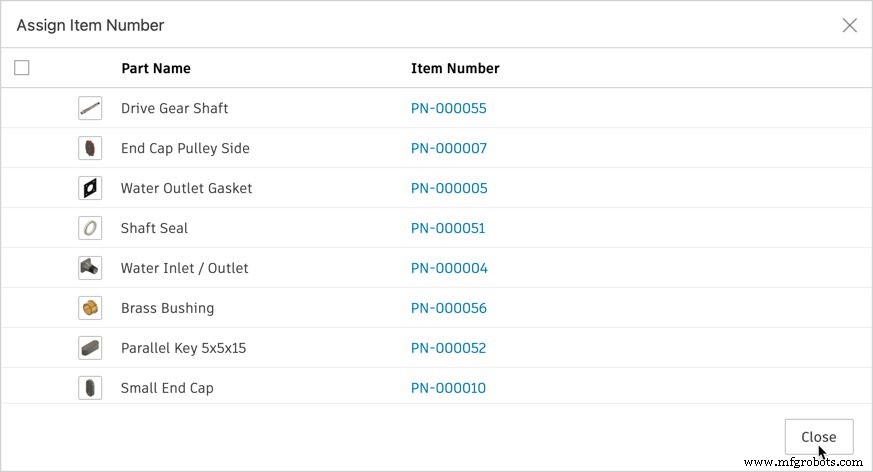
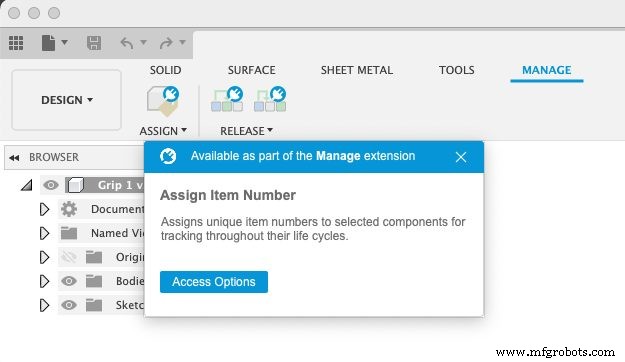
Numbers are critical in communication within a company that makes products. Whether one refers to a part or a drawing, these assets are usually identified and referenced by their number. If a number is duplicated, this results in confusion and downstream costs. The Manage Extension includes a feature to generate and apply a number to a component and/or drawing in an automated fashion, helping ensure each number is unique.
Releasing Data
For organizations that are more ad hoc in nature that need to revise their designs without a formal sign-off process, the Manage Extension includes a Quick Release. This will apply a revision to the version of the component or drawing actively opened within the canvass. Additionally, this can be useful as part of a pre-release process. It provides a numeric-based revision value to indicate to others within the organization that the design or drawing has reached a point of maturity worthy of their time to consume in their work. This gives early visibility and encourages earlier feedback.
Managing Change
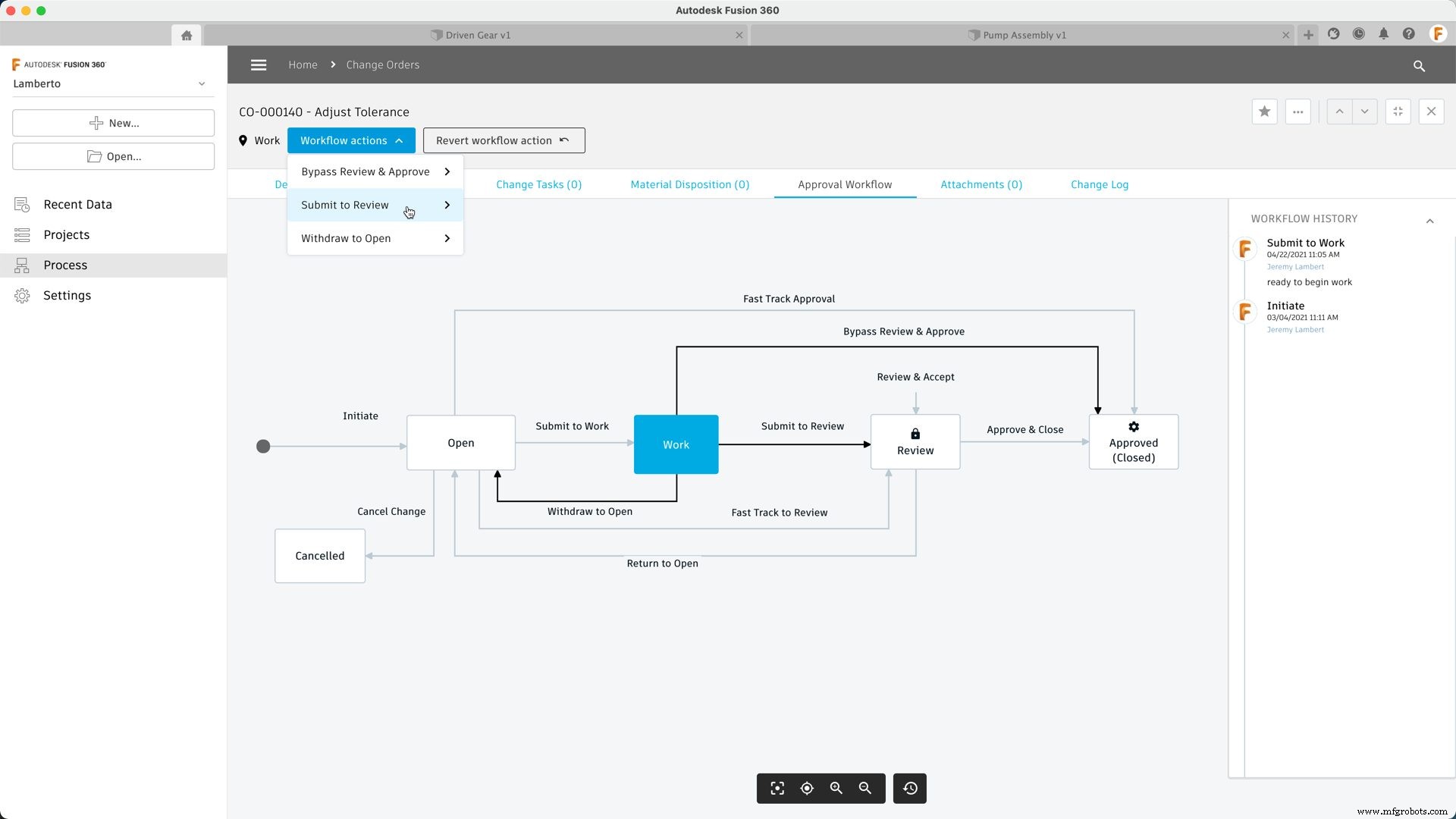
The second method for managing data change and release with the Manage Extension is using a change order. The change order provides a formal sign-off process for releasing new revisions. It has all the basics covered for change management, including an overview page for the change, a page to control the outcomes for the affected items, and a workflow map to manage the progression of the change through its process.
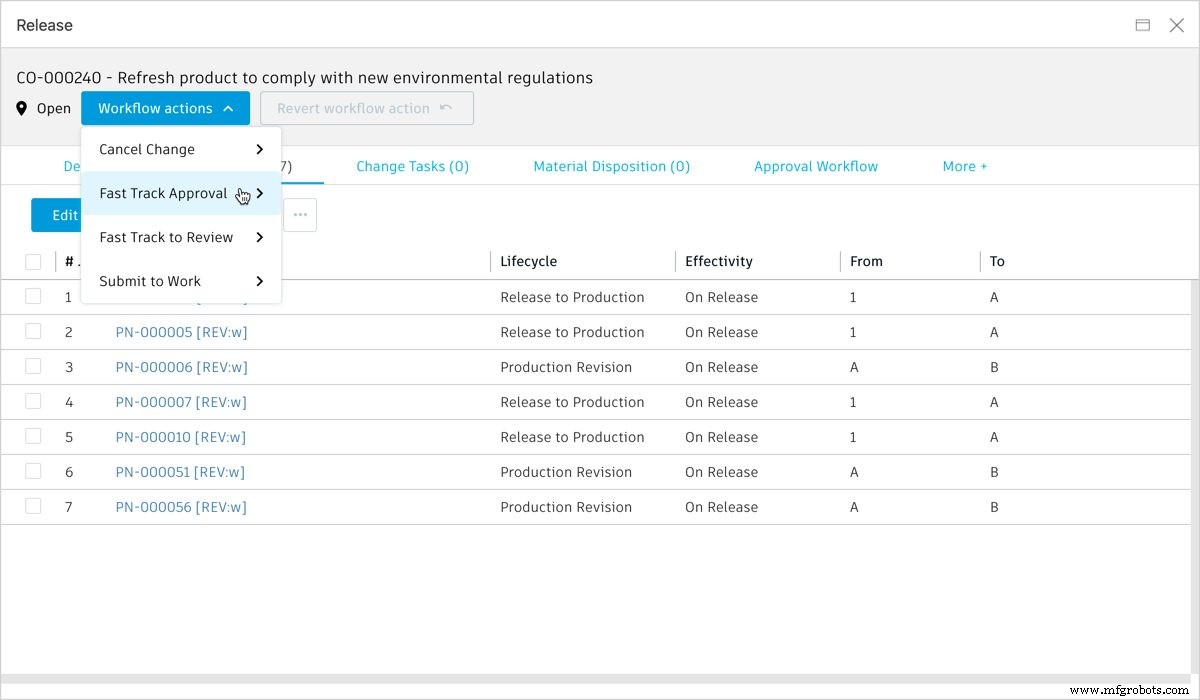
To make sure customers can hit the ground running with the Manage Extension, we’ve preconfigured the workflow process. As part of this preconfigured workflow, users will select the change reviewers and approvers at the start of the change process. Stakeholders who influence the decision may be added as reviewers, and they can add their inputs during the review phase of the process. Approvers, on the other hand, have the final sign-off authority for the change order.
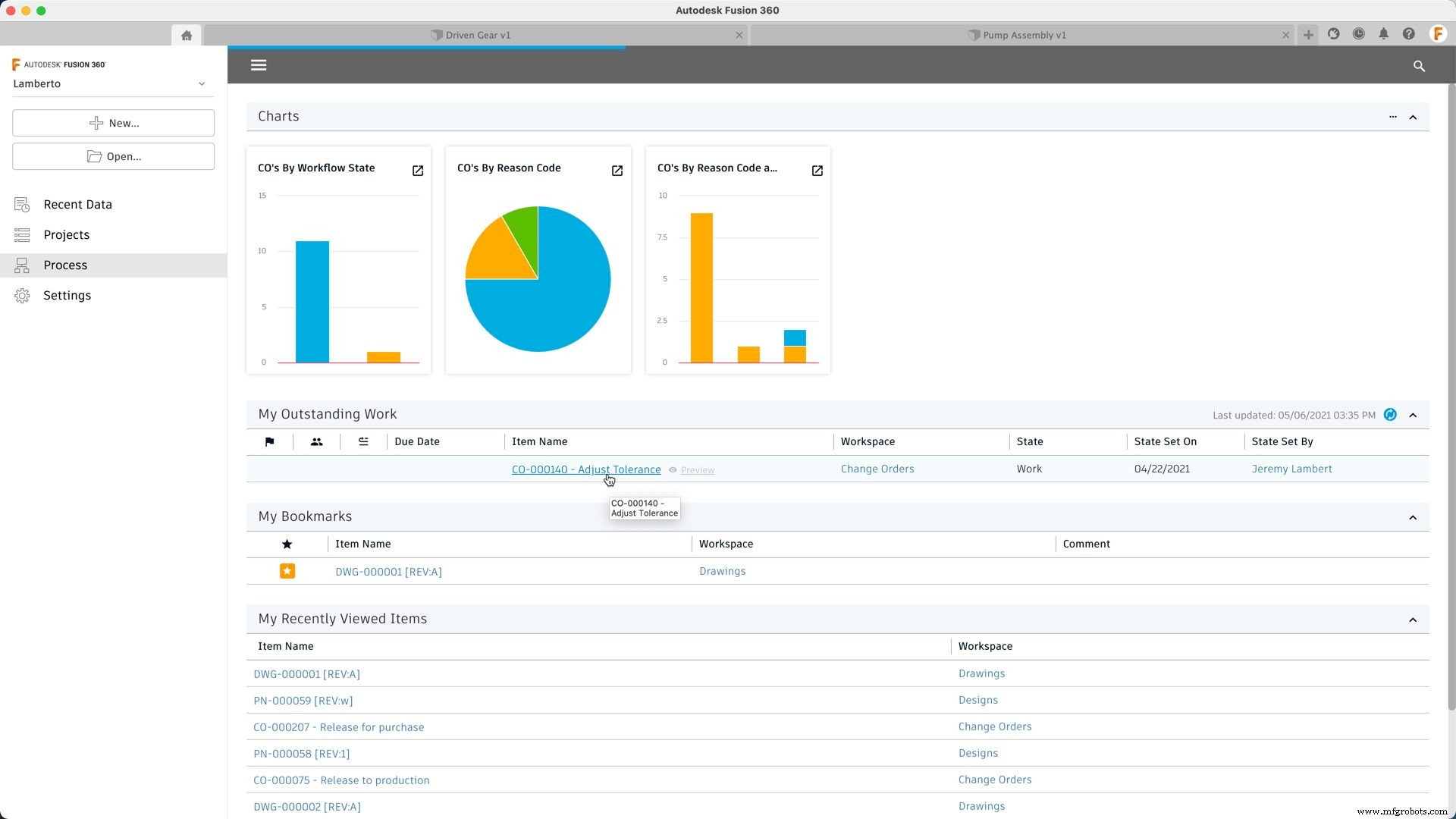
To help keep all participants on top of their tasks, all change order participants will receive notification through email when they have an action to take. For example, reviewers and approvers will receive an email when the change order transitions to the review phase. They will also find a new entry in their ‘My Outstanding Work’ list on their process dashboard, which helps users stay on top of all the change tasks pending their action.
Change orders will remain available within the Manage Extension after the change has been implemented, approved, and closed. This provides a new means of traceability that can help meet compliance with various standards.
A New Data Management Experience
A new Home Tab experience has also been added, giving users the ability to navigate all their projects and process data directly within Fusion 360. A key part of this experience is the Process space. The Process space provides a way to easily access the change orders created with the Manage Extension, along with their related design and drawing revisions. This new experience also includes a dashboard, providing an overview of everything in process. For example, there are a set of pre-configured charts that you can use to view the number of changes pending within Fusion 360 or a view of change orders by reason code. Users will also find their ‘Outstanding Work’ list, which helps them keep track of all changes that require their attention.
How to Access the Fusion 360 Manage Extension
The Fusion 360 Manage Extension is available from the Extension Manager within Fusion 360. Once purchased, an administrator must enable the Manage Extension capabilities for the Fusion Team site. This step is only required once and should only take a few minutes.
NOTE: The Manage Extension will only work with Fusion Team sites. If you are using a personal site, you must transfer project data to a Team site before these additional features are available.
As you start your journey with the Manage Extension, please feel free to share your thoughts and experiences with our community by visiting the Fusion 360 Forums.
Curious to learn more about what Fusion 360 extensions are and how they can help improve your workflow? Check out our extensions overview article that breaks down exactly what advanced capabilities each extension offers.
Industrial Technology
- Enhance Product Design Security with Fusion 360 Manage Extension
- Concrete Collective Elevates Interiors Using Fusion 360 Nesting & Fabrication Extension
- Conturo Prototyping Accelerates CNC Production with Fusion 360 Machining Extension
- 3 Key Benefits of Using Fusion 360's Nesting & Fabrication Extension
- Boost Efficiency with Fusion 360 Machining Extension: Toolpath Automation (Part 3)
- Master Fusion 360 Machining: Rotary Strategy – Part 2
- Enhance Your Workflow with Fusion 360 Machining Extension – Part 1: In-Process Inspection
- Mastering Fusion 360's Machining Extension: Advanced Features for Precision Manufacturing
- Effortless Data Management & Design Control with Fusion 360 Manage Extension
- Master Toolpath Modifications in Fusion 360 Machining Extension