



Capture Professional-Quality Screen Recordings: A Step‑by‑Step Guide
Just because screen recording captures videos from your computer screen, that does not mean the quality will be exactly the same as what you see. Instead, there are several factors that determine the quality of the videos you record – and more that determine whether or not it looks professional.
Prepare to Record the Video
A little bit of preparation can go a long way and help you capture more professional-looking videos. In particular, there are a few steps that you should take before you begin recording:
- Close unnecessary apps and background processes to free up system resources and optimize your computer’s performance while the recording is ongoing. It will also make the taskbar area look cleaner and prevent unwanted notifications from popping up mid-recording.
- Clear any icons that are cluttering your desktop if it is going to be part of the recording. It will make it look much more professional than if the desktop was full of icons that could distract viewers.
- Decide to show or hide the mouse cursor depending on the type of video you want to record. In some cases, if it is important viewers follow the movement of the cursor you may want to make it more visible by highlighting or changing its color.
As you can see none of the steps are particularly complicated, yet they will definitely help you to record videos that look much more impressive overall.
Set Up the Recording Parameters
To start recording high-quality screen recording videos, the first area that you should look at are the recording parameters. In particular, there are two main settings that you should pay attention to:
- Resolution
In screen recording videos the resolution of the recording will be based on the size of the frame that is being captured in pixels. In other words the larger your frame, the higher the resolution will be – up to the maximum resolution of your display.
Needless to say you will want your video to have as high a resolution as possible, to you need to capture as large a frame as you can – or record in full screen. As a rule you should run any apps you’re recording in full screen, to capture them in the highest possible resolution.
Keep in mind that the resolution you use should be in the right aspect ratio (typically 16:9) so that your video doesn’t end up being letterboxed with black bars.
- Frame rate
Increasing the frame rate will help make your video look smoother, and setting it to 60 is perfect if you want it to be closer to what you see on your display (which is normally 60Hz).
A high frame rate can have a big impact on the video quality, and it will make any motion (such as the movement of the mouse cursor) clearer.
Be sure the settings you use to encode the video match the recording parameters, otherwise other issues may surface.
Don’t Forget the Audio Quality
If you’re recording only the system audio (i.e. the audio from your speakers) you don’t have to worry much about the audio quality. However many screen recording videos include a voiceover that is recorded using a microphone – and its audio quality is another story entirely.
A poor quality voiceover can pull down the overall quality of your video – which is something you should try to avoid. As such, there are a few ways to make sure its quality is good:
- Record using a decent microphone and not the built-in microphone on your webcam. A mid-range microphone should help improve the audio quality by leaps and bounds.
- Find a quiet room to record in if possible. If you’re going to be recording regularly, you may want to look into soundproofing the room.
- Reduce as much background noise as you can by turning off electrical appliances, air conditioning, fans, and any other source of the sound.
- Test the audio prior to recording to get a better idea of its quality and the level of background noise that is present. Based on the test you can decide whether any further improvements are needed.
Final Words
Regardless of whether you want to rip YouTube video or create professional content of your own – the tips listed above will help you to record higher quality and more impressive videos with screen recording. On your part you will need a screen recorder that lets you control the recording parameters, for example, Movavi Screen Recorder.
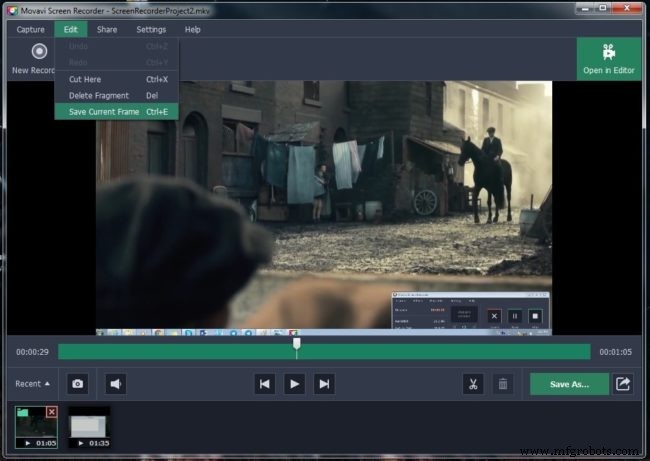
All said and done it isn’t that difficult to record high quality videos using screen recording, and in many ways it is far easier than with conventional video recording. Now that you know what needs to be done, you should have no trouble recording videos that really do look as though they were professionally-produced.
Industrial Technology
- Mastering High‑Quality STL Export Settings for Precise 3D Printing
- ISO 9001 Audit Prep: A Comprehensive Checklist for Quality Assurance Success
- Key Criteria for Selecting a Trusted Urethane Manufacturing Partner
- Cut Production Costs by Elevating Quality: Proven Strategies
- Master PCB Assembly: Professional Techniques for Reliable Electronics
- Managing PCB Temperature: Proven Strategies to Control Heat
- How Premium Cutting Fluids Elevate CNC Machining Performance
- High-Quality Pogo Pin Manufacturing: Key Processes and Standards
- Elevate Your 3D Prints: Proven Techniques for Superior Surface Finish
- Measuring Quality in Metal Fabrication: Standards & Best Practices