



Getting Started with Fiix Integrations: A Practical Guide
Table of contents
- Integrations: An introduction
- The benefits of integration
- Integration basics: What to consider
- The bottom line: Integrations unlock the full power of your business
Software Integration: An introduction
Today’s business landscape offers a software solution for almost every challenge. While each application excels at its specific function, the real transformation happens when these systems work together. By connecting your computerized maintenance management system (CMMS) to other platforms via Fiix’s open API, you can foster collaboration across departments, uncover insights from combined data sets, and achieve efficiencies that single‑system approaches can’t deliver.
Three integration partners are most frequently pursued by our customers:
- Enterprise Resource Planning (ERP) systems
- Condition monitoring tools
- Collaboration and business process management software
Historically, integrating disparate software was a complex, time‑consuming task that required dedicated IT teams. Modern maintenance platforms and standardized data protocols have made this process far more accessible and straightforward.
The benefits of software integration
Whether you link your CMMS to an ERP, a business process tool, a machine sensor, or all three, integration delivers measurable advantages.
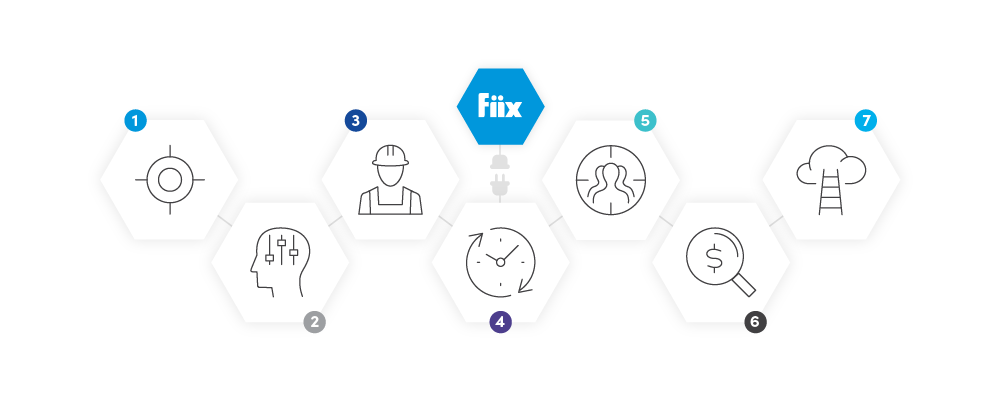

1. Create one “source of truth”
Synchronizing data between systems eliminates duplicate entry and guarantees that information remains current across platforms.

2. Improve decision‑making
Integrating your CMMS with an ERP lets procurement teams base purchases on actual parts consumption. Connecting to machine sensors enables real‑time, condition‑based monitoring that optimizes maintenance schedules.

3. Bridge the gap between teams
Linking maintenance software to a manufacturing execution system (MES) or collaboration tool lets operators submit work requests via familiar channels—email, Slack, etc.—without requiring additional training.

4. Increase productivity
When technicians rely on a single, well‑trained CMMS that is fully integrated, the need for cross‑training drops, and the entire workforce can act on accurate, up‑to‑date data.

5. Eliminate human error
Direct system communication removes the risk of typos that could otherwise trigger wrong part orders, downtime, and strained vendor relationships.

6. Cut costs
Data‑driven maintenance decisions reduce unnecessary inventory, lower labor costs, and streamline inter‑departmental workflows, all contributing to significant cost savings.

7. Streamline processes
Integrated systems consolidate invoicing, reporting, and data access into a single view, simplifying reconciliations and accelerating business cycles.
What to consider when you’re integrating software
Before you embark on an integration project, carefully assess the following factors.
1. Clarify your endpoints and business case
Define the objectives—cost savings, efficiency gains, ROI—and specify the data flows required. A clear business case ensures integration delivers real value.
2. Create a project plan and stick to it
Assign a dedicated project manager, outline scope, set milestones, and map departmental visibility needs throughout the lifecycle.
3. Secure early stakeholder buy‑in
Engage IT, operations, and business leads from the outset to align expectations and preempt obstacles.
4. Evaluate the total cost of ownership
Cloud solutions bundle hosting, security, upgrades, and support into a predictable monthly fee, simplifying budgeting and IT overhead.
5. Define processes, data mapping, and reporting requirements
Determine whether you need a full or partial integration and identify only the data essential for achieving your goals.
6. Verify technical compatibility
Both systems must expose an API and align on network architecture, firewalls, and database schemas. If in‑house expertise is lacking, choose vendors with proven integration support.
7. Prioritize usability
Systems should be intuitive and already well‑used before integration. Conduct audits to resolve usability issues and ensure adoption.
The bottom line: Software integrations unlock unlimited potential
Connecting your CMMS to complementary software empowers teams, eliminates redundant training, and unlocks the full value of your technology stack.
With a clear strategy and the right partners, integrations drive productivity, efficiency, and analytical insight across the organization.
Equipment Maintenance and Repair
- A Practical Guide to Ceramic 3D Printing: Techniques, Materials, and Design Tips
- VUnit 101: A Practical Guide to Automated VHDL Verification
- Getting Started with TJBot: Build, Configure, and Voice‑Control Your Own AI Robot
- AI in Insurance: A Practical Starter Guide for Real-World Implementation
- Custom Healthcare Software Development 2024: The Definitive Guide to Launching Your Project
- Master Permanent Mold Casting: A Beginner's Guide to Durable, High-Volume Metal Parts
- Optimize Cat® Machinery: The Ultimate My.Cat.com Guide
- Deploying Node-RED on PLCnext with Docker: A Step‑by‑Step Guide
- Build Your First Go Application on PLCnext: A Beginner’s Guide
- How to Convert Your Tormach CNC into a 2D Scanner: A Beginner's Guide