



Referencing Custom Macro Variables by Name in FANUC CNC Systems
Custom macros provide access to many CNC-related functions through what FANUC calls system variables. This data includes, among others:
- Input/output signals (communicate with external devices)
- Offsets (read and write to offset registers)
- Alarm and message display (generate CNC alarms when the program detects an error)
- Access to operator panel functions (enable/disable single block, feed hold and feed rate override)
- Access to time/date and clock timers (time events)
- Access to current modal states (determine/change modes)
- Access to current axis position (important when using a probe)
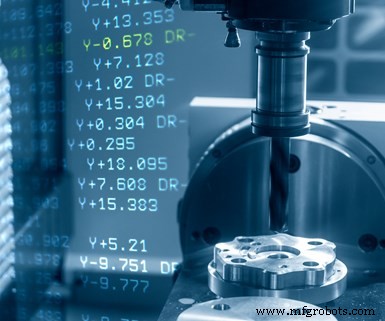
Traditionally, FANUC has required you to reference these data using a series of difficult-to-remember, four-digit numbers. Alarm generation, for example, can be specified with system variable #3000. The following command #3000=100(TOOL TOO WIDE) will generate the alarm “MC-100 TOOL TOO WIDE.”
FANUC CNCs now allow you to additionally reference system variables by names. The name for the alarm-generating system variable, for instance, is [#_ALM]. All system variable names are enclosed in brackets and begin with a pound-sign and underscore (#_). This command [#_ALM]=100(TOOL TOO WIDE) will also generate the alarm just shown.
The first advantage of using system variable names instead of numbers is obvious: ease of recognition. Someone unfamiliar with system variable numbering will more easily understand what is happening in commands that incorporate system variable names.
A second advantage has to do with system variables that provide access to numbered data, like offsets. Each data type has a rather arbitrary series of associated system variable numbers. With one popular machining center offset table configuration, for instance, FANUC uses system variables numbered #2201-#2400 to provide access to the tool length compensation geometry registers for offsets 1-200. Another set is used for the tool length compensation wear offsets (#2001-#2200). Other sets are used for the cutter radius compensation geometry (#2601-#2800) and wear offset registers (#2401-2600).
While there are algorithms that simplify the task of accessing individual offset registers, remembering which series of system variables is related to each type of offset data is difficult. And again, the system variable numbers will not be recognizable to people unfamiliar with custom macro. To make matters worse, the series or system variable numbers vary among FANUC CNCs and offset table configurations.
With system variable naming for numbered data, the data number corresponds to the register number. If accessing data in offset number five (wear or geometry, length or radius), the data number will be five. Additionally, the system variable name will make more sense than the system variable number.
Here are the system variable names for the machining center offset table discussed earlier (the letter n represents the data number):
- [#_OFSHG[n]] — tool length compensation geometry offset
- [#_OFSHW[n]] — tool length compensation wear offset
- [#_OFSDG[n]] — cutter radius compensation geometry offset
- [#_OFSDW[n]] — cutter radius compensation wear offset
Either of the following commands store the current value of tool length compensation geometry offset register number five in common variable #101.
- #101 = [#_OFSHG[5]]
- #101 = #2205
You have no control over system variable naming. You must find their predetermined names in the FANUC operator’s manual. You can, however, use the SETVN command to name 50 of the #500-series permanent common variables (#500-#549) with up to eight characters and numbers (the name must begin with a character). Once named, as with system variables, you can reference the variable by its number or name.
Consider this SETVN command: SETVN 510[DIA1, LENGTH1, DIA2, LENGTH2].
The value 510 specifies the first permanent common variable to be named (#510). The name (prior to the first comma) is the variable name for #510. Each successive name will be applied in sequence to subsequent permanent common variables. Once this command is executed once, four permanent common variables from #510 through #513 will be named as [#DIA1], [#LENGTH], [#DIA2], and [#LENGTH2] respectively. Note that the variable named must be enclosed in brackets and begin with a pound sign. Variable names will be retained until they are changed, even after cycling the power.
Naming permanent common variables works well with system constants — values that are used among multiple programs and possibly among multiple similar machines. Consider, for instance, having two similar turning centers. One uses M41 and M42 for low and high spindle range. The other uses M23 and M25. Consider this SETVN command: SETVN 521[LOW_RNG, HIGH_RNG].
In each machine, set permanent common variable #521 to the low-range M-code value (23 or 41) and #522 to the high-range value (25 or 42). Include these M codes in CNC programs to specify spindle range:
- M[#LOW_RNG] — selects low range
- M[#HIGH_RNG] — selects high range
Other system constants you might consider:
- [#APR_DIST] — makes it possible to easily modify rapid approach distance
- [#SPD_%] and/or [#FEED_%] — modifies cutting conditions for material hardness variations
- [#FASTFEED] — specifies feed rate for approach/retract motions
Industrial equipment
- VHDL Variables Explained: Practical Examples & Rules for Reliable Design
- Understanding C Storage Classes: Scope, Lifetime, and Performance
- Python Variables: Declaring and Managing String Types
- Understanding Java Variable Types: A Comprehensive Guide
- Understanding Variables in C: Types, Naming Rules, and Memory Management
- Python Variable Types: Understanding and Using Data Types
- When to Use Custom Macros in CAM Systems for Optimal Safety and Quality
- Mastering Vacuum Audits: Why They Matter and How to Execute Them
- The Critical Role of Fluid Cleanliness in Hydraulic Systems
- Boost Hydraulic System Reliability: Proven Maintenance Strategies