



Python Variables: Declaring and Managing String Types
What Is a Variable in Python?
A Python variable is a reserved memory location that stores a value. In a program, a variable supplies data to the computer for processing.
Python Variable Types
Every value in Python has a datatype—numbers, lists, tuples, strings, dictionaries, and more. Variable names can be any valid identifier such as a, aa, or abc.
How to Declare and Use a Variable
Below is a simple example that declares a variable a and prints its value.
a=100
print(a)
Re‑Declare a Variable
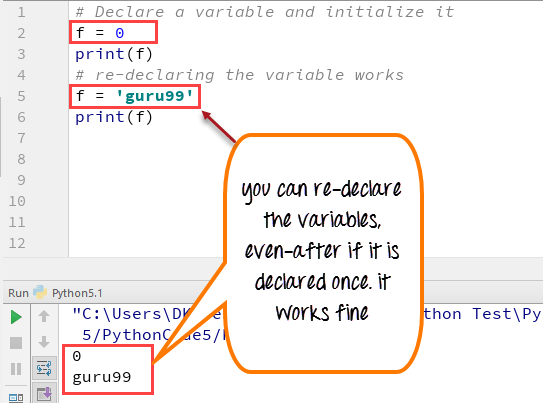
Python lets you re‑assign a variable after it has been created. The following examples demonstrate this in both Python 2 and Python 3.
Python 2:
# Initial declaration
f = 0
print f
# Re‑assignment
f = 'guru99'
print f
Python 3:
# Initial declaration
f = 0
print(f)
# Re‑assignment
f = 'guru99'
print(f)
String Concatenation with Variables
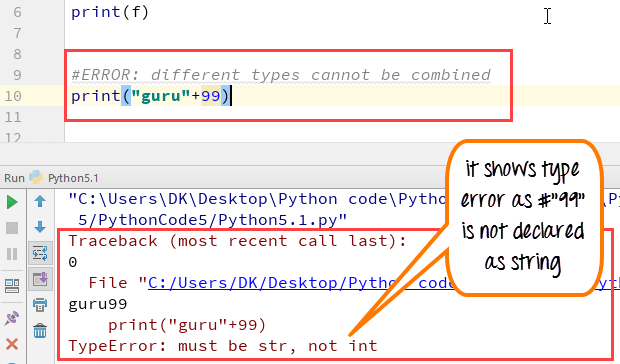
Unlike Java, Python does not automatically convert numbers to strings during concatenation. Attempting to concatenate a string and an integer raises a TypeError. Convert the number to a string first:
a='Guru'
b=99
print(a+str(b))  # Outputs: Guru99
Local vs. Global Variables
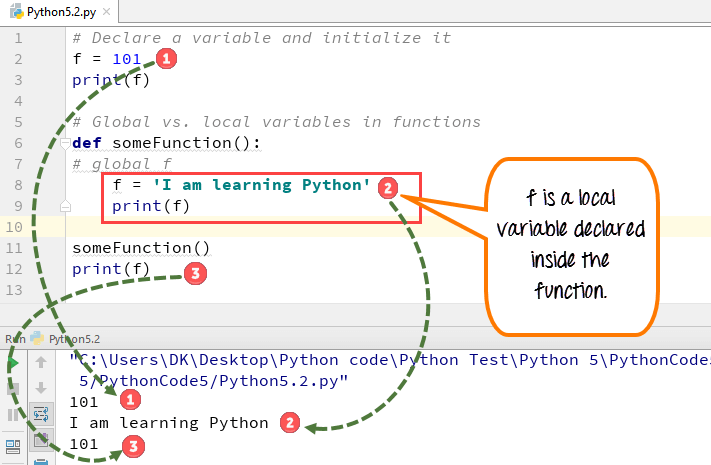
Variables can be either local (limited to a function) or global (accessible throughout the module). The following examples illustrate the difference.
Python 2 (without the global keyword):
f = 101
print f

def someFunction():
    f = 'I am learning Python'
    print f

someFunction()
print f
Python 3 (without the global keyword):
f = 101
print(f)

def someFunction():
    f = 'I am learning Python'
    print(f)

someFunction()
print(f)
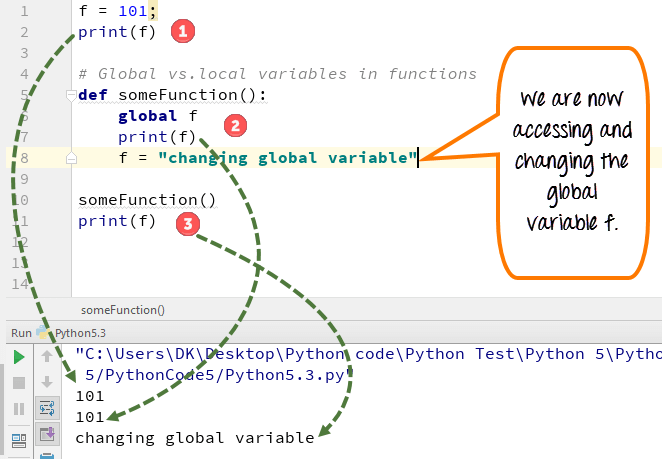
Using the global keyword allows a function to modify a global variable:
Python 2:
f = 101
print f

def someFunction():
    global f
    print f
    f = 'changing global variable'

someFunction()
print f
Python 3:
f = 101
print(f)

def someFunction():
    global f
    print(f)
    f = 'changing global variable'

someFunction()
print(f)
Deleting a Variable
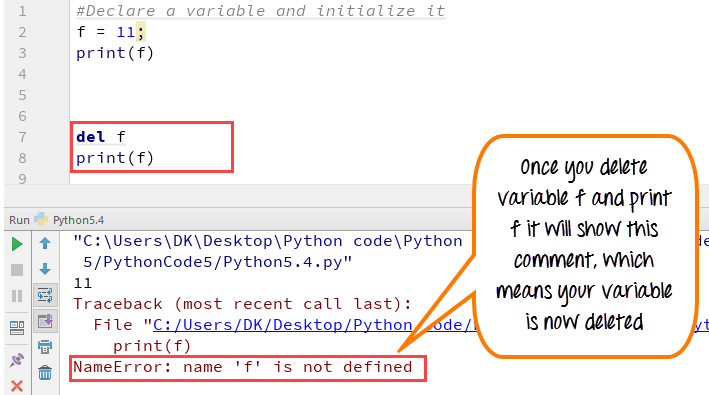
To remove a variable from memory, use the del keyword. After deletion, accessing the variable raises a NameError:
f = 11
print(f)

del f
print(f)  # Raises NameError
Summary
- Variables act as named storage locations for data.
- They can be named using any valid identifier.
- Python allows variables to be reassigned to new values.
- String concatenation requires explicit conversion of non‑string types.
- Local variables are confined to functions; global variables are accessible module‑wide.
- Use the
globalkeyword to modify a global variable inside a function. - The
delkeyword deletes a variable from the namespace.
Python
- Master C# Variables & Primitive Data Types: A Complete Guide
- Mastering Python Data Types: A Practical Guide
- Master Python Strings: Creation, Formatting, and Manipulation
- C++ Variables and Data Types: Expert Guide to int, double, char, string, bool
- C Strings Made Easy: Declaration, Input, Output, and Library Functions
- Understanding Java Variable Types: A Comprehensive Guide
- Understanding Variables in C: Types, Naming Rules, and Memory Management
- Understanding Variables in C#: Types, Storage, and Usage
- Python Variable Types: Understanding and Using Data Types
- Mastering Python Strings: Creation, Access, and Manipulation