


Industrial manufacturing
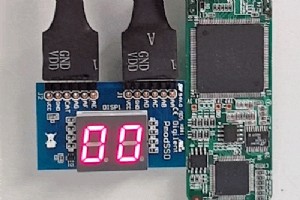
In this article, I will present a VHDL module that can display a two-digit number on the Pmod SSD: Seven-segment Display from Digilent. The dual 7-segment display is compatible with the Pmod interface, meaning that you can use it without any soldering. It fits into the Pmod connector, which is st

* This article contains an ad link for UpCloud VPS Continuous delivery and continuous integration are agile software development methodologies that shorten the cycle time between code change and deployment. By using automation to verify code changes and build release files, teams can become more pr
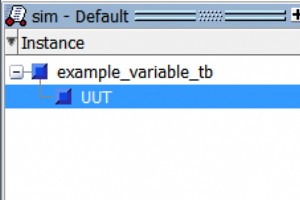
How to see VHDL Variables on your simulation waveform Modelsim has a way to view your VHDL variables during a simulation, but they do not make it easy to do. In Modelsim, the Objects window never displays variables. Modelsim Objects Window, No Variables Variables can be enabled by first showing
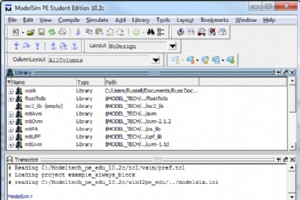
Tutorial – Using Modelsim for Simulation, for Beginners. Modelsim is a program created by Mentor Graphics used for simulating your VHDL and Verilog designs. It is the most widely use simulation program in business and education. This tutorial explains first why simulation is important, then shows ho
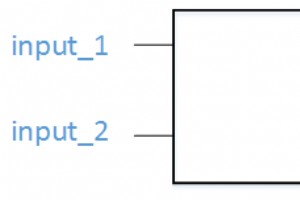
Tutorial – Introduction to VHDL VHDL is a horrible acronym. It stands for VHSIC Hardware Description Language. An acronym inside an acronym, awesome! VHSIC stands for Very High Speed Integrated Circuit. Therefore, VHDL expanded is Very High Speed Integrated Circuit Hardware Description Language. PHE
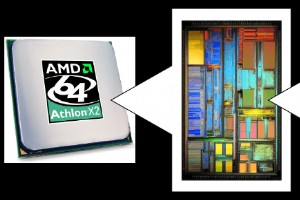
VHDL (VHSIC Hardware Description Language) is a specialized computer language used to model, design, and verify digital integrated circuits. Unlike general‑purpose programming languages such as Java or C++, VHDL is not intended for building software applications; instead, it describes the structure
VHDL and FPGA design can feel pricey, but students can access cutting‑edge tools at no cost. Below is a step‑by‑step guide to installing two of the most trusted VHDL tools—an industry‑standard simulator and a lightweight, free editor—so you can start coding and testing immediately. 1. Choose a VHDL

When you learn a new language, printing a simple message is a classic sanity check. Mastering the output of “Hello World!” confirms that your environment is set up correctly and gives you a glimpse of the language’s core syntax. VHDL is a hardware description language, not a traditional software lan

In our previous tutorial we compared a VHDL process to a program thread and introduced the wait; statement, which suspends a process indefinitely. But what if you need a process to pause for a specific duration? Removing the wait; entirely triggers a compiler error because every VHDL process is an i

In the previous tutorial we covered timing delays with the wait for statement and explored process loops. Now we’ll focus on a core VHDL construct that lets you execute code once and then repeat a block until a specific condition is met: the loop statement. While a process can run indefinitely, yo

In the previous tutorial we explored how to create an infinite loop using the loop statement and exit it with exit. What if we need the loop to run a specific number of times? The For‑Loop is the most straightforward solution. A For‑Loop iterates over a fixed range of integers or enumerated items.

Building on our earlier exploration of for loops, this tutorial dives into the while loop—a powerful construct that lets you control iteration based on dynamic conditions rather than a predetermined range. The while loop executes its body repeatedly as long as the specified condition remains true. T
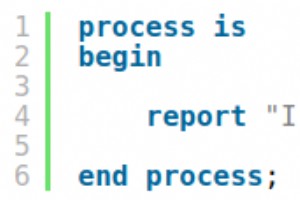
Test Your VHDL Basics – Interactive Quiz Part 1 Congratulations on completing the first chapter of our Basic VHDL Tutorial series! Put your knowledge to the test with this quiz. Each question is designed to reinforce key concepts and help you gauge your progress toward becoming a VHDL expert.

In our previous tutorial we explored how to declare a variable within a process. Variables are ideal for local algorithmic work, but they cannot be seen outside that process. When you need a value to be shared with other parts of the design, you use a signal. Signals are declared in the declarative

In our previous tutorial we explored the differences between signals and variables in VHDL, emphasizing that signals have a broader scope than variables, which are confined to a single process. The next logical question is how to coordinate multiple processes using signals. Beyond the familiar wait;

In the previous tutorial we used a conditional expression with the Wait Until statement to trigger a process only when two counter signals matched. What if we need the program to take different actions based on varying inputs? The If-Then-Elsif-Else construct lets us branch our logic. Depending on a

In production-level VHDL, processes are typically driven by a sensitivity list rather than wait statements. A sensitivity list enumerates every signal that should wake the process when it changes. While wait on and wait until are convenient for simulation, they are rarely used in synthesizable RTL.
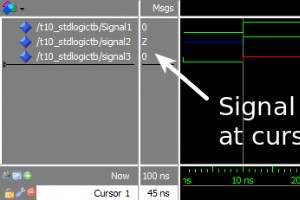
In VHDL, the std_logic type is the cornerstone for representing a single bit on a physical wire. Unlike the plain integer type used in earlier tutorials, std_logic offers a richer set of values that model real‑world digital signal behavior more accurately. While a digital pin usually carries either
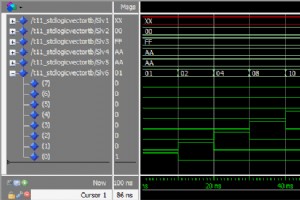
The std_logic_vector type is VHDLs standard for defining signal buses. While std_logic models a single wire’s state, std_logic_vector extends that to an array of wires, enabling the representation of multi‑bit buses. Unlike the single‑bit std_logic, std_logic_vector is a composite type—an indexed co
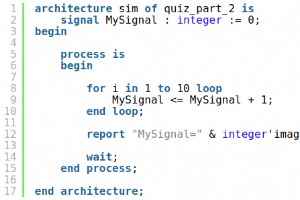
After completing tutorials 6‑11 of the Basic VHDL Tutorial series, challenge yourself with this expert‑crafted quiz. It’s designed to push the limits of your understanding, so use your reasoning skills to select the most plausible answer when you’re unsure. Read the brief explanations that follow ea
VHDL
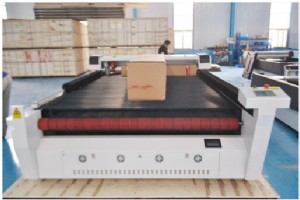
1625 Mix CO2 Laser Cutter Delivered to Sohar, Oman – Custom Double-Head, Double-Table Solution
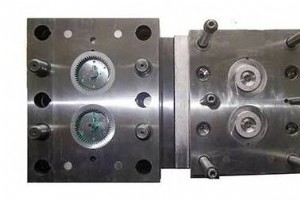
How Plastic Injection Mold Manufacturers Drive Innovation & Quality
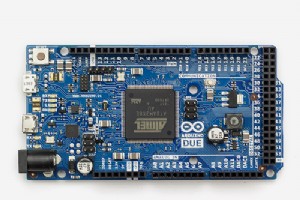
Arduino Wireless Weather Station: DIY Portable Weather Monitoring Kit

Next-Gen Composite Materials & Advanced Processes: Industry Innovations Unveiled

