



FPGA & VHDL Course – Build a Dot‑Matrix LED Controller From Scratch
I’m excited to share that the VHDL and FPGA course I’ve been developing over the past six months is nearing completion. Currently in beta, it will officially launch this autumn.
Who Is the Course For?
This program is designed for developers who already know other programming languages but are new to VHDL and FPGAs. It takes you from beginner or intermediate level to mastering advanced VHDL constructs.
It’s ideal for professional software engineers tasked with FPGA development, as well as students and freelancers exploring hardware design or considering a career shift to FPGA engineering.
Anyone with basic programming skills will benefit from our hands‑on approach. We build a real, physical product from scratch and walk through every step I would take as an FPGA engineer.
The Project

Our final product is a dot‑matrix LED display controller. Dot‑matrix LEDs are common in large outdoor billboards and information displays, and have historically appeared in devices like digital watches and vending machines.
Feel free to complete the course using simulation only; no hardware or FPGA board is required. However, the course also provides all the details you need to prototype your own design.
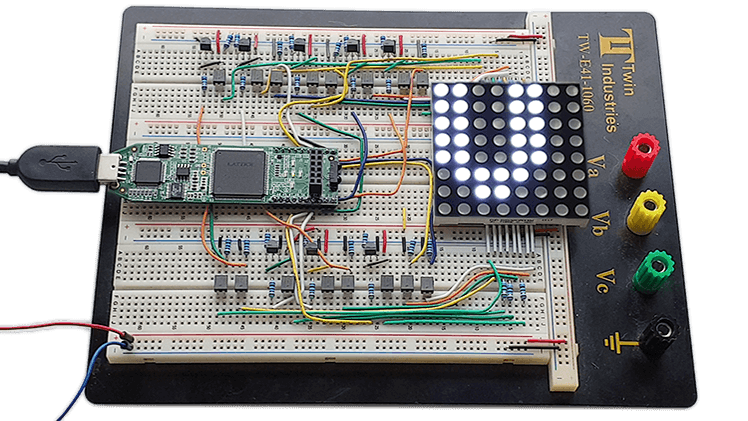
The Lattice iCEstick FPGA Evaluation Kit powers this course. The $25 board houses an iCE40‑HX1K FPGA with 1280 logic elements and 64 KB of block RAM—ample capacity for our application. The iCEstick plugs directly into a breadboard, which we use for the prototype.
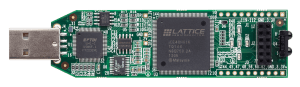
The FPGA will drive an 8×8 dot‑matrix LED display with 64 LEDs. Block RAM stores the pixel data for each ASCII character.
You’ll transmit text to the FPGA via the USB connector on the board. The text appears on the display as you type in a serial terminal, and the FPGA echoes the characters back using a UART transceiver we design in class.
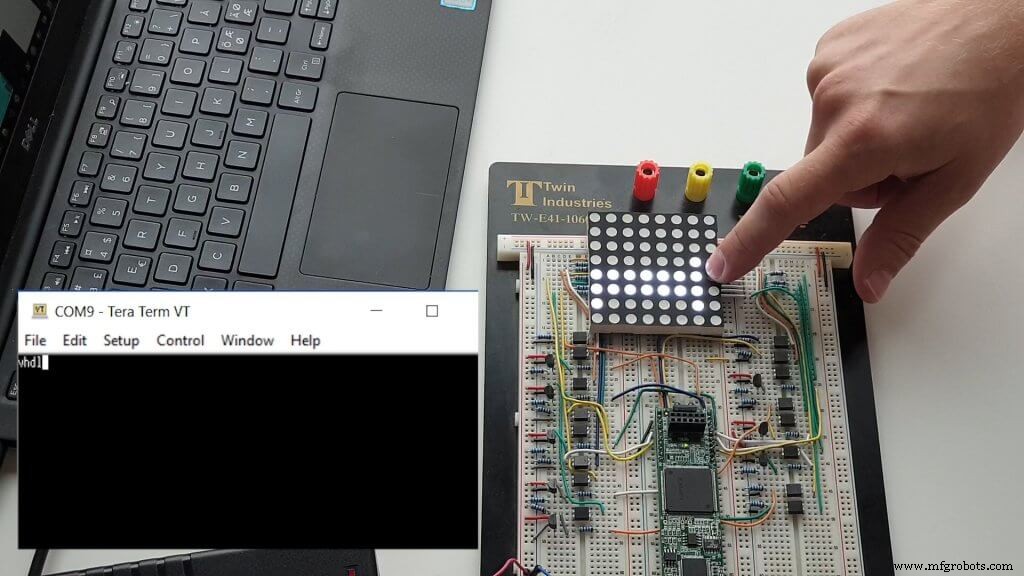
See the Bill of Materials for all components, consumables, and tools required to build the prototype.
Course Structure
The curriculum comprises 120 video lectures across 17 sections, each averaging 10 minutes. Complex topics are split into multiple concise lessons to keep the material digestible. Every section focuses on a VHDL module, testbench, or core FPGA concept, with thorough explanations and no omissions.
The initial Getting Started section covers software installation and environment setup. The following section introduces the Lattice iCEstick board, the analog schematic of the dot‑matrix display, and the supporting circuitry.
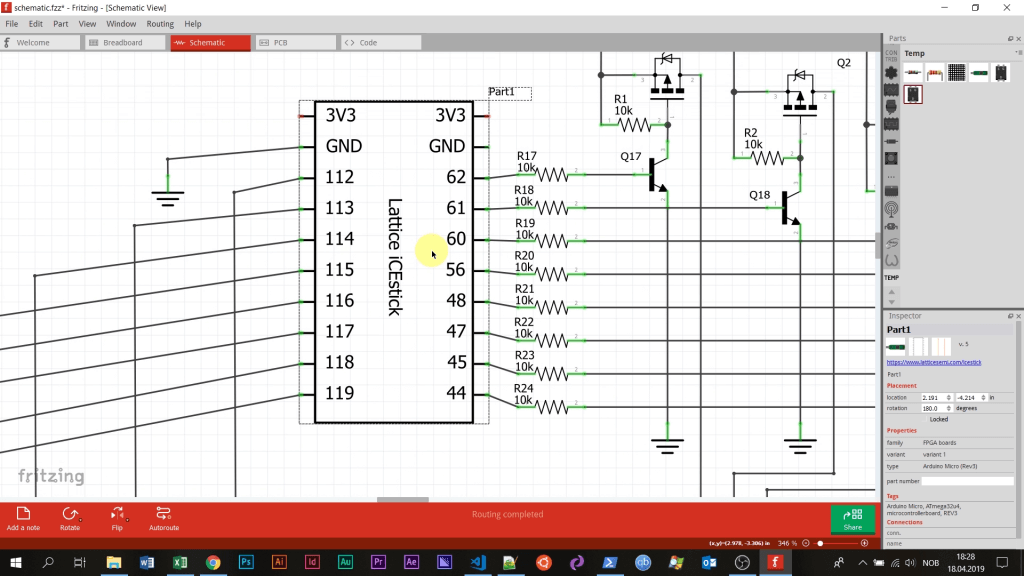
Every coding session is accompanied by live commentary so that you can follow the progression—even if your VHDL experience is minimal. I map the code to concepts familiar from other programming languages.
We use Visual Studio Code with a VHDL plugin. VSCode is a widely adopted, free editor, and the plugin’s snippets accelerate repetitive coding without sacrificing learning.
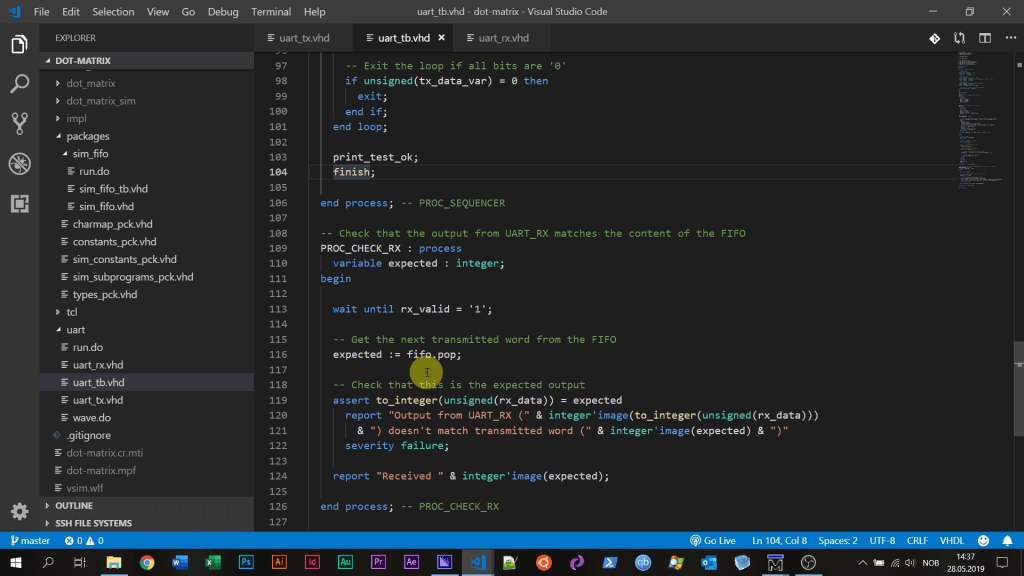
After each module, we synthesize the VHDL code and review the resulting schematic. These final lectures teach you how to interpret the transformation from code to digital logic.
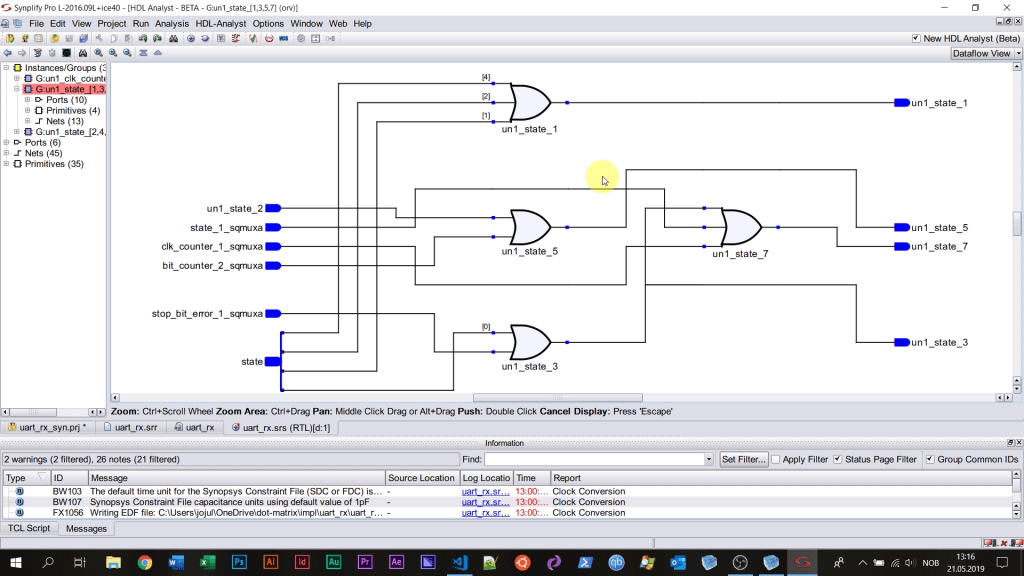
The course emphasizes sound VHDL design practices. By creating testbenches at every hierarchy level, you avoid the trial‑and‑error pitfalls that plague many hobbyist projects. The curriculum covers professional, self‑checking testbenches.
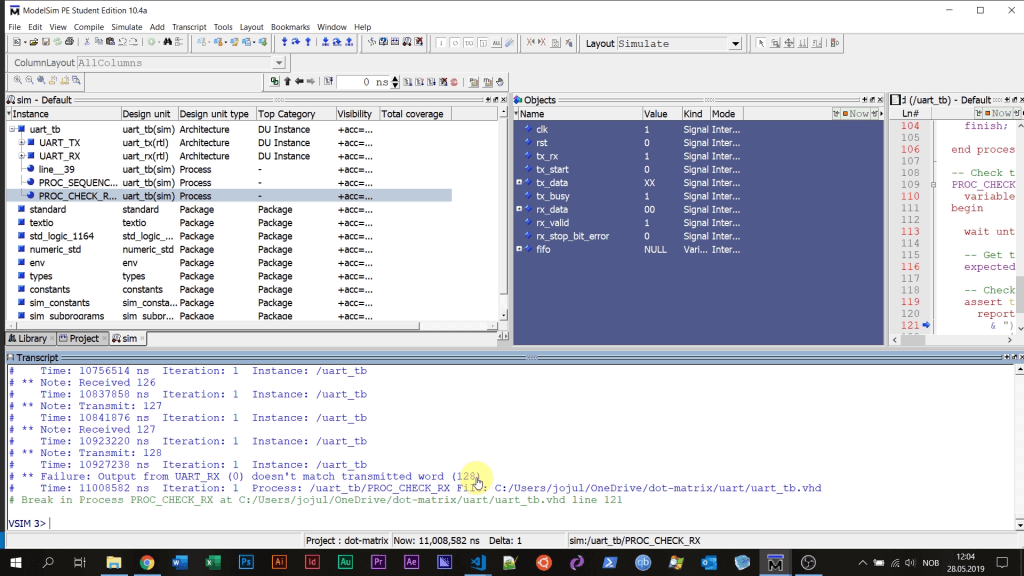
ModelSim PE Student Edition, the industry‑standard VHDL simulator, is free for students and is used throughout the course. All other software—including Synplify Pro and Lattice iCEcube2—is also freely available for educational use.
We conclude by assembling the physical prototype on a breadboard and programming the FPGA. The “moment of truth” arrives when you connect the board to your computer via USB, type in the terminal, and watch the characters light up on the dot‑matrix display.
Rigorous verification makes troubleshooting far simpler than dealing with an unresponsive chip—a common issue in DIY FPGA work.
What You’ll Learn
The course equips you to approach FPGA projects with professional rigor, boosting your confidence to tackle any VHDL assignment.
Key learning outcomes include:
Advanced VHDL Features
- Packages, records, and subprograms
- Protected types (VHDL classes)
- Access types (VHDL pointers)
- Generics
- Signal attributes such as
'last_eventand'stable - VHDL‑2008 features like hierarchical signal references
Advanced Testbench Strategies
- Verification component architecture
- Bus functional modeling
- Self‑checking testbenches
- Interactive TCL‑driven testbenches
FPGA Design Tools
- ModelSim VHDL simulation
- Synplify Pro synthesis
- Lattice iCEcube2 design flow
- Pin assignment and clock constraints
- Synthesis, place, and route processes
Want to Know More?
Updated 21st of September 2019: The course is now complete.
Click here to see the course curriculum
Opens:
To be decided.
VHDL
- Pigment Dispersions: A Comprehensive Guide to Safety, Performance, and Choosing the Best Indian Manufacturers
- Wrench Time: A Practical Guide to Measuring and Improving Maintenance Efficiency
- Building Maintenance Mastery: Expert Insights on Safety, Cost‑Effectiveness, and Compliance
- Expert Guide to Plastic Stamping: Process, Materials, and Benefits
- Round Steel Bars: Key Properties, Applications, and Selection Guide
- Master IoT-Enabled Maintenance: Expert Strategies for Asset Health Monitoring
- Mastering Laser Cutting: Precision, Power, and Practical Guidance
- The Ultimate Guide to Anodizing Aluminum: Enhancing Strength, Durability, and Design
- A Comprehensive Guide to Autonomous Cars: Technology, Levels, and Current Models
- Inside a Wind Turbine: How It Converts Wind into Power