



How to Build a Self‑Checking Testbench in VHDL – A Practical Guide
A self‑checking testbench is a VHDL program that verifies the correctness of a device under test (DUT) without manual inspection. Once executed, it automatically reports an OK or Failed status, making it an essential tool for reliable VHDL development.
Every VHDL module should have an associated self‑checking testbench. This ensures that any change—whether to the DUT itself, a sub‑module, or an interface—does not silently introduce regressions. A well‑crafted testbench is the first line of defense against subtle bugs.
The Device Under Test
We’ll use a simple yet illustrative DUT: a binary‑to‑Gray code converter. Below is the full RTL implementation.
library ieee;
use ieee.std_logic_1164.all;

entity gray_converter is
  port (
    bin  : in  std_logic_vector;
    gray : out std_logic_vector
  );
end gray_converter;

architecture rtl of gray_converter is
begin
  process(bin) is
  begin
    gray(gray'high) <= bin(bin'high);

    for i in bin'high - 1 downto bin'low loop
      gray(i) <= bin(i + 1) xor bin(i);
    end loop;
  end process;
end architecture;
Gray code is a binary encoding scheme where only one bit changes between successive values, minimizing error probability in serial communication and digital counters. The table below demonstrates the mapping for 4‑bit values.
| Decimal | Binary | Gray |
|---|---|---|
| 0 | 0000 | 0000 |
| 1 | 0001 | 0001 |
| 2 | 0010 | 0011 |
| 3 | 0011 | 0010 |
| 4 | 0100 | 0110 |
| 5 | 0101 | 0111 |
| 6 | 0110 | 0101 |
| 7 | 0111 | 0100 |
| 8 | 1000 | 1100 |
| 9 | 1001 | 1101 |
| 10 | 1010 | 1111 |
| 11 | 1011 | 1110 |
| 12 | 1100 | 1010 |
| 13 | 1101 | 1011 |
| 14 | 1110 | 1001 |
| 15 | 1111 | 1000 |
The Testbench Skeleton
Below is a minimal testbench that instantiates the DUT and declares the necessary signals. Notice the inclusion of std.env.finish, a VHDL‑2008 feature that cleanly terminates the simulation.
library ieee;
use ieee.std_logic_1164.all;
use ieee.numeric_std.all;

use std.env.finish;

entity gray_converter_tb is
end gray_converter_tb;

architecture sim of gray_converter_tb is
  signal bin  : std_logic_vector(3 downto 0) := (others => '0');
  signal gray : std_logic_vector(3 downto 0);

  DUT : entity work.gray_converter(rtl)
    port map (
      bin  => bin,
      gray => gray
    );
end architecture;
If you compile this file in a VHDL‑2008 compliant simulator such as ModelSim, you may need to set the file’s language version to 2008. In ModelSim, right‑click the file, choose Properties → VHDL → Use 1076‑2008.
Generating Exhaustive Inputs
The next step is to produce a complete sweep of all possible 4‑bit values. An exhaustive test is preferred because it guarantees that every corner case is exercised.
PROC_SEQUENCE : process
begin
  -- Iterate over every 4‑bit value
  for i in 0 to 2**bin'length - 1 loop
    bin <= std_logic_vector(to_unsigned(i, bin'length));
    wait for 10 ns;
  end loop;

  -- Wrap‑around to the initial state
  bin <= (others => '0');
  wait for 10 ns;

  report "Test: OK";
  finish;
end process;
The 10‑ns delay is arbitrary; any positive value suffices because the DUT is purely combinational. The final finish statement ends the simulation gracefully.
Verifying the DUT Output
Simply printing "Test: OK" would be meaningless if the output were wrong. To enforce correctness, we compare the DUT’s Gray output against the fundamental Gray‑code property: successive outputs must differ by exactly one bit.
PROC_CHECKER : process
    variable prev  : std_logic_vector(gray'range);
    variable count : integer;
begin
  wait on bin;

  prev := gray;

  -- Allow combinational logic to resolve
  wait for 1 ns;

  count := 0;
  for i in gray'range loop
    if gray(i) /= prev(i) then
      count := count + 1;
    end if;
  end loop;

  assert count = 1
    report integer'image(count) & " bits changed, should have been 1"
    severity failure;
end process;
This process monitors changes on bin, captures the previous Gray output, waits for propagation, counts differing bits, and asserts that the count is exactly one. If the assertion fails, the simulator stops immediately, preventing the “Test: OK” message from appearing.
Running the Testbench
In ModelSim, start the simulation and execute run -all. A successful run ends with:
VSIM 1> run -all
# ** Note: Test: OK
#    Time: 170 ns  Iteration: 0  Instance: /gray_converter_tb
Testing the Testbench’s Robustness
To confirm that the checker detects faults, temporarily introduce an error in the DUT—e.g., force gray(3) to zero.
process(bin) is
begin
  gray(gray'high) <= bin(bin'high);

  for i in bin'high - 1 downto bin'low loop
    gray(i) <= bin(i + 1) xor bin(i);
  end loop;

  -- Emulate a stuck‑at‑zero fault
  gray(3) <= '0';
end process;
Running the testbench now triggers the assertion failure, displaying the exact number of bits that changed:
VSIM 2> run -all
# ** Failure: 0 bits changed, should have been 1
#    Time: 81 ns  Iteration: 0
Process: /gray_converter_tb/PROC_CHECKER File: gray_converter_tb.vhd
# Break in Process PROC_CHECKER at ray_converter_tb.vhd line 61
Getting Started with Self‑Checking Testbenches
Adopt the habit of writing self‑checking testbenches for every VHDL module. They save time by catching regressions early and provide a clear record of design intent. While testbenches do not need to be synthesizable, they should be clear, maintainable, and use the latest VHDL constructs for readability and efficiency.
For deeper learning, consider advanced courses that cover the full design flow—from specification to FPGA prototype—while emphasizing rigorous verification practices.
Updated 12th October 2020: I have completed the VHDL and FPGA course. Click the image below to learn more.
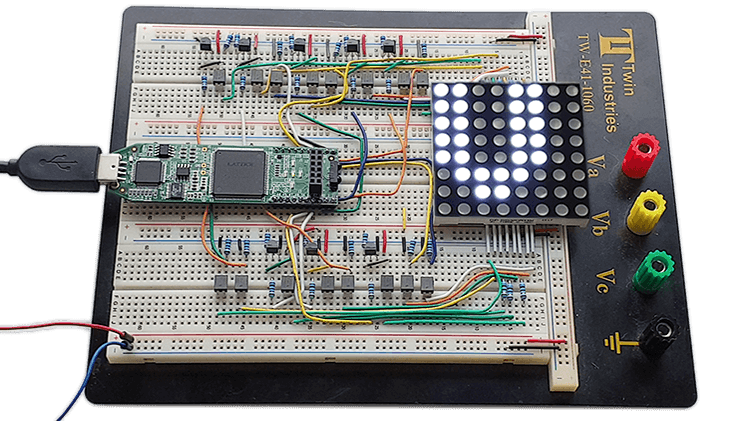
Read more about the Dot Matrix VHDL and FPGA course here!
Opens:
To be decided.
VHDL
- Creating String Lists in VHDL: Best Practices & Example
- Creating a Tcl-Driven Testbench for a VHDL Code‑Lock Module
- Gracefully Ending a VHDL Testbench Simulation
- Implementing a PWM Controller in VHDL: Design, Simulation, and FPGA Demo
- Designing a Finite‑State Machine in VHDL: A Practical Traffic Light Example
- Build a Reliable Timer in VHDL: Counting Clock Cycles to Hours
- Building a Clock‑Triggered Process in VHDL: A Practical Guide
- Mastering Concurrent Statements in VHDL: A Practical Guide
- Mastering std_logic_vector: Creating Signal Vectors in VHDL
- Create a 3D Printing Profile: A Step-by-Step Guide to FDM Success