



5 Expert Tips for Programming Industrial Robots (Plus a Game‑Changing Bonus)
Industrial robot integration spans a spectrum—from seasoned integrators who’ve programmed hundreds of units to newcomers embarking on their first project. Mastery in this niche demands not only technical skill but also a strategic mindset that turns challenges into opportunities.
Below are five essential strategies that will shape your first robot‑programming endeavor and define the motion logic you’ll deploy. Whether you choose traditional ladder logic, offline simulation, hand‑guided learning, or advanced cobot workflows, these guidelines will help you craft a robust, repeatable process.
Tip 1: Understand the Use Case and Its Constraints
At its core, robot programming boils down to a series of precise “point‑A to point‑B” commands. The robot is a tool that executes exactly what it is told—it does not infer intent. Consequently, you must first map out the physical limits of each joint and motor, ensuring the robot can reach the desired coordinates without overstressing its mechanisms.
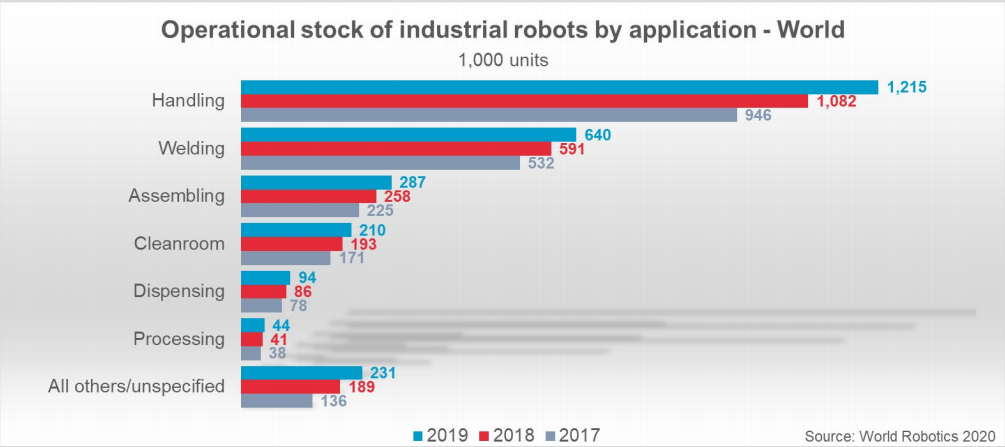
Consider a simple glue‑dispensing task: the robot must move at a controlled speed and coordinate perfectly with downstream equipment. Over‑accelerating or commanding motion that stretches joint ranges can degrade accuracy and shorten component life.
Tip 2: Define Your “Happy Path”
In software engineering, a happy path is the error‑free, repeatable scenario that can run indefinitely. Robots excel when they operate under identical conditions night after night. To achieve this, your motion program must be built around a stable part placement—whether the component is jiggled in place or conveyed along a line.
Any deviation—mis‑aligned parts, unforeseen obstacles, or timing mismatches—can derail the process. The key is to design motions that remain within safe envelopes, accounting for both static and dynamic constraints.

Tip 3: Prepare for the Worst
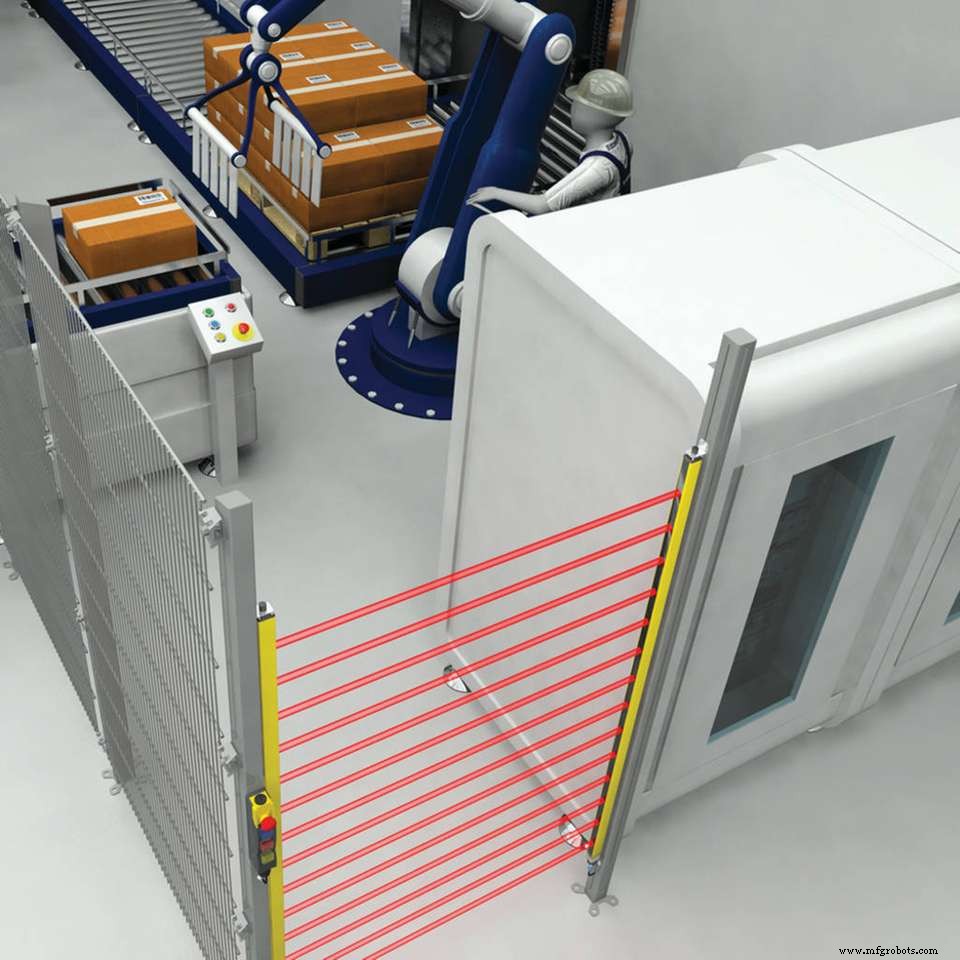
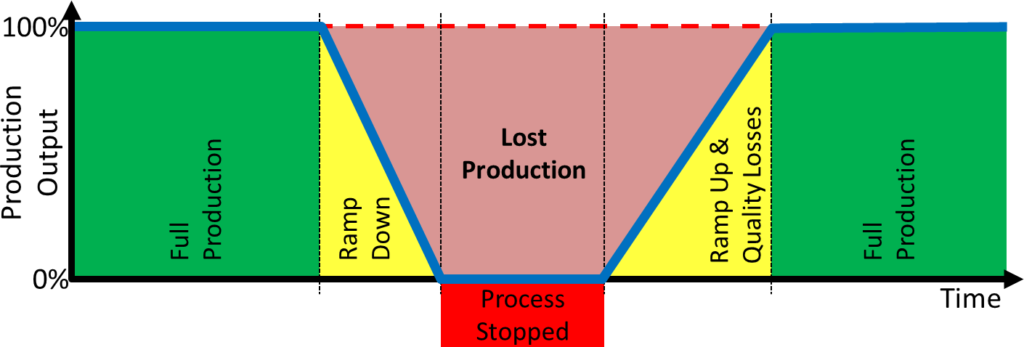
Robotic cells are exposed to a variety of unpredictable events—miss‑placed parts, accidental collisions, or human interference. Robust safety planning mitigates downtime and protects equipment and personnel.
Most industrial robots are enclosed by cages or containment systems, while collaborative robots (cobots) come with built‑in collision detection and safe‑stop features. However, any collision still halts operations and incurs costs. Visualize the worst‑case scenarios in your specific environment: identify entry points, assess who might access the cell, and evaluate their knowledge level.
Tip 4: Keep the Programming Process Off‑Floor
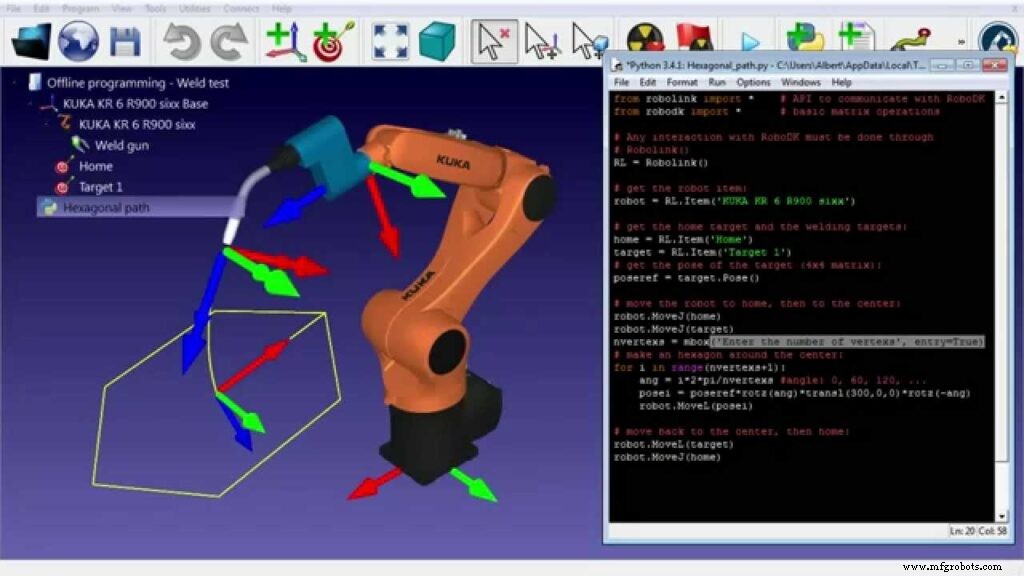
Programming is meticulous work that can occupy the production floor longer than anticipated. Offline simulation tools allow you to build, test, and refine robot trajectories in a virtual environment using CAD models and collision checks.
By validating motion plans offline, you reduce the need for on‑site intervention, shorten the learning curve, and keep the plant running smoothly. After thorough virtual testing, only the final program requires deployment in the live cell.
Tip 5: Stay Updated on Production Needs
While a robot’s base hardware can serve for years, new end‑effectors and tooling can unlock higher precision, speed, or versatility. Regularly evaluate whether the current configuration still aligns with your process goals, and consider upgrades that can enhance productivity or quality.
For value‑added operations, supporting equipment—such as flexible jigging or adaptive grippers—can simplify complex tasks like welding large, irregular parts. By focusing on equipment that targets a single shape or process, you can realize significant productivity gains over time.
BONUS Tip: Opt for Autonomous, No‑Code Robotics
Programming can be daunting, especially for high‑mix production lines where part variation is the norm. Autonomous manufacturing robots eliminate the need for manual coding by generating motion plans in real time.
- Real‑time, sensor‑based 3D reconstructions of parts.
- A digital twin of the robotic cell.
- Clearly defined process goals for each part.
With these capabilities, you can deploy robots on fast‑change lines without worrying about jigging or part positioning. The system automatically adapts to part variation, freeing you to focus on higher‑level optimization.
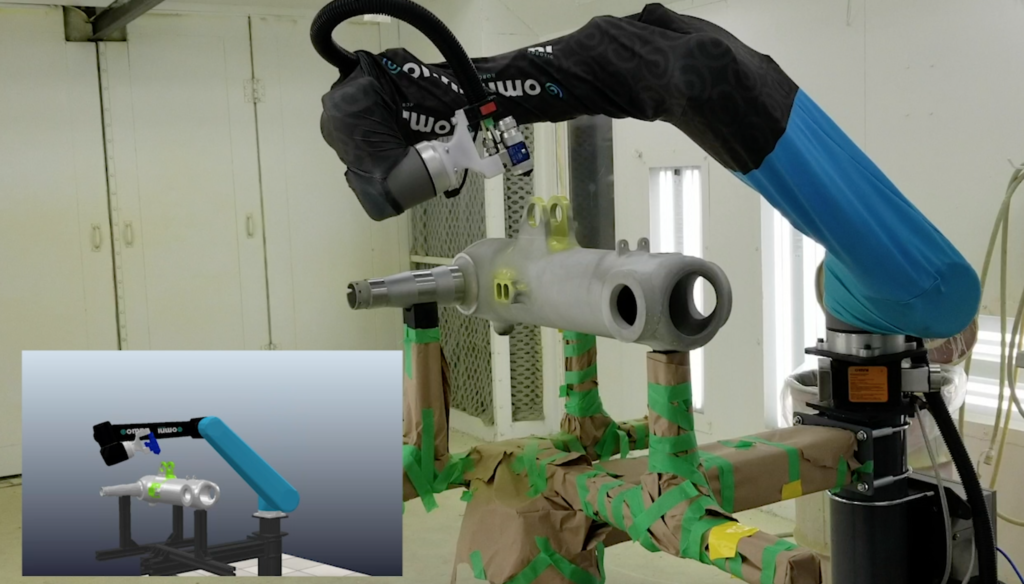
Once set up, the process largely self‑manages, allowing you to tweak performance through simple, intuitive commands rather than painstaking code changes.
Omnirobotic offers autonomous robotics technology for spray processes, enabling industrial robots to “see” parts, plan motion on the fly, and execute critical coating and finishing tasks. See the ROI potential here.
Industrial robot
- Autonomous Robots: What They Can—and Cannot—Do
- Industrial Robots 101: Types & Applications for Efficient Production
- 12 Leading Industrial Robot Applications: Boosting Efficiency & Safety
- Industrial Automation Explained: Benefits, Applications, and Business Impact
- Robot Machine Tending: Definition, Function, and Industrial Benefits
- Arduino Explained: What It Is and How to Program It
- Quickly Program an Industrial Pick‑and‑Place Robot with RoboDK
- GE Leads Innovation in Industrial Robot Automation Software
- Industrial Robot Arms Revolutionizing the Meat Industry
- Ensuring Industrial Robot Reliability: The Critical Role of Periodic and Preventive Maintenance