



Building the CADimensions 3D Printer Lab: A Practical Design Journey
With the recent expansion of the Stratasys product line, our Additive Manufacturing Group (AMG) had to get creative to find places to display and service these machines. In the past we set them up in front lobbies, offices and even our van. We realized a dedicated space was essential, so we launched the CADimensions 3D Printer Lab in our Syracuse office and planned to install at least one printer in each of our other state‑wide locations.
After receiving the go‑ahead, we still had several key questions:
- Where will the lab be located?
- Will demolition and assembly be required?
- Which printers will we display?
- Will they fit?
As the team weighed these factors, I decided to use SOLIDWORKS to model the current office layout and the proposed renovation. By creating scaled part models of each printer with accompanying furniture, I could confirm the fit within the new space.
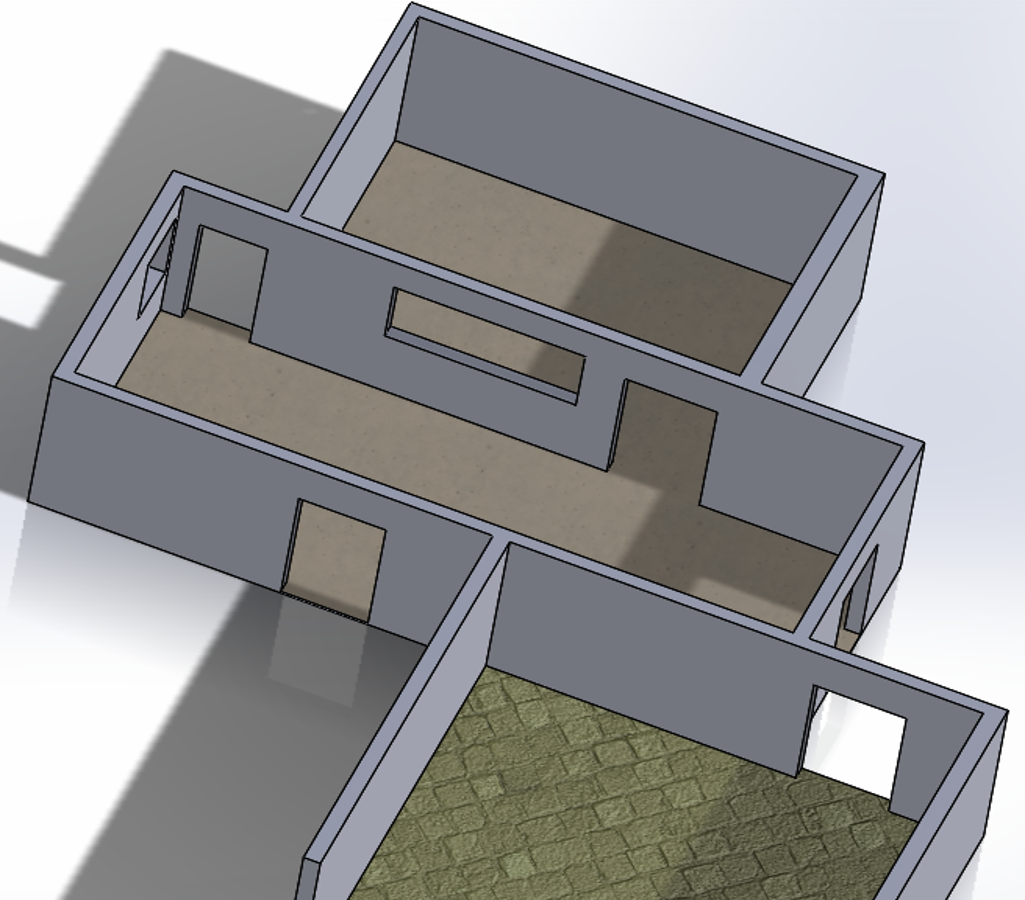
Stage 1 – Current Layout.
I began with a thin extrude of the blueprint sketch, adding cutouts for walls, doorways, and windows to capture the existing environment.
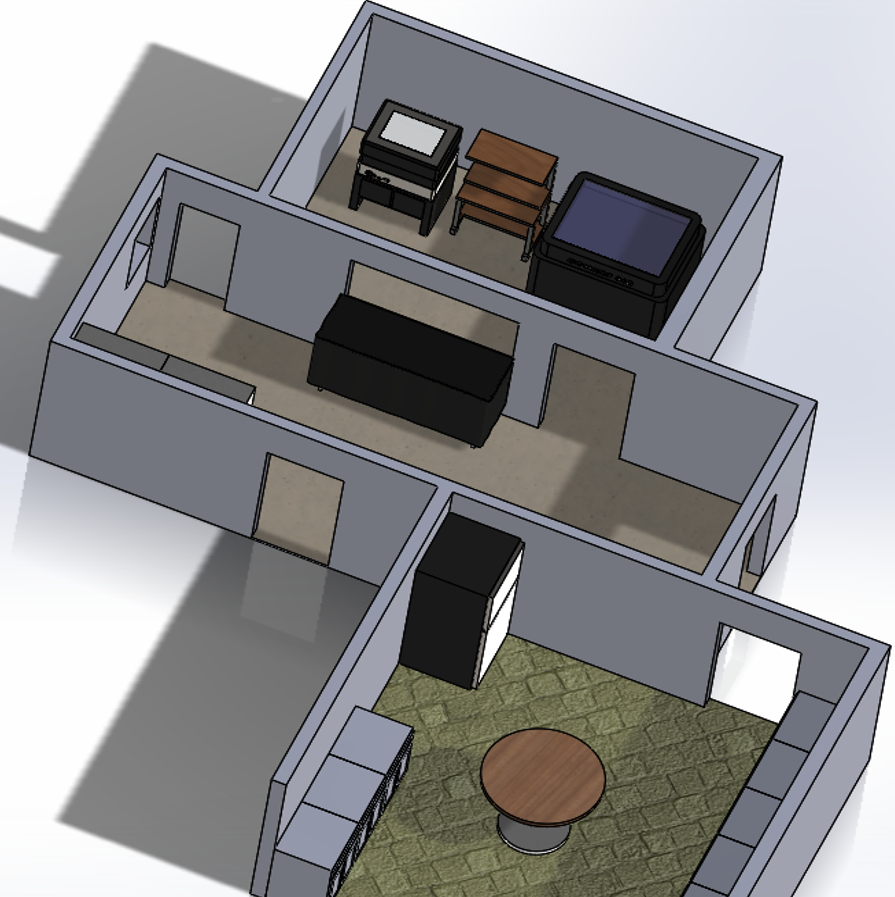
Stage 2 – Preliminary Part Models.
Using the Stage 1 assembly, I created scaled models of our current equipment: an Objet 260, an Objet 30 Pro, a Fortus 250, and a uPrint positioned in the lobby. Quick measurements and realistic appearances helped visualize how these units fit in the existing space.
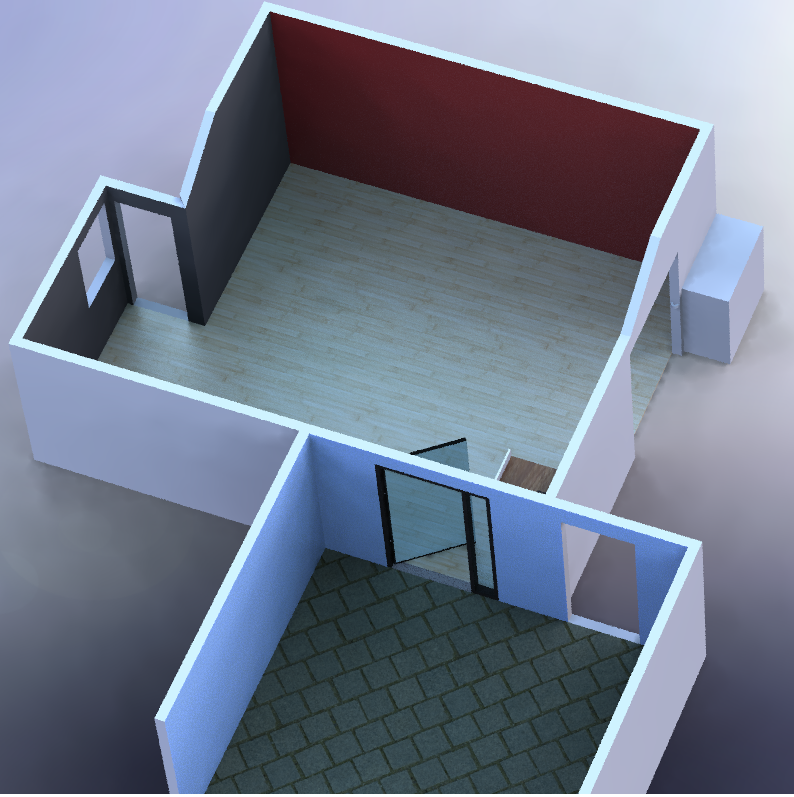
Stage 3 – Virtual Demolition.
Removing walls opened up the layout. We found that expanding the right side wall by 45 sq ft and installing double doors would create ample access for the printers. A glass door and window in the kitchen area were added so visitors could observe the printers in action during breaks or meetings.
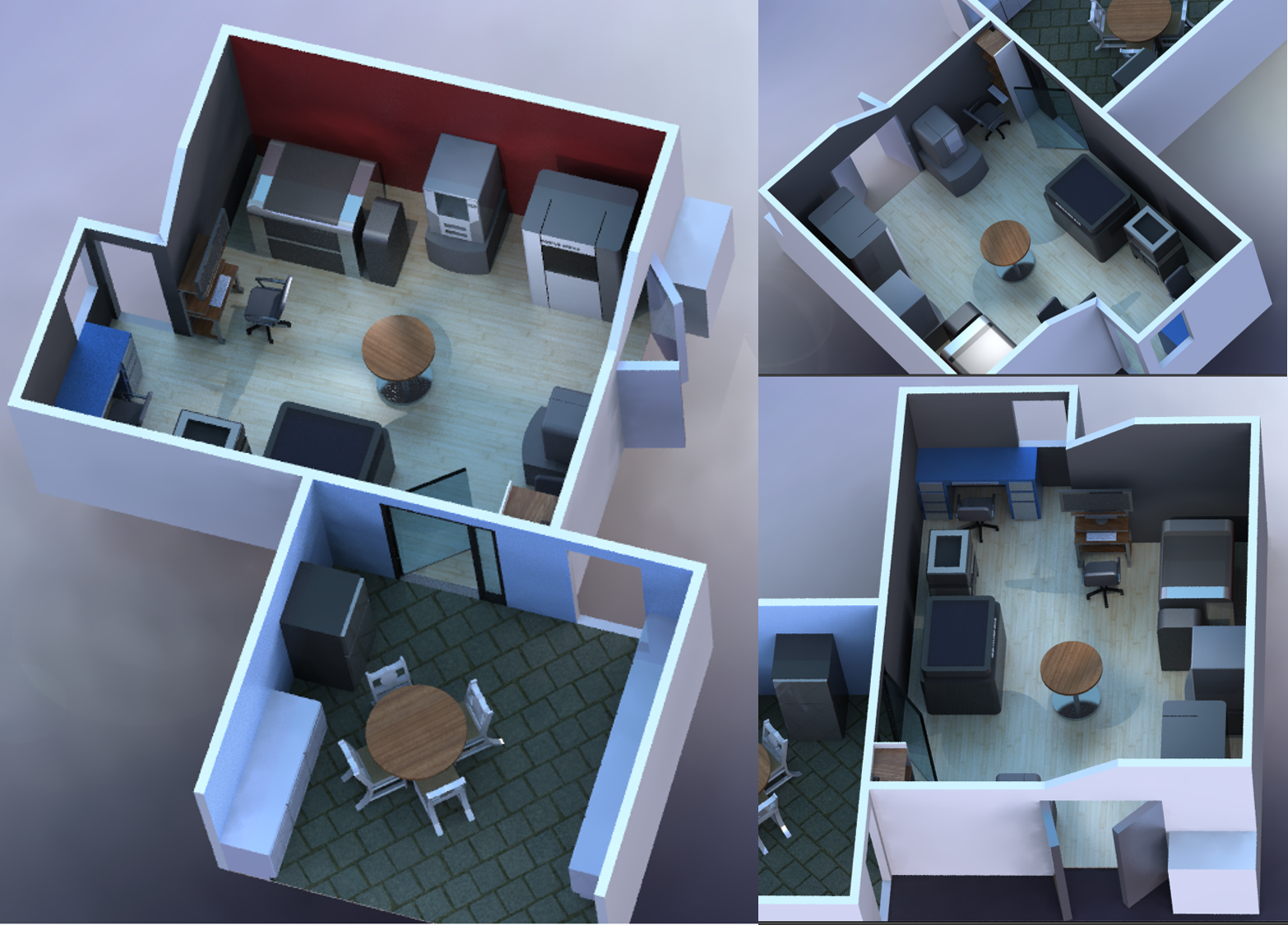
Stage 4 – Final Assembly.
To showcase our latest Stratasys lineup, I modeled the Fortus 400mc, Connex 260, and Objet 500 Connex 3. I ensured adequate spacing for maintenance, and integrated power, heating, and ventilation requirements. Desks and a workbench were added to support our application engineers.
After the design phase, we confirmed that six printers would comfortably fit in the new lab with minimal construction and power upgrades. Presenting the SOLIDWORKS model to management provided a clear proof of concept and a detailed proposal for the finished lab. Construction is slated to begin at the end of this month.
We invite you to visit the Syracuse lab and see how this vision became reality.
Tags: CAD Fab Lab, Fortus, Objet
3D printing
- Amber: From Ancient Resin to Scientific Treasure – History, Properties, and Modern Uses
- Custom Marine Switchboard Design for the Endeavour V Fishing Trawler
- From Clumsy Clip to Custom Car Mount: How 3D Printing Solved a Real-World Problem
- From Past to Present: 25 Years of Stratasys 3D Printing Evolution
- Markforged Unveils Carbon‑Fiber 3D Printer at SolidWorks World 2014 – Popular Mechanics First to Report
- Dunlop Systems Accelerates Tool Production with Markforged 3D Printing
- CES 2019 Highlights: Cutting-Edge 3D Printing, Robotics, and New Materials
- Understanding and Optimizing 3D Printer Jerk Settings for Better Prints
- Resin 3D Printers Explained: UV Light‑Cured Technology for High‑Precision, Smooth Prints
- Comparing 3D Printers and Laser Cutters: Additive vs. Subtractive Manufacturing