



OpenWrt x86: Installation Guide, Key Advantages, and Project Ideas
OpenWrt is easy to set up and enables you to maximize your routers’ capabilities beyond what’s availed by its firmware. If you have an embedded system or router, it’s better to use the operating system as it has many great features. Today’s article focuses on all things OpenWrt x86.
What is OpenWrt?

Fig 1: OpenWrt Logo
OpenWrt (Open Wireless Router) is an open-source Linux OS for developing custom operating systems targeting embedded systems.
Therefore, consider OpenWrt x86 to transform your router into a BitTorrent client, traffic-shaping system, SSH server, or VPN.
Furthermore, it isn’t a firmware but offers a fully writable filesystem that includes package management. Hence, rather than writing complete work, you’re better off unlocking the capabilities of your router or any other embedded device.
Six Reasons to Use OpenWrt

Fig 2: Developing a Linux System
Many people prefer using OpenWrt since they find it superior to the stock firmware in their embedded devices. You can connect an OpenWrt device with an Arduino by installing USB-to-serial kernel modules. Also, you can make Samba NAS with an OpenWrt router.
Here are some reasons why you should use OpenWrt.
Performance and Stability
A primary reason for the continued development of OpenWrt is to improve the performance of embedded systems. It includes many recently-researched algorithms that result in higher system performance than the original firmware.
Additionally:
- OpenWrt uses buffer bloat control algorithms to reduce latency/ lag and increase network throughput.
- Second, OpenWrt is reliable and stable for extended periods.
- Third, with OpenWrt, WiFi improvements lead to improved data rates.
- Fourth, WiFi improvements lead to better airtime fairness between stations.
- Fifth, OpenWrt supports improvements in older devices- only if the Flash/RAM of your device accommodates new releases.
Extensibility
OpenWrt has more than 3000 ready-to-install packages that improve your router’s capabilities. Some of the capabilities of the packages include:
- Blocking ads for uninterrupted web experience on your connected devices.
- Additionally, lower latency/lag levels using Smart Queue Management (SQM).
- Home network security with a WireGuard or OpenVPN server.
- Also, prevent DNS requests from snooping and ISP spoofing with DNS encryption.
- Next, allow another device to access your network without infiltrating your devices.
- Finally, access control using parental controls and time limits.
Security

Fig 3: Social Networking and Cyber Security Concept
OpenWrt is open-source software that undergoes massive checks and reviews from global developers before its release. Hence, you can be sure that there are no concealed backdoors by hardware vendors.
Additionally:
- OpenWrt receives constant updates to remove any vulnerabilities.
- Also, OpenWrt’s Linux OS is safer from vulnerabilities and online attacks.
- OpenWrt supports all compatible devices regardless of the model.
Research Platform
OpenWrt is a reliable source of content for most teams working on cutting-edge research into networking. The teams include developers working on decreasing latency and queueing in the WiFi stack.
Additionally, the continued development of software that reduces buffer float, such as fq_codel and cake algorithms, uses OpenWrt.
Configuration
Like other Linux-based systems, you’ll have full control over all aspects of your embedded device/router.
- Configuration data is stored within plain-text files for easy copying and editing.
- Using the OpenWrt Image Generator, you can create your firmware images for your embedded device.
- Also, it allows configuring external buttons, LEDs, and switches to your preference.
- Furthermore, it has web-based user and command-line interfaces for configuration.
Community Support
OpenWrt has a vast community of long-term users, developers, and volunteers willing to solve pertinent issues. Therefore, unlike vendor-distributed software, you’ll get immense support, making it easier to solve a problem.
Here’s How to Install OpenWrt
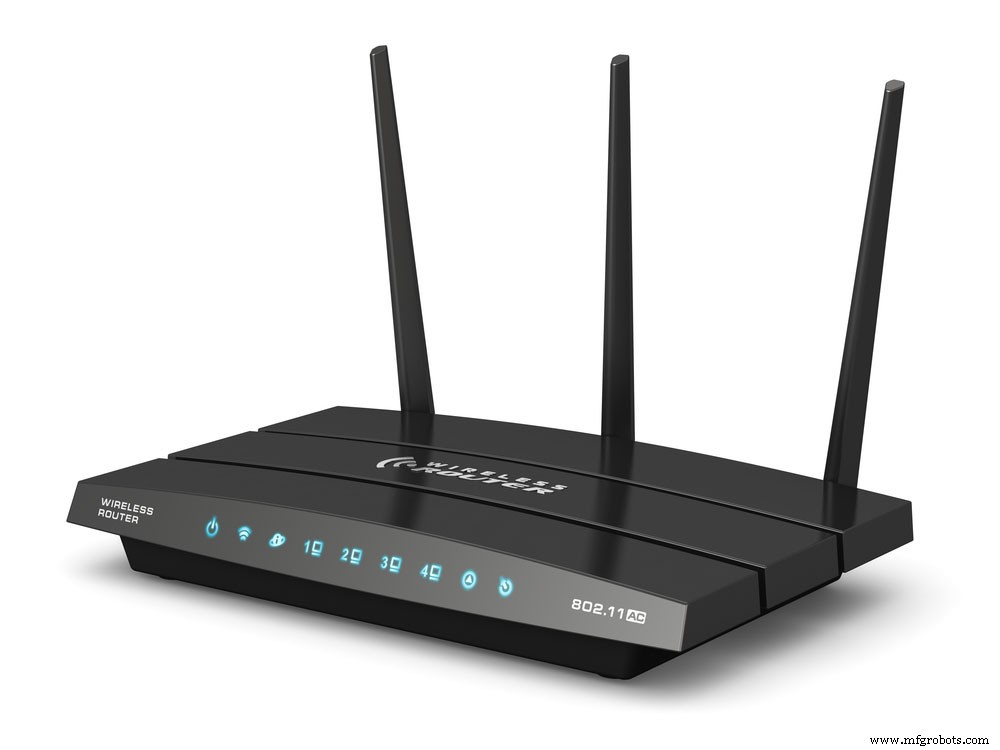
Fig 4: Wireless Internet Router
The first step before installing OpenWrt is ensuring that the device supports the system. Then download the best version of the firmware depending on whether it’s an update or a new version.
Here are four installation methods.
Method 1: Via OEM Firmware
For this method, look at the device-specific model page and whether it’s compatible. Sometimes the OEM firmware blocks you from flashing your device using certain files. On the positive side, some devices have tagged builds that enable them to be compatible with the manufacturer’s firmware.
Here’s how to install OpenWrt via OEM firmware.
- Open your web browser and access the WebUI of the OEM firmware.
- Next, use the “Firmware Upgrade” option to install the OpenWrt factory firmware image file.
- Then wait for your device to reboot after completing the installation.
Method 2: Via Bootloader and an Ethernet port
Installing via a bootloader and ethernet cable may be tougher as not all bootloaders have built-in functionality. Therefore, they’ll use either a TFTP-server, TFTP-client, FTP-server, FTP-client, a web server, or an XMODEM-protocol.
Before installation, ensure to check the following:
- The bootloader’s preset IP address.
- Whether the bootloader acts as a server or client and its protocol.
- The right port number.
- The interface you’re connecting to.
- Username and password, if necessary.
- The time window between starting your device and connection.
Here are the installation steps you’ll follow.
- First, install the right software for your bootloader.
- Second, read the right manual page.
- Third, configure your PC’s static IP address in the pre-configured bootloader’s IP address block.
- Fourth, connect the PC to your device and power cycle it.
- Fifth, connect the bootloader using the chosen software and install the OpenWrt firmware file.
OpenWrt Projects You Can Try
Build a Multi-Room Synchronous Audio Player with Snapcast and Mopidy

Fig 5: Audio Speakers on an Office Table
You can achieve multi-room synchronous audio by connecting all associated speakers to your computer.
For this project, you’ll need two software in addition to Home Assistant. First is Mopidy- a music server that plays files on your computer. The second is Snapcast, which enables you to stream audio across a network synchronously.
Here’s how to build your multi-room synchronous audio player.
- First, install Mopidy (version 2.0.0 or later).
- Second, install Snapcast (version 0.5.0 or later).
- Third, configure Mopidy.
- Fourth, run Mopidy and then Snapcast.
- Fifth, configure Snapcast.
- Finally, configure Home Assistant.
Block Ads with AdGuard Home
AdGuard Home is a free open source DNS server that blocks ads and trackers. It achieves this by rerouting tracking domains to a “black hole.”
Here are the steps to block ads with AdGuard Home (AGH).
- First, install the AdGuard Home package through opkg.
- Next, run commands to demote dnsmasq to an internal DNS resolver to prepare to make the AdGuard Home the primary DNS resolver.
- Third, set up AGH through the web interface.
- Fourth, log in to AGH and set up LAN domain interception.
- Fifth, enable reverse DNS (rDNS) so that the AGH picks up the DHCP assignments from OpenWrt.
Access Regional Content with OpenVPN
OpenWrt router Virtual Private Network (VPN) protects the data into and out of your computer and router from external users.
Here are the steps to follow when accessing regional content with OpenVPN.
- We’ll use the OVPN VPN interface, a free VPN, standard service, or add-on service.
- Next, connect your browser to the internet service provider (ISP) VPN for OpenVPN.
- Next, install the OpenVPN on your router and select OVPN from the OpenVPN menu.
- Provide it with an interface and set up the firewall.
- Lastly, ensure that you’re connected to the OVPN.
Conclusion
And as we’ve seen, it’s very easy to set up, use, or incorporate the system into your OpenWrt project.
Finally, for any assistance with your project on OpenWrt, contact us, and we’ll get back to you.
Industrial Technology
- How Bosch’s Open‑Source Transformation Powers IoT Innovation – Lessons for Your Business
- How Volunteer Leadership Fuels Advancement in Maintenance & Reliability
- FR4 Explained: Ideal Applications and Limitations for PCB Design
- Modernizing Legacy Equipment with IIoT: A Path to Digital Transformation
- Industry 4.0: Benefits, Risks, and Implementation Challenges
- Boost Your Manufacturing Efficiency: Proven Strategies to Maximize Productivity
- Build a Reliable LED Voltage Indicator: 4 Simple DIY Projects
- Top 3 Free Circuit Design Tools: Simple, Powerful, No Cost
- Choosing CNC for Rapid Prototyping: 4 Key Advantages and 2 Disadvantages
- Unlock 6 Advanced Robotics Solutions with Rhino & RoboDK