



iOS 11 Unpacked: 22 Key Features & Improvements That Transform Your iPhone & iPad
Apple unveiled iOS 11 at its 2017 Worldwide Developers Conference, delivering a suite of refinements and new capabilities that build on iOS 10’s foundation. From enhanced privacy features to cutting‑edge AR tools, the update offers a smoother, more powerful experience across iPhones and iPads.
22. QuickType One‑Hand Keyboard

The new one‑hand keyboard lets you type with a single thumb. Simply tap and hold the emoji key, select the one‑hand option, and the keys automatically reposition closer to your thumb for effortless typing.
21. Redesigned Control Center
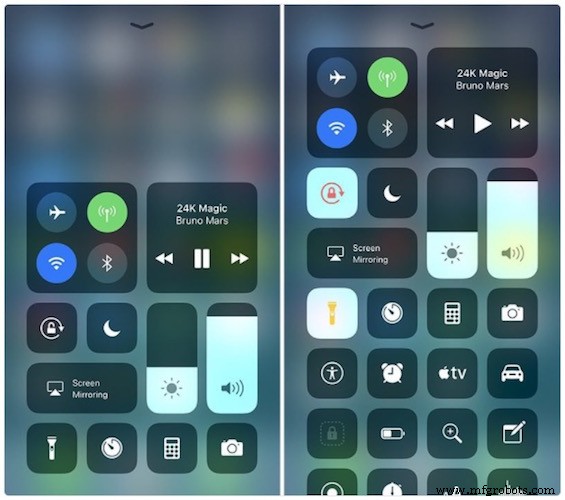
The Control Center now consolidates all controls into a single, intuitive page. You can add voice commands, dim smart lights, manage HomeKit accessories, and rearrange toggles. 3D Touch unlocks additional actions, streamlining your daily workflow.
20. AirPlay 2
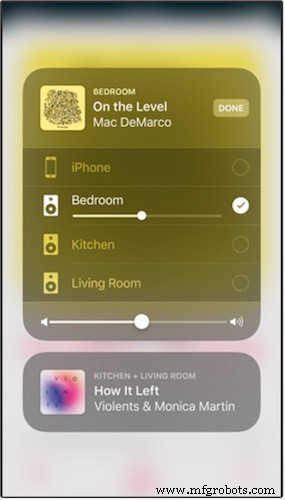
AirPlay 2 extends audio control across multiple speakers. Play music in the kitchen while a friend enjoys a track in the bedroom, and adjust volume on any device—all from your iOS 11 device.
19. Apple Music Social Features

Apple Music now supports shared playlists and public libraries. Create a profile to view friends’ favorites and let them discover your own curated collections. Developers can leverage the MusicKit API to embed these social features in third‑party apps.
18. Native QR Code Scanning
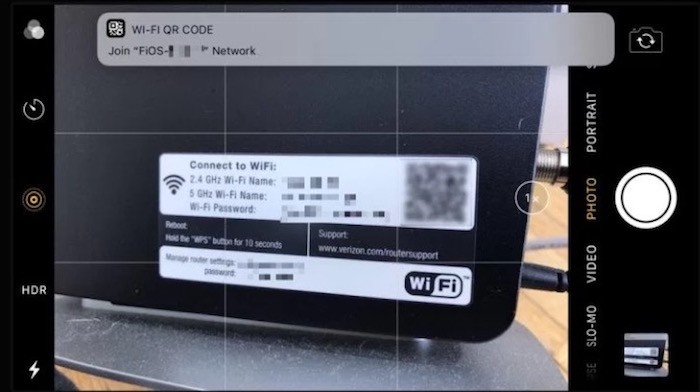
With iOS 11, the camera app automatically recognizes QR codes. A pop‑up displays the decoded text or action, and you can disable the feature if you prefer.
17. Files App
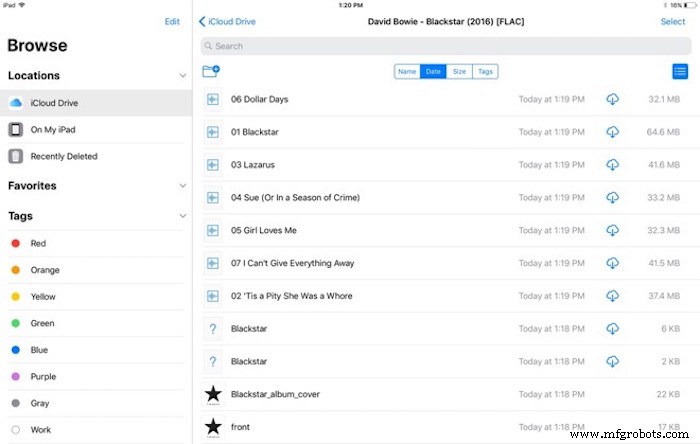
The Files app brings a desktop‑style file manager to iOS. Preview, organize, and share documents from iCloud, Google Drive, Dropbox, and other cloud services. Colored tags let you label and locate files quickly without endless folder navigation.
16. iPad Dock Redesign
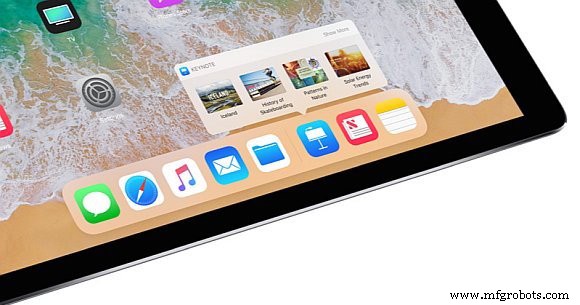
Swipe up from the bottom to summon a fully customizable dock that remembers your most used apps. Suggested shortcuts based on recent activity help you launch and switch between apps with a single gesture.
15. Enhanced Multitasking
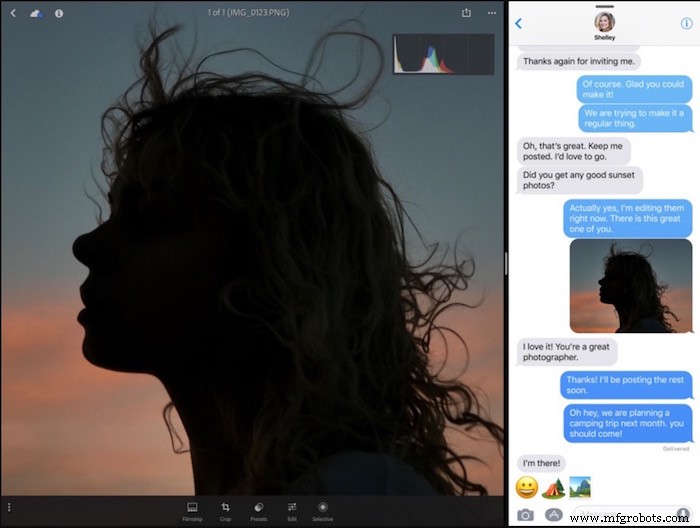
Split view, Slide Over, and the new App Switcher let you run up to four apps side‑by‑side on the iPad. Drag a second app into the active split view, and both remain fully functional, boosting productivity on the go.
14. Screenshot Markup
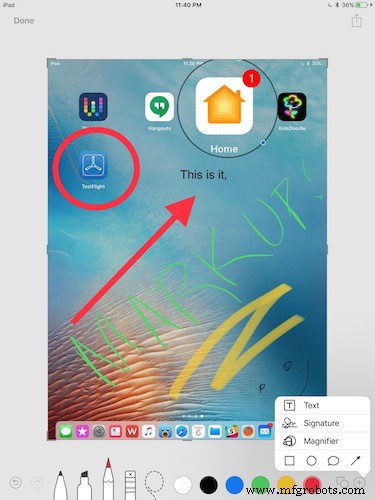
After taking a screenshot, you can immediately crop and annotate it without leaving the device. The new markup tools streamline sharing and editing on the fly.
13. Built‑in Screen Recording
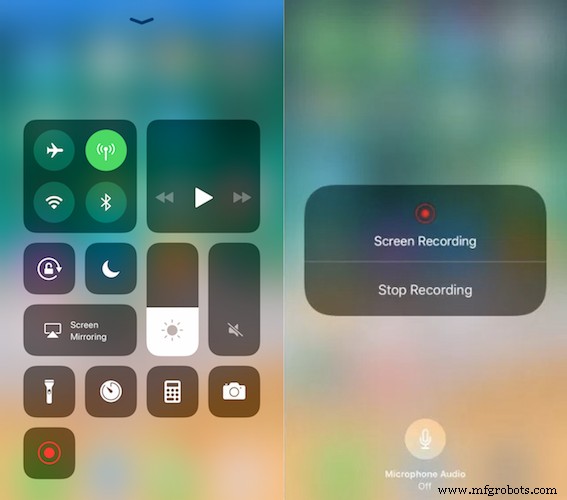
The Control Center now includes a screen‑recording toggle. Capture gameplay, tutorials, or debugging sessions directly to your device, saving the file in high‑quality HEVC format.
12. Drag & Drop
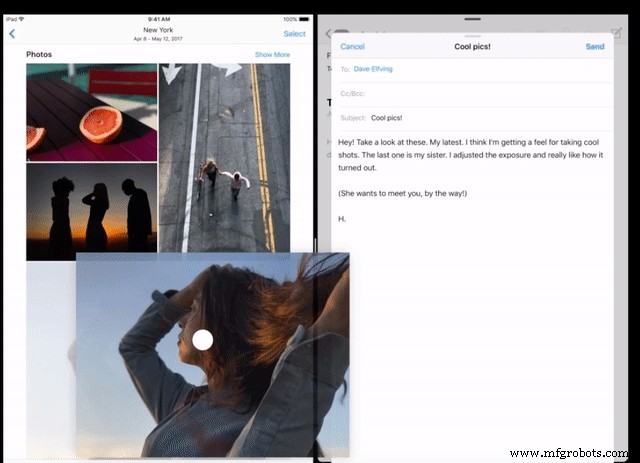
Drag & Drop lets you move text, photos, links, and files between apps on the iPad. Touch and move any element, and the system handles the transfer seamlessly.
11. Apple Maps & “Do Not Disturb While Driving”
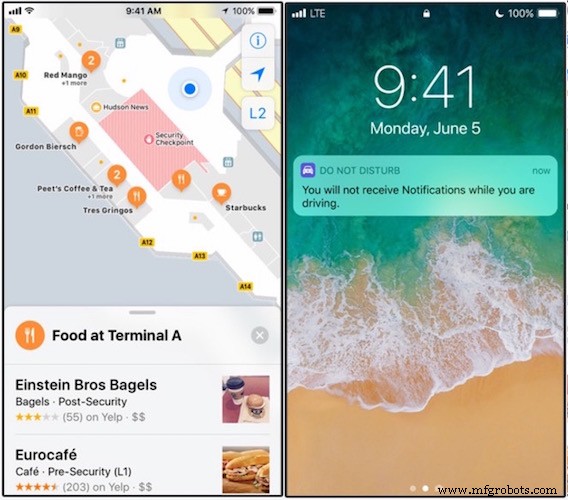
Indoor maps for select airports and malls give precise navigation inside large venues. Lane assist enhances navigation accuracy, while a new driver‑detection algorithm automatically enables “Do Not Disturb While Driving” using Bluetooth, Wi‑Fi, and Doppler radar.
10. Automatic App Deletion
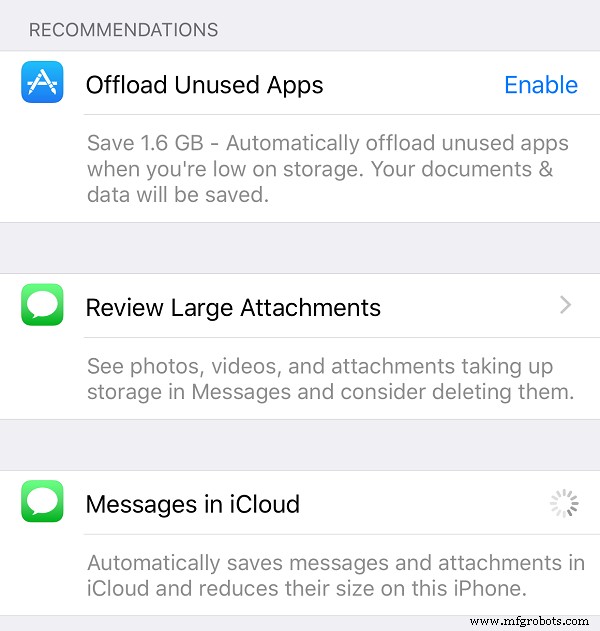
Low on storage? The new feature can delete unused apps after a set period, preserving data so you can reinstall them later with minimal effort.
9. Core ML

Core ML delivers on‑device machine learning, enabling developers to build apps that detect faces, track text, read barcodes, recognize landmarks, and more—all without sending data to a server.
8. Refined Notifications & Lock Screen
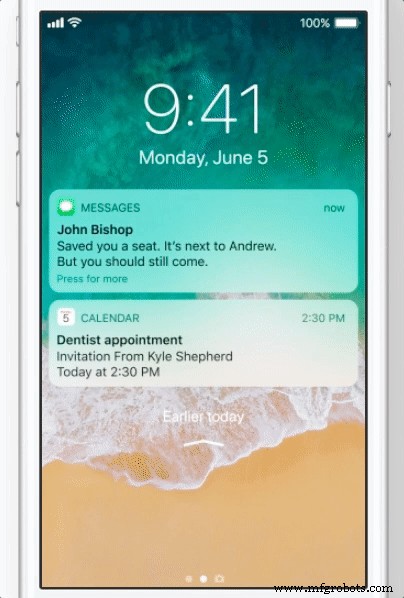
Pull down the lock screen to view all recent notifications in a single list. When music is playing, the notification space shares with the media widget, keeping your interface clean.
7. iMessage Enhancements
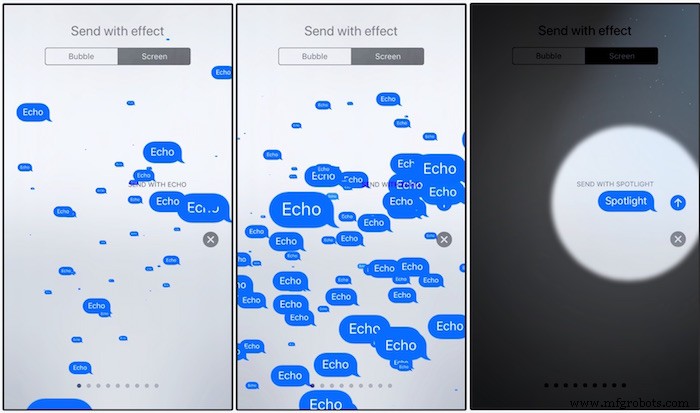
The message drawer adopts a fresh, colorful layout. New effects, quick links to Apple Music and Google Maps, and cross‑device conversation sync bring a richer messaging experience.
6. Expanded Apple Pencil Support
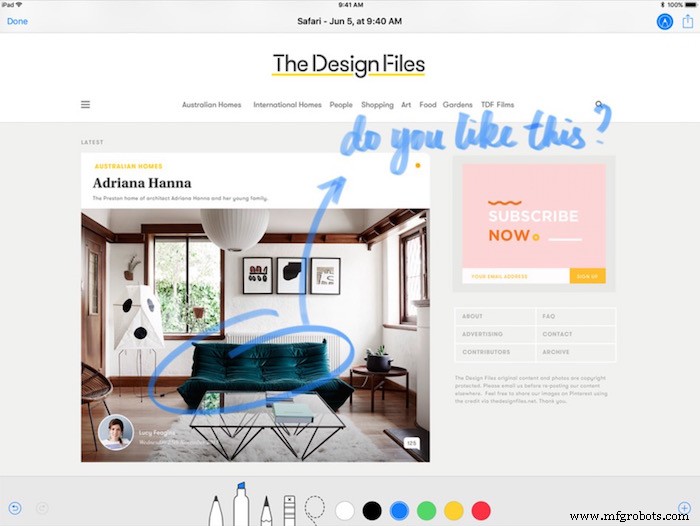
Tap the Apple Pencil on the lock screen to instantly create a note. Annotate PDFs and screenshots directly in Mail, and use inline drawings across supported apps.
5. ARKit
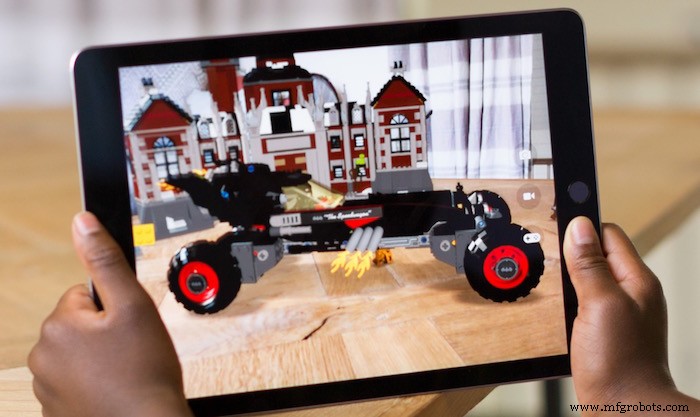
ARKit combines visual and inertial data to detect horizontal planes, track feature points, and adjust virtual lighting to match the real environment. Developers can now create immersive experiences that blend seamlessly with the physical world.
4. Camera & Photo Enhancements

New filters bring classic aesthetics to portraits and natural skin tones. Photos are stored in HEIF, cutting file sizes by 50 % without quality loss, while videos use HEVC for even greater compression.
3. The All‑New App Store
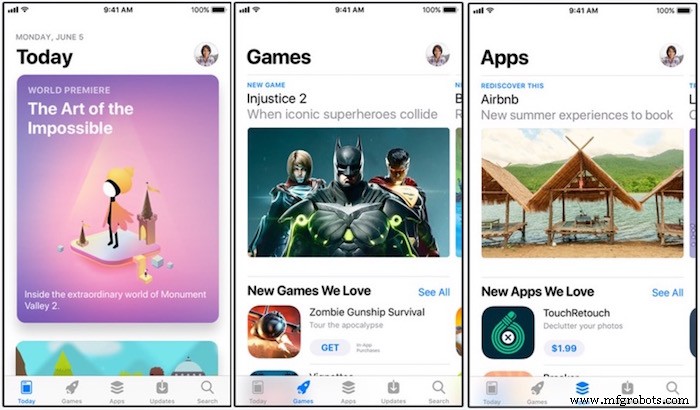
Tabs, curated content, and an updated search engine help you discover apps faster. The redesigned product pages focus on essential details, while new help articles and curated lists keep you informed.
2. Siri Improvements
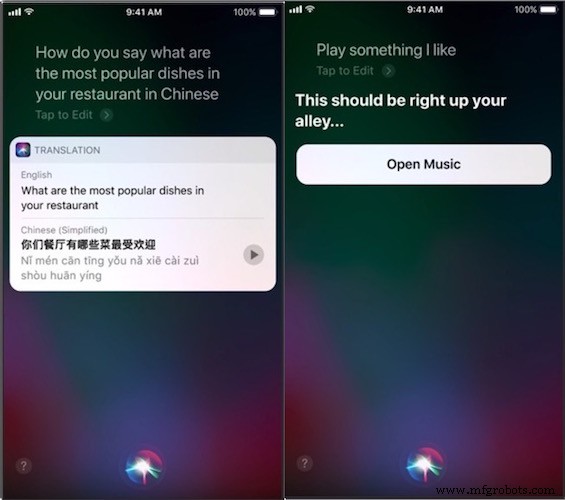
Siri now understands context, learning from past interactions to anticipate your needs. It offers more natural speech and supports translation across languages, including Chinese, Italian, Spanish, German, and French.
1. Apple Pay Peer‑to‑Peer

Send or receive money directly in iMessage or via Siri. The new peer‑to‑peer Apple Pay feature eliminates the need for third‑party payment apps, keeping all transactions within the iOS ecosystem.
Industrial Technology
- Top 7 Criteria for Choosing a Long‑Range Barcode Scanner
- Richard Soley on Industrial Internet, AI, and the Future of Distributed Computing
- Arithmetic Properties: Associative, Commutative & Distributive Explained
- How to Set Up an Autodesk Fusion Hub for Seamless Team Collaboration
- Ultimate Guide to PCB Manufacturing: Expert Tips for Reliable, High‑Quality Boards
- Reliable Wireless Connectivity for 24/7 Supply‑Chain Operations
- Understanding Don’t-Care Cells in Karnaugh Maps
- Mastering the D Latch: A Clean 1‑Bit Memory Circuit
- DVIRC Links Local Manufacturers with Healthcare Providers to Supply Protective Equipment Amid COVID-19
- Top 9 Insights on Anodizing Sheet Metal: Enhance Durability & Aesthetics