



CNC Milling vs. CNC Turning: How to Choose the Best Machining Process
CNC Milling or CNC Turning: Key Differences and How to Choose the Right Process
4 min read
Find out which CNC machining method—milling or turning—fits your part’s geometry, material, and production needs, and discover how Fusion’s unified CAD/CAM platform can streamline the entire workflow.
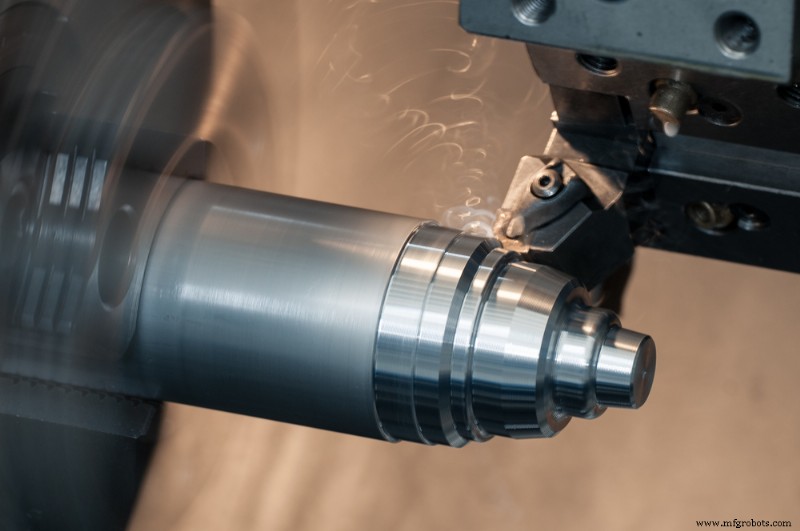
When you’re about to produce a new component, one of the first decisions is whether to use CNC milling or CNC turning. Both techniques are cornerstones of modern manufacturing, but the right choice can dramatically influence build time, accuracy, and cost.
Elevate Your Design and Manufacturing with Autodesk Fusion
Fusion’s all‑in‑one CAD/CAM environment unifies milling and turning, allowing you to design, simulate, and machine parts in a single digital space. The platform automatically generates optimized toolpaths, predicts tool wear, and produces ready‑to‑run G‑code.
What Is CNC Milling?
CNC milling removes material with a rotating cutting tool that moves across a stationary workpiece. The part is clamped to the machine bed, while the tool travels along multiple axes to shape the material. Milling excels at non‑cylindrical geometries such as complex contours, pockets, and angled surfaces.
Typical milling machines include:
- 3‑axis mills for straightforward operations.
- 4‑ and 5‑axis mills for intricate surfaces and precise angular features.
Fusion’s CAM tools automatically generate advanced toolpaths—like adaptive clearing—to maximize tool life and material removal efficiency.
Applications of CNC milling
- Flat and prismatic parts—plates, housings, molds, and fixtures.
- Rapid prototyping and low‑to‑medium volume production.
- Materials ranging from metals and plastics to composites and wood.
What Is CNC Turning?
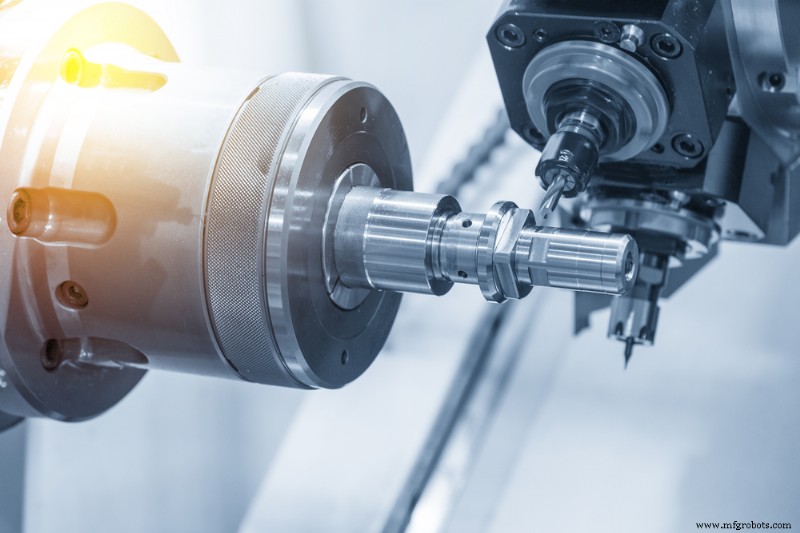
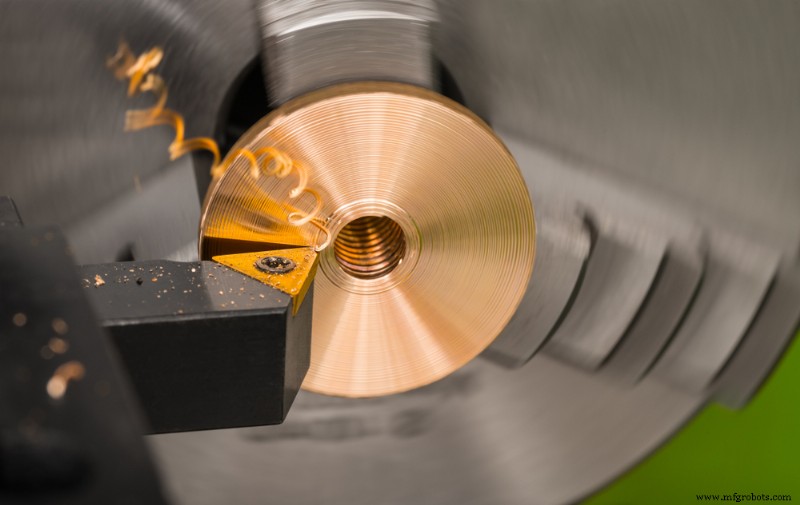
CNC turning shapes a rotating workpiece with a stationary cutting tool, creating symmetrical round or conical geometries. The part spins on a spindle while the tool removes material to form shafts, bolts, bushings, bearings, and threaded surfaces.
Modern turning centers feature multiple turrets, live tooling, and secondary spindles, enabling simultaneous operations and reduced cycle times. Fusion integrates turning strategies with its design tools, letting machinists simulate cuts and anticipate tool wear before the first spindle spin.
Applications of CNC turning
- Cylindrical or round components requiring high precision.
- Production of shafts, threads, and bearings.
- Efficient manufacturing of rotationally symmetric geometry.
How to Decide Between Milling and Turning
| Feature | CNC Milling | CNC Turning |
|---|---|---|
| Workpiece Motion | Stationary; tool moves around it | Rotating workpiece |
| Ideal Shapes | Flat, angled, or irregular geometries | Round, cylindrical, or tapered |
| Material Removal | Progressive cutting passes | Continuous removal via rotation |
| Setup Time | Flexible with multi‑axis capability | Faster for repeatable round parts |
| Surface Finish | Excellent for prismatic features | Superior for concentric surfaces |
| Best For | Complex 3‑D shapes | Shafts, threads, and smooth surfaces |
Rule of thumb: If the part is round, turn it. If it’s any other shape, mill it.
Fusion’s mill‑turn capability lets you combine both workflows in one setup, cutting handling steps, improving accuracy, and reducing cycle time.
Mill First or Turn First?
The sequence depends on geometry and tolerance requirements. Generally, machinists turn first to create the basic round form, then mill to finish complex features. However, advanced lathes with soft jaws or sub‑spindles can accommodate irregular geometries early in the process.
Fusion’s integrated toolpath simulation ensures each transition preserves part alignment and dimensional integrity.
Pros and Cons of Milling vs. Turning
Advantages of CNC Milling
- Supports multi‑axis machining for complex shapes.
- Compatible with a wide variety of materials.
- Easy tool replacement and in‑process wear calibration.
Advantages of CNC Turning
- Fast production for cylindrical parts.
- High accuracy with continuous cuts.
- Simultaneous tool operations in modern turning centers.
Each process has geometric limitations—milling is slower for round parts, turning cannot easily handle prismatic shapes. Mill‑turn machines that combine both are increasingly becoming the industry standard for flexibility and productivity.
Integrating Both with Mill‑Turn Technology
- Reduced setup time and part handling.
- Higher precision through fewer re‑clamps.
- Faster cycle times with automated tool changes.
Mill‑turn machining merges milling and turning in a single setup. Fusion automates toolpath generation, simulation, and post‑processing, allowing continuous machining without transferring parts between machines. This is especially valuable for complex components such as aerospace housings or robotics shafts.
Use Fusion for Smarter CNC Machining
Whether you opt for milling, turning, or a hybrid mill‑turn workflow, Fusion is a unified platform that streamlines design, simulation, and manufacturing. Optimize toolpaths, eliminate rework, and connect CAD to G‑code—all within one trusted environment.
Industrial Technology
- Phase Rotation in Three‑Phase Alternators: Mechanics, Detection, and Wire Reversal
- Complete ULN2003 Pinout & Datasheet Guide: Mastering High‑Voltage Control
- Where to Start with Additive Manufacturing: Top 3 Proven Applications
- Step-by-Step Guide: Wiring Two Switches in Series to Control a Single Light
- Seamless CMMS Migration: Expert Guidelines for Data Transfer
- Six Sigma Green Belt Training – 10‑Week Intensive Program
- Urethane Casting Materials Explained: Silicones, Elastomers, and Rigid Urethanes
- Mastering Content Marketing in Manufacturing: Proven Strategies for B2B Growth
- Top 9 Benefits of Using DFM in PCB Fabrication
- Unlocking Hidden Value: How Supply‑Chain Serialization Drives Efficiency, Security, and Brand Protection