



Arduino Mini Boss Battle Game – Retro-Inspired Project
Components and supplies
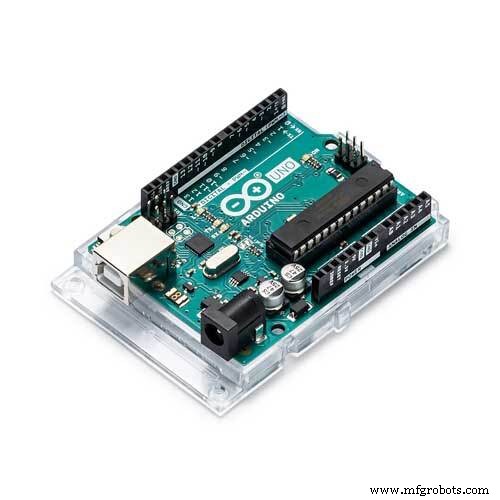 |
| × | 1 | |||
| × | 1 |
Apps and online services
 |
|
About this project
The is a game simulating a boss battle. You use the buttons to determine your attacks and change between screens. Your opponent (a demon) attacks using a random algorithm.
I decided to make this as it's a fun idea and a throwback to old & retro videogames such as the original Pokemon and Super Mario games.
The choices for attacks are:- The Blade Of Isin (2 Damage)- The Staff Of Kanas (1 Damage, +1 Attack)- The Spell Of Tories (0 Damage, +2 Attack)- The Potion Of Meseus (0 Damage, +2 Health)Good Luck & Have Fun!
Code
- Code
- Code
CodeArduino
This is the code. Copy & paste it into the Arduino IDE#include <LiquidCrystal.h>
LiquidCrystal lcd(8, 9, 4, 5, 6, 7);
int turn = 1;
int screen = 0;
int health = 10;
int ehealth = 10;
int attackdamage = 0;
int stats = 0;
int totaldamage = attackdamage + stats;
int eattackdamage = 0;
int estats = 0;
int etotaldamage = eattackdamage + estats;
int enemyattack = random(1, 5);
int attack = 0;
void setup() {
totaldamage = attackdamage + stats;
etotaldamage = eattackdamage + estats;
lcd.begin(16, 2);
Serial.begin(9600);
}
void loop() {
totaldamage = attackdamage + stats;
etotaldamage = eattackdamage + estats;
estats = 0;
stats = 0;
attackdamage = 0;
eattackdamage = 0;
int button=analogRead(A0);
if (health <= 0) {
lcd.clear();
lcd.setCursor(0, 0);
lcd.print("You Lose");
}
if (ehealth <= 0) {
lcd.clear();
lcd.setCursor(0, 0);
lcd.print("You Win!");
}
if(button>=500&&button<=750) {
screen = screen + 1;
delay(1000);
enemyattack = random(1, 5);
Serial.println('5');
}
if (screen > 4) {
screen = 0;
turn = turn + 1;
enemyattack = random(1, 5);
}
if (screen == 0) {
lcd.clear();
lcd.setCursor(0, 0);
lcd.print("Turn");
lcd.setCursor(0, 1);
lcd.print(turn);
}
else if (screen == 1) {
lcd.setCursor(0, 0);
lcd.print("You Used The");
lcd.setCursor(0, 1);
if(button>=0&&button<=50) {
lcd.clear();
lcd.setCursor(0, 0);
lcd.print("You Used The");
lcd.setCursor(0, 1);
lcd.print("Blade Of Isin");
attackdamage = 2;
}
else if(button>=50&&button<=150) {
lcd.clear();
lcd.setCursor(0, 0);
lcd.print("You Used The");
lcd.setCursor(0, 1);
lcd.print("Staff Of Kanas");
attackdamage = 1;
stats = stats + 1;
delay(1000);
}
else if(button>=150&&button<=300) {
lcd.clear();
lcd.setCursor(0, 0);
lcd.print("You Used The");
lcd.setCursor(0, 1);
lcd.print("Spell Of Tories");
attackdamage = 0;
stats = stats + 2;
delay(1000);
}
else if(button>=300&&button<=500) {
lcd.clear();
lcd.setCursor(0, 0);
lcd.print("You Used The");
lcd.setCursor(0, 1);
lcd.print("Potion Of Meseus");
attackdamage = 0;
health = health + 2;
delay(1000);
}
}
else if (screen == 2) {
lcd.clear();
lcd.setCursor(0, 0);
lcd.print("The Demon Used");
lcd.setCursor(0, 1);
if (enemyattack == 1) {
lcd.print("The Bone Spear");
eattackdamage = 2;
delay(1000);
}
else if (enemyattack == 2){
lcd.print("The Cursed Blade");
eattackdamage = 1;
estats = estats ++;
delay(1000);
}
else if (enemyattack == 3){
lcd.print("The Cursed Spell");
eattackdamage = 3;
estats = estats - 2;
delay(1000);
}
else if (enemyattack == 4){
lcd.print("The Skull Ritual");
eattackdamage = 0;
estats = estats + 2;
delay(1000);
}
ehealth = ehealth - totaldamage;
health = health - totaldamage;
}
else if (screen == 3) {
lcd.clear();
lcd.setCursor(0, 0);
lcd.print("Player Health:");
lcd.setCursor(0, 1);
lcd.print(health);
}
else if (screen == 4) {
lcd.clear();
lcd.setCursor(0, 0);
lcd.print("Enemy Health:");
lcd.setCursor(0, 1);
lcd.print(ehealth);
}
Serial.println(health, ehealth);
}
CodeArduino
This is the code. It does code things#include <LiquidCrystal.h>
LiquidCrystal lcd(8, 9, 4, 5, 6, 7);
int turn = 1; //sets the variables
int screen = 0;
int health = 10;
int ehealth = 10;
int attackdamage = 0;
int stats = 0;
int totaldamage = attackdamage + stats;
int eattackdamage = 0;
int estats = 0;
int etotaldamage = eattackdamage + estats;
int enemyattack = random(1, 5);
int attack = 0;
void setup() {
totaldamage = attackdamage + stats; //redefines the damage calulation formulas
etotaldamage = eattackdamage + estats;
lcd.begin(16, 2); //sets up LCD
}
void loop() {
totaldamage = attackdamage + stats; //reredefines the damage calculation formulas
etotaldamage = eattackdamage + estats;
estats = 0; //redefines some variables
stats = 0;
attackdamage = 0;
eattackdamage = 0;
int button=analogRead(A0);
if (health <= 0) { //checks if you lose
lcd.clear();
lcd.setCursor(0, 0);
lcd.print("You Lose");
}
if (ehealth <= 0) { //checks if you win
lcd.clear();
lcd.setCursor(0, 0);
lcd.print("You Win!");
}
if(button>=500&&button<=750) { //sets up the button used for transitioning between screens
screen = screen + 1;
delay(1000);
enemyattack = random(1, 5);
Serial.println('5');
}
if (screen > 4) { //resets the screens if it passes screen 4
screen = 0;
turn = turn + 1;
enemyattack = random(1, 5);
}
if (screen == 0) {//displays turn
lcd.clear();
lcd.setCursor(0, 0);
lcd.print("Turn");
lcd.setCursor(0, 1);
lcd.print(turn);
}
else if (screen == 1) {//the attack screen
lcd.setCursor(0, 0);
lcd.print("You Used The");
lcd.setCursor(0, 1);
if(button>=0&&button<=50) {//Determines The Attacks
lcd.clear();
lcd.setCursor(0, 0);
lcd.print("You Used The");
lcd.setCursor(0, 1);
lcd.print("Blade Of Isin");
attackdamage = 2;
}
else if(button>=50&&button<=150) {
lcd.clear();
lcd.setCursor(0, 0);
lcd.print("You Used The");
lcd.setCursor(0, 1);
lcd.print("Staff Of Kanas");
attackdamage = 1;
stats = stats + 1;
delay(1000);
}
else if(button>=150&&button<=300) {
lcd.clear();
lcd.setCursor(0, 0);
lcd.print("You Used The");
lcd.setCursor(0, 1);
lcd.print("Spell Of Tories");
attackdamage = 0;
stats = stats + 2;
delay(1000);
}
else if(button>=300&&button<=500) {
lcd.clear();
lcd.setCursor(0, 0);
lcd.print("You Used The");
lcd.setCursor(0, 1);
lcd.print("Potion Of Meseus");
attackdamage = 0;
health = health + 2;
delay(1000);
}
}
else if (screen == 2) {//enemy attacks
lcd.clear();
lcd.setCursor(0, 0);
lcd.print("The Demon Used");
lcd.setCursor(0, 1);
if (enemyattack == 1) {
lcd.print("The Bone Spear");
eattackdamage = 2;
delay(1000);
}
else if (enemyattack == 2){
lcd.print("The Cursed Blade");
eattackdamage = 1;
estats = estats ++;
delay(1000);
}
else if (enemyattack == 3){
lcd.print("The Cursed Spell");
eattackdamage = 3;
estats = estats - 2;
delay(1000);
}
else if (enemyattack == 4){
lcd.print("The Skull Ritual");
eattackdamage = 0;
estats = estats + 2;
delay(1000);
}
ehealth = ehealth - totaldamage; //damage calculation
health = health - totaldamage;
}
else if (screen == 3) {//displays player health
lcd.clear();
lcd.setCursor(0, 0);
lcd.print("Player Health:");
lcd.setCursor(0, 1);
lcd.print(health);
}
else if (screen == 4) {//displays enemy health
lcd.clear();
lcd.setCursor(0, 0);
lcd.print("Enemy Health:");
lcd.setCursor(0, 1);
lcd.print(ehealth);
}
}//finishes the code
Schematics
Place the LCD into the pins on the Arduino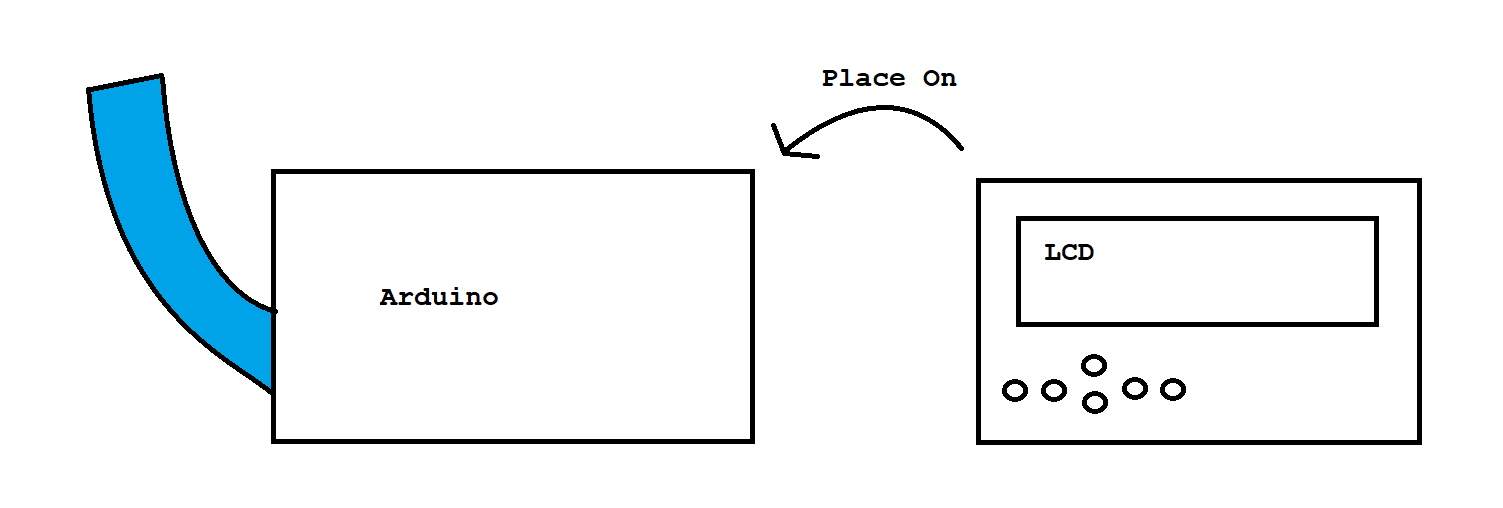
Build an Ultrasonic Levitation Device with Arduino – Step‑by‑Step Guide
Build a Portable Capacitive Touch Piano with Arduino – Step‑by‑Step Guide
Manufacturing process
- EMAR Mini: A Compact, Open‑Source Emergency Assistance Robot
- Build a Precise 7‑Segment Clock with Arduino Pro Mini & DS1302 RTC
- Build a Mini Piano with Arduino UNO – Step-by-Step Tutorial
- Build a Compact CNC Machine with Arduino UNO
- Compact 5-Story Arduino-Driven Mini Elevator
- Mini LED Matrix Clock – Arduino Nano Powered Timepiece
- Projection Welding: Mastering Embossment Techniques
- Mini VMC Machine Explained: Compact CNC Milling for Small-Scale Projects
- Understanding Mini CNC Lathes: Function, Features & Benefits
- Understanding Mini CNC Turning Machines: Functionality & Applications