



Evaluating Alarm System Security with Arduino and RF Modules
Components and supplies
 |
| × | 1 | |||
 |
| × | 1 | |||
| × | 1 |
Necessary tools and machines
| ||||
|
Apps and online services
 |
|
About this project
VideoOverviewUsually alarms and other RF electronics have 2 main frequencies: 315 Mhz and 433 Mhz - the signals are usually modulated FSK or ASK.
FSK (frequency shift keying) modulation means that the signal is encoded by rapid changes in frequency (0 has a frequency, and 1 has some other close frequency)
ASK (amplitude shift keying) modulation means that the signal is encoded by changes in amplitude (no amplitude for 0, max amplitude for 1).
In my test, the alarm system is using 433 Mhz ASK modulation (the most common), and I'll try to copy and clone the signal with an Arduino Uno and two modules, one for receiving 433 MHz signals and one for transmitting them. The modules can be found on eBay for under a dollar per pair.
If you like this you can subscribe to my YouTube channel. Thanks!
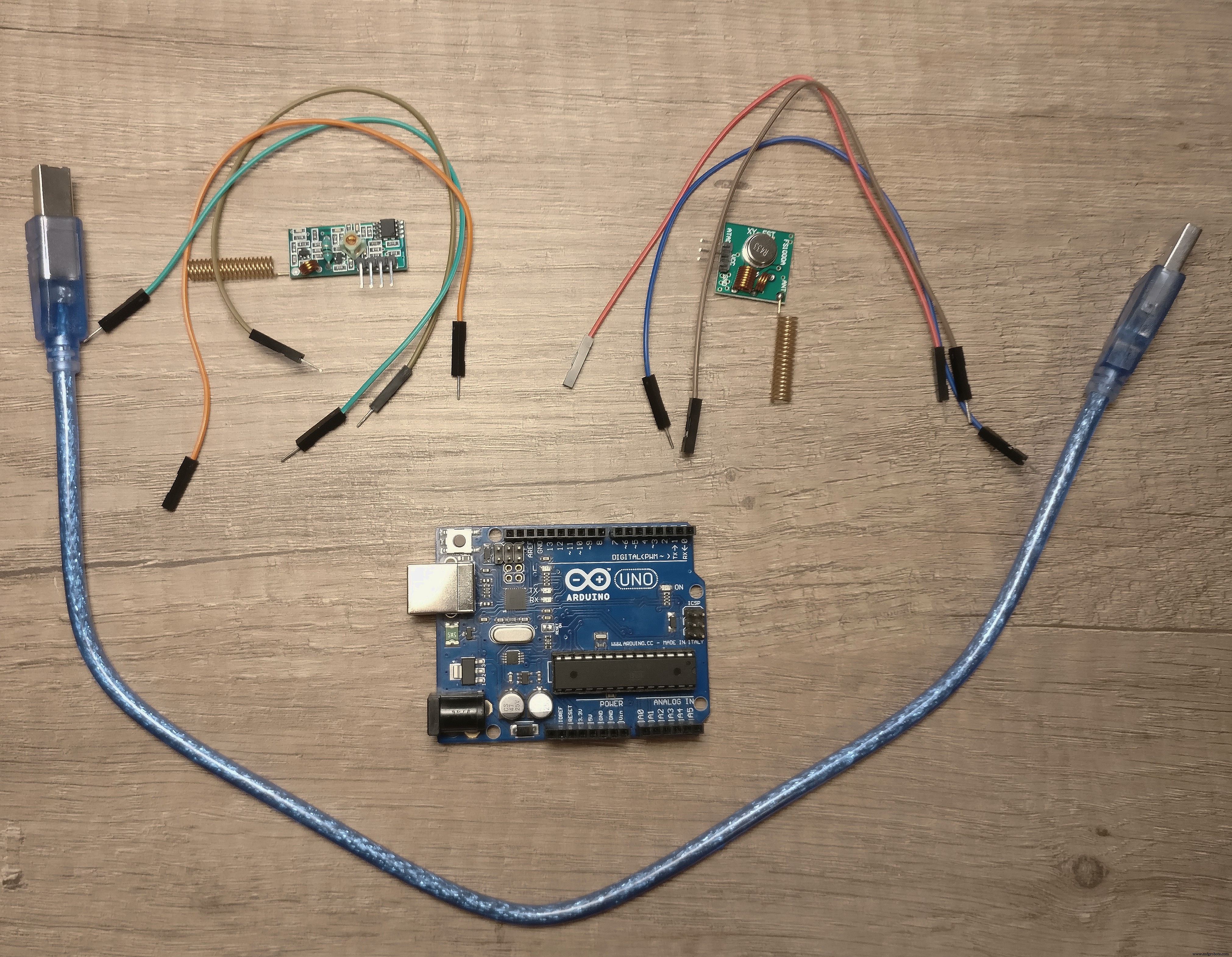
So, for the experiment we'll need:
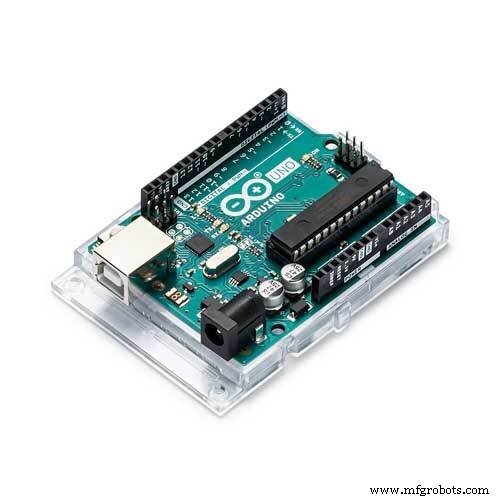
1. Arduino UNO
2. USB cable
3. 6 male-female breadboard cables
4. A pair of 433 Mhz ASK RF module
5. A pair of 433 Mhz antennas
6. A computer with Arduino IDE installed
7. The RemoteSwitch library, it can be downloaded here.
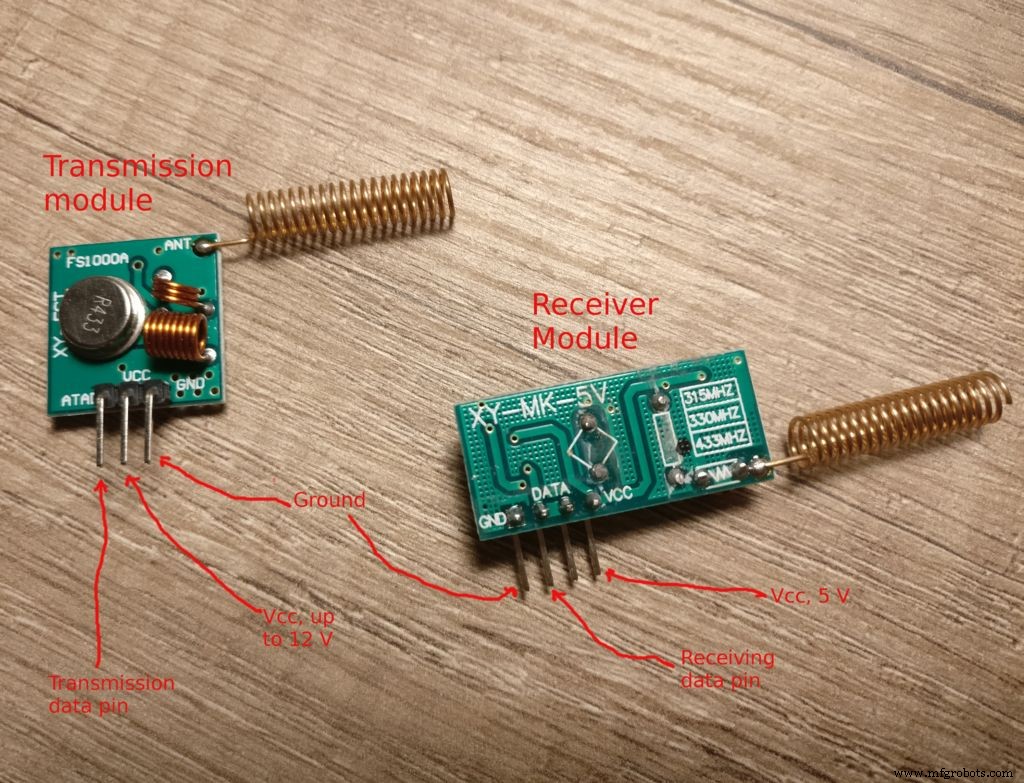
Wiring up:1. The transmitter (the square one) goes to Ground and VIN and digital pin 11 of the Arduino Uno.
2. The receiver (the rectangle) goes to Ground, 5V and digital pin 2.
3. Plug the USB.
Note: check the pictures attached to see how the pins can be identified and the video for more details.
Uploading the code:1. Download and install RemoteSwitch library (click the URL).
2. Select the "Retransmitter" sketch and upload it.
After the sketch is finished uploading, it will sniff 433 signals and replay them after 5 seconds. And that's it - with very cheap components and little work the signals from the remote control or sensors can be cloned.
Preventing interferenceSome attacker can place a small device near your home to record the signals and he can play them back to disarm the alarm.
How can we protect ourselves against this kind of attack?
Look for an alarm system that offer encryption and rolling codes for the remote control and sensors. Some systems have an alternative alarm by SMS or voice call. It's safer.
Other things to keep in mind when purchasing an alarm system:
Alarm systems are far from perfect, but for the exploits to be made the burglar must be well informed and most robberies are conducted by not-so-clever villains. But there are some rules that will make you safer, let's review them:
1. Use an alarm that supports an Ethernet cable and sends email or other alerts via the internet. But for this to be secure the internet cable must not be in reach (should be buried or concealed).
2. Install the alarm central unit in the middle of the house, so that a jamming device is less effective due to distance.
3. Don't keep high value goods in the house, or if you need to, insure them.
4. Look for an alarm system that offers encryption and rolling codes for the remote control and sensors.
5. Some systems have an alternative alarm by SMS or voice call. It's safer and not clonnable.
6. Install a magnetic door switch on a metal surface. If the door is not made of metal, mount it on a small iron plate.
7. Conceal the sensors and the alarm system.
8. Look for an alarm with microwave motion sensors (harder to fool).
9. If possible, give preference to sensors with wires; they are the safest option.
10. Don't install the alarm system yourselves, you might miss some important details about configuration.
Code
RemoteSwitch
You need to install and upload the Retransmitter sketchhttps://github.com/hjgode/homewatch/tree/master/arduino/libraries/RemoteSwitchManufacturing process
- Motion Detection Alarm System with Java & Reactive Blocks – Deploy on Raspberry Pi & Send SMS
- SERENA: A Custom Arduino Mega 2560 Alarm System with TFT LCD Touchscreen
- Arduino-Powered Security System: Smart Motion Detection & Alert
- HydroMazing Smart Garden System: Advanced IoT Plant Care
- DIY Ultrasonic Security System with Arduino – Real-Time Distance Detection
- Build an Arduino Security & Alarm System – Step-by-Step Tutorial
- HeartBeatSecure: Real‑Time Biometric Access via Heart Rhythm
- How Electronic Ignition Systems Work: A Complete Guide
- How Magneto Ignition Systems Work: Key Principles & Applications
- The American Manufacturing System: History, Techniques, and Impact