



Blink Two LEDs at Different Rates on Arduino Without delay()
Components and supplies
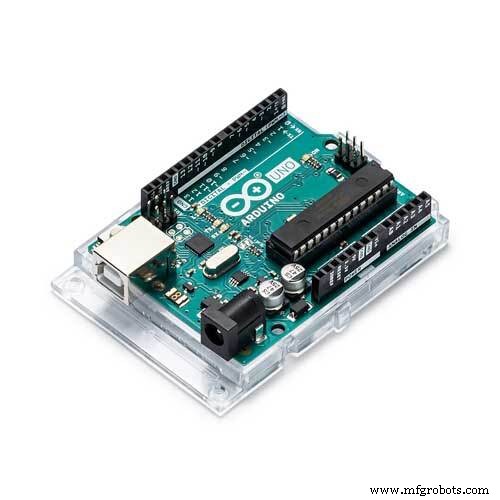 |
| × | 1 | |||
 |
| × | 2 |
About this project
This video was inspired from questions I sow on-line. on how to blink 2 LED in different rates.
If we wanted to blink a led every 1000 millis and the second one every 500 millis, we could still use delay, like this, as you can see I split the 1000 millis delay of the first LED into 500 millis blink of the second dealy.
byte LED2 = 12;
void setup() {
 pinMode(LED_BUILTIN, OUTPUT);
 pinMode(LED2, OUTPUT);
}
void loop() {
 digitalWrite(LED_BUILTIN, HIGH);
 digitalWrite(LED2, HIGH);
 delay(500);
 digitalWrite(LED2, LOW);
 delay(500);
 digitalWrite(LED_BUILTIN, LOW);
 digitalWrite(LED2, HIGH);
 delay(500);
 digitalWrite(LED2, LOW);
 delay(500);
}
But what will happen if we wanted to blink the faster one in 300 millis instead of the 500 millis.Here is where the use of delay makes it very complicated to not possible.
So what to do? Stop using delay!
We even got an example for it in the Arduino IDE and its called blinkwithoutdelay.
I duplicate the logic of the first LED to a second one and set the desired delay.
So try it as well, and walk away from delay.I will say one finale thing, the code I shared is far from being perfect, and I thought of changing it but, since this video is aimed at people that are new to arduino, I voted against it.
Code
- Example Code
Example Code Arduino
const int ledPin =  LED_BUILTIN;
int ledState = LOW;
unsigned long previousMillis = 0;
const long interval = 1000;

const int ledPin2 =  12;
int ledState2 = LOW;
unsigned long previousMillis2 = 0;
const long interval2 = 300;

void setup() {
  pinMode(ledPin, OUTPUT);
  pinMode(ledPin2, OUTPUT);
}

void loop() {
  unsigned long currentMillis = millis();

  if (currentMillis - previousMillis >= interval) {
    previousMillis = currentMillis;
    if (ledState == LOW) {
      ledState = HIGH;
    } else {
      ledState = LOW;
    }
    digitalWrite(ledPin, ledState);
  } //end if

  if (currentMillis - previousMillis2 >= interval2) {
    previousMillis2 = cur rentMillis;
    if (ledState2 == LOW) {
      ledState2 = HIGH;
    } else {
      ledState2 = LOW;
    }
    digitalWrite(ledPin2, ledState2);
  } //end if


}
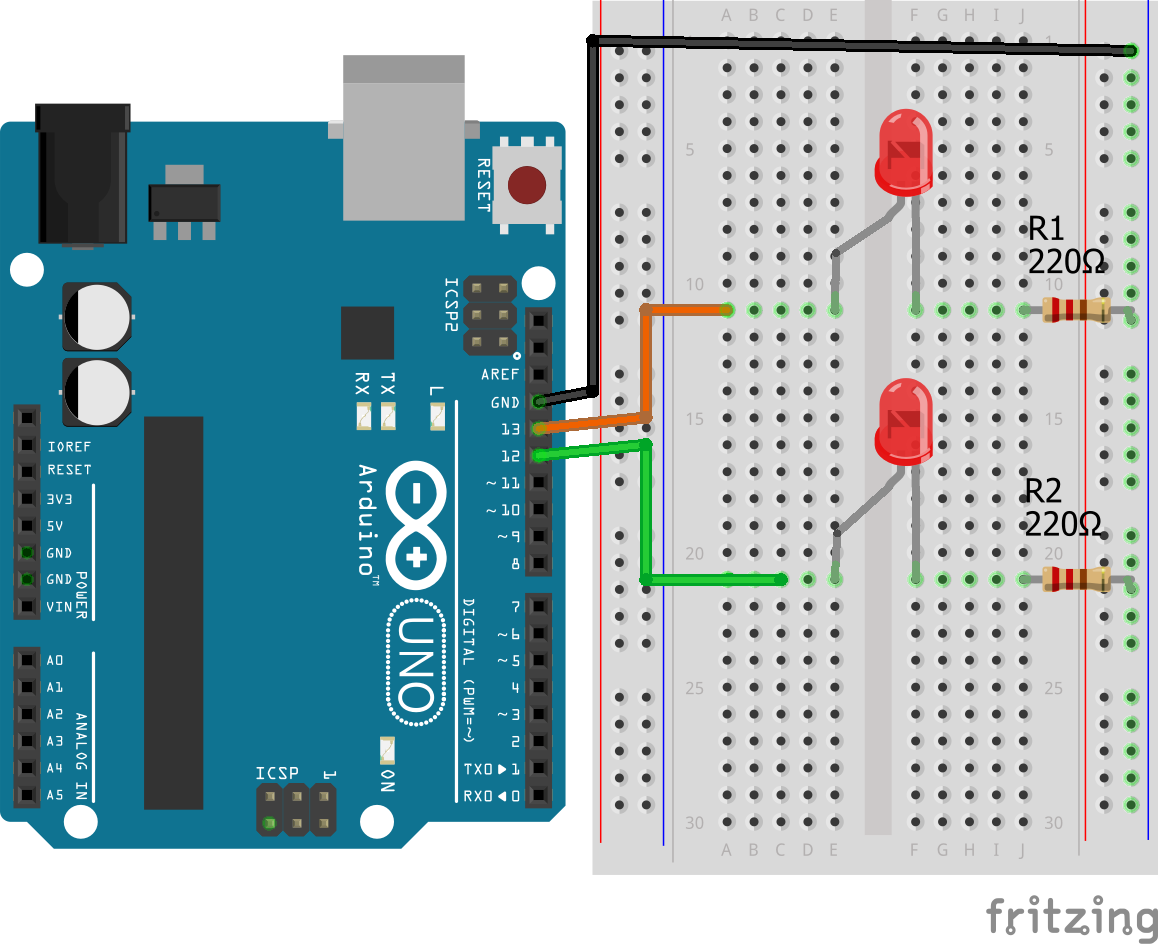
Schematics
Manufacturing process
- Converting Decimal Numbers to Binary, Octal, and Hexadecimal: A Practical Guide
- Gesture Control: The Next Frontier Beyond Keyboards
- Water‑Powered Fire Effect: Arduino UNO + Neopixel Stick Project
- Measure Heart Rate with the KY-039 Arduino Sensor
- Build an Arduino Robot Arm Using Recycled Materials
- ABB Partners with Zume to Scale Sustainable Packaging and Eliminate Single-Use Plastics
- From Prototype to Production: Expert Guidance for Seamless Industrial Design
- Understanding Gray Cast Iron: Properties, Production, and Automotive Applications
- Vegetable Vending Machines Explained: Key Features & Benefits
- Japan's Pioneering Journey into Robotics