



MIA-1: Advanced Open-Source Handmade Humanoid Robot – No 3D Printing Required
Components and supplies
 |
| × | 1 | |||
| × | 8 | ||||
 |
| × | 1 |
Apps and online services
 |
|
About this project
Hi everyone, today I'll be showing how I made the robot MIA-1, which is not only advanced and unique but also open source and can be made without 3D printing! Yes, you got it, this robot is completely hand made. And open source means - you get the codes and every details for free, you too can make this robot if you wish to.
Here we see only her speech, but there's many more things she can do!
Here are the things she can do:
- Can listen and talk back to you
- Can see and recognize you using her left eye's camera
- Can detect motion and capture photo
- Has a GUI with touch screen LCD to command her
- Shows images on her lcd
- Download images and shows on her screen
- Can target things using a laser pointer on her right hand
- Moves hands while talking
- Stands on her feet without any help of others
- She can also bow (watch the video)
- And many more!
To make this robot I've used all the things that are available at our local store.
Microcontrollers + Computers (The Brain):
- Arduino Mega (for controlling the servo motors)
- A full computer (You can use Raspberry Pi, but I'be used my laptop as her brain initially)
Servo Motors:
MIA-1 has 13 degrees of freedom.
- LDX227 dual axis servo motors 8x
- MG996r / MG996 servo motors 3x
- For figers ive used micro servo sg90
Note that I have added a robotic claw and it uses another MG996r servo motor.
And jumper wires and etc
Vision:
For image processing such as taking photo and detecting faces etc. I've used an USB camera.
Step 1: Body and Motor Layout
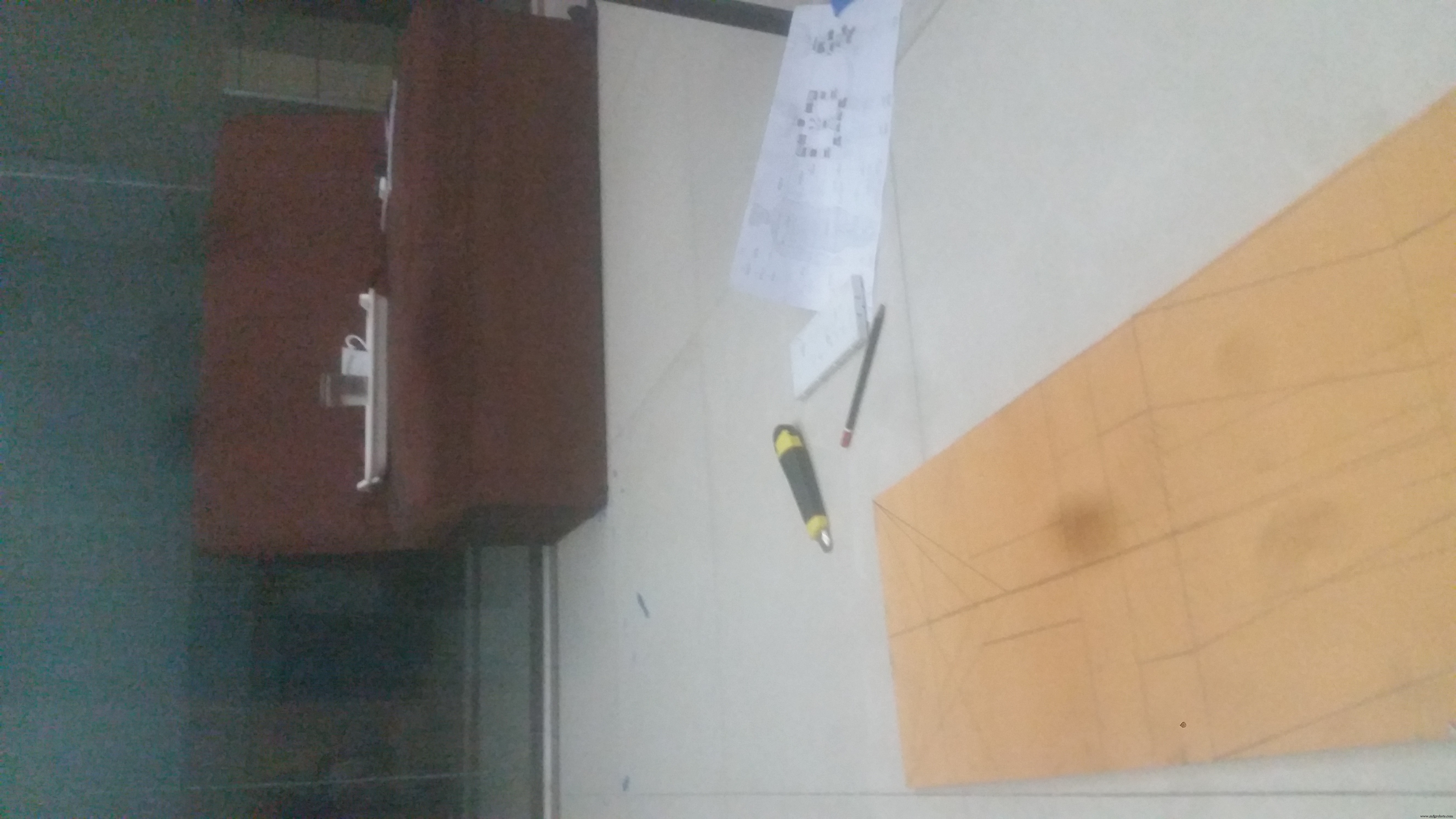
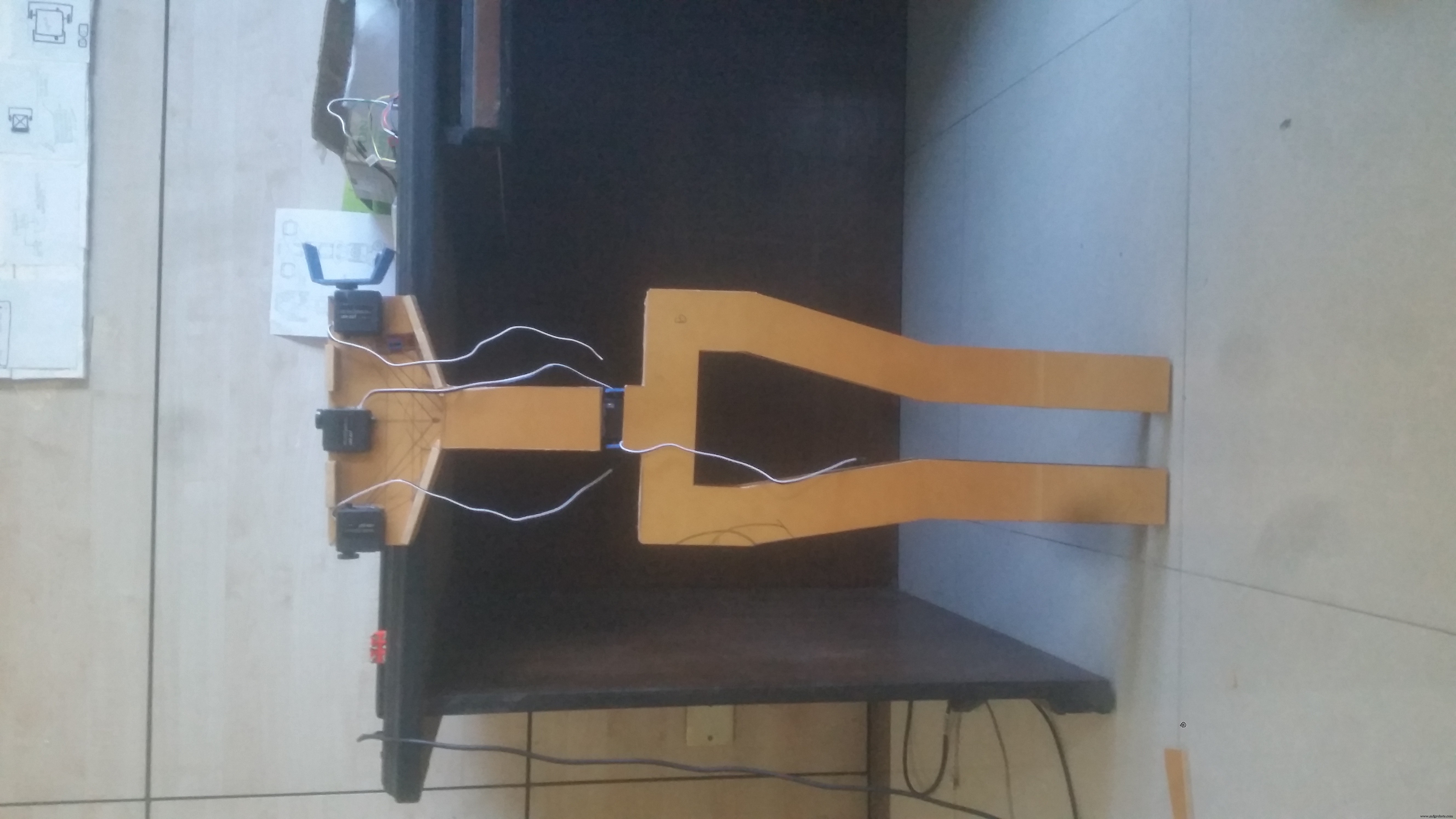

The body is made using PVC sheet, different pieces are attached using Hot Glue and screws (see picture). I've cut the pvc sheet using cutter knife (be very careful!! don't cut your fingers instead!!). From picture one and two you can see the servo layout. As I was making a girl robot I have given it a female body shape and figure.
The servo connectors are made using thin pvc sheets as they bend well.
The head is made using a balloon, blew air in the balloon (see picture), added small wet pieces of papers and then dried it. After adding 8 layers it has become strong and sustainable.
Then just colored it white (whole body) using spray color.
Turned out the design is so amazingly balanced and she (MIA-1) stands right on two feet of her!!
Adding the display:
After that just used some screws and hot glues to mount the lcd on her chest (last photo).
Step 2: Circuit Diagram

The circuit diagram looks complex but it isn't. I drew the circuit as the motor layout on body so that you can understand it more easily. Make sure to common the ground. The arduino takes power from the computer via its usb cable. There is a laser diode which enables mia to target things takes power from pin 13(led pin) of arduino.
As you can see that all the motors and the arduino itself is on the back side of the body. I also have put all the cables from back. Bought an extended USB cable so that it can be connected to the computer.
Step 3: The CODEAs you know I've used an arduino mega. The arduino mega controls the Servo motors, the motors are pre-programmed. Get the motors code from here. Please note the default servo positions, while building the robot maintain this. Just power the motors with arduino without making the body and the servo motors will reach to the default position (default pos below)
/*default/standby position of servos*/<br>  komor.write(4);      #waist servo
  left1.write(120);
  rFinger.write(0);
  servo1.write(55);

  clawOpen();
  rightStandBy();
  leftStandBy();

  headTilt.write(134);
  headPan.write(90);
The motor control code is of more than 750 lines (be careful while editing).
The main processing is done using a python3 script.
Python has pySerial library that communicates with the arduino over serial. Mind the 'COM PORT'.
#Connect with mia motor driver board over serial communication
try:
    mia = serial.Serial("COM28", 9600)
except:
  pass
You also need to pip install these libraries
"""import necessary libraries"""<br>#import requests             #for making post/get requests
import pyttsx3               #offline text to speech
import speech_recognition as sr   #Speech to text (requires internet to function)
import time
from random import randint   #random integer picking library
import tkinter               #tkinter gui library
from tkinter import Tk, Button, Label, Tk  #import necessary things
import serial                #serial library for serial communication over USB
from PIL import Image        #fro showing image
import cv2                   #Computer Vision library
import wikipedia             #to get data direcly from wikipedia
Everything is easy using pip install. For opencv type in the command prompt:
pip install opencv-contrib-pythonThe GUI (Graphical User Interface) your'e seeing is developed using tkinter. For this and every other libraries you can install by this command:
pip install library_namethen it will be installed.
Also take a look if your're using a webcam it is more likely the cam is denoted as 1
cap = cv2.VideoCapture(1) #cameraAnd if you want to know more on how this robot actually talks back please read this tutorials.
MIA-1's code is just an extended version of this.
As of commanding the arduino, computer sends a bite, the arduino takes actions according to the bites it receives, thus it looks Mia's movement and talking is asynchronous.
mia.write(b'p')  #command to head up then down<br>count_down(3)
respond("Smile please", 100)
Now to get the code go the link below.
Download MIA-1 's code from here.
Step 4: Power and FinishingI've powered the robot using a 7.4 v lipo battery. The LDX227 servos are very power hungry (but are of good quality) so make sure they get at least 7.3 v any time. On the other hand the MG996r servo motors are cheap can be damaged easily, make sure they don't get more than 7.8V. So the highest power supply for this robot should be in between 7.4 to 7.8 volts.
Happy making! If you like this robot be sure to support by subscribing the channel for more amazing projects.
Code
Download full code for free
ashraf-minhaj/MIA-1-Open-Source-Humanoid-Robothttps://github.com/ashraf-minhaj/MIA-1-Open-Source-Humanoid-RobotSchematics
MIA-1 circuit
https://github.com/ashraf-minhaj/MIA-1-Open-Source-Humanoid-RobotManufacturing process
- OpenDDS vs. RTI Connext DDS: Choosing the Right Data Distribution Service Solution
- A Beginner’s Guide to Open‑Source Terminology
- Intellisaurus – Build a Walking Smart Dinosaur Robot
- Build a Speech-Driven Computer Vision Robot on Windows 10 IoT Core
- Simple Pi Robot – Build a 2‑WD Autonomous Rover with Raspberry Pi
- Servo‑Driven Obstacle‑Avoiding Robot: Build with Arduino & HC‑SR04
- Create a Smart Talking Humanoid Robot Using Arduino UNO
- Arduino‑Powered Robot Arm with Custom Controller – Servo & Potentiometer Build
- DIY Open-Source Pulse Oximeter for COVID-19: Arduino Build
- Choosing the Right Power Source for Your Robot