



Build Real-Time Cellular Automata on Arduino with 128x64 OLED Display
Components and supplies
 |
| × | 1 | |||
| × | 1 | ||||
 |
| × | 1 | |||
 |
| × | 1 |
About this project
Original Page
http://runtimeprojects.com/2016/02/arduino-and-oled-based-cellular-automata/
This project uses an I2C 128×64 OLED to display a tiny cellular automata powered by Arduino Nano.
Prerequisites
- 2x small breadboards (or 1x standard)
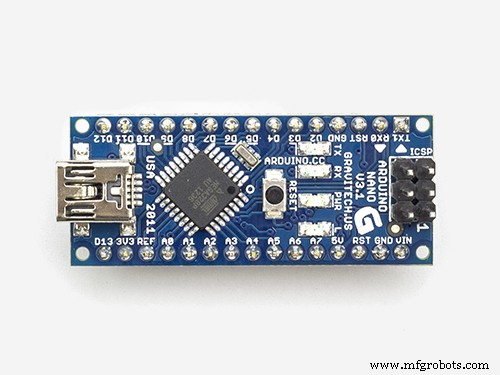
- 1x Arduino Nano (can be Uno as well)
- 1x OLED I2C 128×64
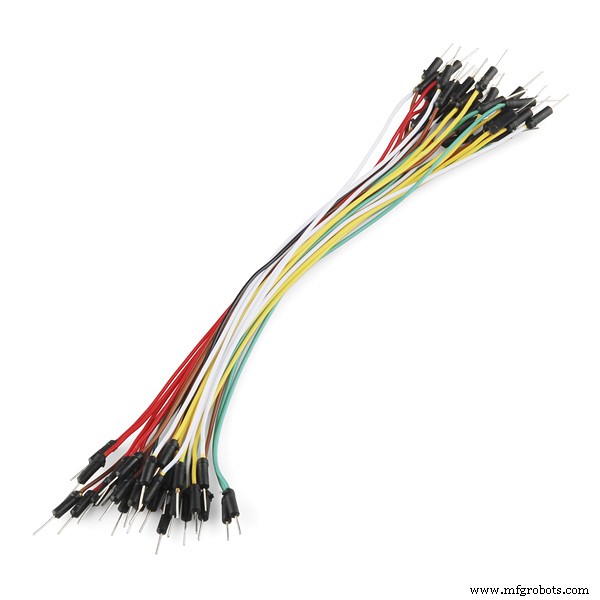
- 4x Jumper wires
Assumptions
During this tutorial I will assume that you know what an Arduino is (o_O) and you know how to use the IDE and upload simple sketches. I will also assume you know a little programming preferably C programming.
So lets get started!!
Background
What is Cellular Automata? I will explain 1 type of cellular automata which is the Game of Life by John Conway. It is a grid or cells each having 2 states True of False/on or off/alive or dead. These cells are governed by 2 simple rules:
Rule 1: A cell which is dead and is surrounded by exactly 3 alive cells, will be born
Rule 2: A cell which is alive and has either 3 or 2 alive cells will remain alive, else it dies
Simple, no? If you need more information make a little visit to the Game Of Life or Cellular Automata on Wikipedia.
Circuitry
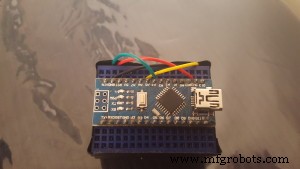
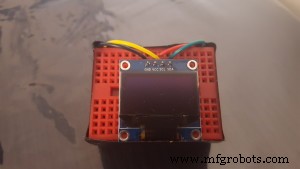
So hook up the Arduino and OLED LCD to the breadboard and start wiring.
- Arduino —– OLED
- 3.3v ———— VCC (pay attention to your OLED voltage requirements)
- GND ———– GND
- A4 ————– SDA
- A5 ————– SCL
Then I attached both breadboards back to back and created a small TV
Programming the sketch
In order to facilitate (and make it possible) to play with the OLED display, we will be using 2 libraries from Adafruit. If you don’t know how to add libraries please visit https://www.arduino.cc/en/Guide/Libraries
- Adafruit GFX library which will be used to handle all graphics and text displayed on the OLED https://github.com/adafruit/Adafruit-GFX-Library
- Adafruit SSD1306 library which basically is the driver for our OLED. This library works only with OLED SSD1306 128×32 and 128×64 https://github.com/adafruit/Adafruit_SSD1306
The sketch can be downloaded from our github: https://github.com/klauscam/Arduino-Cellular-Automata/
Some explanation
On line 51 with code
display.begin(SSD1306_SWITCHCAPVCC, 0x3C); //initialize with the I2C addr 0x3C (128x64)
the address, which is the 0x3C might be different. I searched for the most obvious and tried a few before getting it to work.
Working Product
The visible horizontal lines are the result of refresh rates of the OLED and the camera.
If you require some help with the code or anything, please leave your comments in the comments section below.
Thanks
Tags: Arduino Arduino Nano Cellular Automata I2C OLED Display Tutorial
Code
Github
https://github.com/adafruit/Adafruit-GFX-Libraryhttps://github.com/adafruit/Adafruit-GFX-LibraryGithub
https://github.com/adafruit/Adafruit_SSD1306https://github.com/adafruit/Adafruit_SSD1306Github
https://github.com/klauscam/Arduino-Cellular-Automata/https://github.com/klauscam/Arduino-Cellular-Automata/Manufacturing process
- Build Engaging LCD Animation & Gaming with Arduino UNO
- Python 3 to Arduino UNO: Easy Command Control and LED Demo
- eDOT: Precision Arduino Clock & Weather Station with Built‑In IR Remote
- Build a Compact FM Radio with Arduino Nano and RDA8057M
- Real-Time RFID Attendance System Powered by Arduino & Google Sheets
- Advanced Fall Detection System Using Arduino, Windows IoT, and Azure Cloud
- Smart Keyless Door Lock – Arduino & Android Bluetooth‑Controlled Password System
- Build a Raspberry Pi 3 & Arduino Laptop: Step‑by‑Step Guide
- Build an Arduino RFID Door Lock – Master RFID Technology with a Step‑by‑Step Guide
- Build an Arduino‑Powered RC Hovercraft: Full 3D‑Printed Design & Programming Guide