



Harness CMMS Data: Build Insightful Dashboards & Reports for Smart Decisions
The most common question Fiix receives is: “How do I analyze my CMMS data to…?” To answer this, we’ve compiled proven tactics from the Fiix community on using reports, dashboard widgets, and live views to set benchmarks, track progress, and drive measurable impact across organizations.
Watch the full 30‑minute webinar on data‑driven decision making, featuring Fiix training & education expert Joanne Wood and solutions engineer Jason Afara.
The Power of Widgets
Fiix offers more than 175 widget configurations, letting you craft custom dashboards that provide instant answers to real‑time questions. Whether you’re checking compliance status or identifying high‑priority work orders, dashboards make it easy to act quickly. They also serve as shortcuts to your most frequently used CMMS views and tasks.
Pro tip: Many users copy their dashboards to share weekly or monthly status updates with stakeholders outside the CMMS, and use live dashboards to run team meetings with minimal prep.
Joanne Wood recommends that the best dashboards:
- Track a goal over time
- Answer a question in five seconds or less
- Speak directly to a specific audience
- Tell a compelling story
- Use clear titles and naming conventions
For a deeper dive, skip to 02:20 in the webinar.
1. Work Order Management Dashboard
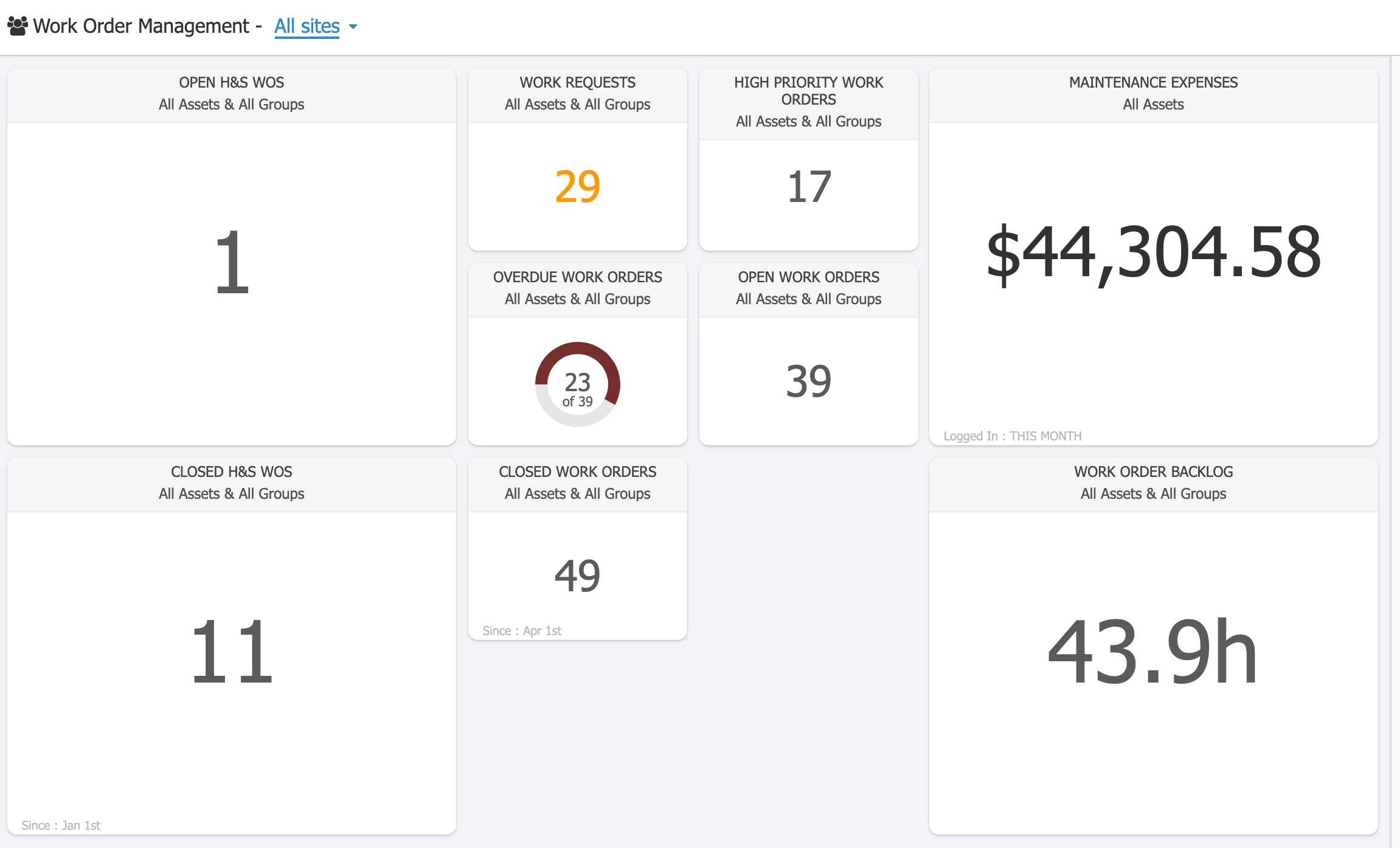
Key widgets for managing work orders include:
Open & Closed Health & Safety Work Orders
Track any critical maintenance type—here shown for health and safety—but the concept applies to any priority area.
Work Requests
Use this as a gatekeeper; Fiix users see a dramatic drop in emails, calls, and texts when the work request portal is paired with this widget.
High Priority Work Orders
Launch a deep dive into resource needs for urgent items—some teams also use this to prioritize resources during COVID‑19 or other disruptions.
Overdue & Open Work Orders
Monitor current workload and refine prioritization.
Closed Work Orders & Maintenance Expenses
Benchmark what’s been completed over a chosen period—monthly in this example. Ask whether you’re meeting, exceeding, or falling short of expectations and budget.
Work Order Backlog
Backlog is healthy to an extent, but excess backlog signals a need for additional resources or structural changes. Many Fiix users rely on this data to adjust staffing levels.
2. Inventory Management Dashboard
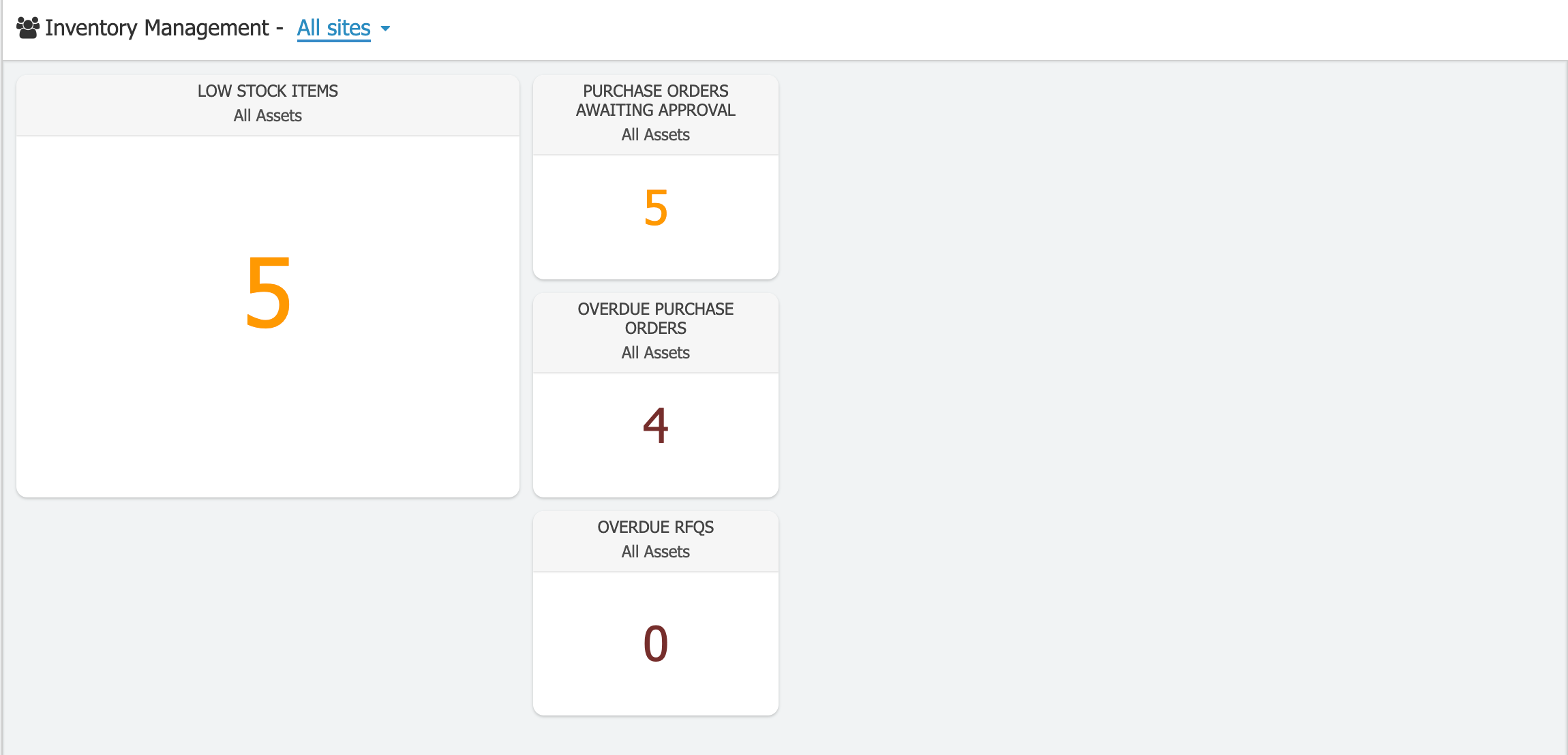
Top inventory widgets include:
Low Stock Items
Track inventory levels to avoid costly rush orders.
Purchase Orders Awaiting Approval & Overdue Purchase Orders
Follow up with vendors to ensure parts are available for scheduled work.
Overdue RFQs
Track vendor quotes for larger projects, keeping rebuilds on schedule.
3. Planning Dashboard
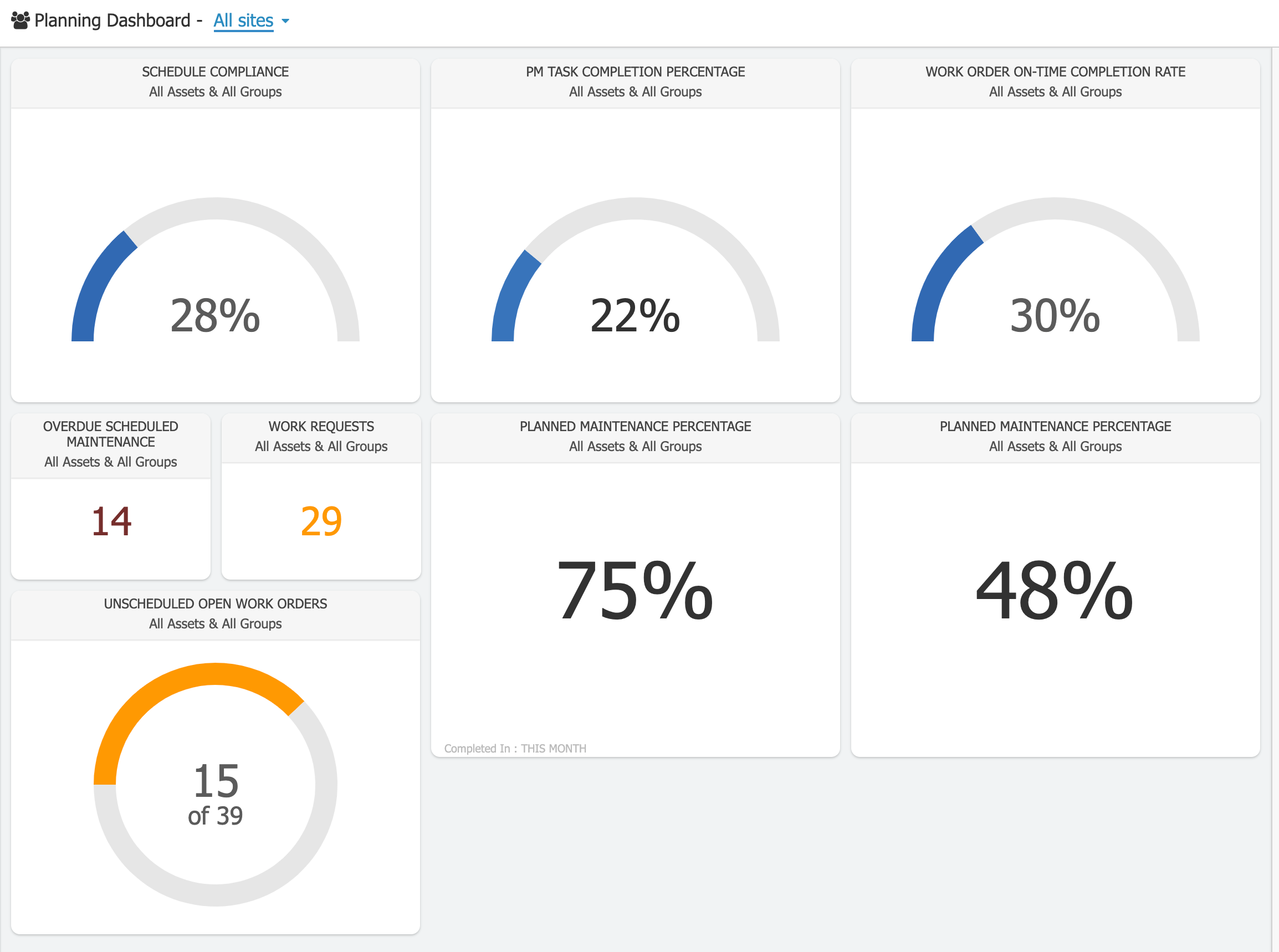
Essential planning widgets include:
Schedule Compliance
Quickly gauge whether maintenance is performed on time, prompting a review of planning scope and resource allocation.
PM Task Completion Percentage
Verify technicians are following procedures and completing all steps.
Work Order On‑Time Completion Rate
Measure adherence to realistic timelines; ensure all work orders have suggested completion dates.
Overdue Scheduled Maintenance, Work Requests & Unscheduled Open Work Orders
Combine these widgets to plan “weekend work” or other off‑hour maintenance windows.
Planned Maintenance Percentage
Use filters and time ranges to benchmark goal progress—track increases over time or compare across shifts.
Right‑Size Your Reporting
Fiix provides 100+ pre‑built reports you can generate and schedule. Reports turn historical or forecast data into actionable insights. When selecting a report, align it with the business outcome you want to influence—whether it’s measuring technician efficiency or justifying a machine upgrade.
Jump to 16:50 in the webinar for a full walkthrough of filtering reports and marking favorites.
On‑Demand Training: Basic Reporting
Enroll in the Fiix professional services team’s complimentary “Basic Reporting” session to learn how to run, modify, and create reports.
People Insights
Detailed Employee Hours
Use this report to develop technician skill sets—e.g., encourage a technician to broaden from electrical to mechanical work—or support promotion decisions.
Multisite CMMS Utilization & Closed Work Orders with Completion Notes
Benchmark adoption across facilities or encourage individual usage at a single site.
Planning Insights
Upcoming Scheduled Maintenance & Planned Maintenance Two‑Week Lookout
Plan monthly or quarterly maintenance that may require external resources.
Parts Consumed on Work Orders
Spot outliers—repeated replacement of the same part can indicate underlying issues and drive cost savings.
Providing Justification
Labour Hours by Asset – Top 10 Hitters
Identify “bad actors” or high‑cost assets to justify capital expenditures.
Maintenance Backlog
Leverage this report to argue for additional headcount; one user hired a millwright based on backlog data.
Register for the “Basic Reporting” class to master pre‑configured business reports, custom modifications, and report creation.
Explore Your Data Further
With a clear goal, your CMMS data can propel you forward. Many Fiix users export data or integrate via API to visualize insights across dashboards, BI tools, and more—unleashing endless possibilities.
Equipment Maintenance and Repair
- Machine Vision Inspection: Essential Tools and Emerging Technologies
- Unlocking IoT Data: How Business Rules Management Drives Enterprise Value
- Implementing an AXI FIFO in Block RAM Using Ready/Valid Handshake
- Asset Tracking Best Practices: Unlocking the Value of Your Asset Data
- How a CMMS Boosts Technician Productivity in Oil & Gas Operations
- Introducing the New Fiix CMMS Mobile App – Offline, Personalized, and Admin‑Friendly
- Preventing Stock Outs: Use Your CMMS to Automate Spare Part Reordering
- Six Proven Strategies for Smarter Maintenance Decisions
- Harnessing Cloud Power for IoT: Unlocking Seamless Connectivity & Data Insights
- Enhancing Expert Decision-Making with AI Insights