



6 compelling reasons to upgrade to Professional CMMS
6 compelling reasons to upgrade to Professional CMMS
Designed for larger organizations, the Professional CMMS package delivers advanced capabilities beyond basic work orders and preventive maintenance. Our development team has engineered a suite of powerful new features to bring your maintenance operations closer to excellence.
1. Build your own custom maintenance reports
The built‑in report writer lets you create a library of content‑rich maintenance reports featuring lists, charts, or a blend of both. Design and deploy robust templates quickly, save them for future use, or schedule them to run automatically.
- Query any combination of data from your database with a single query
- Generate rich reports with charts, graphs, and custom layouts
- Export reports as PDF files
- Create complex queries and sub‑reports
2. Create overlapping nested PMs
Nested PM functionality groups multiple PMs of varying lengths and complexities that coincide on the same date into a single, manageable PM. The system determines which tasks are released to the work order based on the schedule. For example, a monthly and an annual PM can be bundled; when the monthly PM is due, only monthly tasks are released, while the annual PM releases both monthly and annual tasks.
Watch a short 3‑minute demo video:
3. Add additional locations with multi‑site
Multi‑site functionality is ideal for enterprises with multiple locations. It lets you run several business units, divisions, or facilities from one central CMMS database. Users can be granted access rights per location, ensuring that technicians and managers see only the data relevant to them. This reduces noise, boosts productivity, and improves the bottom line.
Enable it quickly with the Professional CMMS package. See how Multi‑site could be used in your organization here:
4. Brand your Professional CMMS with corporate logos
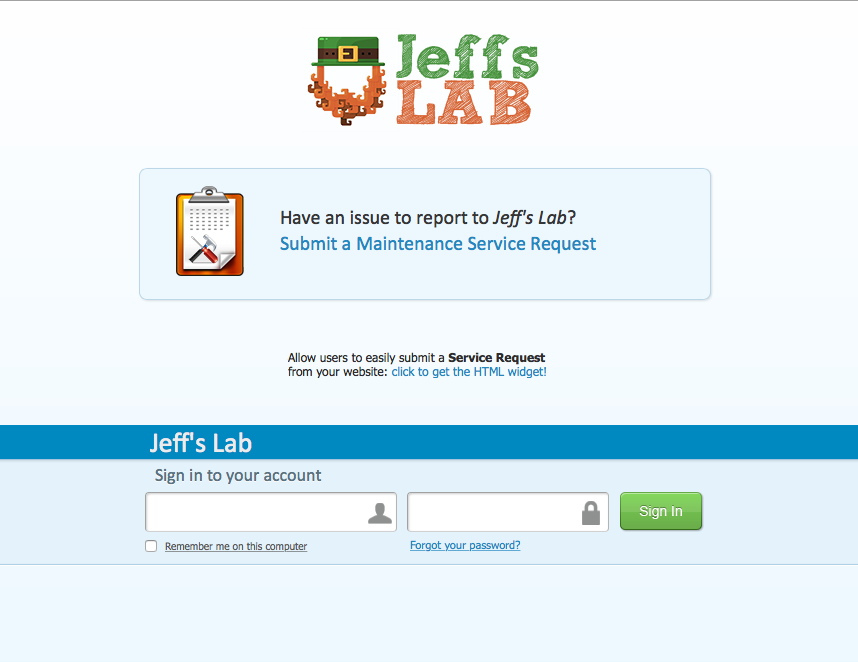
Professional tier customers can brand the CMMS with their own company logos, creating a seamless experience across applications. Swap the Fiix logo on the login screen, menus, emails, notifications, purchase orders, and reports.
5. Improve EH&S with visual operating procedures
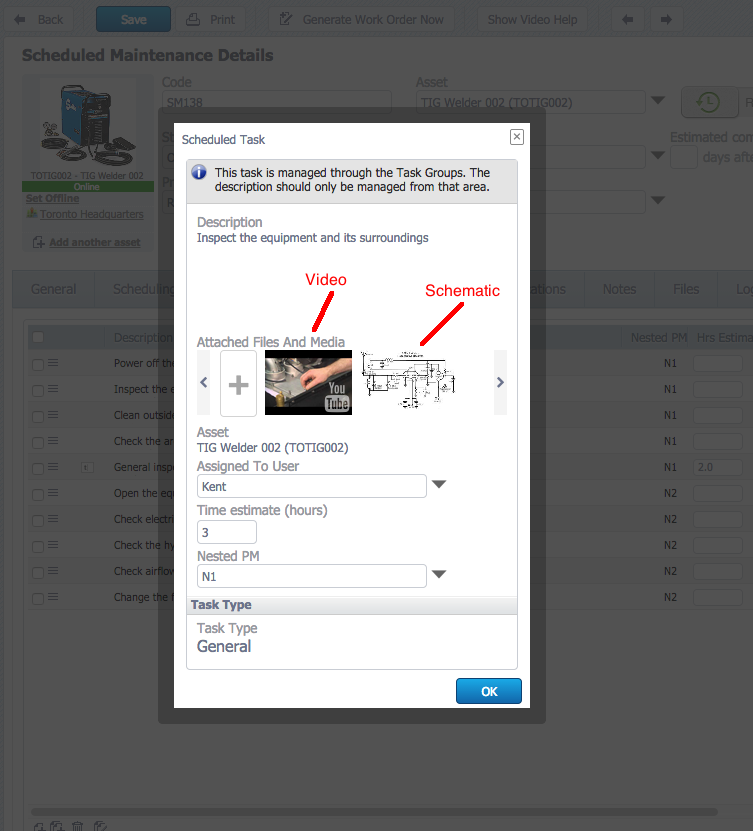
Standardized checklists and visual operating procedures (VOPs) reduce errors and adverse events. The Professional CMMS allows administrators to embed videos and graphics directly into tasks, providing technicians with on‑screen guidance. This is ideal for infrequent tasks where paper procedures are cumbersome.
6. Send notifications and emails to 3rd parties
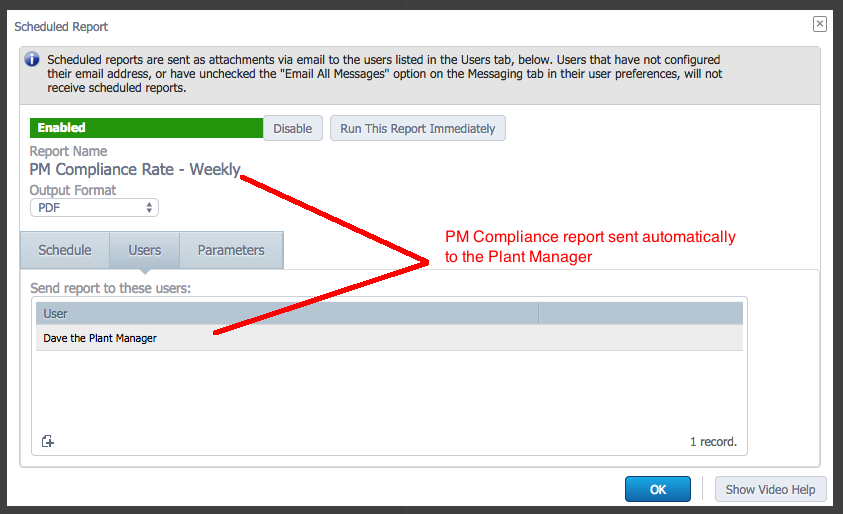
Many stakeholders need updates without full CMMS access. Professional CMMS lets administrators add these users as 3rd parties, include them on work orders, and send them notifications. Administrators can also schedule reports to be emailed automatically, freeing time for plant managers and others.
Upgrade to a professional CMMS today
If you don’t have the Professional CMMS, you can upgrade today in your CMMS by clicking the green upgrade button.
Equipment Maintenance and Repair
- 3 Essential Reasons to Adopt a Mobile CMMS App for Maintenance Teams
- 20 Proven Benefits of a CMMS: Boost Efficiency, Cut Costs, and Enhance Safety
- 9 Key Benefits of a Multi‑Site CMMS for Your Organization
- Why Investing in CMMS Transforms Maintenance Operations
- Add & Scan Barcodes in Your CMMS: Upcoming Mobile App Features
- 10 Proven Benefits of Plastic Bearings for Modern Industry
- Why Manufacturing Is a Rewarding Career: 8 Compelling Benefits
- Top 3 Reasons to Upgrade Your Industrial Equipment Today
- 4 Key Reasons Your CMMS Rollout May Fail (and How to Avoid Them)
- Top Reasons to Upgrade Your Factory Equipment to Industry 4.0