



How to Use the Sinumerik MSG Command to Communicate with CNC Operators
Using Siemens Sinumerik MSG() statement, any character string from the part program can be output as message to the operator.
These messages can be of any kind from informational to real-time critical data display messages.
Example cnc programs with Sinumerik MSG statement
- Sinumerik 840D System Variable $P_SEARCH for Block Search Inquery
- Sinumerik 840D System Variable $AA_IM for Axis Current Position
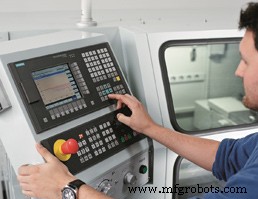
Sinumerik MSG Command
Display Message Using Sinumerik MSG
Any string can be displayed use MSG statement. This example shows the MSG use at program start
MSG ("First line of program")
G54
…
Remove Message Using Sinumerik MSG
The actual message can be deleted by programming MSG() without message text.
If not deleted, the display remains until the next message is present.
Or messages automatically got removed when program ends.
Variable Display with Sinumerik MSG
By using the link operator “<<“, variables can also be output in the message text.
MSG("Position:" << $AA_IM[X])another example
N20 MSG ("X-position" << $AA_IW[X] << "Check!")Display R Parameter with MSG
N10 R12=$AA_IW [X] ; Current position of the X axis in R12.
N20 MSG("Check position of X axis" << R12)
...
N90 MSG()
When to Use Sinumerik MSG
Normally messages are used to display some kind of useful information to cnc operator, So sometimes M00 Program Stop command is used in the next line, so that cnc operator really know what is going to happen and if ready he has to push Cycle-Start button again from Operator-Panel to continue program execution.
N3000 MSG ("Starting Tapping Operation")
N3010 M00
N3020 MSG()
MSG messages can be used just to keep cnc operator informed of current operation
N87 MSG ("tapping")
N88 CYCLE... ; Tapping cycle.
N898 MSG() CNC Machine
- CNC Router Operations: In-Depth Overview of the Processing Display
- Mastering Sinumerik 840D CNC Programming: Expert Guide to Advanced Threading Cycles
- Master the Sinumerik 840D Operator Panel: A Comprehensive Guide
- Sinumerik MSG Command: Display Blinking Messages to CNC Operators
- Understanding Siemens Sinumerik RET Command: Returning to Specific Targets
- Sinumerik 810 CNC Mill Programming: Master Radius & Chamfer Control
- Mastering Siemens Sinumerik ANG= Angle Command for Precise Contour Control
- Sinumerik CYCLE95 Facing Program for CNC Lathe – Precision, Efficiency & Seamless Integration
- Comprehensive Siemens Sinumerik CNC Program Example for Precise Machining
- Mastering the STOPRE Command in Siemens Sinumerik 840D CNC Programming