



DATRON next© Control: Transforming CNC Workflows
The DATRON next© control delivers a smart, streamlined solution that eliminates manual data entry, reduces setup time, and removes the need to hop between machines for job status.
DATRON next© Control CNC Software Sets Up Your Job in 4 Easy Steps
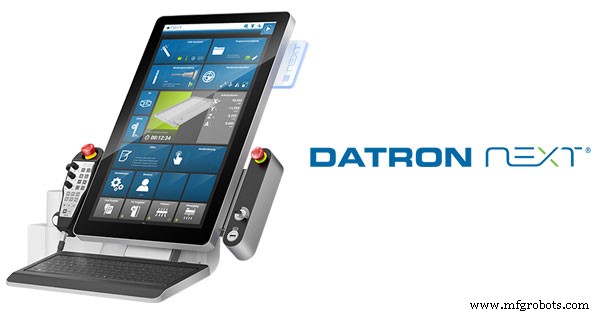
Whether you’re a seasoned machinist or a newcomer, the next© control’s touchscreen offers a clear 4‑step workflow. Its icon‑rich interface feels like a smartphone, and the built‑in CAM Assistant guides you through loading the program, choosing tools, configuring the workpiece, and previewing it in 3‑D—no extra steps required.
DATRON AG partnered with top CAM/CAD vendors to create a post‑processor that translates files straight into its native SimPL language. The next© control works seamlessly with leading tools such as Fusion 360, Mastercam, SolidCAM, CAMWorks, HSMWorks, TypeEdit, Carveco, and more. Loading a job is as simple as plugging a USB and selecting the file.
The next© control automatically checks that every tool referenced in your program is present on the machine, notifying you instantly of any missing pieces. A quick search and filter—by feature or size—locates the correct tool in seconds. Detailed data such as type, diameter, flute length, and magazine location are displayed, while the built‑in DATRON tool library removes the need for manual data entry.
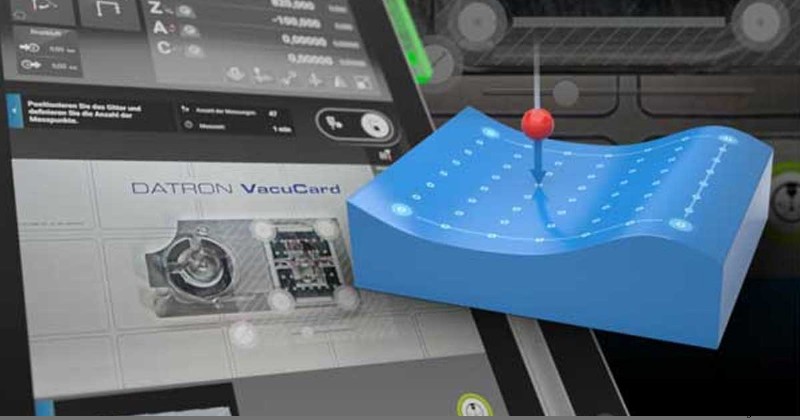
Setting the workpiece origin is effortless: using the machine’s built‑in camera, simply drag it across your part and outline the material with your finger. The control automatically generates probe points, allowing you to adjust dimensions or measure two points along an edge—all without manual numeric entry, further cutting setup time.
With a full 3‑D preview of tool paths and dimensions, the next© control lets you verify the part before the first pass, eliminating costly scrap caused by overlooked setup errors.
Features That Simplify Your Workflow
The run screen offers a real‑time snapshot of key parameters—spindle speed, feed rate, vacuum pressure, and active tool—while displaying remaining cycle time. Any error immediately turns the panel red, keeping you fully informed.
The built‑in editor supports advanced programming with loops, conditions, and pre‑coded command functions. Beginners benefit from guided prompts that translate operation choices and parameters—such as step‑over or tool‑path angle—into ready‑to‑run code. Syntax highlighting, search‑and‑replace, and helpful dialog boxes streamline the process.
For in‑process quality assurance, insert automatic pauses at strategic points—such as the start of a new toolpath—allowing you to inspect or adjust the part without manually stopping the machine.
Unlike typical CAM filters that remove or shift points, the next© control enriches the toolpath by adding points within the specified tolerance, calculated to five decimal places. This yields a more accurate, higher‑quality surface.
The Multiple Execution feature excels at batch milling and nesting: from one blank, it creates identical workpieces at different origin points, automatically optimizes toolpaths for runtime efficiency, and offers a 3‑D preview before execution.
Manual Operation includes a Dynamics mode with five pre‑configured settings—ranging from ‘Very Fast Machining’ for roughing to ‘Optimum Surface’ for high‑finish parts. Selecting a mode automatically adjusts machining accuracy, motor jerk limits, and acceleration parameters to match your goals.
The ‘Sister Tools’ add‑on mitigates tool wear and breakage by automatically swapping a worn or broken tool without halting the program. It uses probe detection or pre‑set run‑time or distance thresholds to trigger replacements seamlessly.
Protected Area is an add‑on that safeguards against collisions with fixtures or workholding devices. Define zones—such as a vacuum table—and the control will block access, alerting you to program errors before a crash can occur.
Monitor Your DATRON Machine Remotely
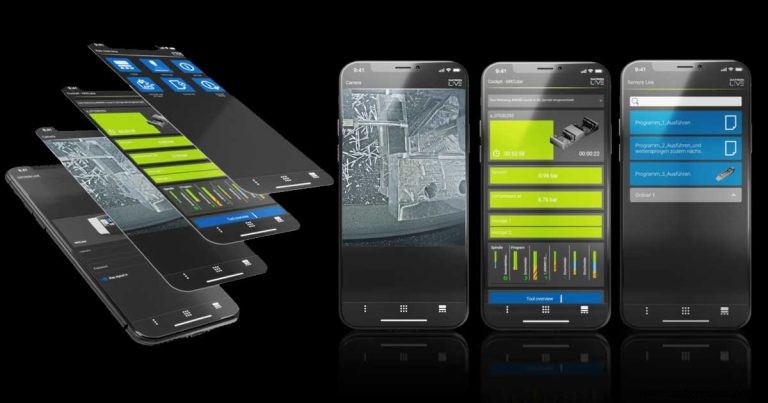
The DATRON Live Apps let you supervise and command your machine from any smartphone, tablet, or PC. The Cockpit App delivers real‑time status—remaining cycle time, tool magazine, tool health, and fluid parameters—while the Camera App streams live footage from the integrated camera. The Remote Link App lets you launch programs and run simple macros such as shutting down or vacuum control. A single license key covers all add‑ons; updates roll out with every next© release.
Automation and DATRON next control CNC Software
DATRON’s automation portfolio delivers tailored, efficient solutions without relying on numerous third‑party apps. next© supports custom I/O, barcode scanners, QR‑code reading via the built‑in camera, and 3‑D probing for part measurement—enabling cobots to orient and pick parts effortlessly.
The Automation Module bridges external hardware—such as robots—to a DATRON machine running next©. It manages bi‑directional communication, automates enclosure access, and isolates external integrations within a dedicated runtime environment.
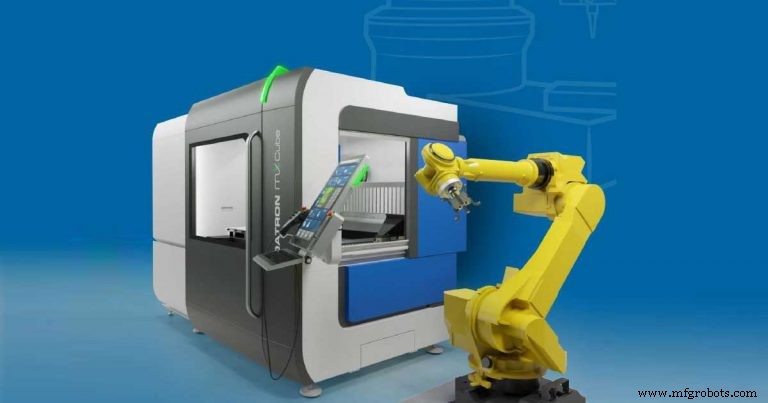
DATRON supplies two APIs: REST API Basic for metrics and production analytics, and REST API Automation for smooth integration of robots, inspection tools, and other peripherals. The Digital I/O Module, housed in the control cabinet, connects external hardware such as automatic clamps to the machine’s interior.
Users consistently report that next© transforms their workflow by saving hours and enabling beginners to start productive machining in mere hours. To explore its capabilities, schedule a live virtual demo with a DATRON expert.
CNC Machine
- Optimized DOOSAN PUMA Macro‑B OD Jaw CNC Program for FANUC 31i
- Top‑Rated 6‑Axis High‑End Robot – Competitive Prices in the U.S., Canada & Mexico
- Climb Milling vs. Conventional Milling: Choosing the Right Cutting Technique
- Comprehensive Siemens Sinumerik CNC Program Example for Precise Machining
- 1610L CO2 Laser Cutting & Engraving Machine Shipped to Limassol, Cyprus
- Silicone Injection Molding vs 3D Printing: Choosing the Best Elastomeric Part Production Method
- ECS G84 Tapping Cycle: Setup and Optimization for Milling Machines
- Choosing the Right Laser Engraver for Custom Jewelry Production
- Fanuc G72.1 Rotational Copy Programming: Detailed Example & Tips
- Elevate Your Expertise with BECKER’s Expert Vacuum Pump Training