



ETSIIT Technical Challenge: From Students to Entrepreneurs with Locaviewer
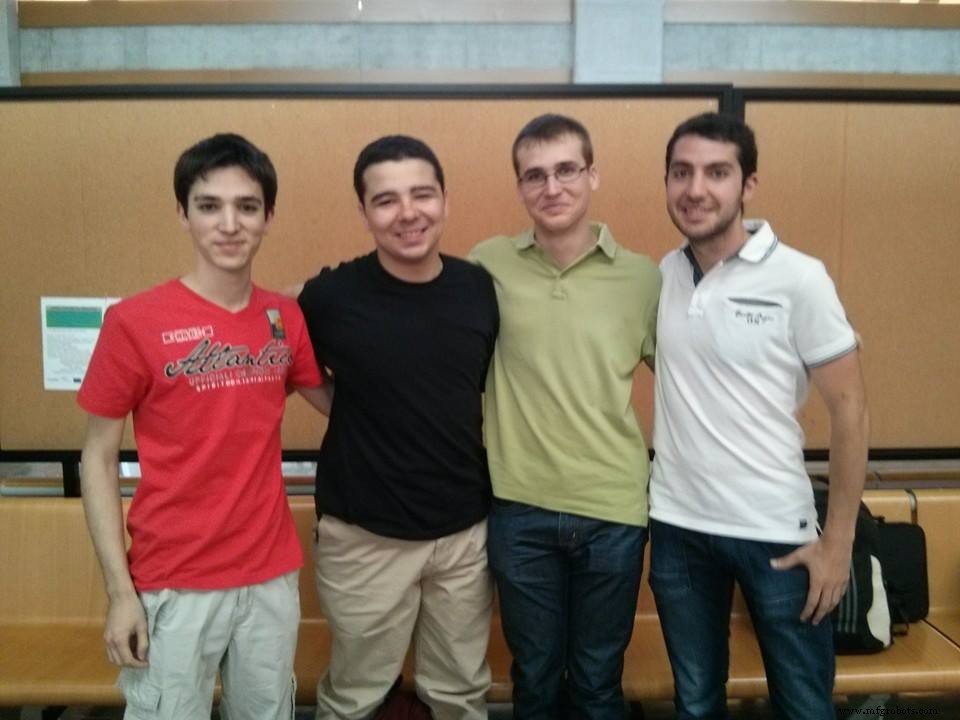
A year ago, we embarked on the IV ETSIIT Technical Challenge (video). Who are we? We are four Electrical Engineering and Computer Science students at the University of Granada, Spain.
Our team, Prometheus, secured victory in the RTI‑sponsored Tech Challenge. Teams of four or five students were tasked with creating a product that addressed a real‑world problem posed by an external partner. This year’s theme was “Multi‑Agent Video Distributed System.”
We entered the challenge to gain hands‑on experience. One year later, while still studying, we identified a commercial opportunity, designed the competitive product Locaviewer, devised a market strategy, and built a working prototype—all in addition to fulfilling our academic requirements.
Locaviewer
Many parents worry about their children’s health and progress in nursery schools. Locaviewer gives parents real‑time visibility of their child. We produced a promotional video to showcase the solution, and our source code is available under the MIT license on GitHub.
Team Organization and Schedule
The project demanded roughly 250 hours. We met weekly for a minimum of four hours, scaling to 20 hours per week during the final month. To maximize efficiency, we split into two sub‑teams: one focused on the indoor Bluetooth location algorithm, the other on video capture, encoding/decoding, and distribution via RTI Connext DDS.
Location Algorithm
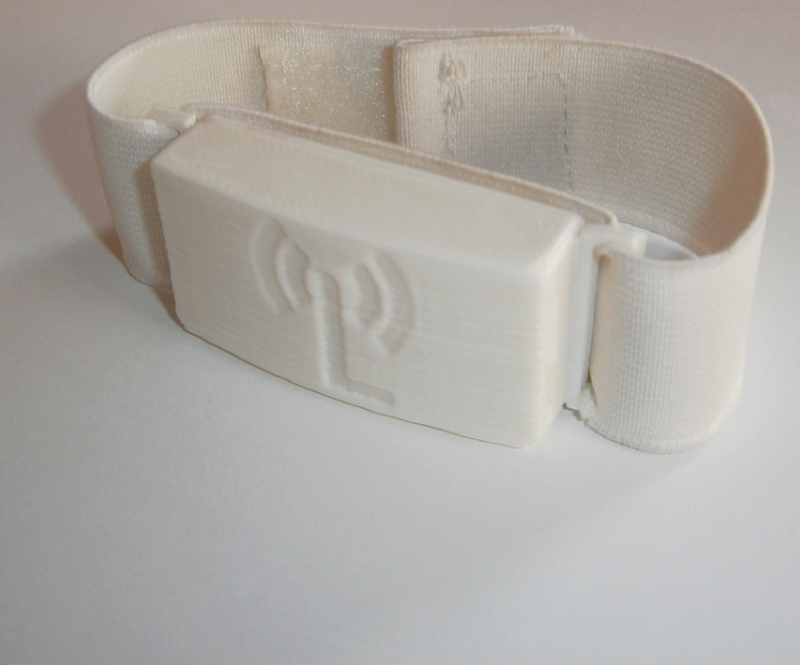
The cornerstone of our solution was locating each child inside the nursery. Each child wore a wristband with a Bluetooth sensor that continuously reported Received Signal Strength Indication (RSSI) to stationary dongles mounted on the room walls. We mapped RSSI values to distance, establishing a reliable relationship.
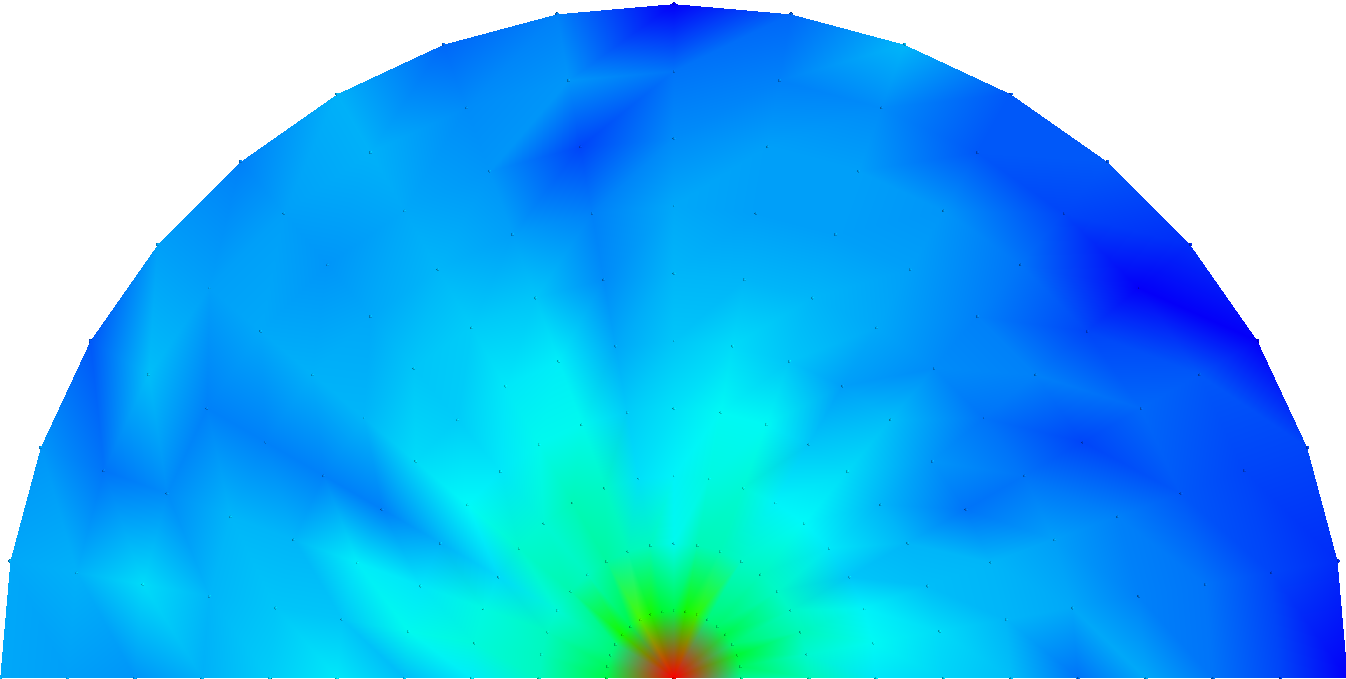
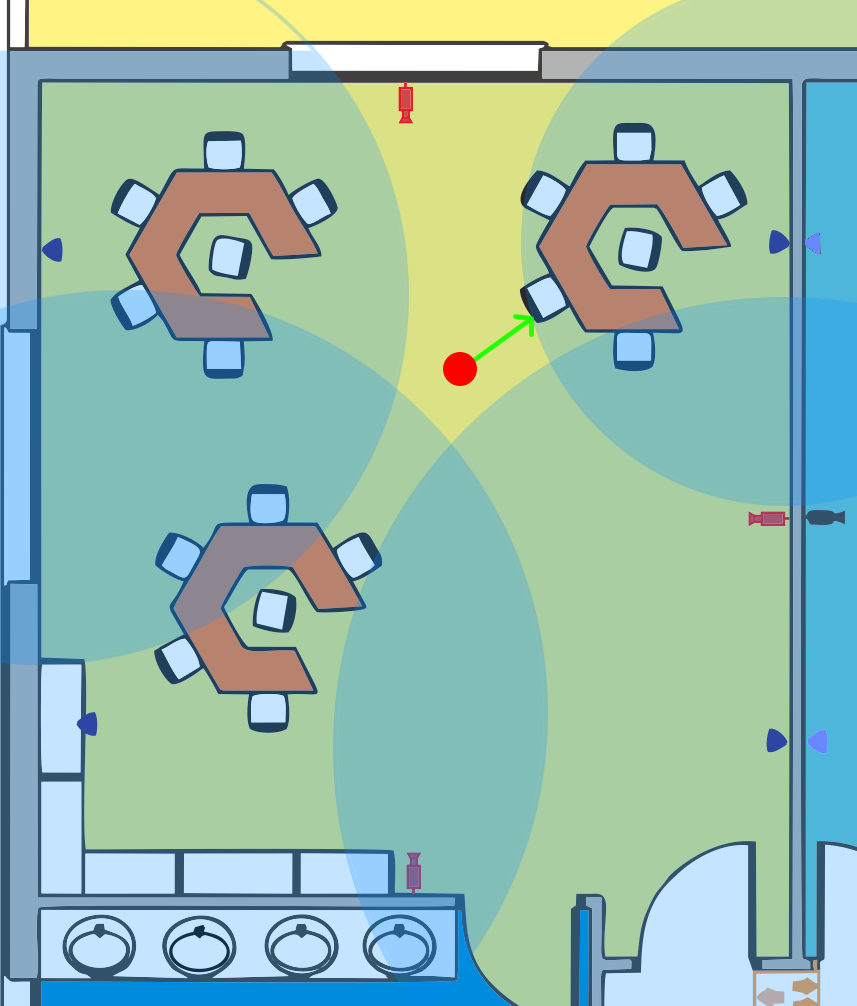
RSSI readings were transmitted to a mini‑computer (Raspberry Pi or MK802 III) running a triangulation algorithm to pinpoint each child’s location. Knowing the camera positions, we could select the optimal camera for each child.
Video Recording Application
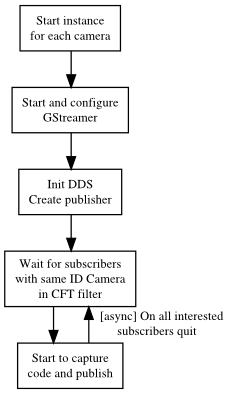
We employed GStreamer for Java to handle real‑time video capture, encoding, decoding, and display. Alternatives like vlcj lacked support for Raspberry Pi or met our latency requirements. After extensive research, GStreamer proved suitable, allowing us to access encoded video buffers via AppSink and AppSource elements and publish them to a DDS topic.
We selected the VP8 (WebM) encoder. Due to the Java wrapper’s compatibility with GStreamer 0.10, we had to reduce resolution to fit the platform’s constraints. Our test configuration used a Raspberry Pi, with plans to migrate to an MK802 III for higher processing power while maintaining cost parity.
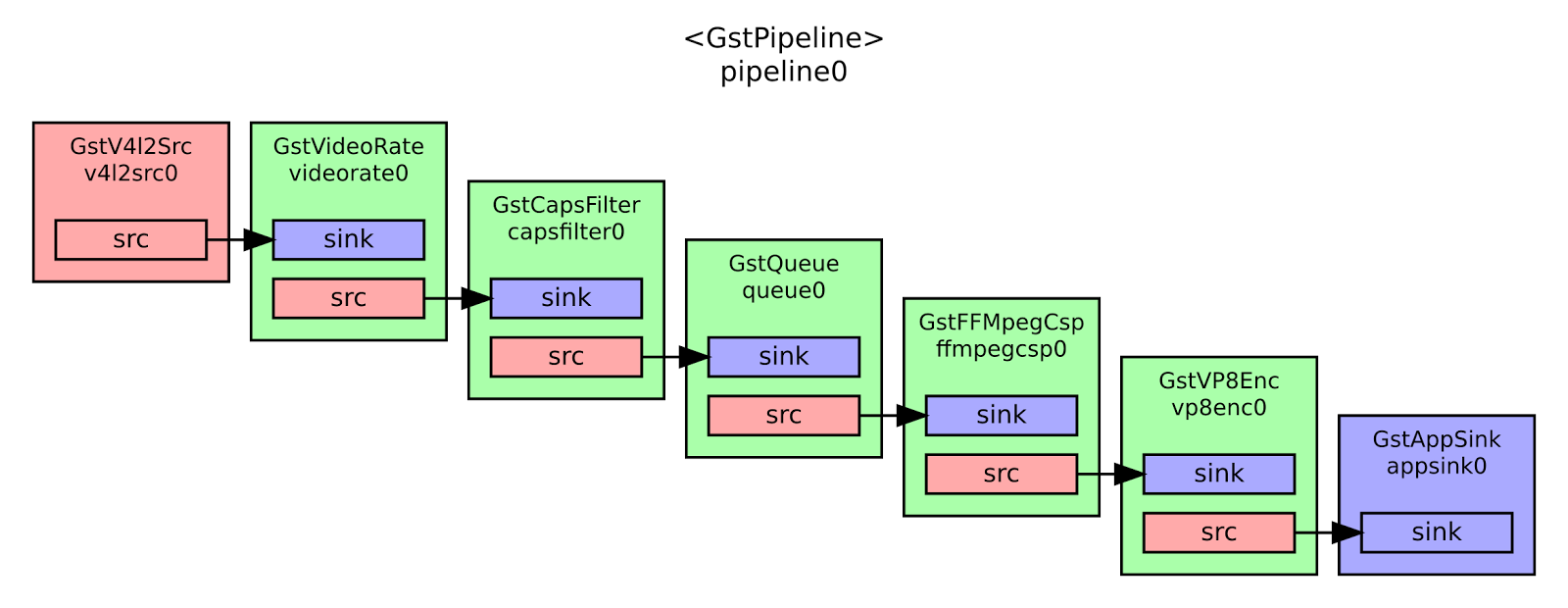
The following Java snippet creates the VP8 encoder:
Element codec = ElementFactory.make("vp8enc", null);
codec.set("threads", 5);
codec.set("max-keyframe-distance", 20);
codec.set("speed", 5);

Element capsDst = ElementFactory.make("capsfilter", null);
capsDst.setCaps(Caps.fromString("video/x-vp8 profile=(string)2"));
On the client side, we configured the pipeline as follows:
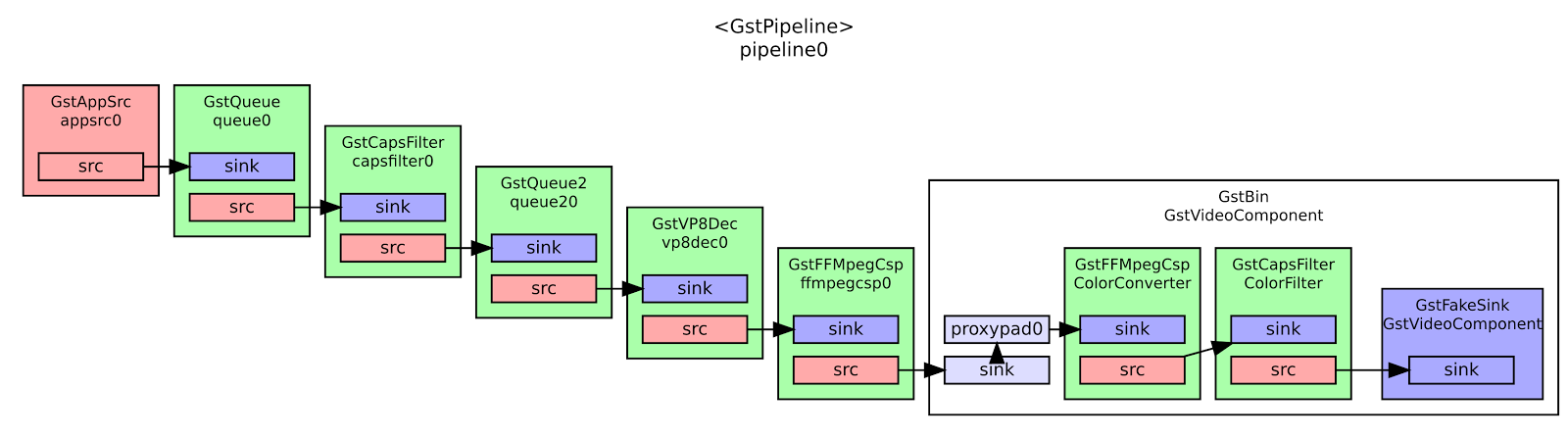
The Java code for the VP8 decoder:
String caps = "video/x-vp8, width=(int)320, height=(int)240, framerate=15/1";
Element capsSrc = ElementFactory.make("capsfilter", null);
capsSrc.setCaps(Caps.fromString(caps));

Element queue = ElementFactory.make("queue2", null);
Element codec = ElementFactory.make("vp8dec", null);
Element convert = ElementFactory.make("ffmpegcolorspace", null);
We experimented with JPEG encoding, but its larger packet size made real‑time streaming impractical.
DDS Architecture
The publish‑subscribe model was central to our solution, eliminating the need to manage socket connections manually. We abstracted DDS interactions through our own wrapper library, DDStheus.
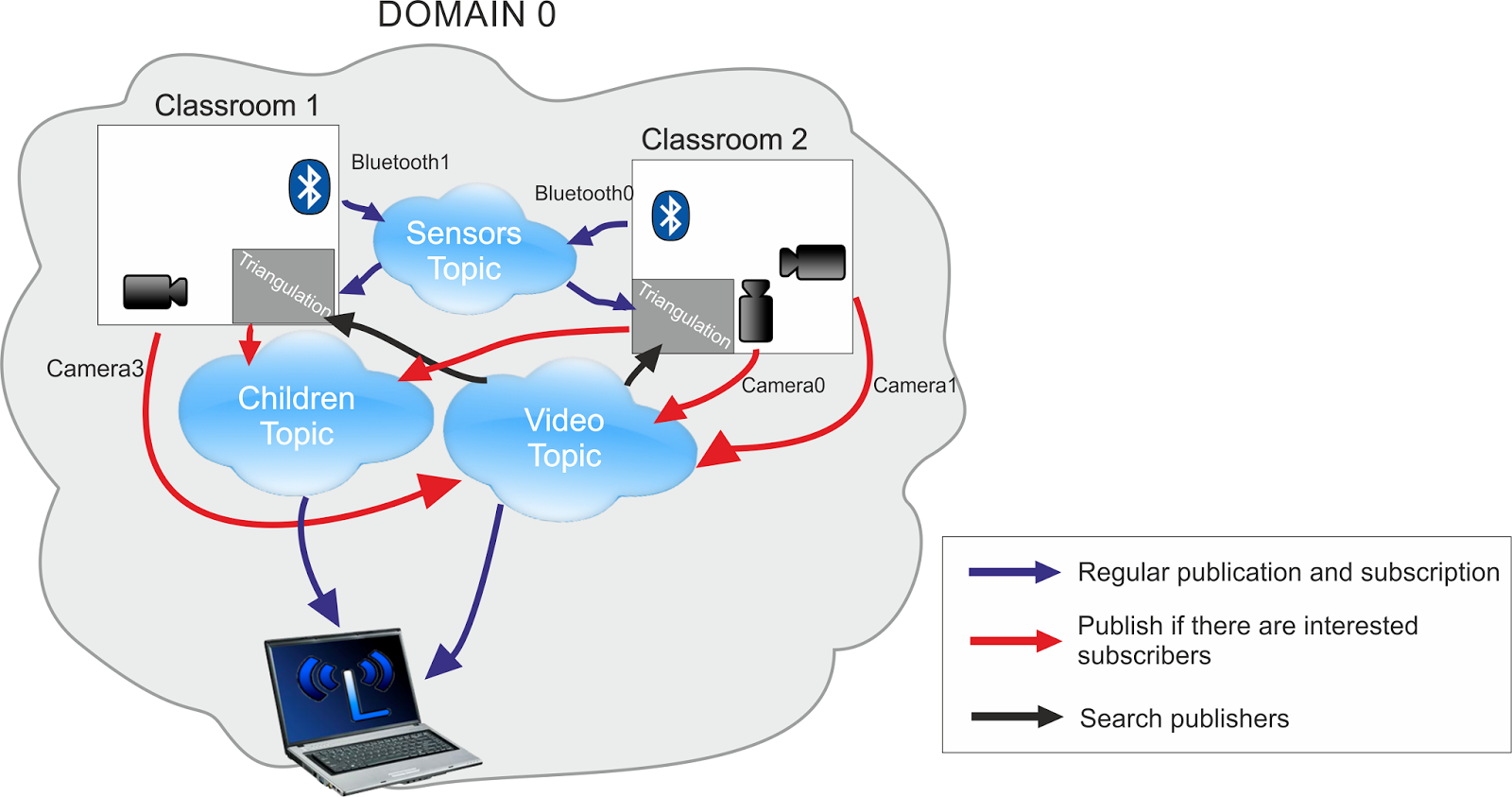
Our final system comprised six programs sharing three topics, implemented in three languages:
- Python for low‑level Bluetooth handling.
- MATLAB/Octave for triangulation scripts.
- Java for RTI Connext DDS integration and GUI development.
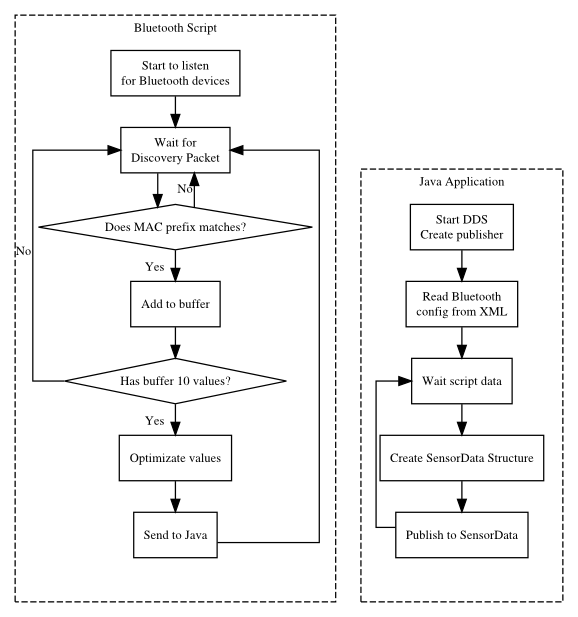
We required all RSSI values from the room, so we wrote a script to configure the dongles and gather RSSI data. These values were forwarded to a Java program via a local socket. The Java application published the data to the Sensor Data topic, including child ID (sensor MAC), dongle ID, position, current room (as a key for filtering), RSSI value, and expiration time.
After video capture and encoding, the Java program Gava transmitted the stream via the Video Data topic, tagging each packet with camera ID and room information. We leveraged ContentFilteredTopic to filter streams by camera position and room.
Camera metadata—ID, room, and position—was stored in the USER_DATA QoS field of each publisher. The triangulation minicomputer could discover all cameras in a room, detect new or offline cameras in real time, and adjust the camera‑selection algorithm accordingly.
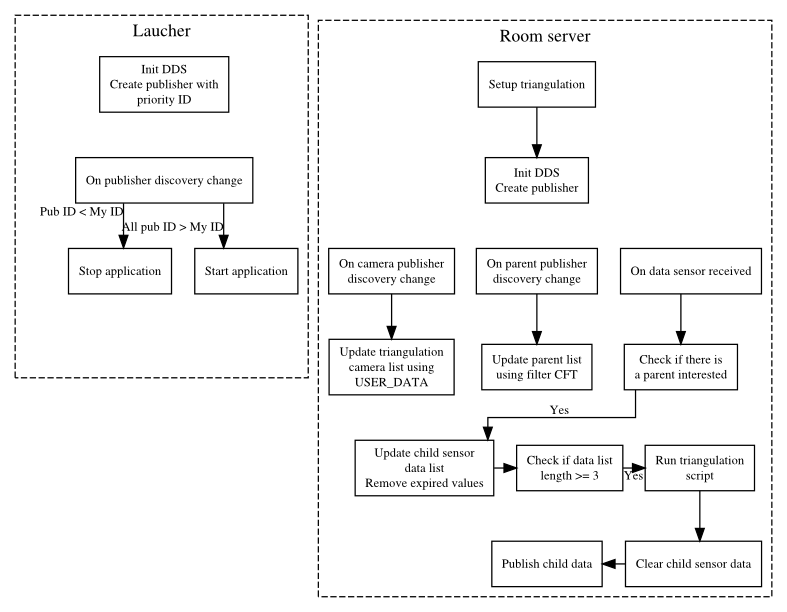
The final step involved aggregating sensor and video data into the Child Data topic. A room server—implemented on Raspberry Pi or MK802 III—triangulated child location and selected the best camera. It filtered sensors by room, fetched camera info, ran the Octave script to compute the child’s position and optimal camera, and published the result to the cloud. Child ID and video quality were used as filter keys for efficient subscription.
To optimize resource usage, the room server only executed the triangulation script when a subscriber requested data for a specific child, determined via subscriber discovery and ContentFilteredTopic filters.
We also implemented a fault‑tolerance mechanism: each minicomputer published a priority ID in USER_DATA. The node with the lowest ID became the active server until a new node with an even lower ID joined.
User Applications
Internet of Things Technology
- Remote Access Webinar FAQs – Comprehensive Answers
- From Our CEO: How Courage and Trust Propel IXON’s Growth
- Why 3D Printing Skills Are Essential for Design & Manufacturing Students
- Ada College Launches IoT Hackathon, Integrates ThingWorx into Curriculum
- 5 IoT Solutions Revolutionizing School and College Learning
- Gesture Control: The Next Frontier Beyond Keyboards
- Canadian Clients Tour Our Advanced 1530 Pneumatic CNC Factory – Inside the 3-Spindle Router
- Fusion 360’s Christmas CAM Challenge: Top Ornament Designs & Live Machining Showcase
- Industry Outlook: Charting the Path Forward
- Discover Why Summit Is Your Go-To Source for Replacement Parts