



RTI Labs Launches Python‑Enabled Connector for Connext DDS—Now in the Connext Suite
A lot has changed since this article first appeared. Today you can access DDS directly from Python or JavaScript—thanks to the beta testers of our RTI Labs program, RTI Connector for Connext® DDS has been integrated into the Connext product family.
This week we are excited to introduce RTI Labs, a free initiative that gives our customers early access to the next generation of Industrial IoT technology. The projects released under RTI Labs are experimental, allowing participants to prototype new ideas and shape the roadmap of our products through real‑world feedback. It’s a win‑win for both RTI and the community.
We are launching the program with three experimental projects, and the first is RTI (R) Connector for Connext DDS. If you’ve already downloaded RTI Connext 5.3.0 and launched the RTI Launcher, you will notice new icons in the “Lab” tab—one of them is the Connector icon.
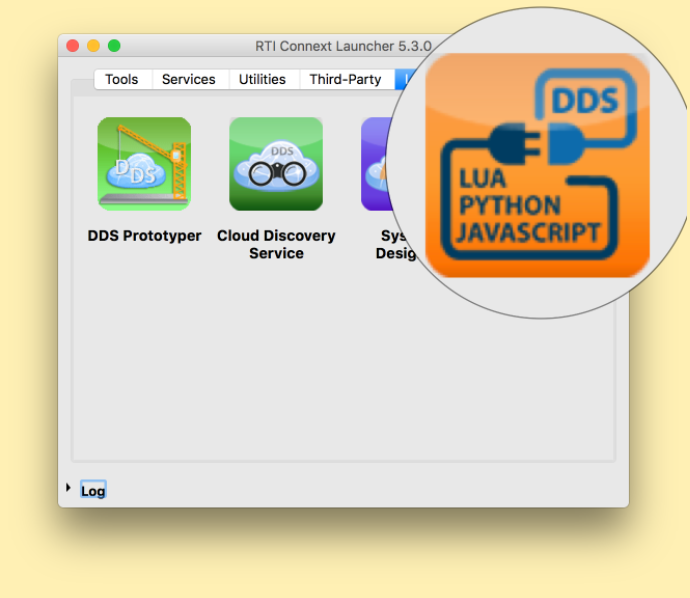
Clicking the Connector icon opens the RTI Connector page on the Community Portal. Connector was created by RTI’s Research Team to accelerate demo development and rapid testing. It began with a Lua interface to RTI Prototyper and has since expanded to support Python and JavaScript/node.js.
What Is RTI Connector?
RTI Connector for Connext DDS provides a lightweight, scriptable interface to the full power of RTI Connext DDS. It supports JavaScript, Python, and Lua, and builds on Connext’s XML App Creation and Dynamic Data capabilities. While this article focuses on the Python API, the same principles apply to JavaScript/node.js and Lua/Prototyper.
Use Cases
Early adopters have found Connector valuable in several scenarios:
- Testing: When components of a distributed system aren’t ready, Connector can emulate missing DDS parts, enabling isolated testing and reducing integration delays.
- Prototyping: Rapidly build demos or proofs of concept with minimal code—often an order of magnitude less than native Connext APIs.
- User Interfaces: Combine Connector with Python UI frameworks such as PyQt to create simple dashboards that publish or subscribe to DDS data.
- Integration: Leverage Python’s vast ecosystem—PyPI hosts over 112,439 packages—to add third‑party functionality and communicate over DDS.
- Other: Share your unique use case on the RTI Community Forum and help shape future enhancements.
Getting Started With RTI
The following assumes a basic familiarity with Python. RTI Connector works with Python 3 and earlier releases, runs on all major enterprise operating systems, and is supported on embedded boards such as the Raspberry Pi. A full platform list is available on our website. If you need support for another environment, reach out on the forum.
Install the Connector from PyPI:
pip install rticonnextdds_connector
Alternatively, clone the repository:
git clone https://github.com/rticommunity/rticonnextdds-connector.git
The repository includes several ready‑to‑run examples:
- simple/writer.js – Create a writer, set an instance, and publish samples.
- simple/reader.js – Retrieve a reader, fetch samples, and inspect content.
- simple/read_and_write.py – Read each sample, invert two fields, and write back.
- mixed/ – Updated examples covering sequence lengths, wait() usage, and more.
API Overview
For a deeper dive, consult the README in our GitHub repository. Below is a concise walkthrough of the core API.
First, import the Connector library:
import rticonnextdds_connector as rti
Create a Connector instance with the desired configuration and XML file:
connector = rti.Connector("MyParticipantLibrary::Zero", "./ShapeExample.xml")
The first string names the configuration, and the second points to an XML‑Base App Creation file. A sample file is available in the repository.
Access Data Writers via getOutput and Data Readers via getInput:
   output = connector.getOutput("MyPublisher::MySquareWriter")
   input  = connector.getInput("MySubscriber::MySquareReader")
Both methods accept the entity name as defined in the XML.
Set fields on a writer using a dictionary or individually:
   output.instance.setDictionary(sample)
   output.instance.setNumber("y", 2)
On the reader side, retrieve samples with read() or take(), then iterate:
   input.read()  # or input.take()
   numOfSamples = input.samples.getLength()
   for j in range(1, numOfSamples+1):
       if input.infos.isValid(j):
           x = input.samples.getNumber(j, "x")
           y = input.samples.getNumber(j, "y")
           # …
Samples can also be accessed as a dictionary:
sample = input.samples.getDictionary(j)
When working with multithreading, guard Connector access—examples are available in the repository.
Limitations
While RTI Connector simplifies many tasks, it is intentionally lightweight. It supports only Dynamic Data, not compiled types, and lacks some advanced features available in the full Connext DDS Pro suite. For specialized use cases, we recommend reviewing our documentation or contacting support for alternative solutions.
Cost
RTI Connector is free. We ask only that users provide feedback to help shape future releases. Your insights influence our roadmap.
Conclusion
This post offers a high‑level view of RTI Connector for Python. The best way to learn is to experiment—download the package, run the examples, and share your experience on the RTI Community Forum. Your feedback is invaluable as we refine the tool and plan the next generation of features.
Internet of Things Technology
- Building a Robust Time‑Series Monitoring System: Integrating RTI Connext DDS with Telegraf and InfluxDB
- RTI Perftest 2.4 Released: Enhanced Performance Testing for Connext DDS
- Why RTI Connext DDS Is the Go‑to Middleware for Autonomous Vehicles
- Connext DDS 101: A Beginner’s Guide to Getting Started
- Top 2016 Resources for Connext DDS Developers and Engineers
- 2014: A Milestone Year for RTI in Industrial IoT Innovation
- Connext DDS Users Group in Chengdu: Real Feedback Drives Our Roadmap
- RTI Connext DDS Secure: A Deep Dive into Advanced IoT Security
- Build a Robot with Raspberry Pi and Python: A Complete Guide
- Build Your Own AI Assistant Robot Using Arduino & Python