



How to Install an EZR Struder on Your Ender 3 – Step‑by‑Step Guide with Images
If you’re the proud owner of an Ender 3, then you might have thought about printing flexible filaments only to find out that the really flexible kind, NinjaFlex, etc., can’t be really printed on it without some major modifications.
That’s where the EZR Struder comes in since it allows you to print with such filaments, as well as all the regular ones, with ease.
Here’s a complete guide on how to install it.
So, let’s get started!
Items you’ll need for the Installation
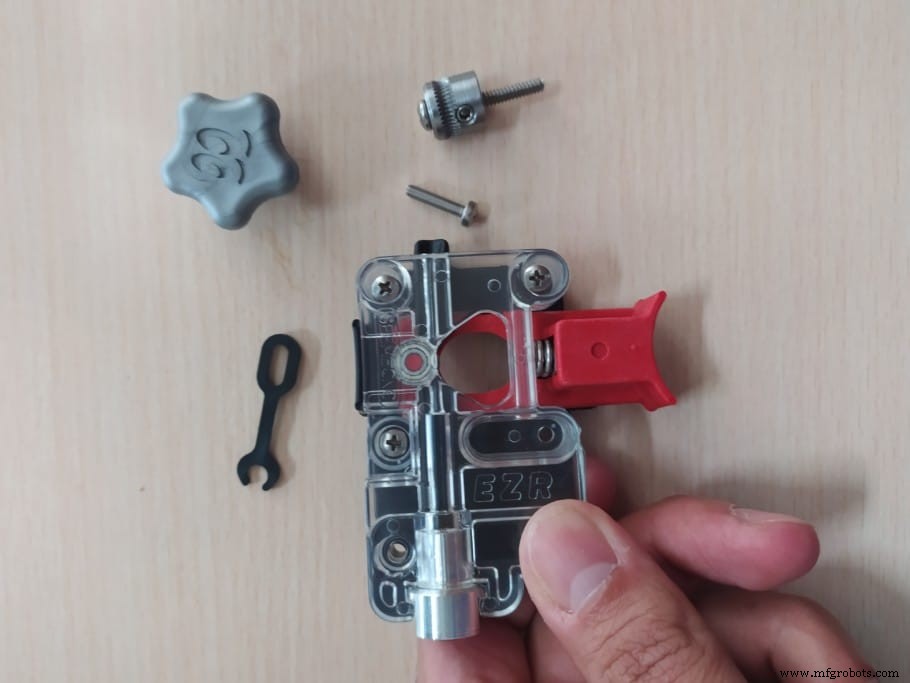
There’s a lot of extras that come with the EZR Struder, such as screws, etc., but you won’t need them all. So, here’s what you’ll need for installing it on an Ender 3:
- The EZR Struder.
- Spring (sometimes comes already built-in but you may need to insert it into the EZR Struder).
- Four Screws. It comes with 3 different sizes, you need the medium ones (16mm length).
- Gear.
- Plastic Clip.
- Plastic Knob.
Note: In the image above you can see a screw inside of the Gear, that one isn’t needed but I realized it was in there after taking the picture and installing the EZR Struder.
How to Install the EZR Struder
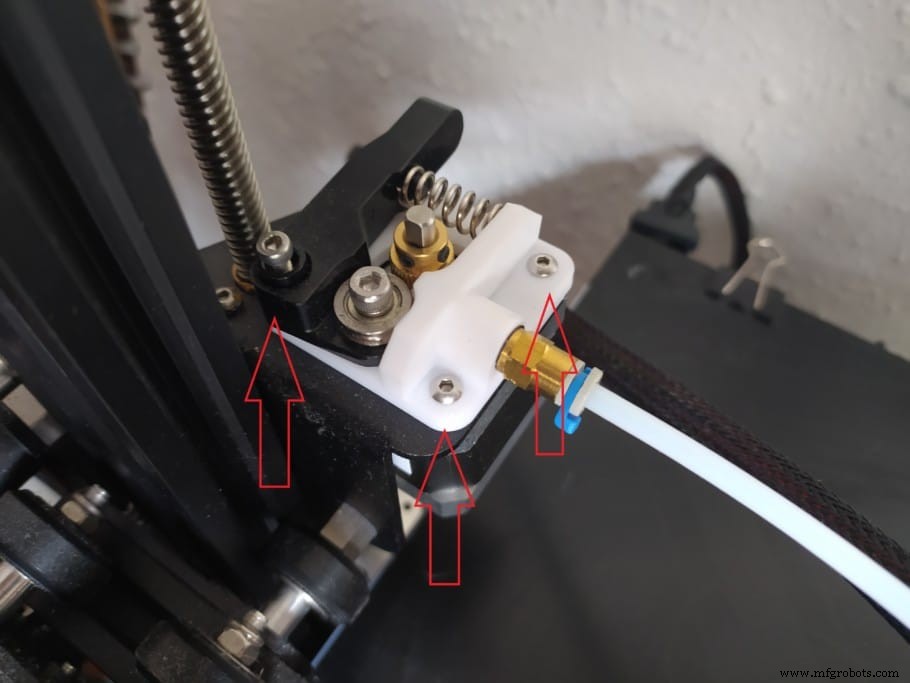
- Remove the screw that holds the idler arm in place and remove the whole idler arm.
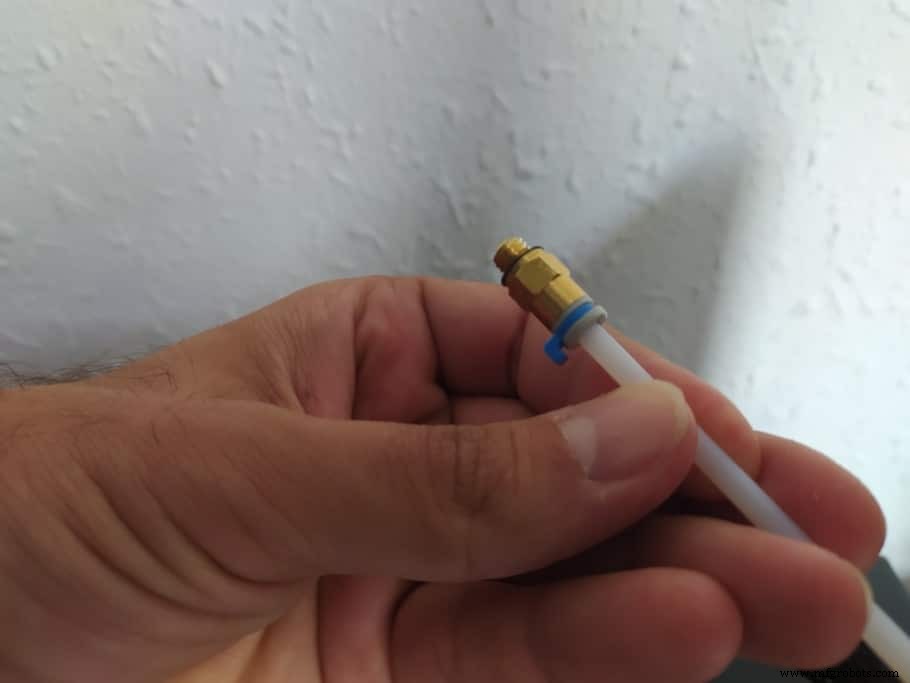
- Unscrew the Bowden tube from the extruder base.
- Remove the Bowden tube by pressing down on the fitting which should allow you to remove the tube.
Note: In my case I wasn’t able to remove the tube because of the fitting not working properly, so I had to cut the tube which also worked well.
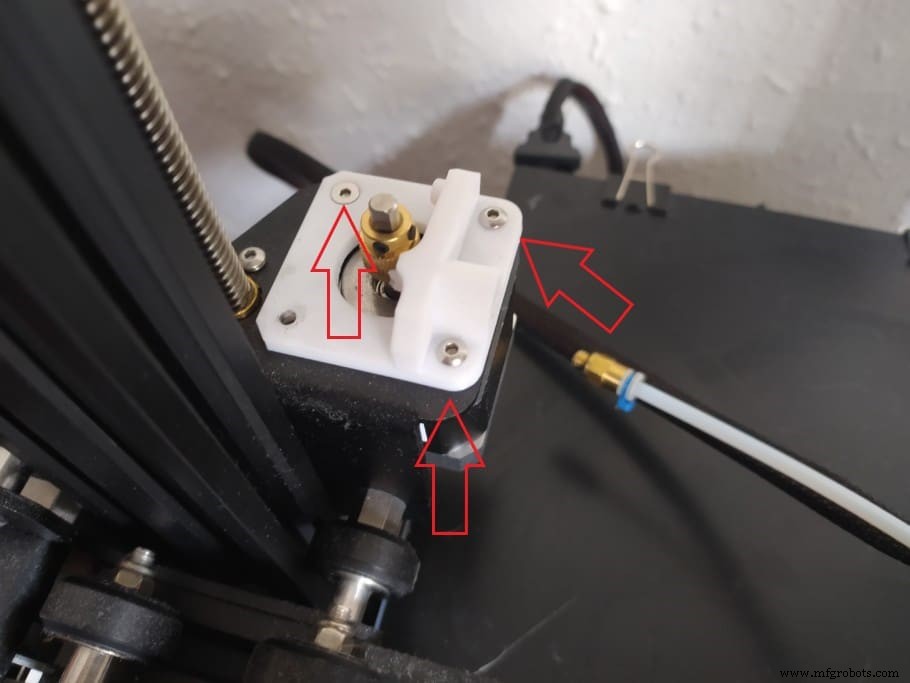
- Remove the screws that hold the extruder against the motor (Careful since the motor will fall once all screws are removed).
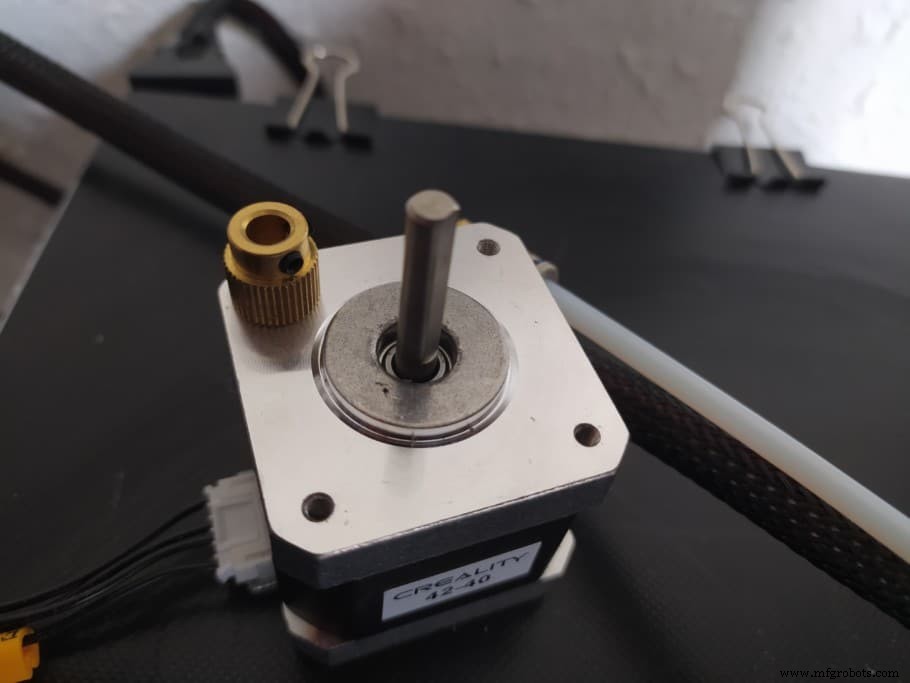
- Leave the Extruder on the Bed and using the smallest Allen wrench that came with the printer loosen the two grub screws that hold the gear against the shaft and then remove the gear.
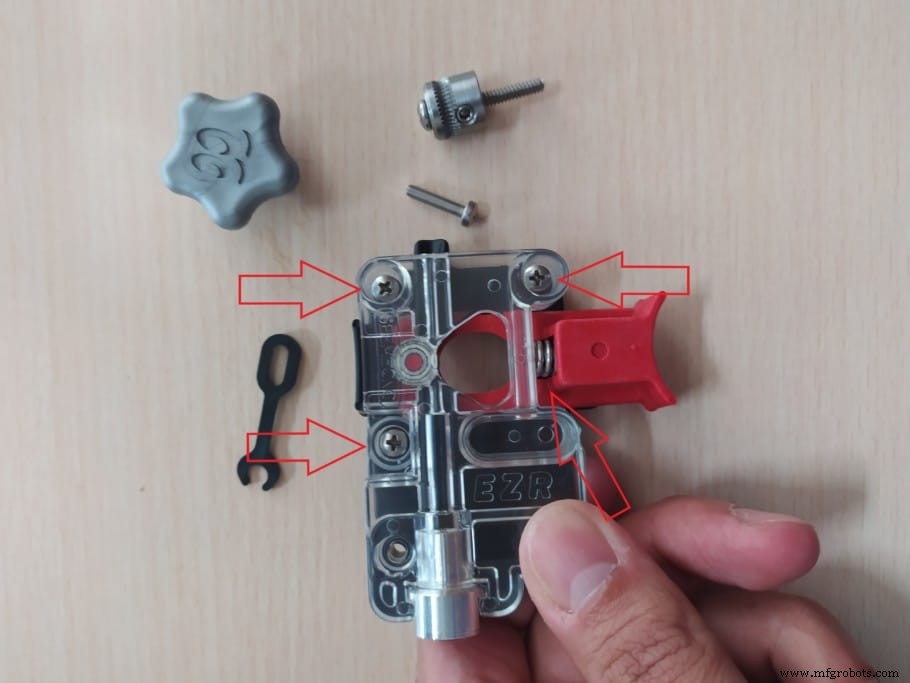
- Cut the Zip Tie on the side of the EZR Struder and insert the medium-sized screws into the holes (I inserted 3 but you could definitely do all four), this will keep the plastic cover from falling off.
Note: If your EZR Struder didn’t already come with the spring in it, then remove the plastic cover, insert the spring and then put the plastic cover on again and keep pressure on it while inserting the screws, otherwise the spring will make it go flying across the room.
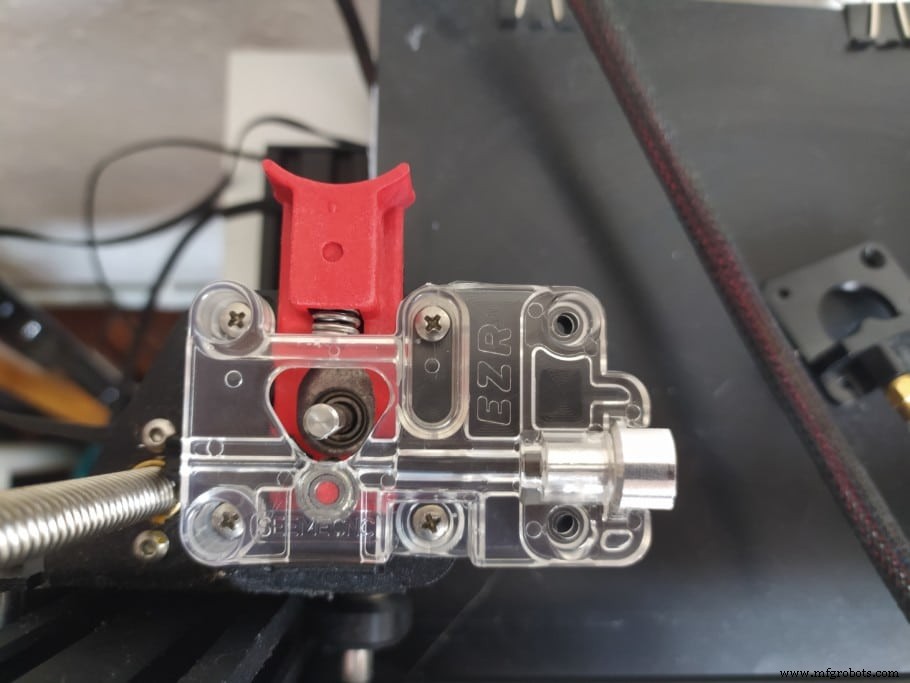
- Place the EZR Struder where the old extruder was, push the stepper motor against it and tighten the screws.
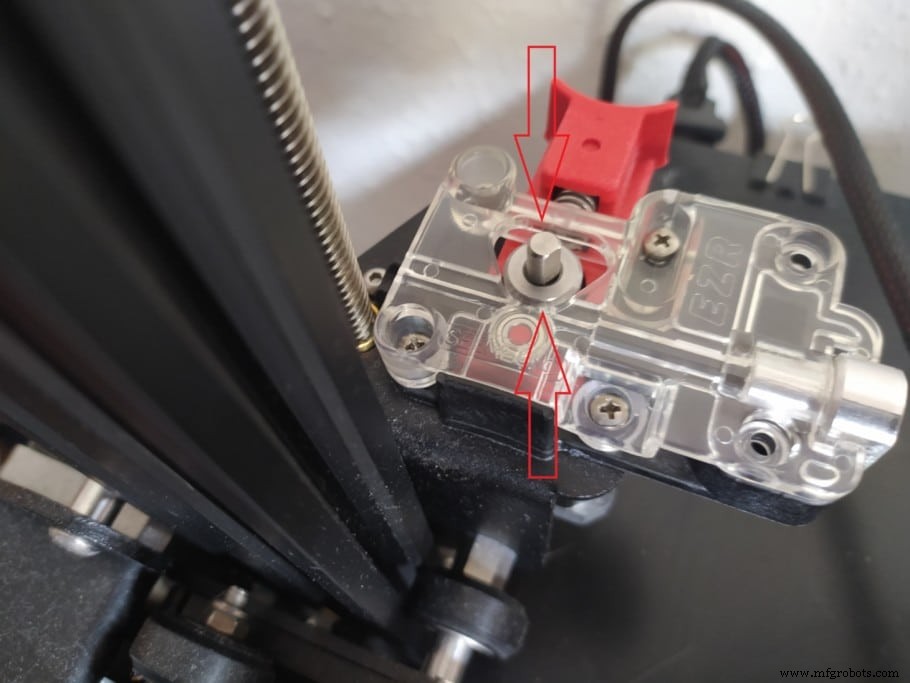
- Using the same Allen wrench you used to loosen the Grub Screws on the stock Extruder gear, loosen the grub screw on the EZR Struder Gear.
- Push it all the way down the shaft but don’t tighten the Grub Screw yet and make sure that the screw isn’t on the flat side of the shaft.
Now, here’s a little trick to make absolutely certain that the gear’s height is set properly:
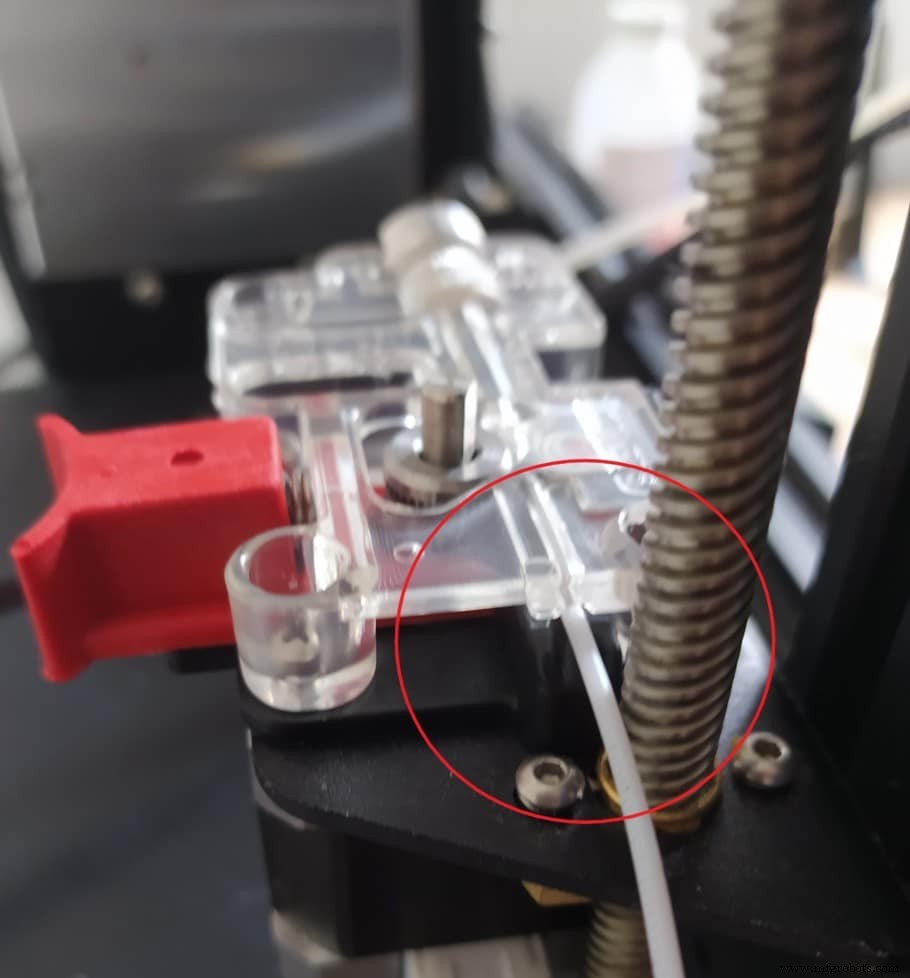
- Insert some PLA, ABS, or any other rigid filament into the EZR Struder, push it in and then pull on it without taking the filament out of the EZR Struder. This will automatically adjust the height of the Gear.
- Once the Gear height is set properly, use the Small Allen Wrench to tighten the Grub Screw.
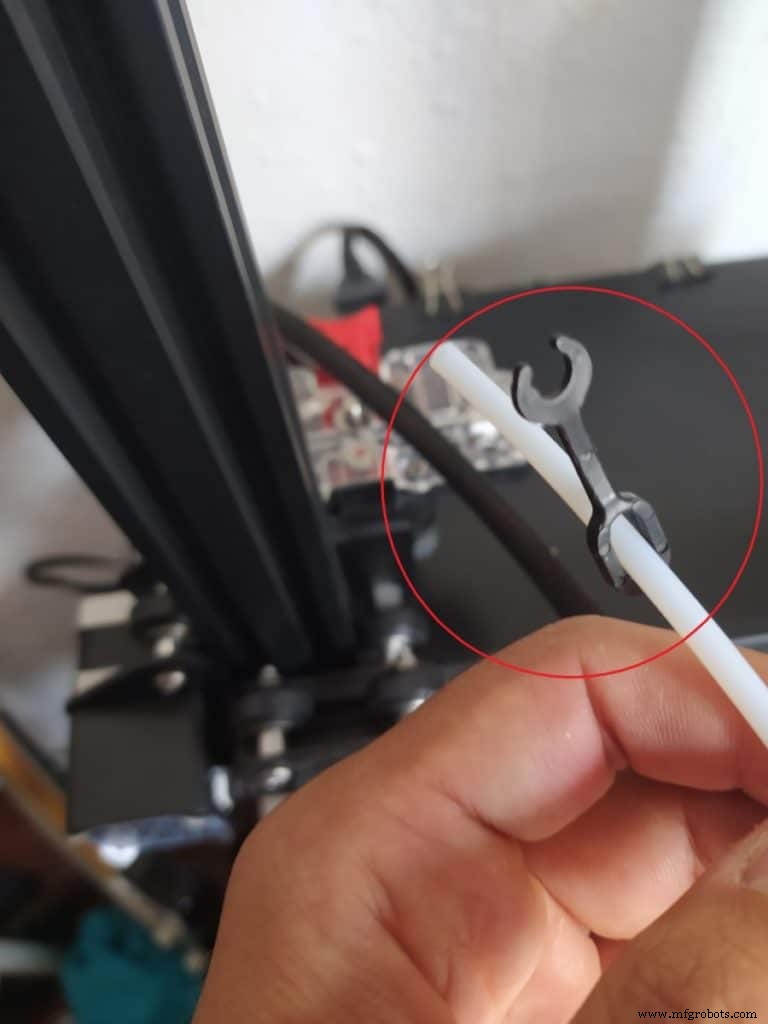
- Pass the PTFE tube through the little plastic clip.
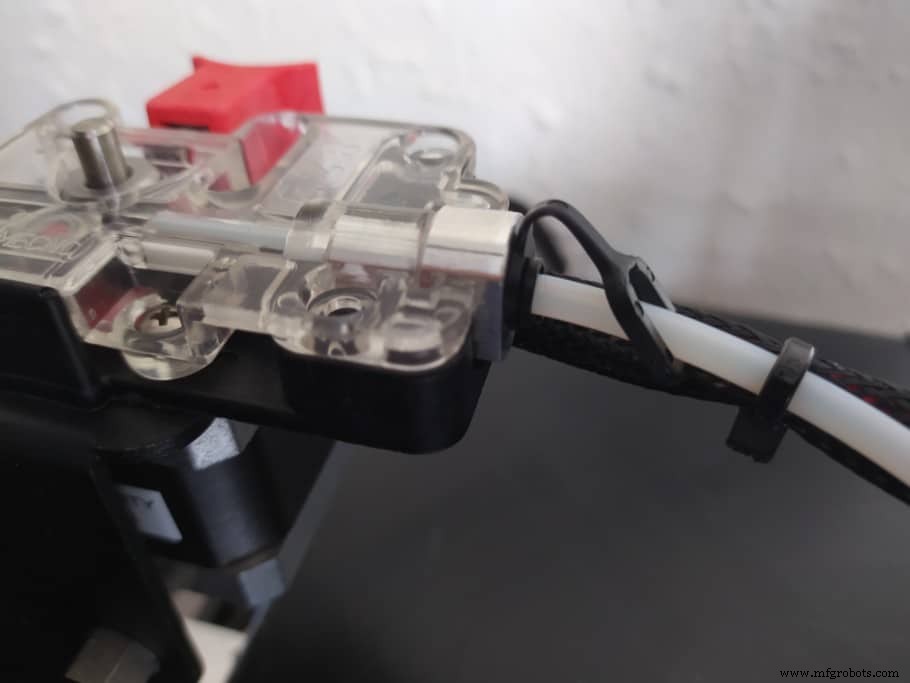
- Push the PTFE tube all the way into the EZR Struder until it bottoms out and push the clip into the fitting.
Note: Use a small screwdriver to push the fitting out while still pushing the PTFE tube into the EZR Struder, otherwise a small gap may form once you push the fitting out to insert the clip.
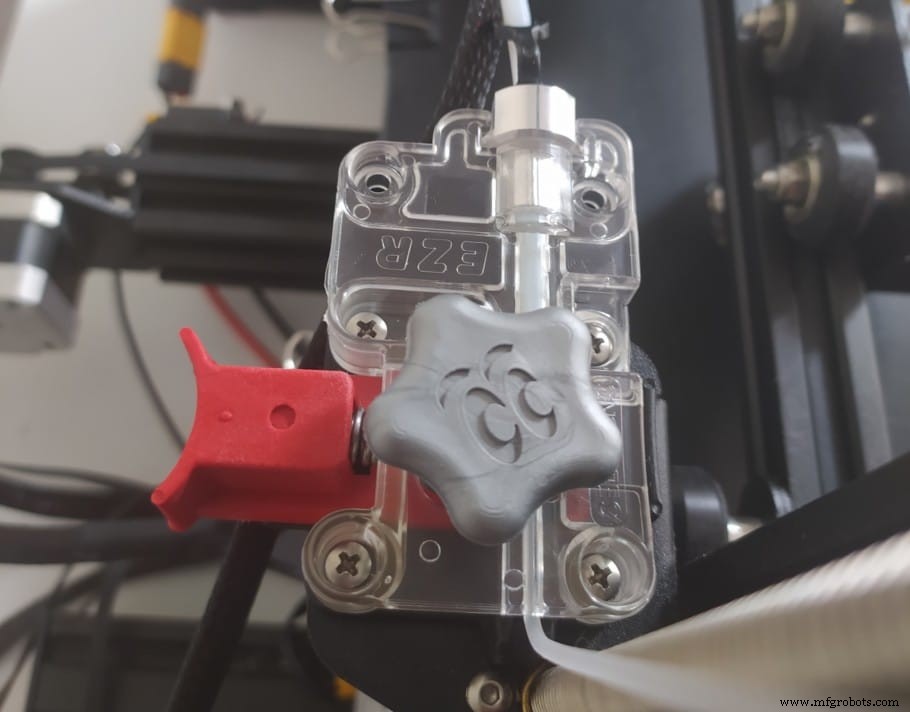
- Lastly, attach the knob to the shaft on the Extruder (This will let you easily feed filament into the hotend).
EZR Struder Print Quality
I bought the EZR Struder to try out some really flexible TPU, such as NinjaFlex, and I have to say that the prints came out absolutely fantastic and the filament didn’t tangle, which generally happens on the stock Ender 3.
You might be wondering if it also works with non-flexible filaments, and the answer to that is yes, absolutely. I Printed a headphone desk mount in PLA and it came out perfect.
Here are a couple images:
NinjaFlex printed with the EZR Struder
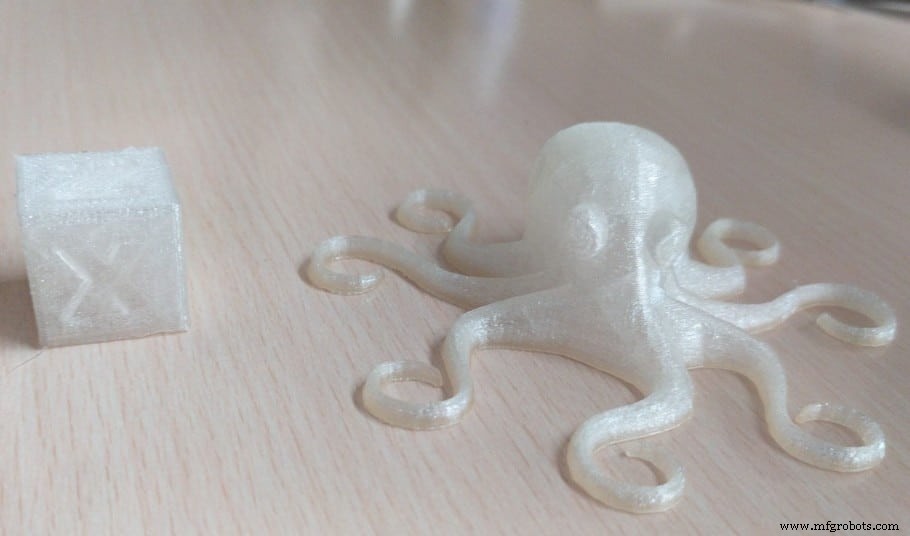
Both prints look great, have a lot of spring to them, and there’s absolutely no layer separation going on.
As you can see on the cube, the first layer wasn’t set properly and the corner of the cube detached from the bed, but that was my fault rather than the EZR Struder and shouldn’t really happen to you if you level the bed correctly.
PLA Printed using the EZR Struder
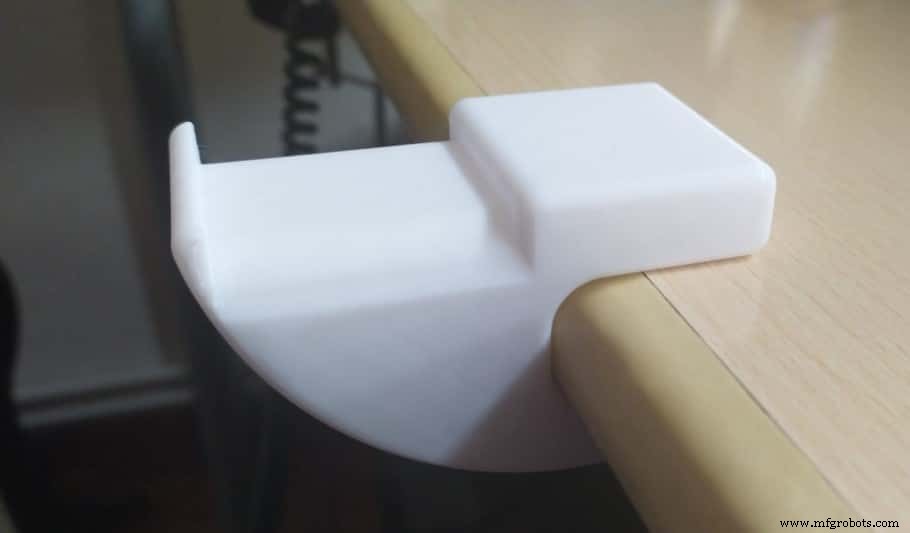
I thought that maybe the EZR Struder would only work well with flexible materials, but luckily it works just fine with regular PLA.
This headphone holder came out almost perfect; No under extrusion, no layer separation, etc.
Conclusion
The EZR Struder’s installation process is quite simple and straight forward, the only problem I had was after I inserted the spring into it since it made the plastic cover fly across the entire room, which is why I mentioned that you should hold it firmly until you insert the screws.
Other than that, the installation was a breeze and the printing quality is great!
So, make sure to get some NinjaFlex and have fun printing.
Check out our recommended products section
We created a recommended products section that will allow you to remove the guesswork and reduce the time spent researching what printer, filament, or upgrades to get, since we know that this can be a very daunting task and which generally leads to a lot of confusion.
We have selected just a handful of 3D printers that we consider to be good for beginners as well as intermediates, and even experts, making the decision easier, and the filaments, as well as the upgrades listed, were all tested by us and carefully selected, so you know that whichever one you choose will work as intended.
3D printing
- HP Multi Jet Fusion: Mastering 3D Printing for Speed, Quality, and Precision
- Binder Jetting 3D Printing: How It Works, Benefits, and Best Practices
- Titanium 3D Printing: Applications, Benefits, and Emerging Technologies
- Sealing FDM Parts with Stratasys Insight: A Practical Guide
- Mastering Graphite Machining: Tooling, Coolant, and Safety Tips
- Silent Fan Upgrade for Ender 3 Pro & V2 – Step‑by‑Step Guide with Photos
- How to Change Filament on the Ender 3: Step‑by‑Step Guide with Photos
- Beginner's Guide to Non-Planar 3D Printing: Master the Basics with Confidence
- Mastering HIPS Filament: A Comprehensive Guide to 3D Printing Success
- Comprehensive Guide to Installing OpenMediaVault on Raspberry Pi