



Top Free CAD Tools for Industrial 3D Printing
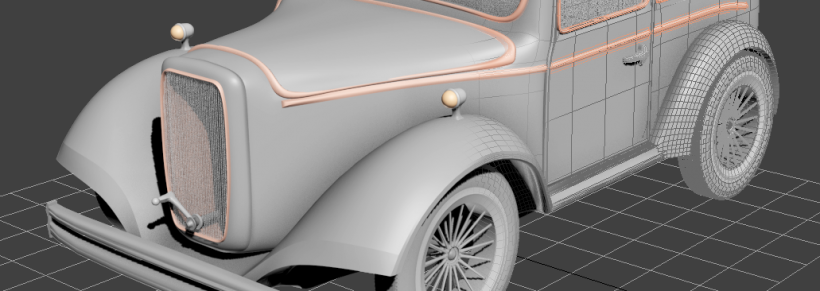
When exploring 3D modelling and printing, high‑end software isn’t the only path to success. A number of free, feature‑rich CAD applications deliver professional results suitable for industrial workflows, education, and rapid prototyping. These tools can help introduce 3D printing into a manufacturing environment and secure stakeholder confidence without a hefty price tag.
Blender
Blender, widely recognised by hobbyists, offers a powerful suite of tools that scale to commercial‑grade projects. Its open‑source nature guarantees continuous development, while an active community provides tutorials, plugins, and support. Mastery does require time, but the platform’s flexibility—mesh editing, sculpting, rendering, and animation—enables complex product designs and visualisations.
FreeCAD
FreeCAD is a parametric, open‑source modelling platform tailored for product design and mechanical engineering. Its workbench architecture allows users to add specialised tools—such as robotics simulation or 2D drawing export (SVG/PDF). Frequent updates and a dedicated community ensure that the software stays current with industry standards.
MeshLab
MeshLab excels in mesh processing and is a staple in academic and research settings. It offers robust functions for mesh inspection, cleaning, repair, and conversion. The ability to handle large, complex meshes and export a wide range of formats makes it invaluable for rapid prototyping and pre‑print optimisation.
Trimble SketchUp
SketchUp’s intuitive interface makes it an attractive first‑step for many designers. It shines when working with sharp, architectural‑style geometry, and is frequently chosen for building models. For 3D‑printing workflows, users should install the STL/OBJ export extension, which may incur an additional cost. Due to occasional file‑compatibility issues, a dedicated mesh‑checking tool is recommended.
Tinkercad
Tinkercad, the free version of Autodesk’s 3D‑modelling suite, offers an approachable entry point for beginners. While it lacks the depth of professional CAD packages, it supports direct integration with numerous 3D‑printing services and allows import of external files for editing. Autodesk also provides a free student edition of AutoCAD, granting access to industry‑standard tools and certification pathways.
Ensuring Seamless Integration
When selecting a free CAD tool, verify that it can export models in the preferred 3D‑printing file format (e.g., STL, OBJ). Pairing the CAD software with reliable slicing and mesh‑checking utilities mitigates the risk of failed print runs. A cohesive workflow—where each application communicates effectively—enables smoother project execution and accelerates the adoption of 3D printing in production.
3D printing
- Choosing the Ideal CAD Software for Your 3D Printing Workflow
- Choosing the Right CAD Software for Jewelry Design: A Comprehensive Guide
- Eiger Software Update: Introducing Automatic and Smart Rotation Tools
- Top CAD Software for 3D Printing: A Professional Guide
- Mastering CAD: The Ultimate Guide to Computer-Aided Design
- Top 50 Asset Management Software Solutions for Maximum ROI
- Are Free CMMS Solutions Truly Cost‑Free? Uncover the Truth
- Top 13 Free Circuit Simulators: Trusted Tools for Accurate Design
- Download Walter Tools Catalog – Free PDF Guide to Cutting, Drilling & Milling
- Best Free Laminating Software for FDM/FFF 3D Printing