



Explore Markforged Eiger: Test Your Parts with Our Production‑Quality Slicer
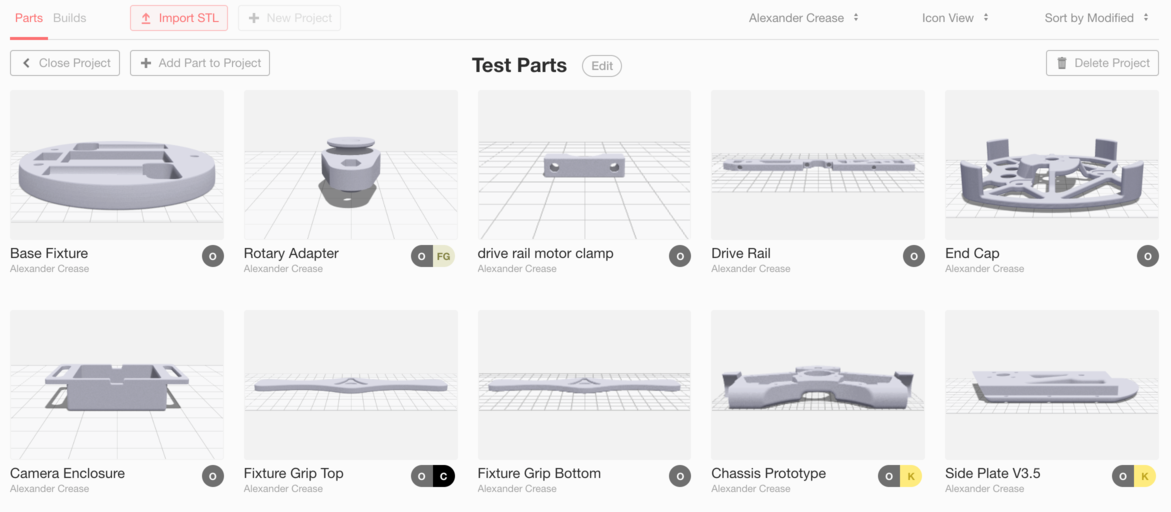
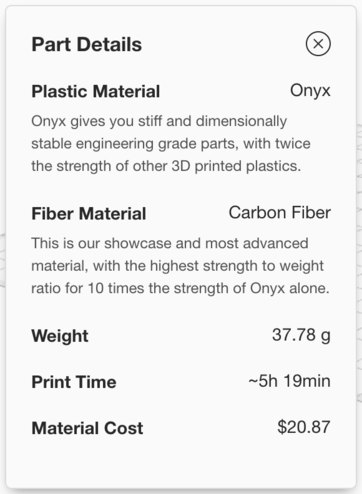
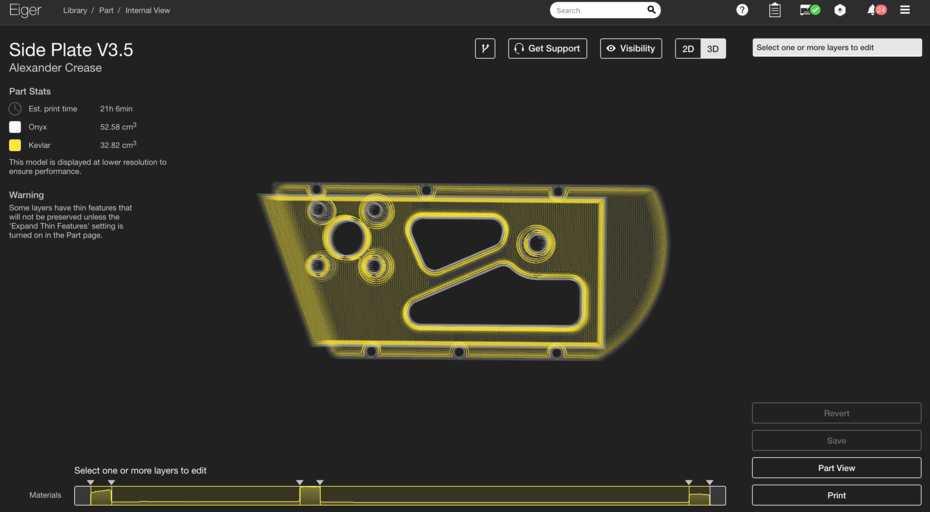
Last week, we released an update to Eiger that adds new features for both new and existing users. We streamlined the sign‑up workflow so you can try our slicer before purchasing a printer, and we added tools that display weight and material‑cost data for sliced parts. Try Eiger to see how Markforged can streamline your design workflow. Eiger is the production‑quality slicer for all Markforged printers. It guides users through our unique CFF (Continuous Fiber Fabrication) process, giving full control over composite‑fiber reinforcement. As an organization tool, it also supports part sharing, version control, and print monitoring. Now anyone can experience Eiger and learn how to create strong 3D‑printed parts in composite materials. Sign up to test the software that powers our award‑winning machines. Anyone can create an Eiger account—even without a printer—to test the software’s capabilities. Import STL files and experiment with print settings, fiber‑routing options, or any configuration you would use on a printer. You also have full access to Eiger’s file‑management infrastructure: share parts with colleagues, view project histories, and track version changes. Parts can be sliced and fiber‑routing can be configured, but they cannot be sent to a printer or exported. A free account is limited to 30 parts and does not support cloud‑based slicing; registering a printer unlocks the full suite, including unlimited parts and cloud slicing. The printer can be added directly to the existing organization for a seamless transition. After signing up, you’ll receive guides on fiber reinforcement to help you get started. You’ll also see new features such as weight and cost estimates. Click "Part Details" below the part name for the specifications. Eiger now provides weight estimates based on the densities listed on our material data sheets. Whether you’re limited by tooling for a robotic end‑effector or trying to reduce weight on a racing vehicle, the tool helps you budget weight early in the design process. When you slice a part, its weight updates automatically to reflect the current print settings. Generating quotes is simpler than ever. Eiger shows the total material cost of a part, letting you use the part‑cost calculator to price jobs quickly and accurately. This transparency extends to fiber‑routing efficiency: compare different routing techniques to balance strength and cost. For more information on efficient fiber‑routing techniques, read more here. Try Eiger today to experiment with fiber routing and explore our new features.Trying Out Eiger
Weight Estimates
Part Pricing & Material Budgeting
3D printing
- Mastering Post‑Processing for SLA Prints: From Cleaning to a Professional Finish
- Elevating Quality Control: 3D‑Printed Tooling Enhances Manufacturing Precision
- Introducing Projects in Eiger: Organize Your 3D Printing Library with Ease
- Quickly Label 3D Printed Parts with Engraver Filler – A Proven, Easy Method
- Inside Our Sample Keychains: Design & Reliability Behind Markforged's Strength Showcase
- Revolutionizing Production: Markforged’s 3D‑Printed Spool Dispenser Innovation
- Eiger Software Update: Introducing Automatic and Smart Rotation Tools
- Introducing Onyx – Markforged’s New High‑Performance Carbon‑Fiber‑Filled Nylon
- Hyper Quadrex 200MSY: Twin 30hp Spindles & Full C‑Axis CNC for High‑Volume Precision Part Production
- Software Enhances Accuracy of 3D-Printed Parts